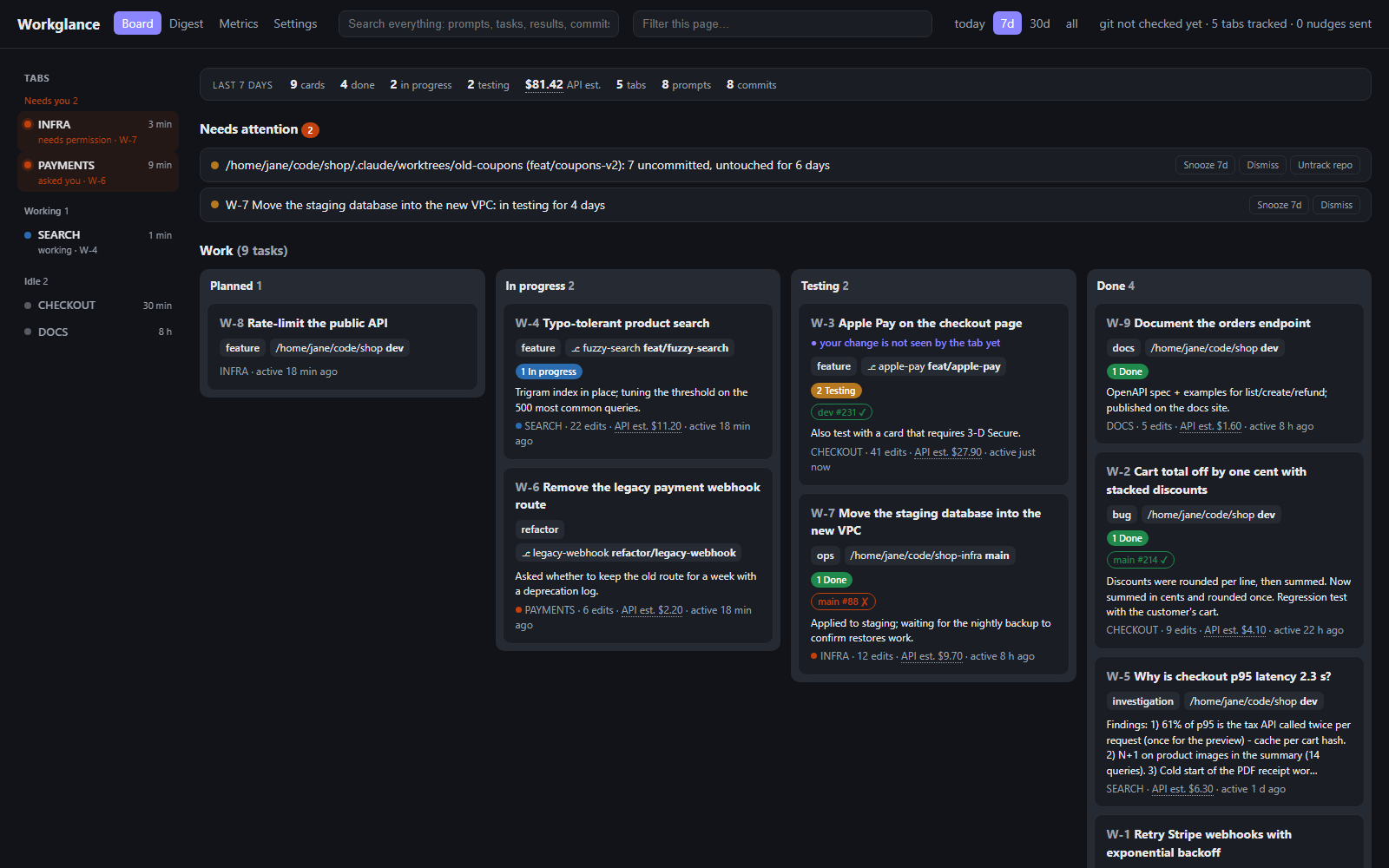
Five Claude Code tabs open? See which one needs you right now, what each one did across every repo, and whether the work really shipped. A task board your agents keep themselves. Local and private.
Installation
Launch VS Code Quick Open (Ctrl+P), paste the following command, and press enter.
Five Claude Code tabs open. Which one fixed the login bug? Which one has been waiting for your answer
for 20 minutes? Did yesterday's fix ever reach production?
Workglance answers at a glance. Your agents keep a task board themselves while they work, and you see,
across every repo and worktree, what each tab did, what is still undone and which tab needs you right now.
What you get
Never miss a tab that's waiting. The status bar shows "2 need you", and you get a notification the
moment a tab asks you something or needs a permission. Open tab jumps straight to that Claude Code
session, in the VS Code window that has it.
A board you don't have to keep. Each tab registers its real work (features, fixes, investigations),
moves it as it goes and closes it with a result: what changed, how it was verified, what is left. Questions
and small edits never clutter it.
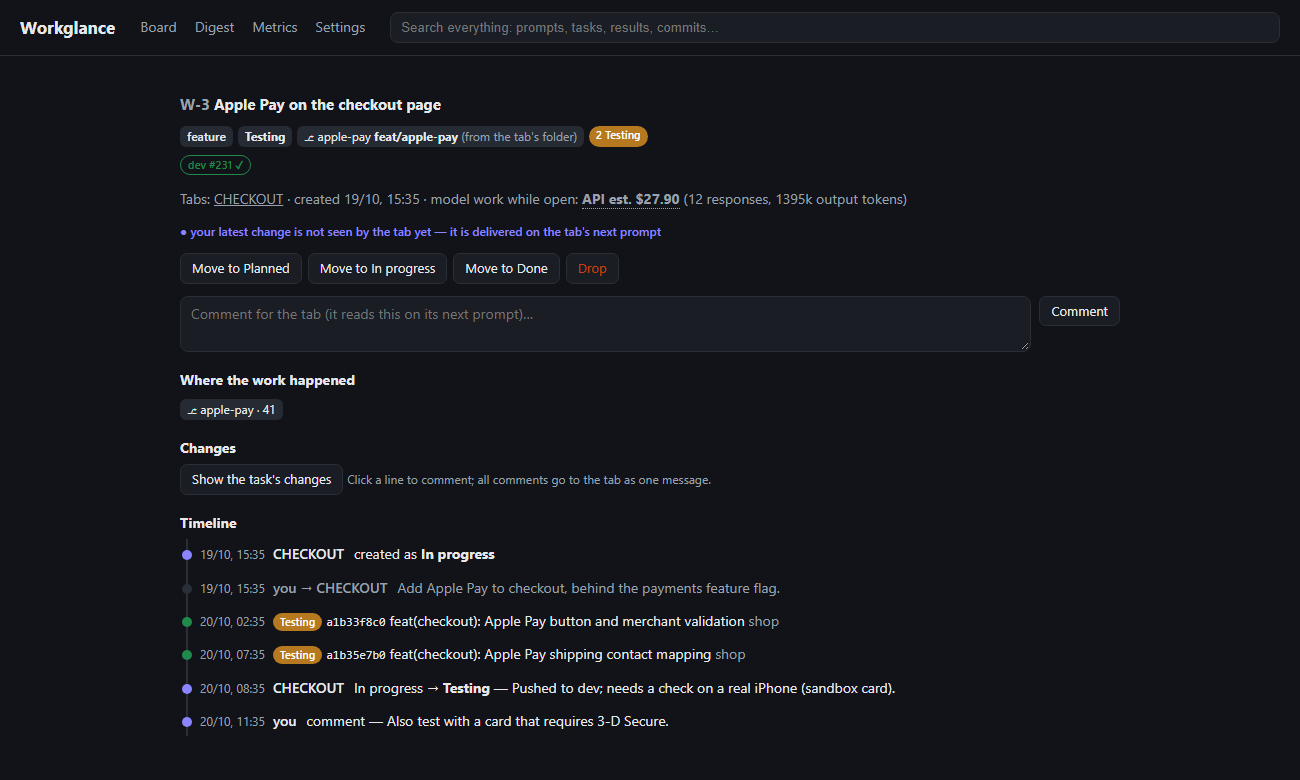
Know what really shipped. Commits are linked to their card and followed into dev and main, with CI
status from GitHub Actions or Bitbucket. A card marked done whose code never reached main gets flagged.
Steer from the board. Drag a card back or comment on it; the tab reads it on its next prompt.
Review the card's diff and send line comments to the tab.
Memory across tabs. Search everything any tab ever did, and your agents can search it too before
redoing work someone already did. Any tab can tell which repos have open cards and pick up work in
another repo, or answer "what did each repo cost in AI this month?".
Cost per card and per repo, digest, stuck work. See which work and which repo took the most model
effort, get a digest grouped by repo with what needs you on top,
and get nudged about worktrees and cards nobody touched in days.
Get started in a minute
Install this extension.
Click Install now when it asks (or the Install Workglance item in the status bar). It runs
npx workglance install, which needs Node.js 24+.
Restart your Claude Code tabs (or run /mcp in them). That's it: work as usual and open the board with
Workglance: Open board, or at http://127.0.0.1:4477.
Private by design
Everything stays on your machine: one small local server and one SQLite file. No account, no cloud, no
telemetry. The board only answers on 127.0.0.1.