Benode
Benode helps you understand how an entry point moves through an unfamiliar codebase. It turns supported source patterns into an interactive static call graph inside Visual Studio Code.
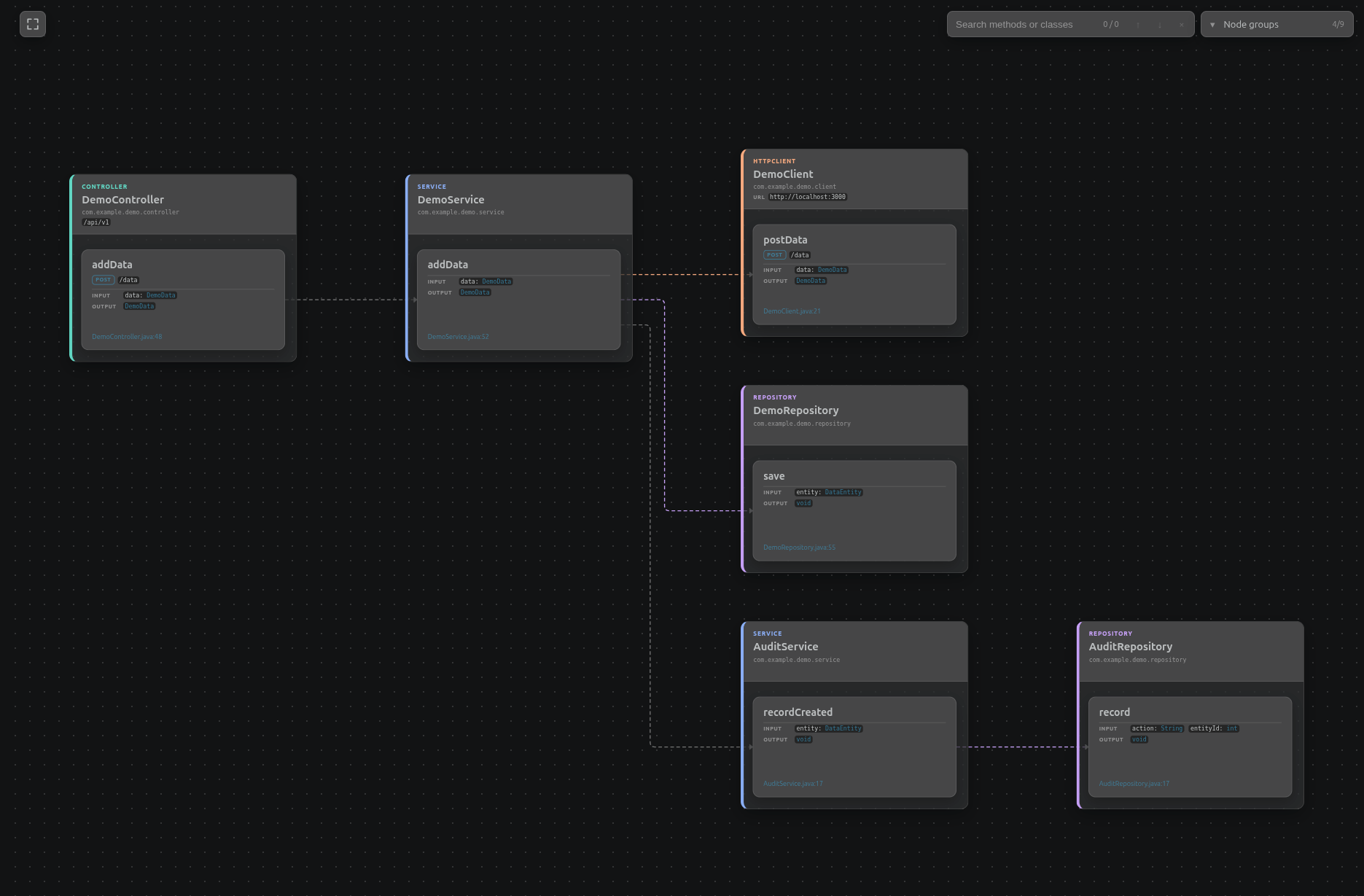
The current release supports Java Spring Boot projects. Benode is local and read-only: it analyzes source text without running a JDK, compiler, build tool, application, or network request.
Important: Benode is an exploration aid, not a substitute for reading the code. Static syntax analysis is necessarily incomplete. Always inspect the relevant source, configuration, generated code, and runtime behavior before relying on a graph for implementation, review, security, correctness, or performance decisions.
What you can explore
- Browse discovered applications, controllers, and entry points.
- Follow calls across methods and class roles when they can be resolved statically.
- Inspect framework metadata associated with nodes and calls.
- Search methods and classes, filter node groups, and focus upstream or downstream paths.
- Navigate from graph nodes to local source locations.
Current technology support
The bundled provider currently supports:
- Java applications discovered from common Maven and Gradle mono- or multi-module layouts.
- HTTP endpoints and mappings declared with Spring annotations.
- Common service, component, repository, JPA entity, and OpenFeign call patterns.
Requirements
- Visual Studio Code 1.86.2 or newer.
- A workspace matching the current provider: Java source in a Maven or Gradle project.
- A desktop VS Code workspace with normal filesystem access. Remote and virtual workspaces are not currently supported.
No JDK, Java compiler, Maven or Gradle installation, running application, or project dependency download is required for analysis.
Getting started
- Open the root folder of a supported workspace in VS Code.
- Select the Benode icon in the Activity Bar.
- Wait for the Applications view to finish analyzing the workspace.
- Expand an application and controller, then select an endpoint to open its call graph.
- Select a class or method to focus its connected paths. Select empty graph space to clear the focus.
Inside the graph:
- Use the search box, or
Ctrl+F / Cmd+F, to find methods and classes. Press Enter and Shift+Enter to move between matches.
- Use Node groups to control the filters exposed by the active parser. The Spring/Java parser currently offers class-role and trivial-method filters. It classifies a method as trivial when it only returns a field (a getter), assigns its only argument to a field (a setter), or performs that assignment and returns
this (a fluent setter). These low-signal methods are hidden by default to reduce visual noise.
- Use the fit-view button to frame the current graph.
- Use
Ctrl+click or Ctrl+Enter on Windows/Linux, and Cmd+click or Cmd+Enter on macOS, to open a method in a pinned editor tab.
Benode watches relevant workspace files and refreshes the graph after a newer valid analysis becomes available.
Settings
Open Settings (Ctrl+, on Windows/Linux or Cmd+, on macOS) and search for Benode. The setting can be applied per workspace folder:
- Benode: Excluded Packages removes matching classes and their edges from graph construction. Each entry identifies a parser and either an exact qualified class name, such as
com.example.LegacyService, or a package prefix ending in .*, such as com.example.generated.*.
The default Spring/Java exclusions hide standard-library and common framework internals. Changing the setting triggers a reindex. Use the Settings JSON editor when you need to add or edit the structured entries directly.
Commands and troubleshooting
- Benode: Reindex Workspace — verify changed files while reusing compatible cached analysis.
- Benode: Clean and Reindex Workspace — discard Benode's cache and perform a cold analysis.
- Benode: Show Analysis Diagnostics — inspect discovery, parsing, resolution, and operational messages.
The Benode output channel logs successful analysis phases, including workspace discovery, source reading and hashing, Java parsing and indexing, symbol resolution, and graph construction. Summary entries use the Info level; detailed phase progress is available at the Debug level.
If an application, endpoint, or call is missing, start with the diagnostics. For stale or inconsistent results after large project changes, use Clean and Reindex Workspace.
Before sharing diagnostics, review them for local file paths and source symbol names that may be confidential.
Privacy and local data
Benode does not modify workspace files, access the network, or collect telemetry. Its cache lives in VS Code workspace storage and contains discovery data, content hashes, and extracted source facts, not complete source files or syntax trees.
Current limitations
Benode intentionally performs static source analysis only. It does not use a JDK, Java compiler, language server, Maven, Gradle, dependency classpath, bytecode, or runtime instrumentation to complete or verify the graph. As a result, a graph may omit calls, choose an imprecise target, or stop at an unresolved or external symbol.
- Runtime dispatch, reflection, proxies, generated code, dependency injection, conditional configuration, and framework behavior may differ from the graph.
- Dependency classpaths are not reconstructed completely, and third-party implementation details are not analyzed.
- Gradle discovery recognizes common static Groovy and Kotlin DSL declarations; dynamic settings, custom source sets, and unusual layouts may not be discovered.
- Kotlin build files can help discovery, but Kotlin application source is not analyzed.
- Source navigation is available only for nodes associated with a local source location.
Feedback and license
Report problems and request support in the Benode issue tracker. Benode is released under the MIT License.

