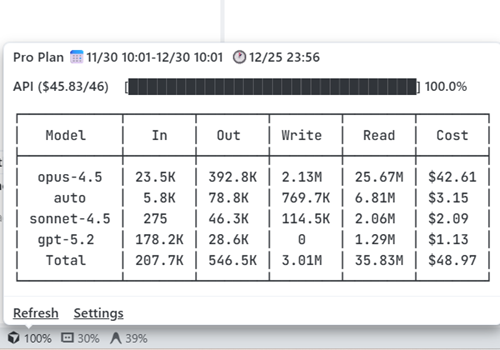
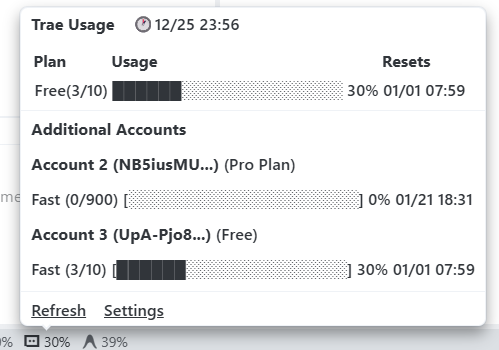
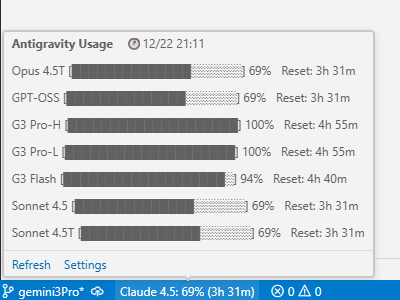
Coding UsageMonitor your Cursor/Trae/Antigravity AI usage, supporting multi-account local monitoring with optional data delivery to self-hosted servers. Current usage rules:
English Version | 中文版
Currently supports Cursor, Trae International, and Antigravity Configuration Demo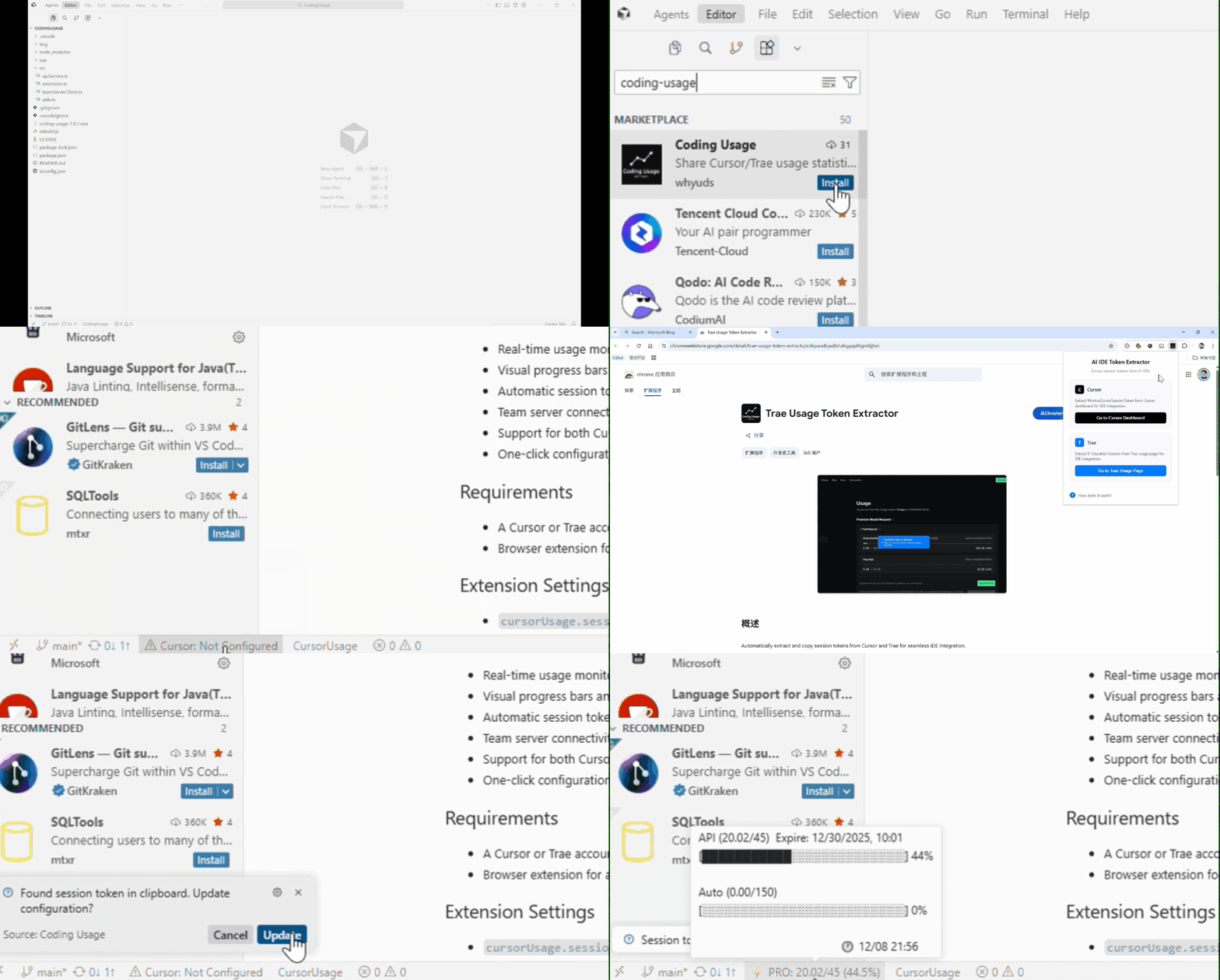
Additional account configuration; no configuration needed for IDE login account Features
Quick Start1. Install IDE Extension2. Double-click Status Bar at Bottom of Window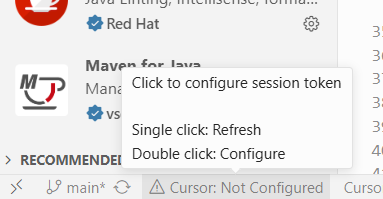
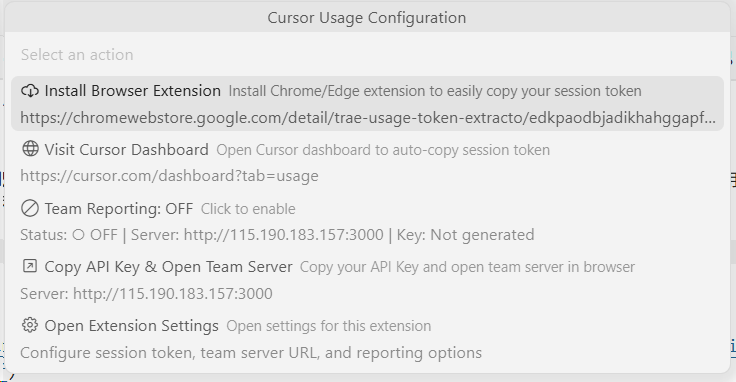
Double-click Status Bar Configuration | Open QuickPick Menu 3. Install Browser Extension via QuickPick Menu4. Navigate to Official Website via Browser Extension or QuickPick5. Return and Auto-configure SessionTokenTeam Features (Optional)Configure team server URL to enable:
Personal Multi-Account Query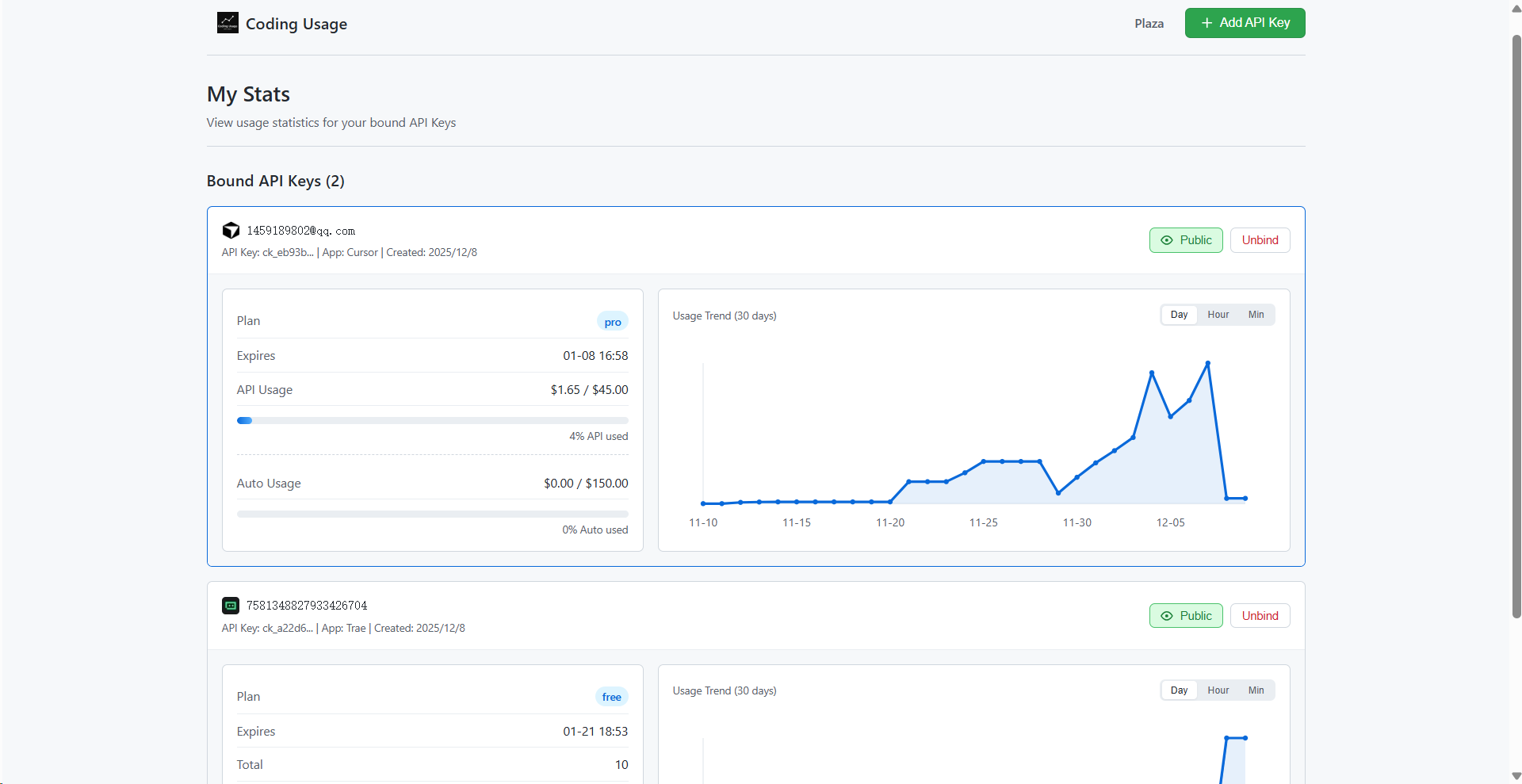
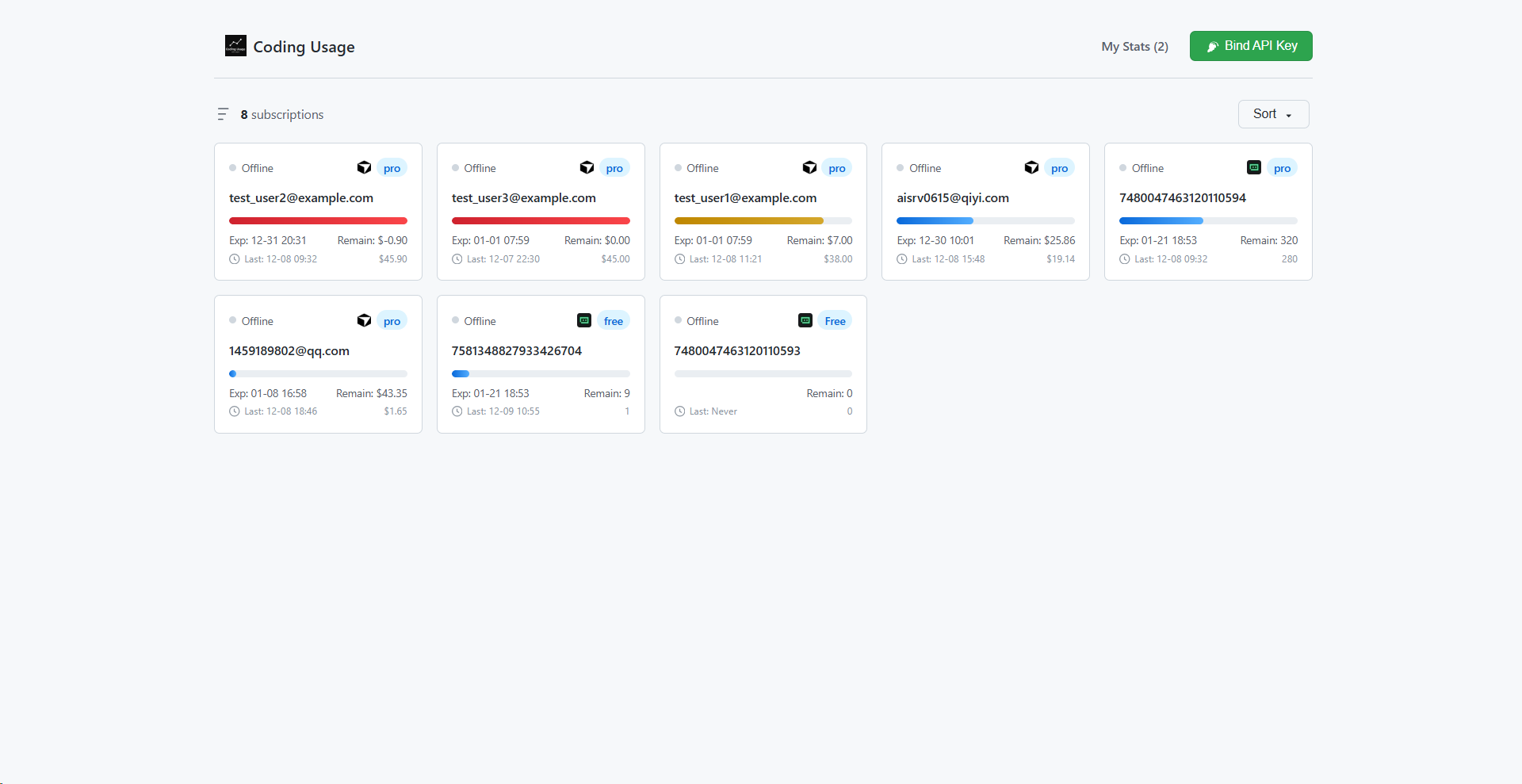
Personal Multi-Account Query | Team Account Data Configuration Demo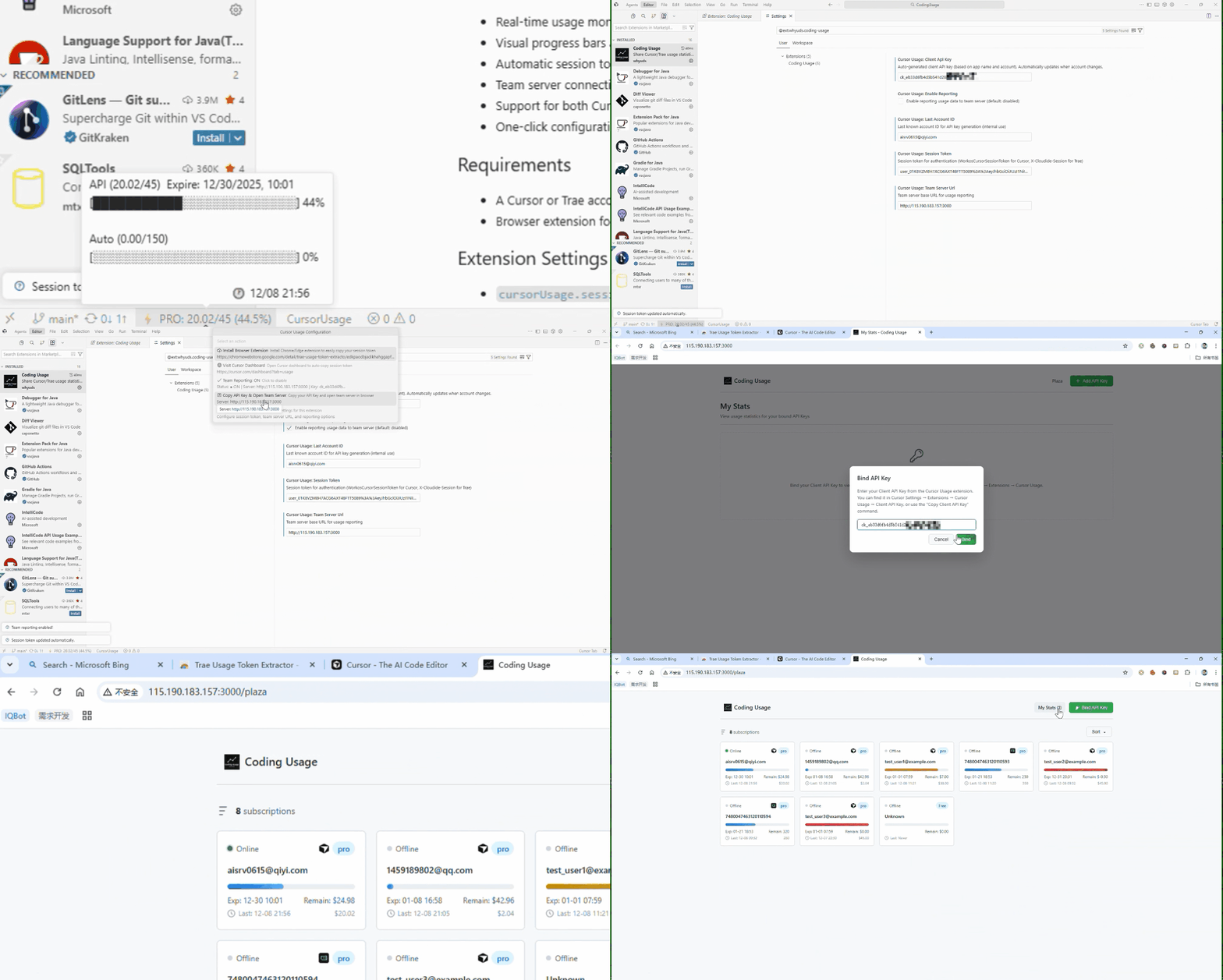
Team Server Connection Demo FAQWhy does Cursor Pro subscription show a total of $45?Currently, the Pro total usage consists of: Fixed $20 API billing + $25 Bonus, Auto billing: $150 How often is data updated?The extension checks local database changes every 10 seconds and only calls the official API when changes are detected, ensuring real-time updates while avoiding frequent requests. Is the team server required?No. The team server is an optional feature for team collaboration, historical data tracking, and personal multi-account tracking. The current configured server is only for public demonstration, disabled by default. It's recommended to deploy your own team server internally according to the delivery protocol. Data format for team mode deliveryAre my tokens safe?Tokens are only stored locally. The extension does not send your tokens to any server except the official API. SupportFor questions or suggestions, please submit an Issue or Pull Request. |