Skip to content
| Marketplace
Sign in
Visual Studio Code>Other>AgentSkillsManagerNew to Visual Studio Code? Get it now.
AgentSkillsManager

AgentSkillsManager

whyuds

|
116 installs
| (0) | Free
Manage, install, and sync Agent Skills (Claude Code compatible skills) from VSCode.
Installation
Launch VS Code Quick Open (Ctrl+P), paste the following command, and press enter.
Copied to clipboard
More Info

Agent Skills Manager

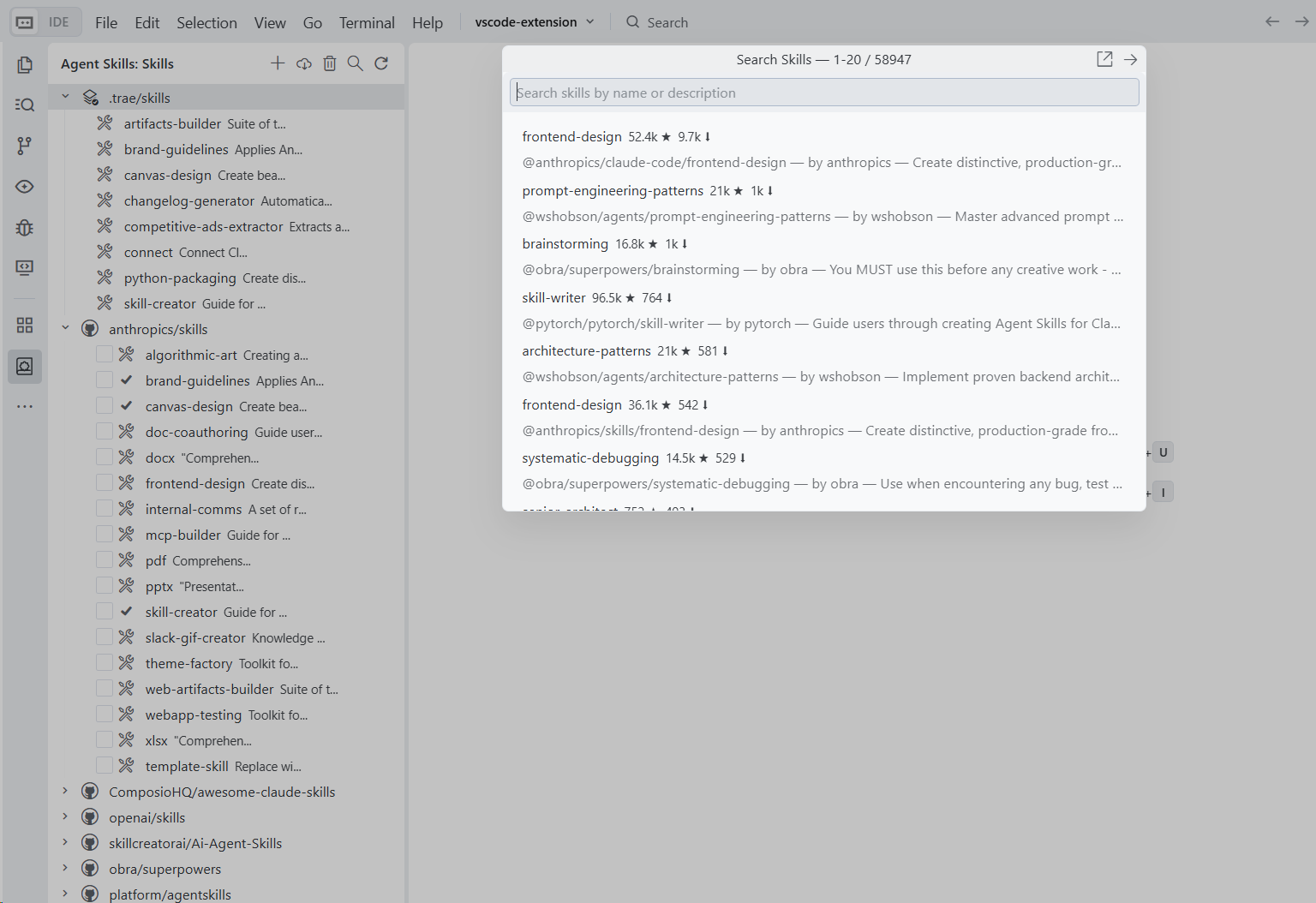
AgentSkills multi-IDE management extension: browse and install skill repositories for Antigravity, CodeBuddy, Cursor, Qoder, Trae, Windsurf (and VS Code), and search a cloud catalog (~58K skills) from https://claude-plugins.dev/.

image

Features

  • Repository Management: Add, remove, and switch branches of skill repositories
  • Skill Installation: Install skills into the active IDE skills directory
  • Cloud Skills Search (~58K): Search the cloud catalog from https://claude-plugins.dev/ and install with one click/Enter
  • Multi-IDE Support: Works with VSCode, Cursor, Trae, Antigravity, Qoder, Windsurf, and CodeBuddy
  • Active Skills Directory: The local skills group shows which directory is active

Usage

  1. Open the Agent Skills panel in the Activity Bar icon
  2. Click + to add a skill repository (e.g., https://github.com/anthropics/skills)
  3. Expand the repository to browse available skills
  4. Check the skills you want, then click Install
  5. Click the search icon to search cloud skills, then press Enter (or click Install) to download and install

Skill Collections

Preset repositories bundled by default:

Repository Description
anthropics/skills Official Anthropic skills collection
openai/skills Official OpenAI skills catalog
skillcreatorai/Ai-Agent-Skills Community skills collection
obra/superpowers Superpowers skill collection
ComposioHQ/awesome-claude-skills Curated awesome-claude-skills collection

For more repositories, see heilcheng/awesome-agent-skills.

Configuration

Skills are installed to the active skills directory in your workspace:

  • VSCode: .github/skills
  • Cursor: .cursor/skills
  • Trae: .trae/skills
  • Antigravity: .agent/skills
  • Qoder: .qoder/skills
  • Windsurf: .windsurf/skills
  • CodeBuddy: .codebuddy/skills

The extension also scans skills in hidden directories inside repositories (for example .curated, .experimental).

License

MIT

  • Contact us
  • Jobs
  • Privacy
  • Manage cookies
  • Terms of use
  • Trademarks
© 2026 Microsoft