MQTT Code



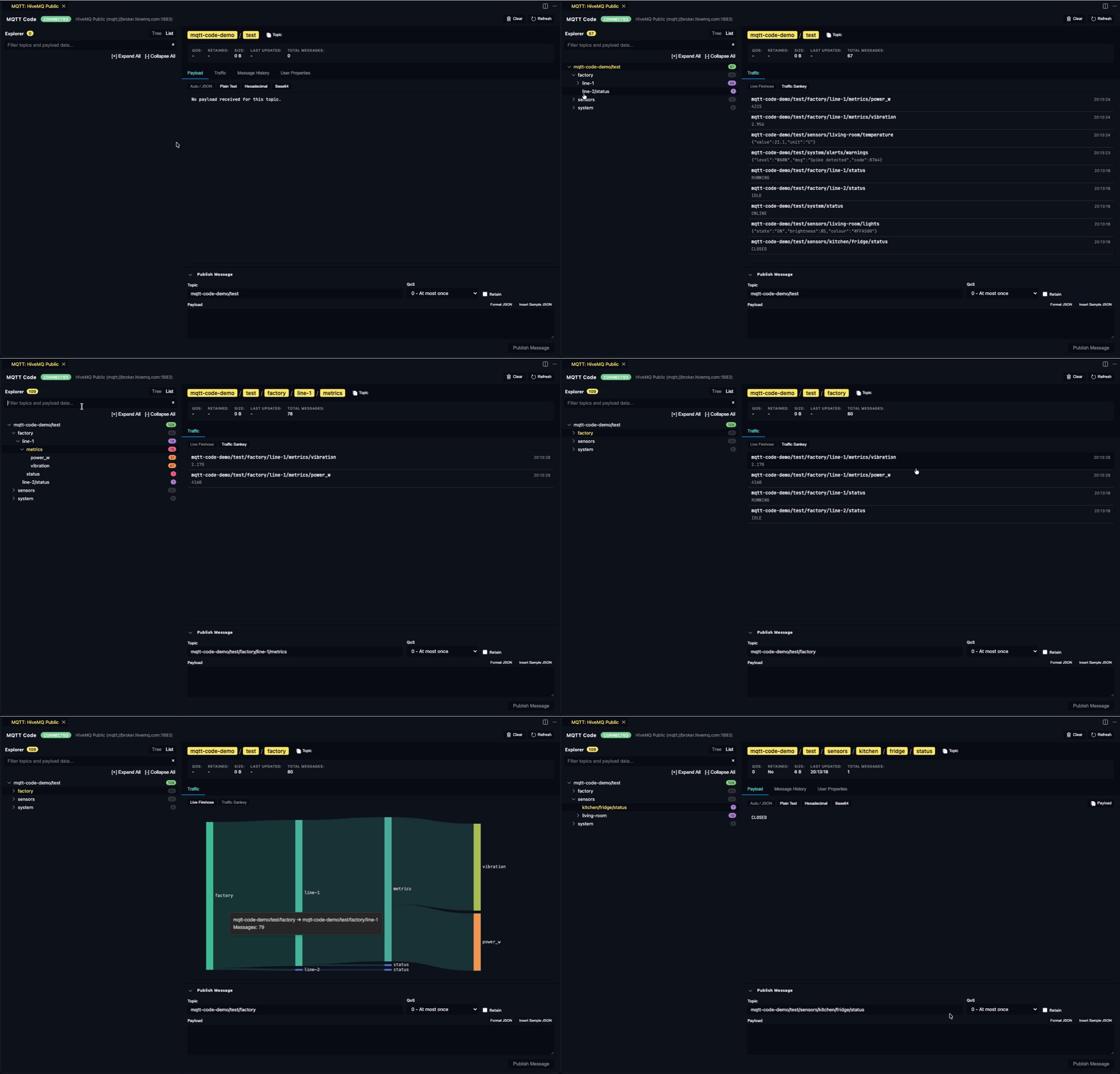
MQTT Code is a high-performance, developer-friendly MQTT explorer, topic visualiser, and message publisher built directly into Visual Studio Code.
Why another MQTT client?
I use MQTT a lot for my own projects, and frankly, I was never fully satisfied with the existing standalone tools and extensions out there. They often felt clunky, lacked proper integration with my development workflow, or made it surprisingly difficult to drill down into complex topic trees and payload formats. So, I decided to build the tool I actually wanted to use.
MQTT Code provides a native Activity Bar sidebar for secure broker and subscription management, alongside an interactive, lightning-fast dashboard for real-time topic tree exploration, payload inspection, and message publishing. Everything you need, right where you write your code.
💡 Feedback & Contributions
I actively use this extension every day, but I want to make it even better for everyone. If you have feature requests, spot a bug, or have ideas for improvements, please raise an issue on GitHub. Your feedback is incredibly welcome!
Key Features
- Unified Broker Configuration Dialogue: Create and edit broker connections with all settings (Host, Port, Protocol, Auth, MQTT 5.0, TLS Certificates) visible in a structured, accessible editor panel with real-time Test Connection validation.
- Multi-Broker Management: Save and organise multiple broker configurations (TCP, TLS/SSL, WebSocket, Secure WebSocket).
- Secure Credential Storage: Passwords and private keys are encrypted using VS Code's native
SecretStorage API rather than plain configuration files.
- Hierarchical Live Topic Tree: Real-time aggregation of received topic paths (e.g.
sensors/living-room/temperature) with message counters, retained message flags (R), and update indicators.
- Multi-Format Payload Inspector: Inspect messages with automatic syntax colourisation for JSON, formatted plain text, byte dumps in Hexadecimal, and Base64.
- Topic Search & Filtering: Instantly search and filter deep topic hierarchies by path or payload content.
- Publishing Suite: Built-in publisher supporting QoS levels (0, 1, 2), message retention, JSON formatting, and MQTT 5.0 User Properties.
- Message History Timeline: View chronological message history per topic without overwhelming system memory.
Commands & Usage
| Command |
Identifier |
Description |
| Add Broker Connection |
mqtt-code.add-broker |
Create and save a new broker connection profile. |
| Connect to Broker |
mqtt-code.connect-broker |
Establish connection to the selected broker. |
| Disconnect from Broker |
mqtt-code.disconnect-broker |
Terminate the active broker connection. |
| Open Live Topic Explorer |
mqtt-code.open-explorer |
Open the interactive topic hierarchy and payload dashboard. |
| Add Topic Subscription |
mqtt-code.add-subscription |
Subscribe to a topic filter (e.g. # or sensors/+/temp). |
| Quick Publish Message |
mqtt-code.quick-publish |
Publish a message directly from the VS Code Command Palette. |
Extension Settings
The following configuration options can be customised in your VS Code settings.json:
mqttCode.maxMessagesPerTopic: Maximum number of historical messages retained per topic in memory (default: 100).mqttCode.autoOpenExplorerOnConnect: Automatically open the Live Topic Explorer panel when connecting to a broker (default: true).mqttCode.defaultQoS: Default Quality of Service level for new subscriptions and publications (default: 0).
License
MIT License. See the LICENSE file for details.
| |

