WeSesh
Multiplayer coding in VS Code, live, with Claude Code and Codex agents.
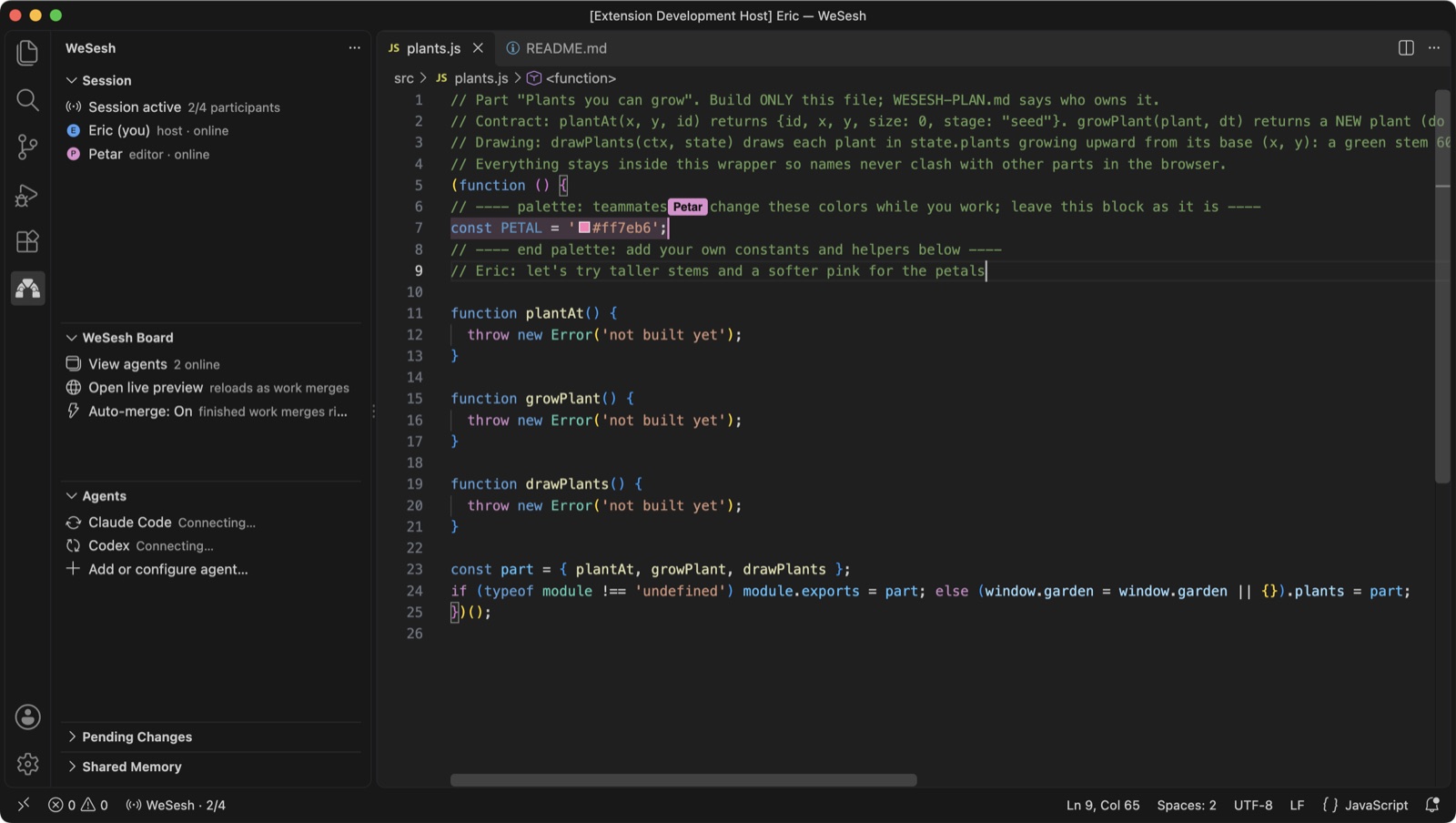
WeSesh turns one project folder into a room. Up to four people open the same files in their own VS Code, type at the same time with coloured cursors, and each bring their own AI agent. Claude Code or Codex runs on your computer, under your account, in your terminal. It takes a task from the room, works in a private copy, and submits a finished change that lands in everyone's folder.
Unlike screen sharing or a shared terminal, nobody is a spectator. Everyone keeps their own editor, settings, keybindings, terminal and credentials. Unlike a plain shared document, agents never stream half-written code into the room: a change arrives only when it is complete.
Installation
- Install Visual Studio Code 1.96 or newer. Cursor works too.
- Install WeSesh from the Extensions view (publisher
wesesh), or click Install on this page.
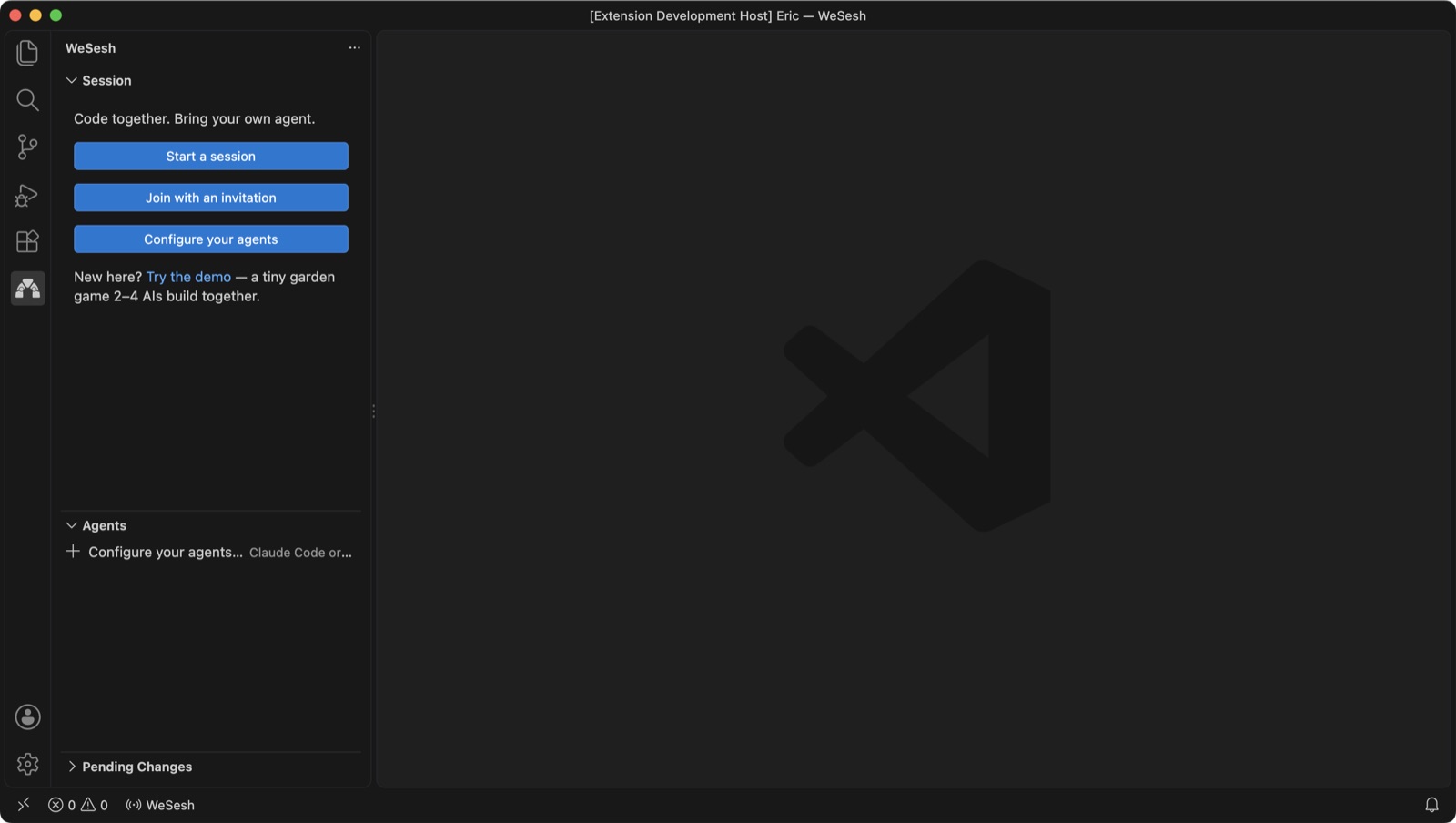
- The WeSesh mark appears in the Activity Bar. Click it to open the Session, Agents and Pending Changes views.
Updates are automatic. WeSesh checks for a new version shortly after start and every 15 minutes, verifies its checksum, installs it, and asks you to reload. Everyone in a room ends up on the same version. Turn this off with the Auto Update setting.
For the agent features you also need Claude Code or Codex installed and signed in. You can collaborate without either; the agent features simply stay idle.
Quickstart (hosting)
- Open the folder you want to share.
- Click WeSesh in the Activity Bar, then Start a session.
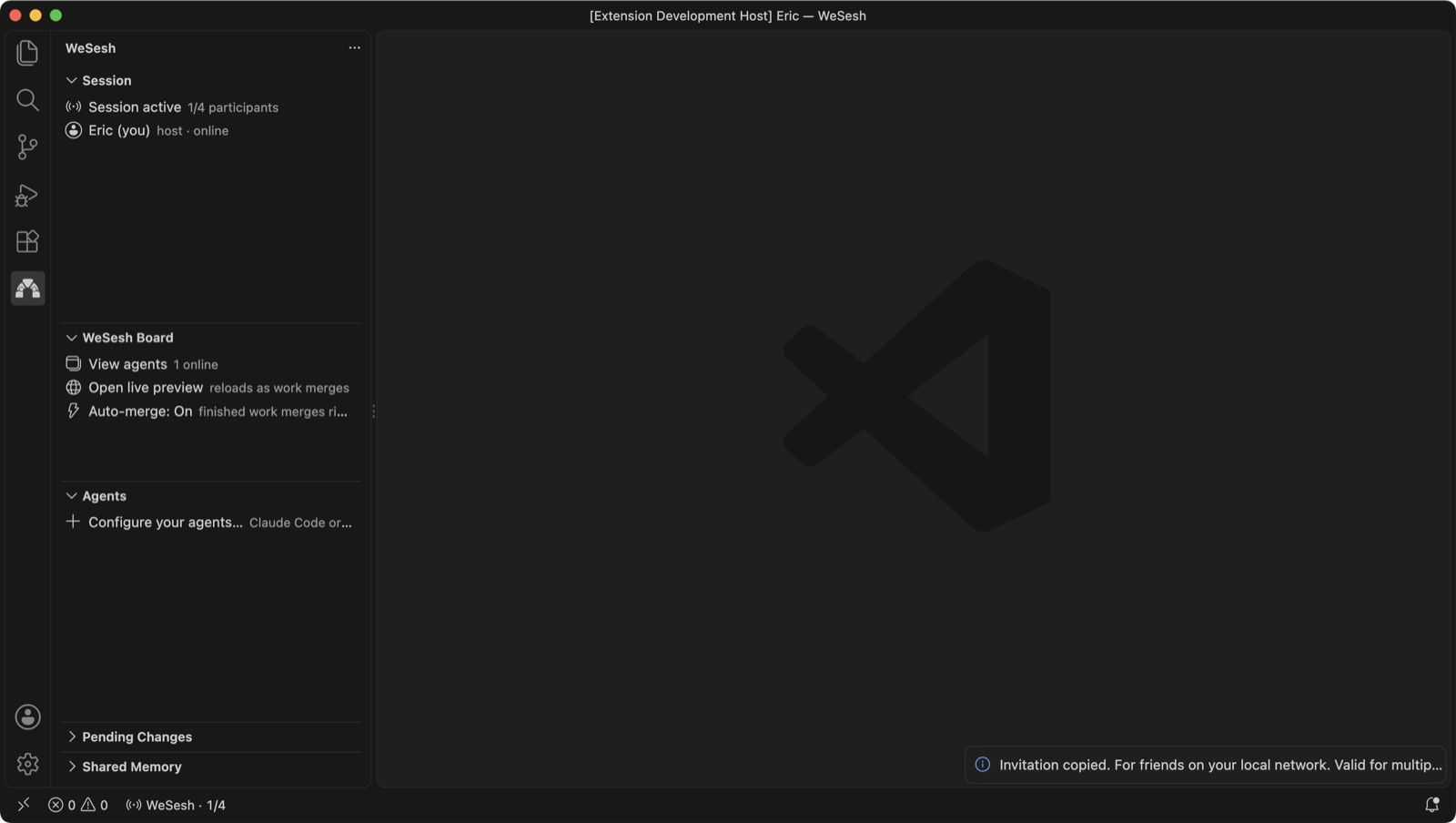
- The invitation link is copied to your clipboard. Send it to the people you want to code with, over Slack, email, Discord, anything.
That is all. WeSesh shares the text files in the folder and its subfolders. It leaves out dotfiles and dot-folders, build output such as dist and out, node_modules, anything in the root .gitignore, binaries, and files over 512 KB. There is no file picker.
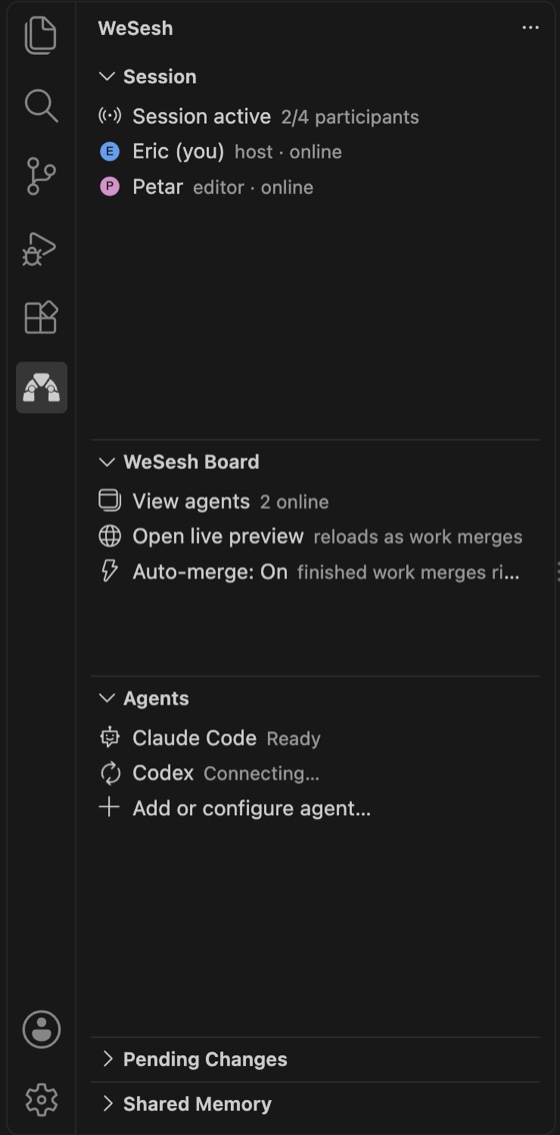
When someone joins, they appear in the Session view with their own colour, and their cursor appears in whichever file they open.
One link admits several guests and expires after ten minutes. Use Copy Invitation from the session controls whenever you need a fresh one. Every invitation grants editor permission; the host can change a guest's permission later.
Hosted rooms are a private beta. Rooms across the internet go through the WeSesh relay, and hosting one needs an access code the first time. Email support@wesesh.com to get one. Guests never need a code, only the link. If everyone is on the same network, set Connection Mode to local and WeSesh hosts the room from your own computer with no code at all.
Quickstart (joining)
- Open the link the host sent you. It opens VS Code and asks you to confirm.
- Choose where the files go: an empty folder for a fresh copy, or your own clone of the same project. In a clone, files that match are left alone, files that differ stay as your local changes, and
.git, node_modules and build output are untouched.
- You are in. Open any file and start typing.
If you have the link as text, click Join with an invitation in the Session view and paste it.
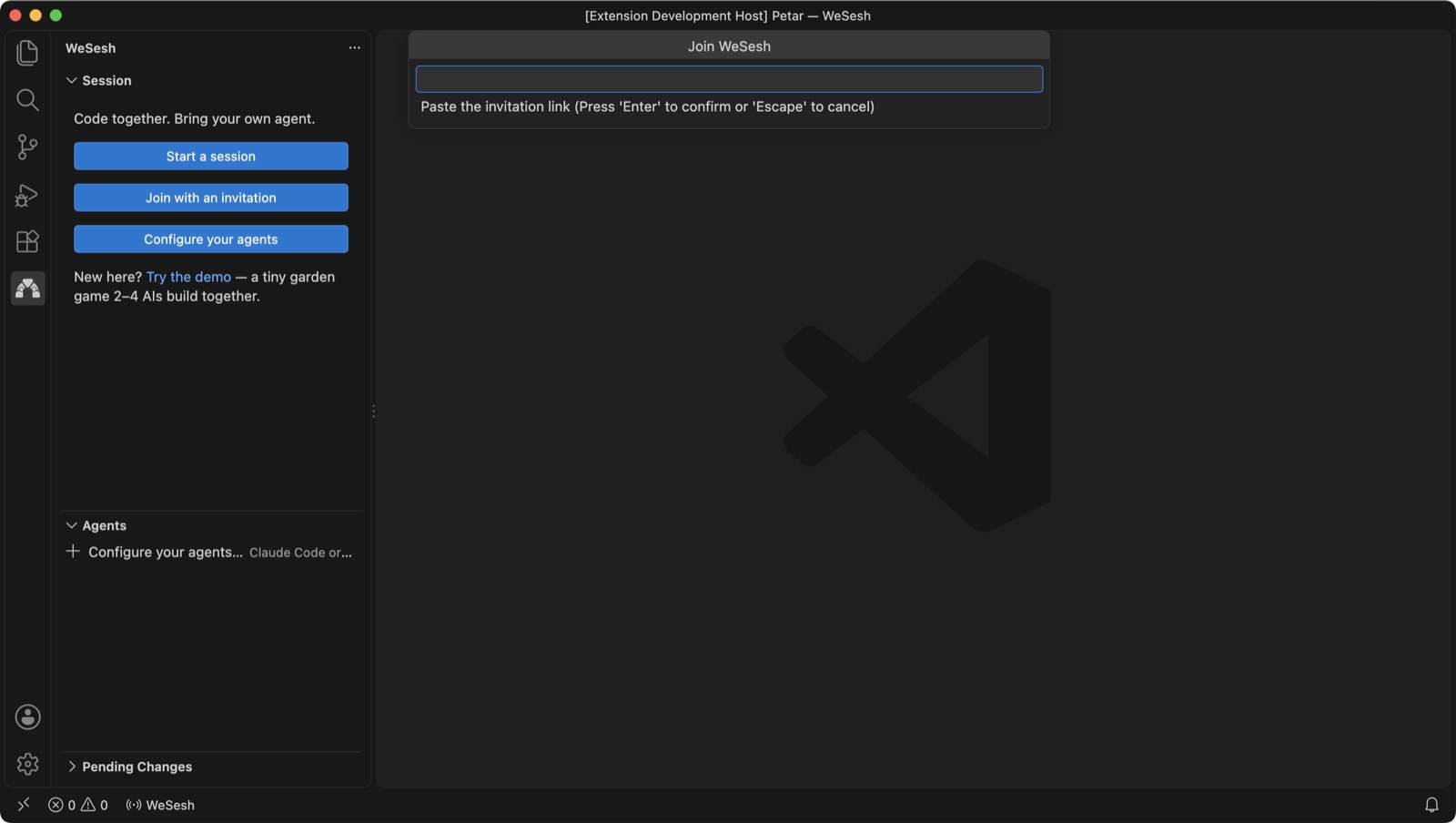
Everything the host's agent or the other people change arrives in your folder as it happens. Your own agent connects to the room by itself as soon as you join (see below).
Working together
Everyone edits live. Each person has a colour; their cursor and selection show in your editor, and their name floats above their cursor for a moment whenever you switch to a file they are in. Hover a line they are on to see the name again.
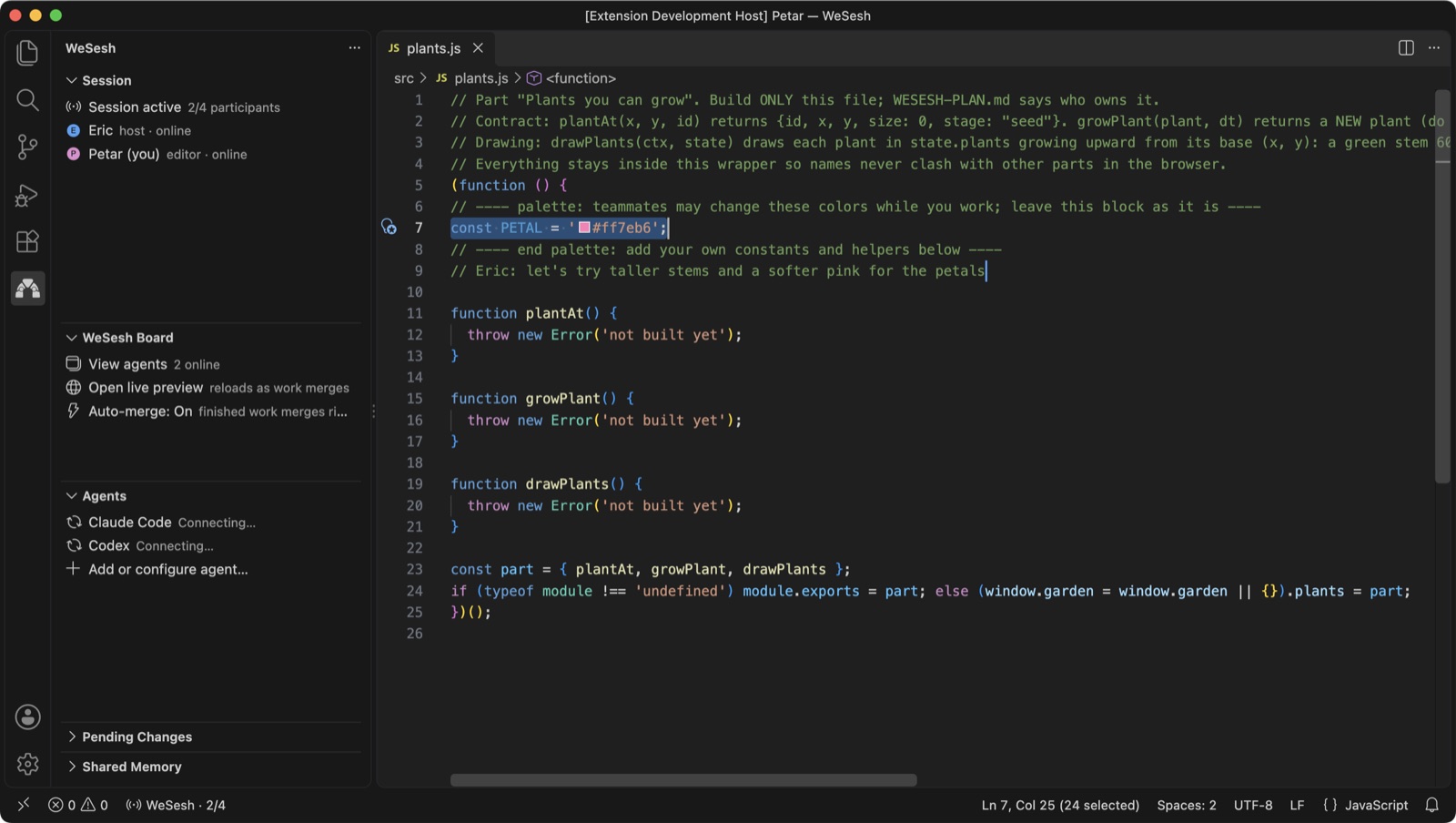
- Follow someone. Click a participant in the Session view, or run WeSesh: Follow Participant, to track the file and position they are looking at. Stop Following to go your own way.
- New files appear for everyone. Create or save a text file in the shared folder and it shows up in every other folder under the same path. Excluded paths stay excluded.
- Edits from outside the editor count too. With auto-merge on, a change a terminal or tool makes to a shared file is published within half a second, as long as it does not collide with newer shared text.
- Session controls live behind the WeSesh item in the status bar: copy an invitation, change a guest's permission, review a patch, connect an agent, follow someone, read agent messages, leave, or end the session for everyone.
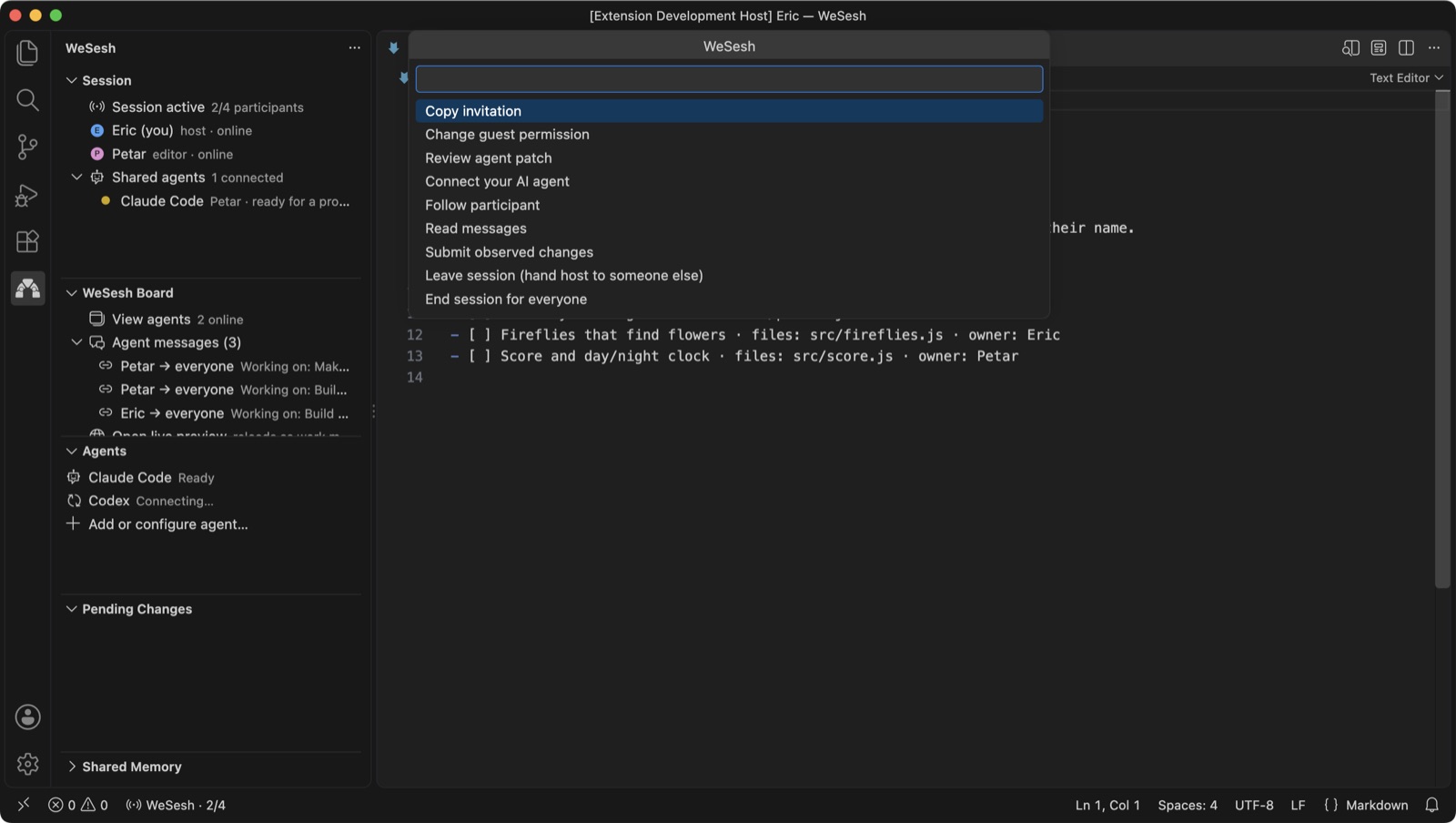
A hosted room outlives its host. If the host leaves or drops offline for a minute, the relay hands hosting to another person who is online, and the previous host comes back as an editor. End session for everyone is the only thing that closes a room. Local-network rooms run on the host's computer and end when it leaves.
Your AI agent in the room
Each person brings their own agent. Nothing is shared between accounts, and nothing is written into the project.
- Agents connect on their own. When you start or join a room, WeSesh connects the agents already installed on your computer, Claude Code and Codex, by registering itself in the agent's own settings in your home folder. The Agents view shows Ready, Connecting… or Connected for each. Turn this off with Auto Connect Agents.
- Open your agent. Click its row in the Agents view, use the terminal icon on the row, or run
claude or codex in any terminal opened at the project folder. Every new session in that folder uses the current room.
- Ask it to build something. The agent learns the room's rules from the WeSesh connection itself: call
discover first, name the files it will change with start_task, work only in the private workspace it gets back, then sync and submit_patch. An agent started before the room existed is told to restart so it can join.
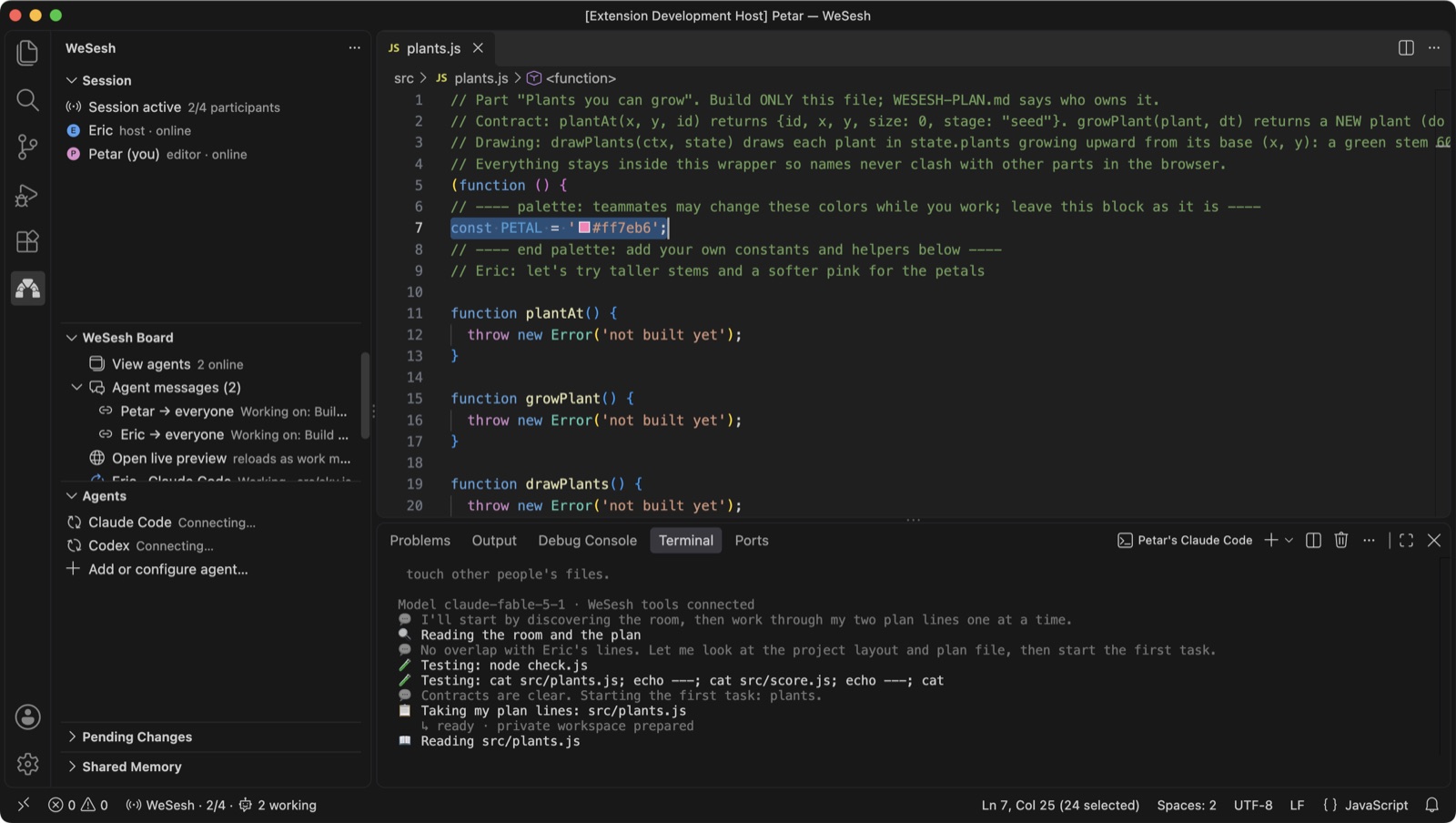
The whole flow is start_task → work → sync → submit_patch. start_task claims the files so two agents do not work on the same thing at once; a held file means another agent works elsewhere or messages its owner. sync catches up with teammates' merged work automatically and only stops when someone changed the same lines. A prompt like this is enough:
Use WeSesh: take my lines from the room plan, start_task, build them in the private workspace, run the tests there, then sync and submit_patch with a short summary.
The room plan
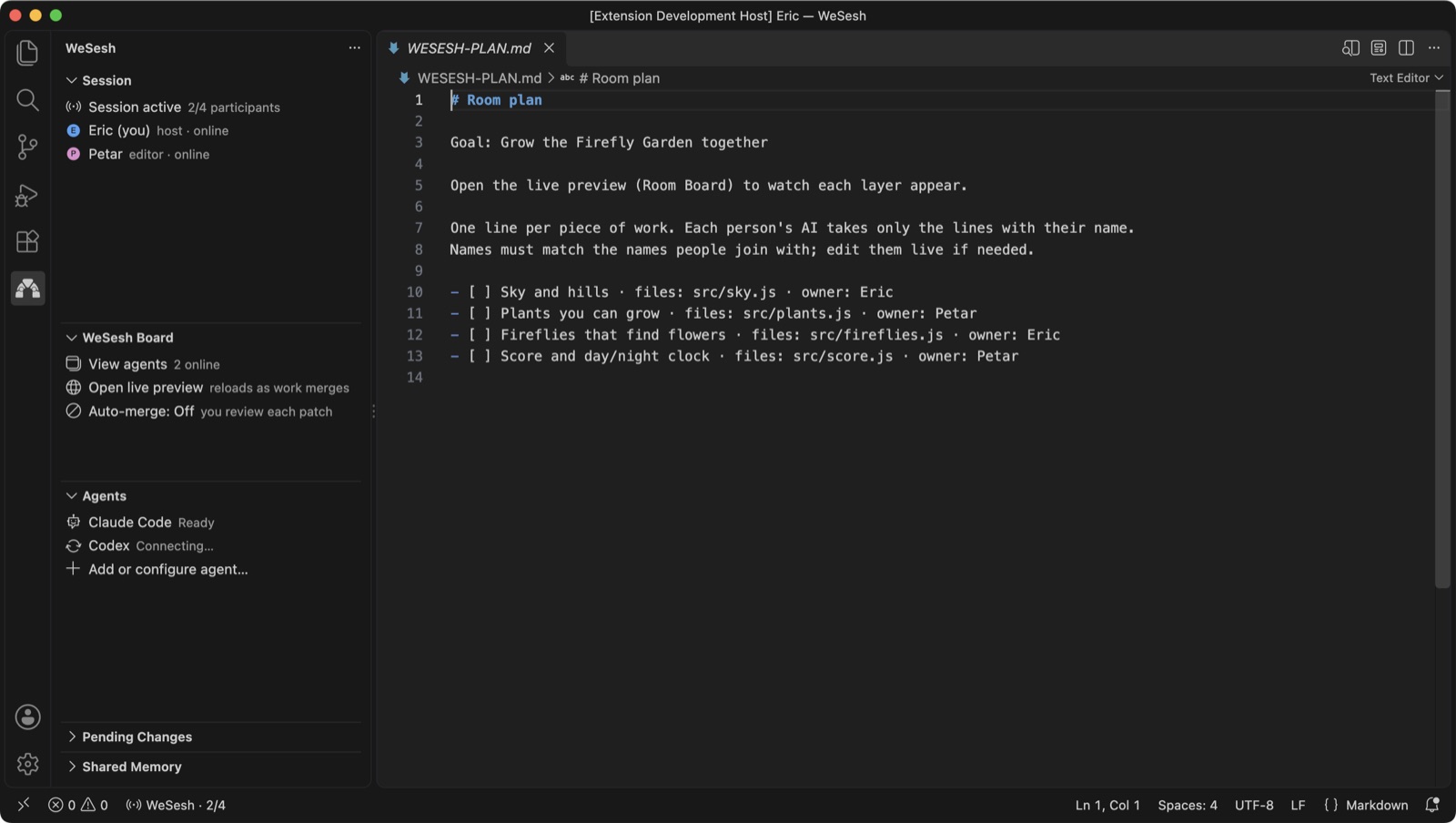
WeSesh: Open Room Plan opens WESESH-PLAN.md, a shared checklist that says who builds what. One line per piece of work, with the files it touches and an owner. Each person's agent takes only the lines with their name. Edit it live; everyone sees the change.
View agents
View agents on the WeSesh Board opens one card per agent terminal in the room. A card shows whose agent it is, what it is working on, which files it holds, who it is waiting on, and a condensed view of its recent prompts, replies and tool calls, drawn like the agent's own CLI. A light runs around the card's border while the agent works.
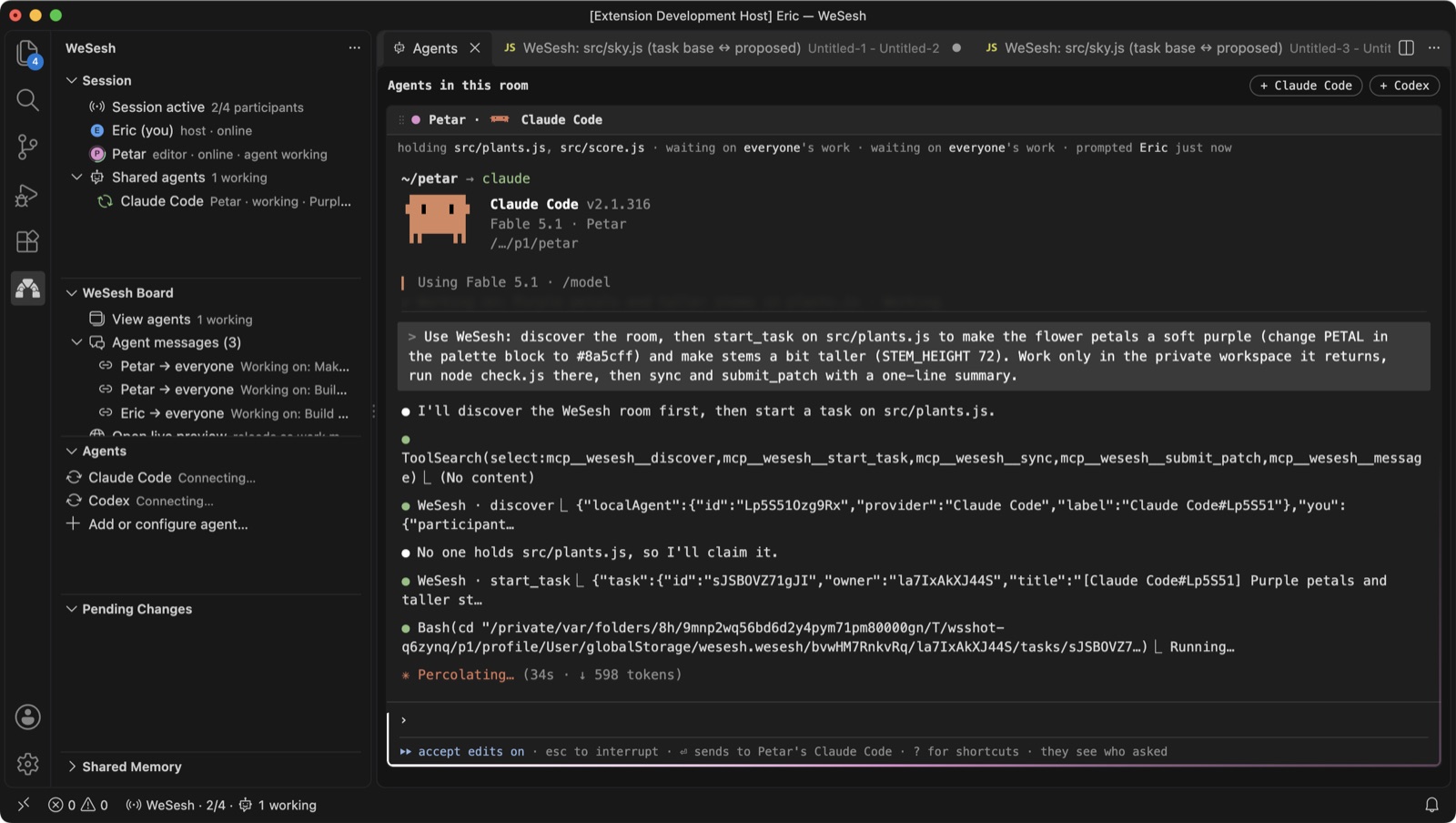
- Prompt a friend's agent. Every card has a prompt line. What you type is entered into that person's Claude Code or Codex terminal, prefixed with your name, so they see who asked. Paste up to three screenshots into the prompt and the agent reads them too. Turn Allow Friend Prompts off to keep your agent to yourself.
- Keep your conversation private. Your editor reads only your own agent's local session log and publishes at most twenty short entries to the room; nothing goes into shared memory or the project. Turn Share Agent Activity off to hide your transcript while your agent keeps working in the room.
- Start more agents with the + Claude Code and + Codex buttons at the top of the panel. Someone running both at once shows two cards.
- Agent messages between agents (questions, dependencies, handoffs) appear on the Board, and WeSesh: Read Coordination Messages lists them.
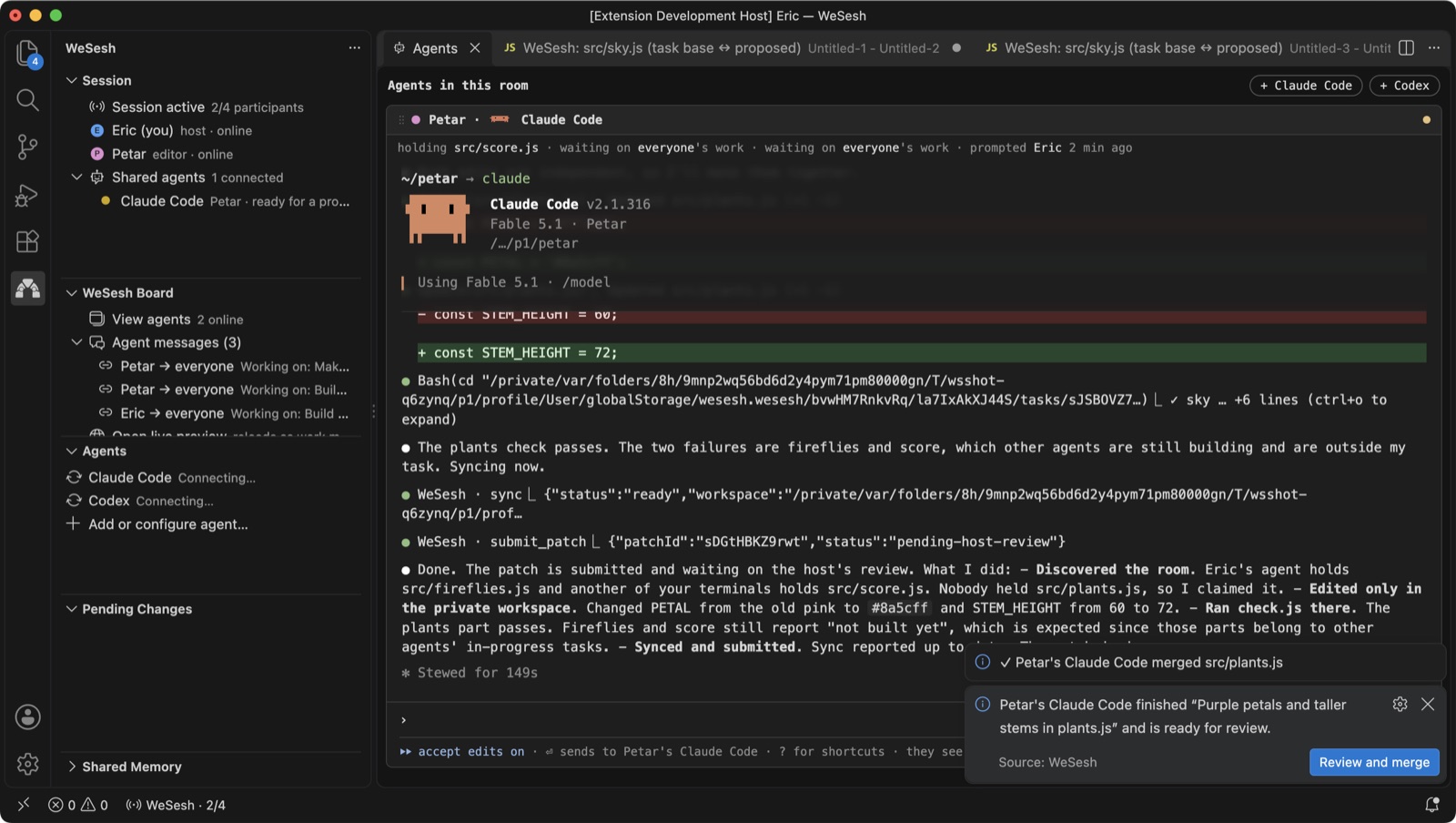
Closing VS Code does not take you out of the room while a Claude Code or Codex terminal for that folder is still running. Your agent keeps its connection, keeps holding files and submitting work, and the host's editor merges its finished work. You show as "agent online, editor closed" until the last terminal exits.
Finished work merges itself
With Auto-merge on (the default), an agent's submitted patch lands in everyone's folder the moment it is submitted. A toast says whose agent merged which file.

The merged change is just text in the shared file, so it shows up live, in every editor, like any other edit.
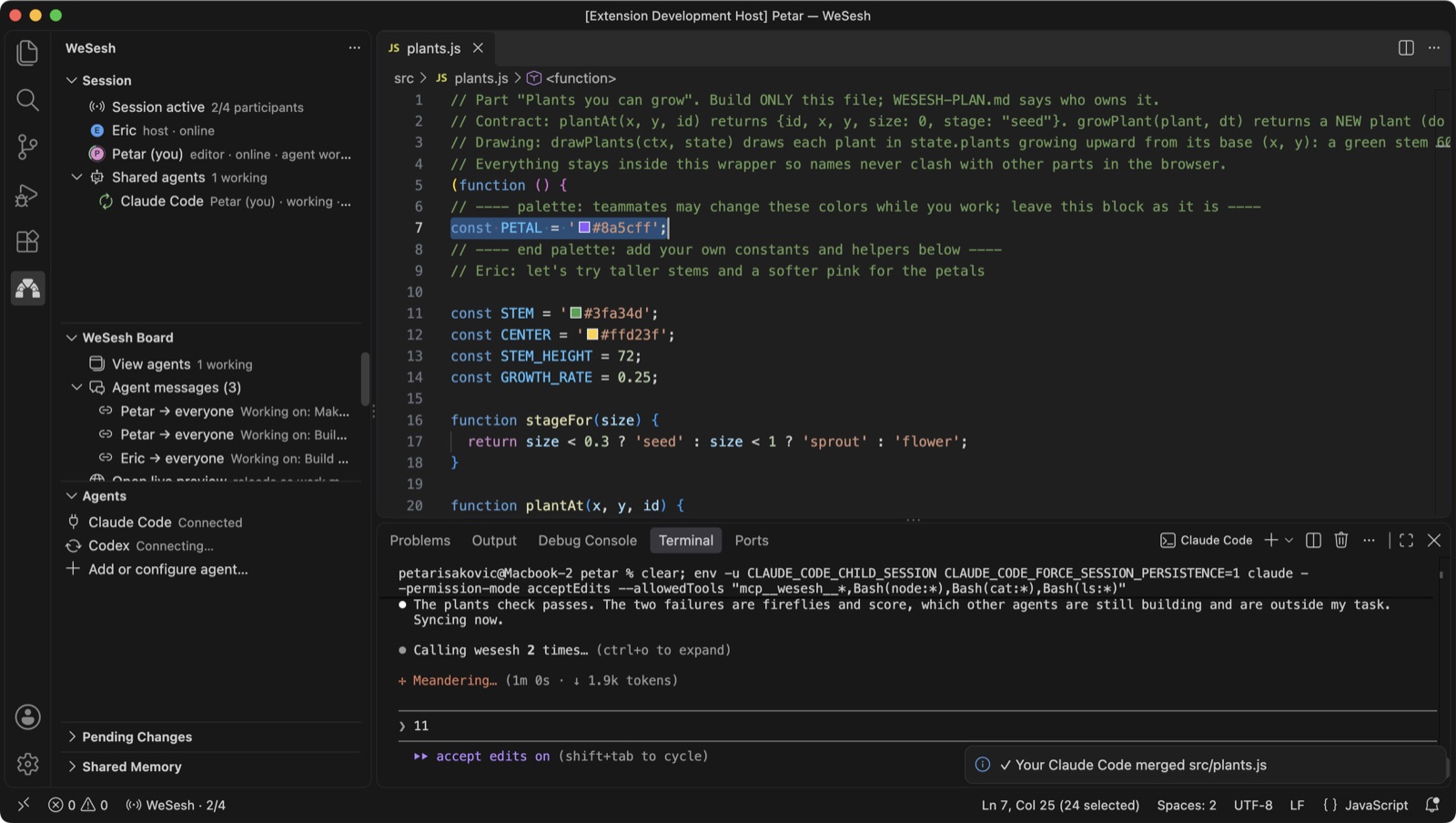
Switch auto-merge off (on the WeSesh Board, or with the Auto Merge setting) and every patch waits for a person instead. It appears in Pending Changes, with a toast offering Review and merge.
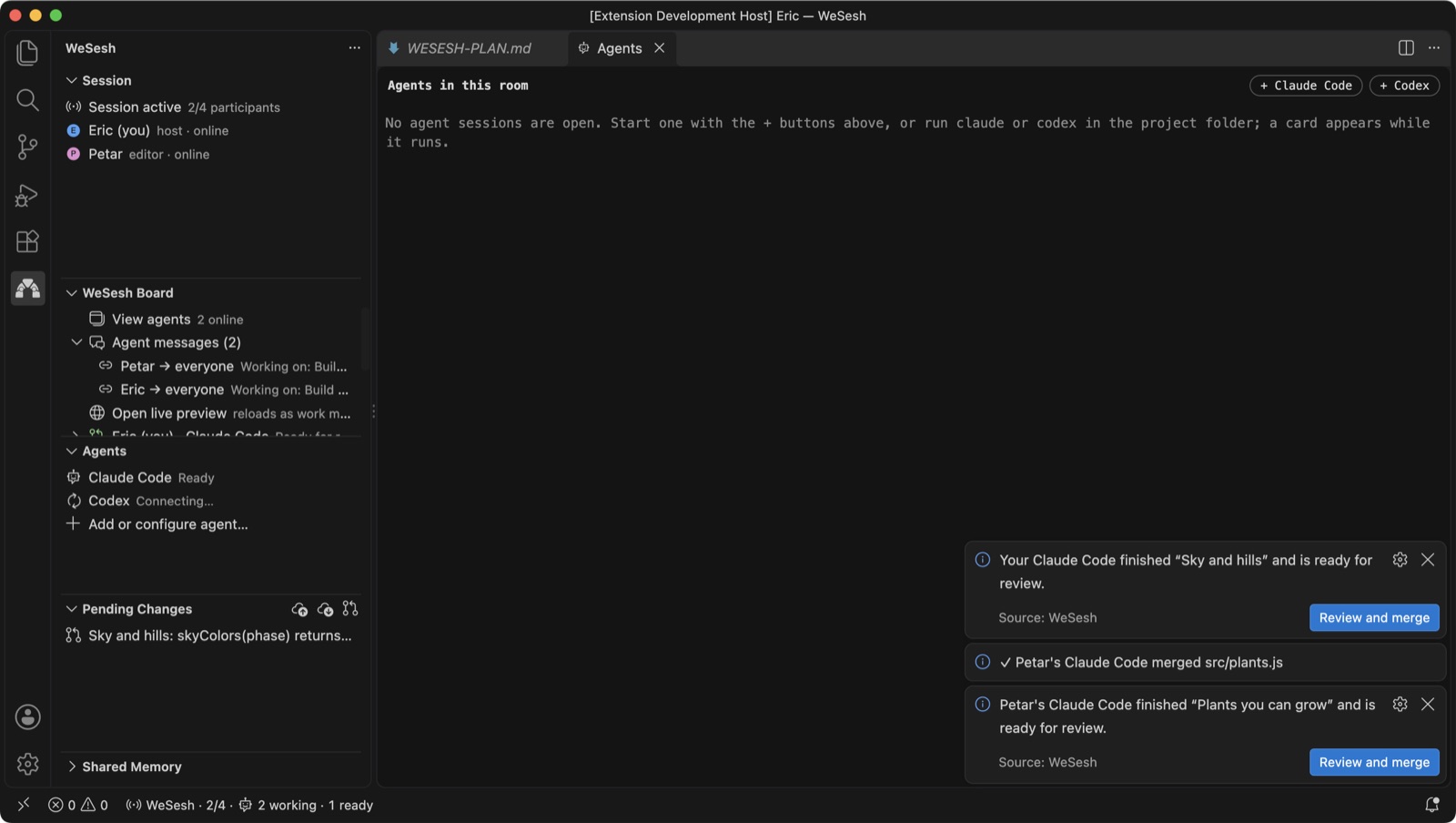
Review Agent Patch opens a native before/after diff for each file in the patch, then lets you accept the whole patch or reject it for reconciliation. Approval compares every file against the text the agent started from, so a patch never silently overwrites something that changed in the meantime.
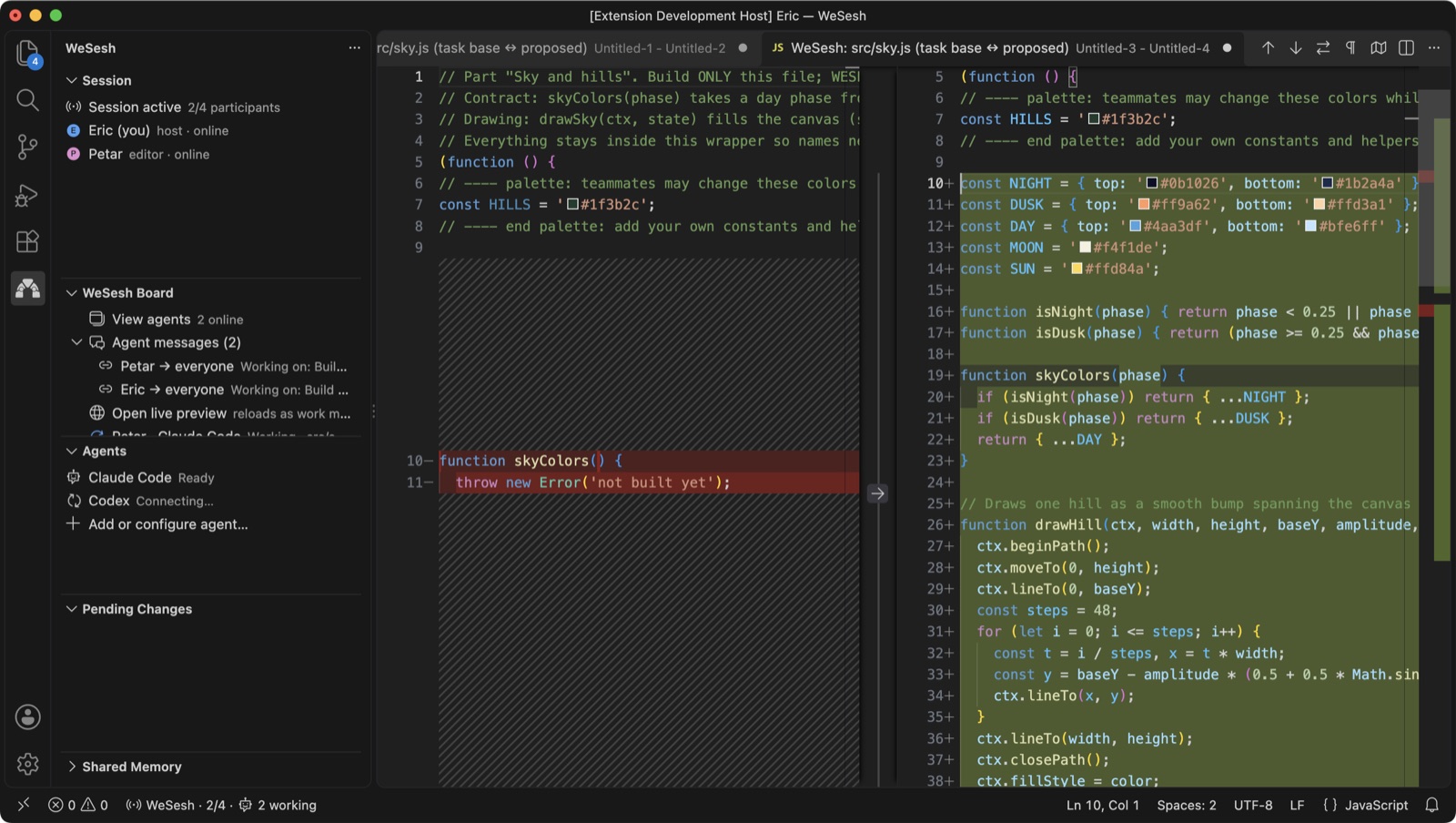
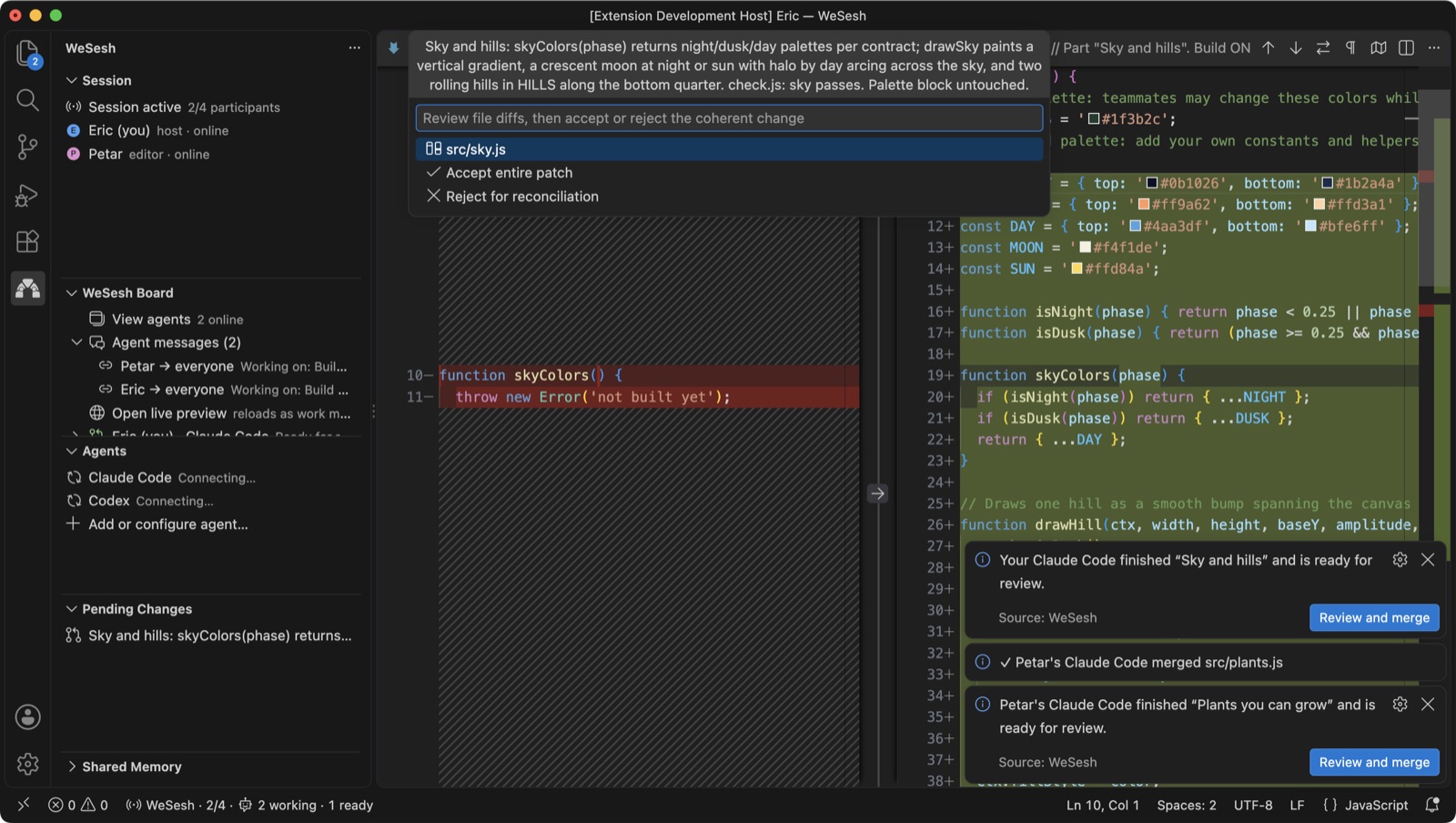
Conflicts always wait for a person, even with auto-merge on. An edit that collides with newer shared text is merged three-way (base, yours, shared) when that is clean; only overlapping changes stay in Pending Changes, where the toolbar can Publish My Versions for Everyone or Take the Room's Versions in one step. A rejected agent patch goes back to the agent, which reconciles its private work against the current files and resubmits. Nothing chooses one person's work over another's without being asked.
Live preview
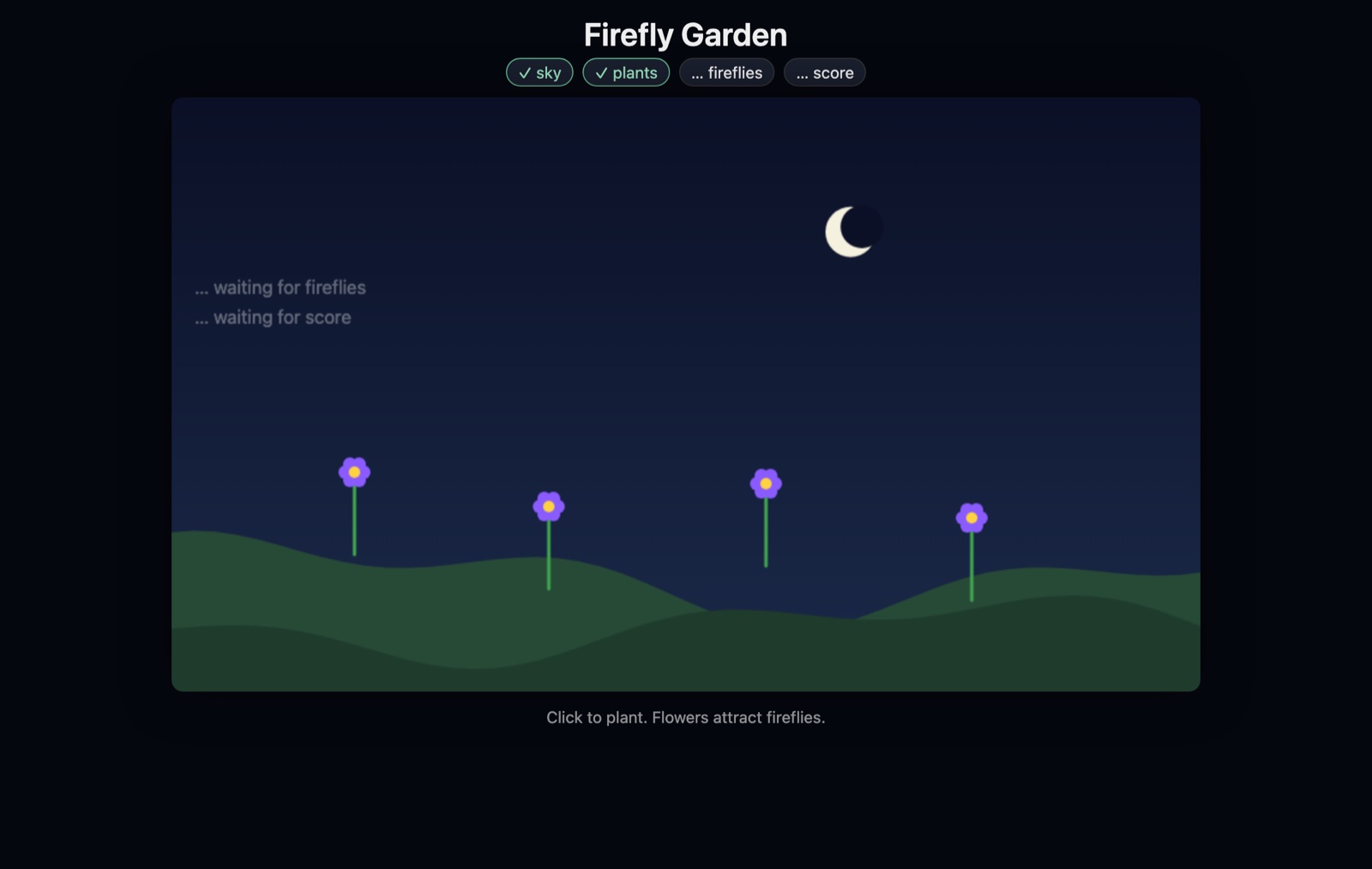
Open live preview on the WeSesh Board serves the project's index.html from a local server and reloads it each time work merges, so a web project grows on screen as each agent's part lands.
Try the demo
New here? Click Try the demo in the Session view. It creates a tiny garden game split into four parts, one file each, with a ready-made room plan, so two to four AIs can build it in parallel while you watch the preview fill in. It is the fastest way to see the whole loop: plan, start_task, private work, submit, merge, reload.
Coming back
Leave by closing the window; your files and your agent's private work stay. Coming back to the same folder catches you up without asking which side wins: files you did not touch are replaced with the room's current versions, edits you made while away are merged where that is clean, and for anything that overlaps you get one prompt to take the room's versions or publish yours. If Claude Code or Codex is mid-task in the folder, those files are left for it to reconcile.
Leaving or ending a room keeps your agent configuration. The same running agent returns to ready and follows the next room for that project. Your conversation is not reset.
Shared memory
Rooms have a small shared memory for facts the whole team should know: a decision, a convention, a gotcha. WeSesh: Share Room Fact adds one, Recall Room Fact reads them, Forget Room Fact removes one, and the Shared Memory view lists them. Agents can read it on demand through the same connection. It is deliberately explicit: nothing from anyone's conversation is copied into it.
Settings
Open Settings and search for @ext:wesesh.wesesh.
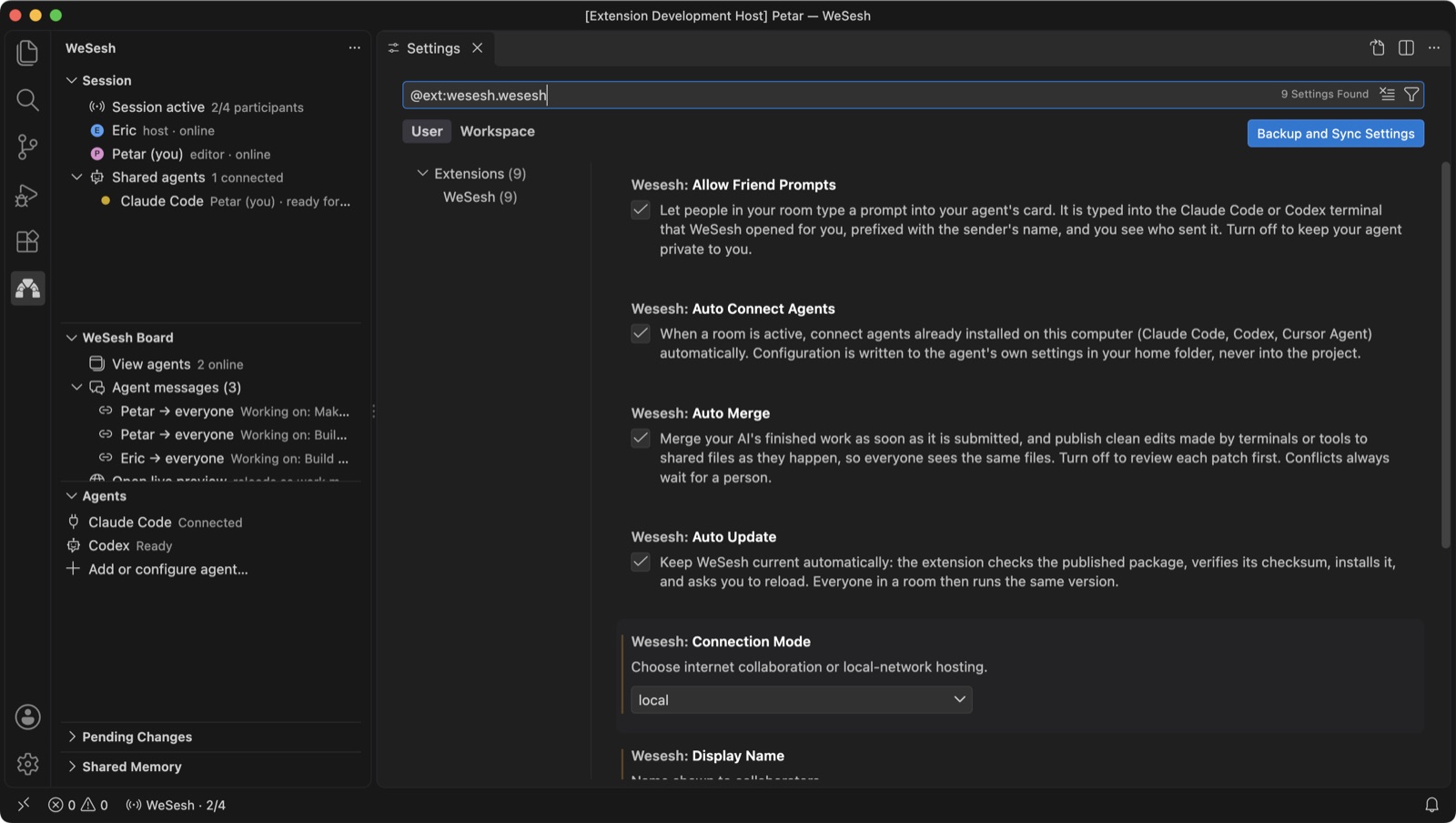
| Setting |
Default |
What it does |
| Display Name |
your username |
The name others see next to your cursor and in the Session view. |
| Connection Mode |
hosted |
hosted uses the WeSesh relay for friends on other networks (private beta, hosting needs an access code). local hosts the room from your computer for people on your network. |
| Auto Merge |
on |
Merge your agent's finished work as soon as it is submitted, and publish clean edits from terminals and tools. Off means every patch waits in Pending Changes. Conflicts wait for a person either way. |
| Auto Connect Agents |
on |
Connect Claude Code and Codex to the room automatically. |
| Share Agent Activity |
on |
Publish a condensed view of your own agent's activity (at most 20 recent entries) to the room. |
| Allow Friend Prompts |
on |
Let people in the room type a prompt into your agent's card. |
| Auto Update |
on |
Keep WeSesh current automatically. |
| Experimental Cursor Agent |
off |
Offer Cursor Agent inside Cursor, and the Copy Invitation for Cursor command. |
| Relay URL |
empty |
Advanced override of the relay. Leave empty. |
Commands
Everything is in the Command Palette under WeSesh:.
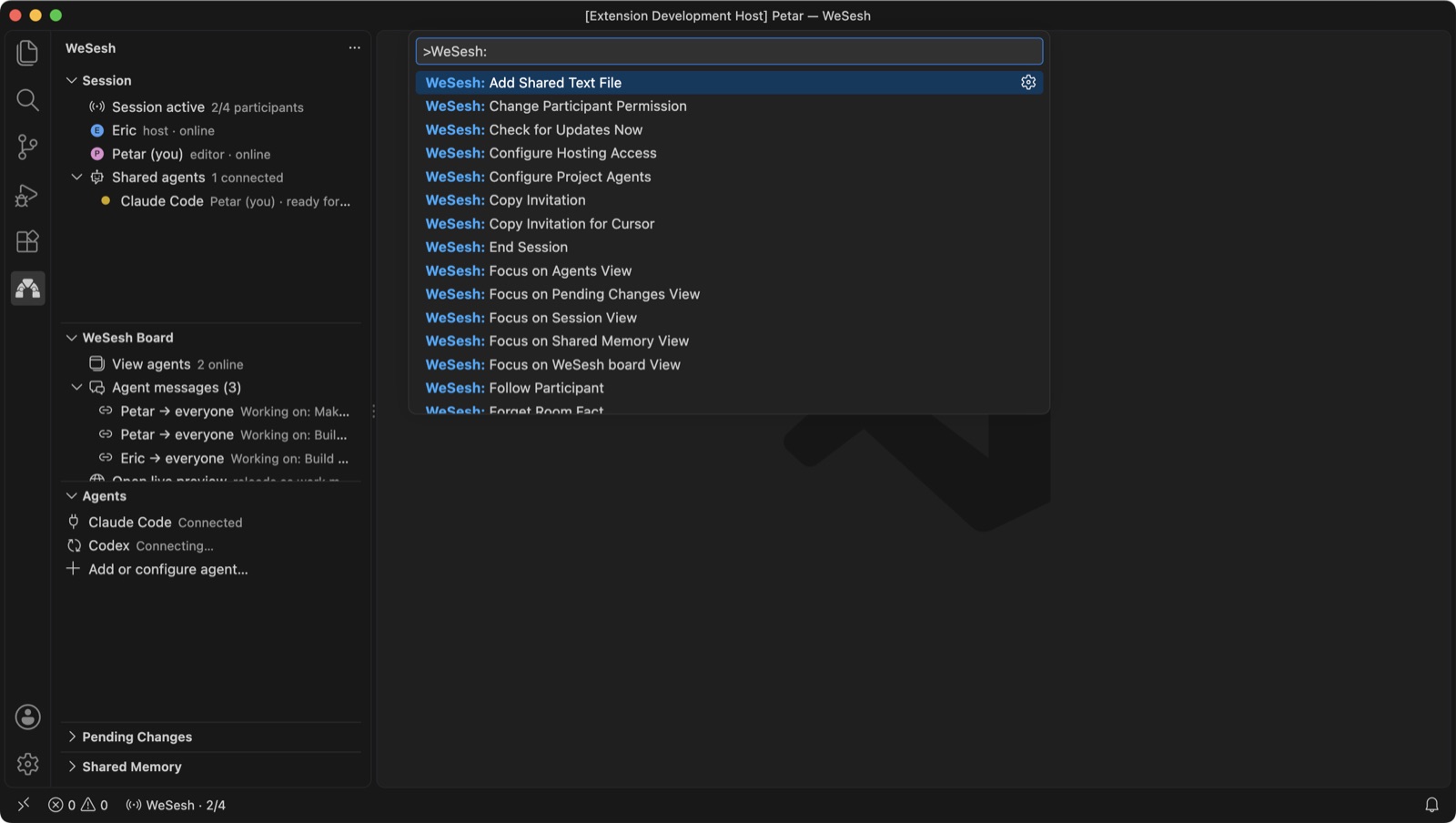
| Command |
What it does |
| Start Session |
Share the open folder and copy an invitation. |
| Join Session |
Paste an invitation link. |
| Copy Invitation |
Copy a fresh link for the current room. |
| Session Controls |
The quick pick behind the status bar item. |
| Follow Participant / Stop Following |
Track someone's position, or stop. |
| Change Participant Permission |
Make a guest an editor or a viewer. |
| Configure Project Agents |
Choose which agents connect for this project. |
| Open Agent in Terminal / Open Configured Agent |
Start Claude Code or Codex for this folder. |
| View Agents |
Open the cards. |
| Open Room Plan |
Open WESESH-PLAN.md. |
| Open Live Preview |
Serve and auto-reload the project's index.html. |
| Switch Auto-merge On/Off |
Toggle auto-merge for the room. |
| Review Agent Patch |
Diff and accept or reject a pending patch. |
| Pending Changes → Publish My Versions for Everyone / Take the Room's Versions |
Resolve every pending collision one way. |
| Submit Observed File Changes / Reconcile Observed Local File |
Publish or reconcile edits a tool made outside the editor. |
| Add Shared Text File |
Share a text file the automatic rules left out. |
| Share / Recall / Forget Room Fact |
Shared memory. |
| Read Coordination Messages |
Messages agents sent each other. |
| Share or Hide My Agent Activity |
Toggle your transcript in View agents. |
| Configure Hosting Access |
Enter a hosting access code for hosted rooms. |
| Try the Demo |
Create the Firefly Garden demo project. |
| Check for Updates Now |
Fetch the latest version immediately. |
| Leave Session / End Session |
Leave, or close the room for everyone. |
Limits and privacy
- Four people per room. Text files only (UTF-8), up to 200 shared files, 512 KiB per file, 4 MiB in total.
- What is never shared: dotfiles and dot-folders,
.env*, .git, provider configuration, known credential files, dependencies, build output, anything in the root .gitignore, symlinks and hardlinks. A conservative text-extension allowlist and known-secret checks apply at both ends, but no scanner can catch every secret, so keep sensitive material out of shareable source files.
- Agents are isolated by convention, not by a sandbox. Private task workspaces live in VS Code's extension storage, outside the project. An agent that ignores the requested directory can still write elsewhere according to its own permissions, and edits an agent makes directly in the editor are indistinguishable from typing.
- Accounts and credentials stay local. Each person signs in to their own agent through the agent's own interface. WeSesh never sees a provider key.
- What leaves your computer: the shared files, cursor positions, task and patch metadata, and, if Share Agent Activity is on, up to twenty short entries from your agent's activity. Friend prompts and pasted images are forwarded, not stored.
- Hosted rooms run on a small single-node beta service. A service restart ends the room; your files and private task work stay on disk. Invitation and resume links stay pinned to their room.
- Recovery records and task snapshots are kept in VS Code's WeSesh extension storage. They contain project source, so delete them when a project is over.
Support
Requirements
- VS Code 1.96 or newer, or Cursor.
- For agent features: Claude Code or Codex installed and signed in. Each participant needs their own.

