KnipFind unused files, dependencies, and exports in JavaScript/TypeScript projects Installation Launch VS Code Quick Open ( Ctrl+P), paste the following command, and press enter.Copied to clipboard |


Knip Editor Extension for VS Code/Open VSXThe Knip Editor Extension for VS Code/Open VSX is powered by Knip: Find unused files, dependencies, and exports in your JavaScript/TypeScript projects.
What Is This?The usual suspects like red squiggles for unused exports are there. What really moves the needle for DX with Knip's module graph is navigation. A completely unique way to view & fly through codebases for developers who care. Connect the dots during development and refactors, while keeping things in check. We're starting out with 3 key features:
Features
MCP ToolsThe extension provides MCP tools for coding agents:
In other words, you can tell your coding agent to "configure knip" and it will
RTFM so you don't have to. Using a newer model results in an optimized
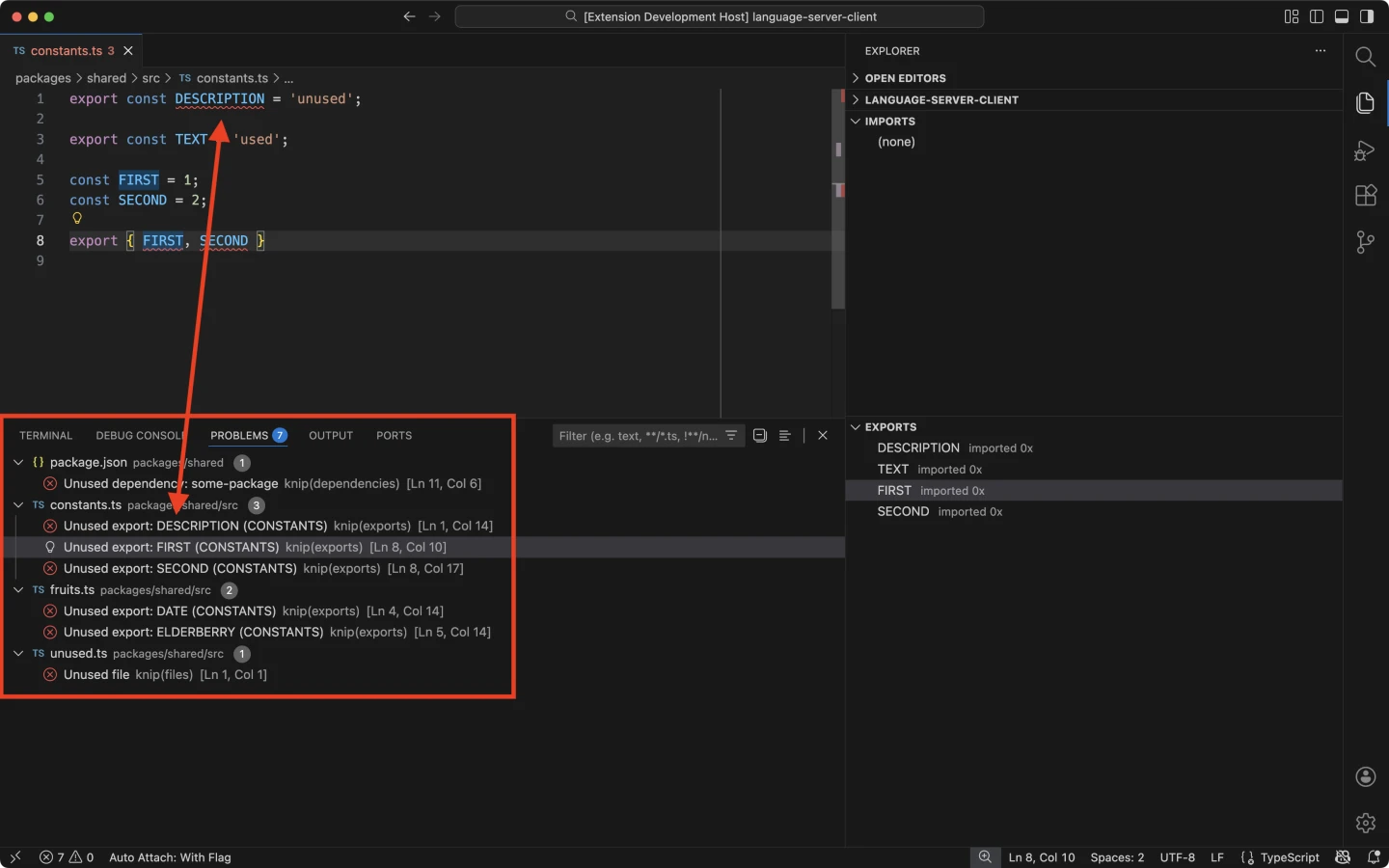
ScreenshotsLint Findings
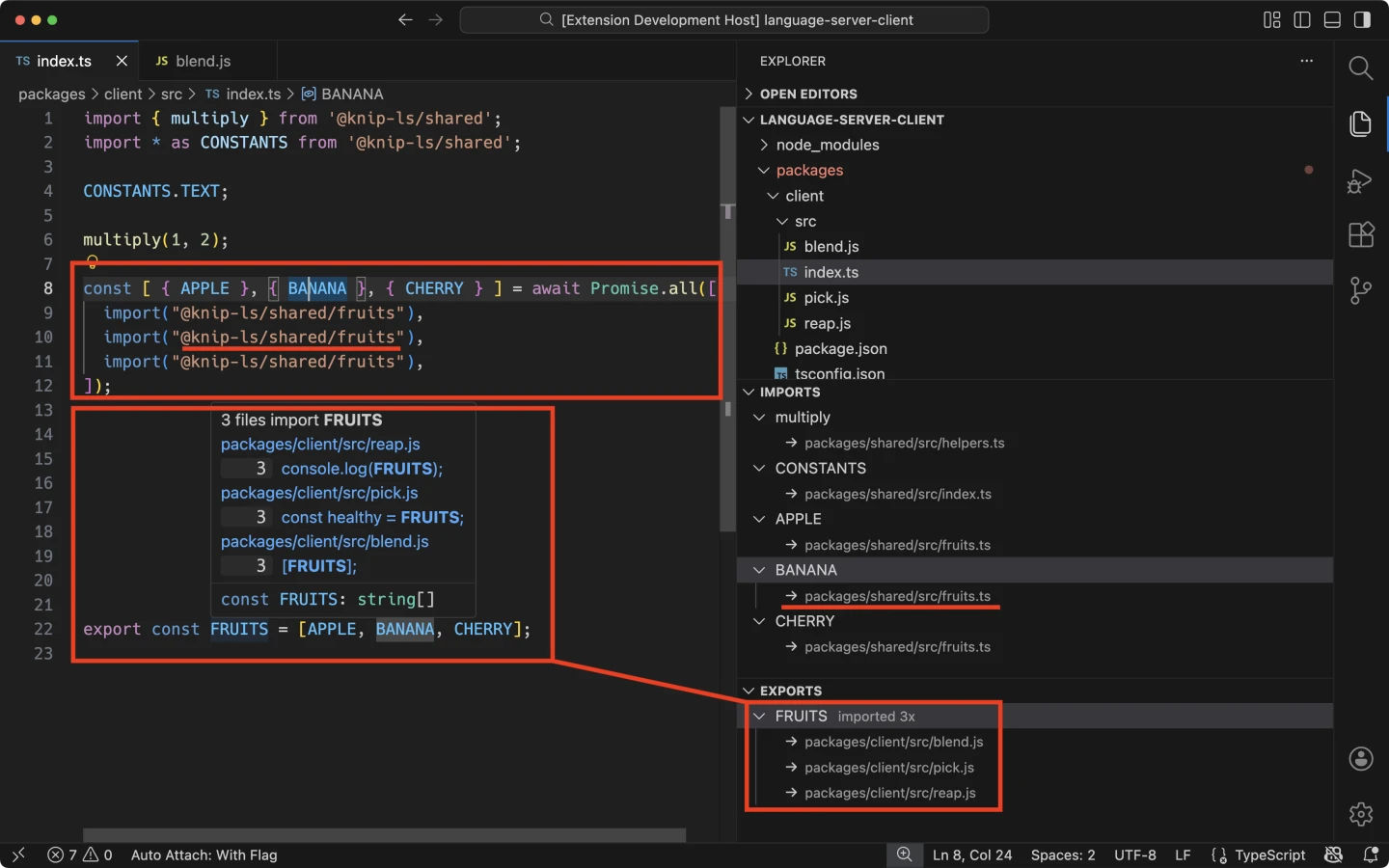
Imports & Exports
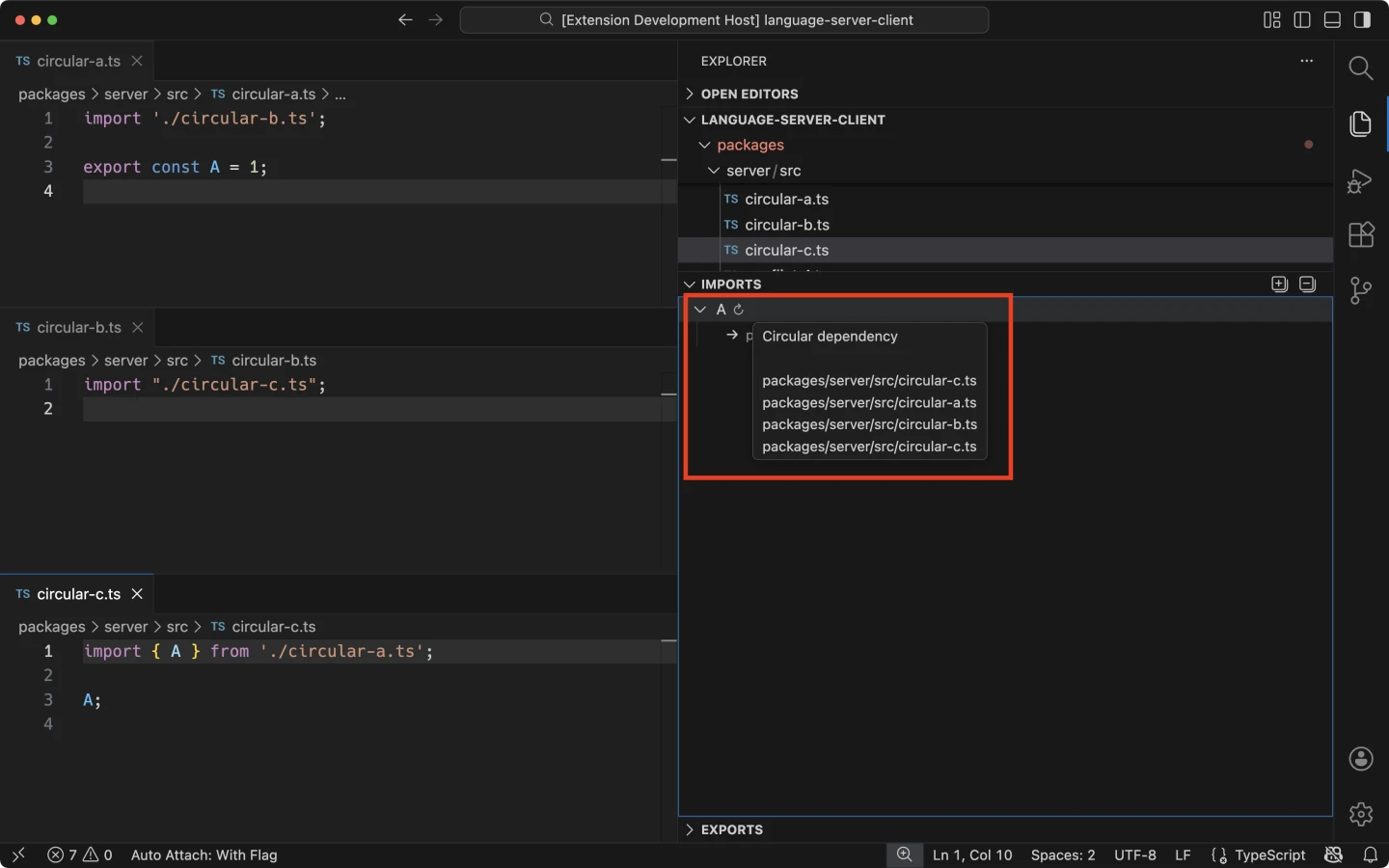
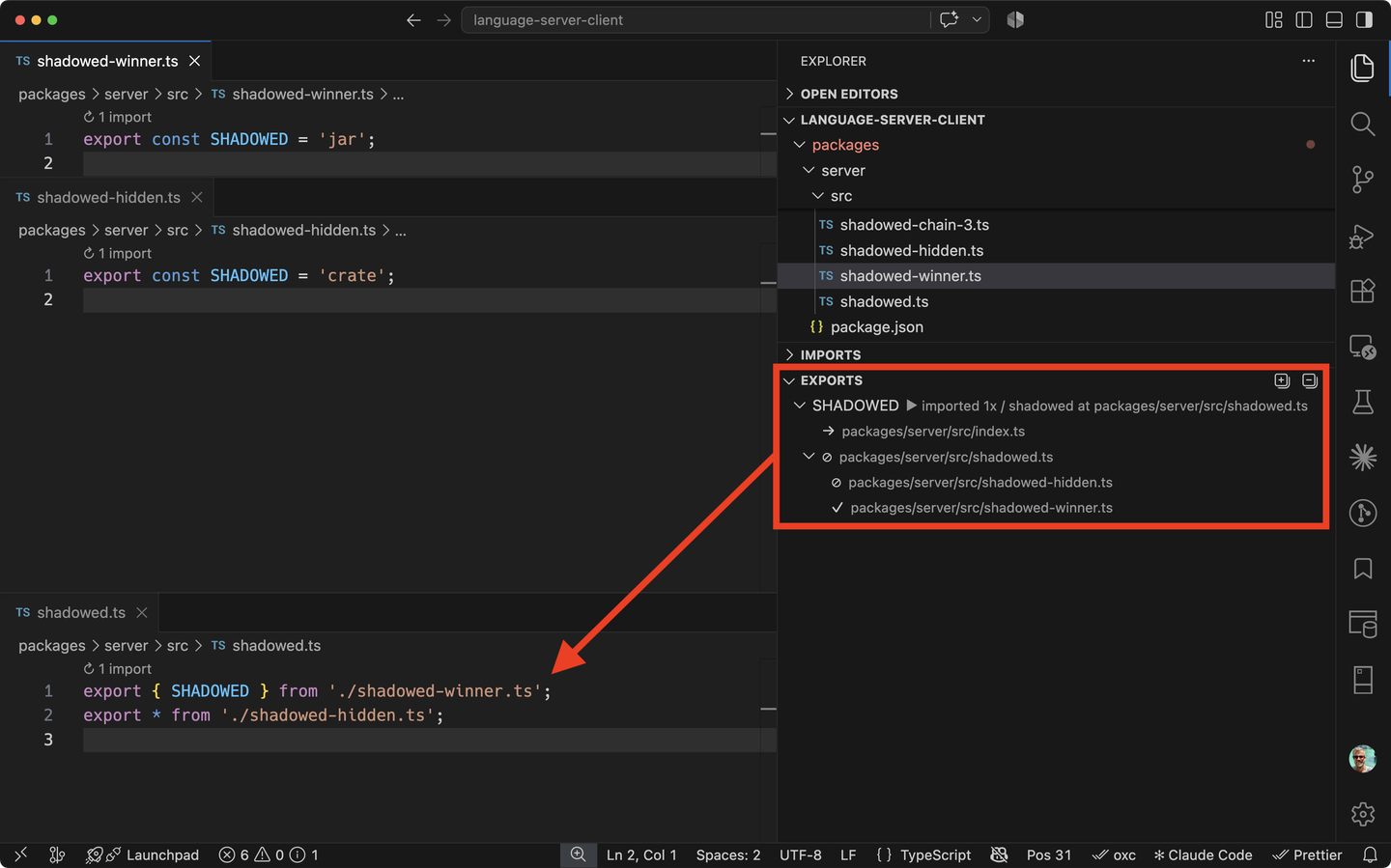
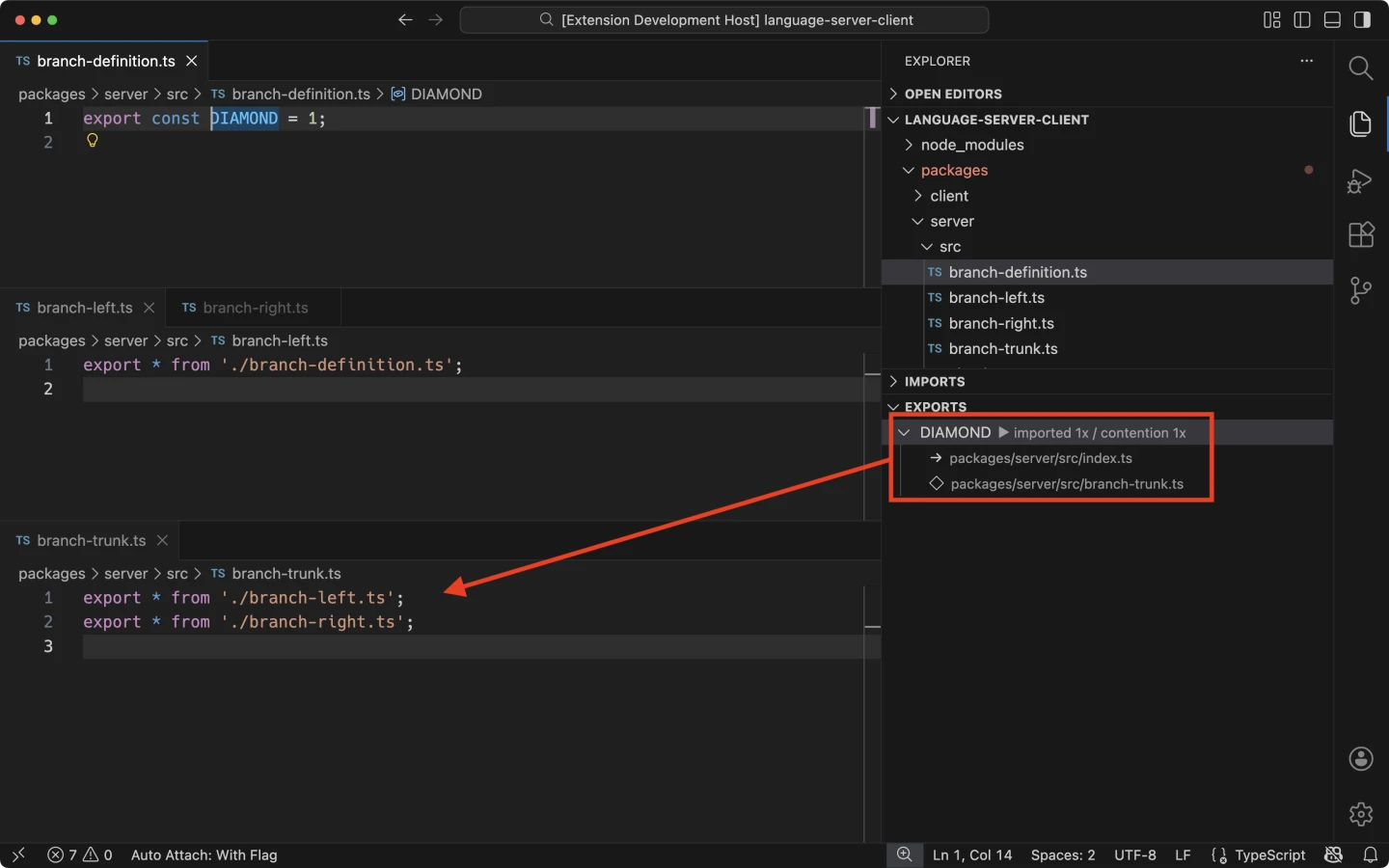
ContentionThe extension shows circular dependencies and three kinds of export contention: ambiguous, shadowed, and converged. Circular DependenciesIf an import is part of a circular dependency, Knip will display:
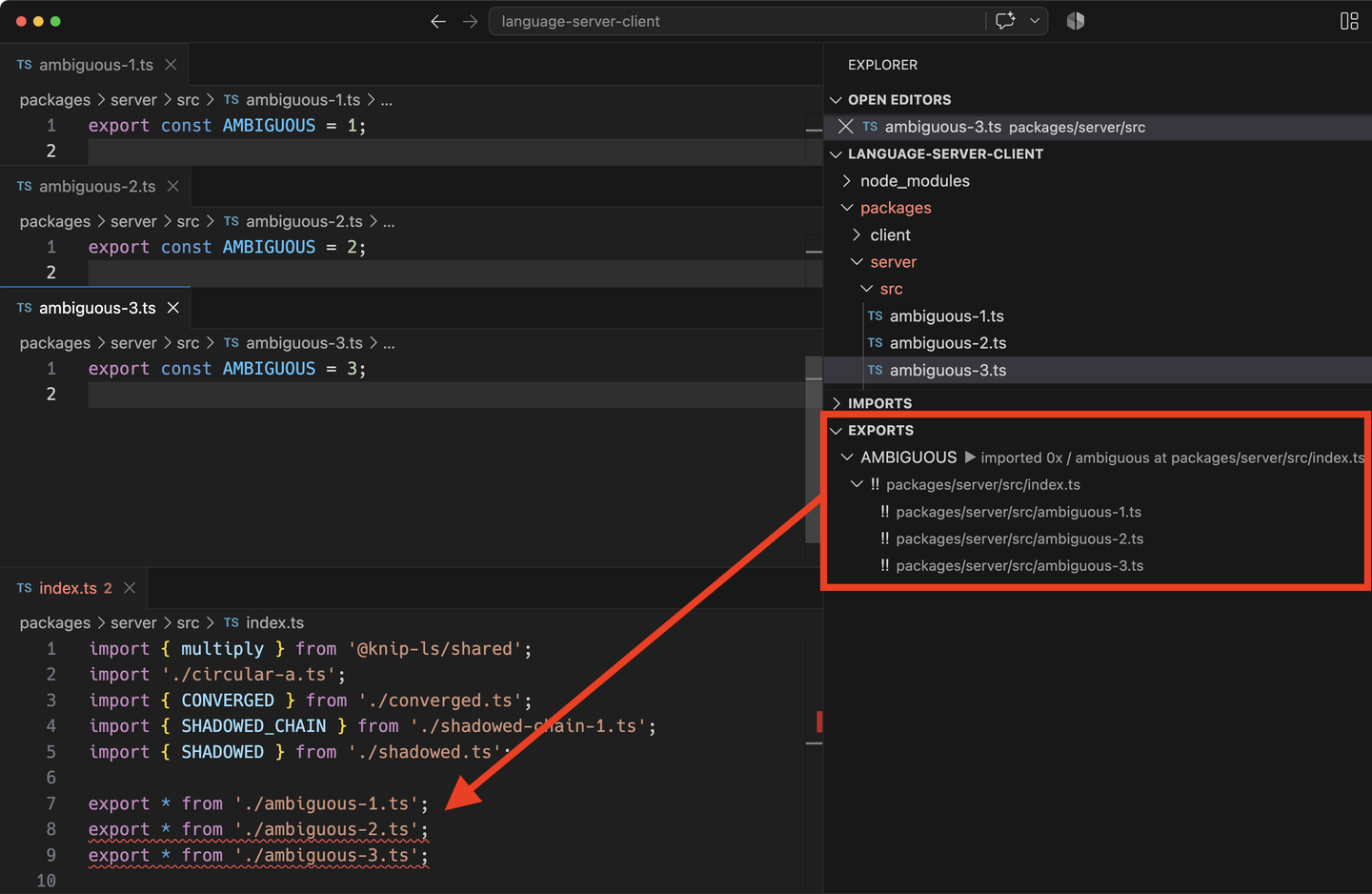
AmbiguousDifferent bindings compete for the same name, with no winner. Knip lists the competing bindings.
ShadowedAn explicit export hides bindings from
ConvergedThe same binding arrives through multiple re-export paths. Knip shows where those paths meet and the binding they share.
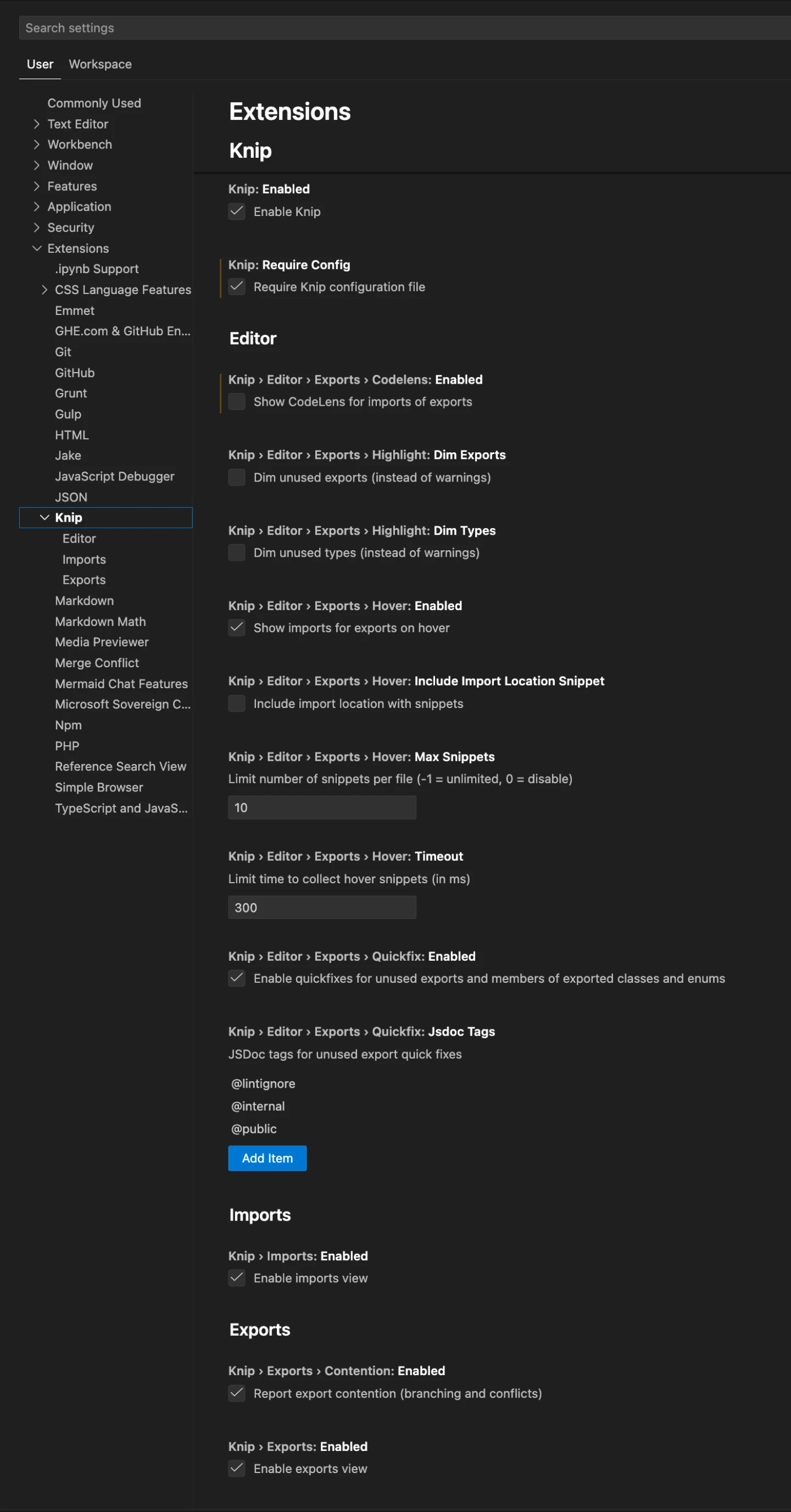
VS Code Extension Settings
|