Bananify for VS CodeBring a banana party, a warm optional theme, and a troop of tiny monkeys to Visual Studio Code. Installation Launch VS Code Quick Open ( Ctrl+P), paste the following command, and press enter.Copied to clipboard |

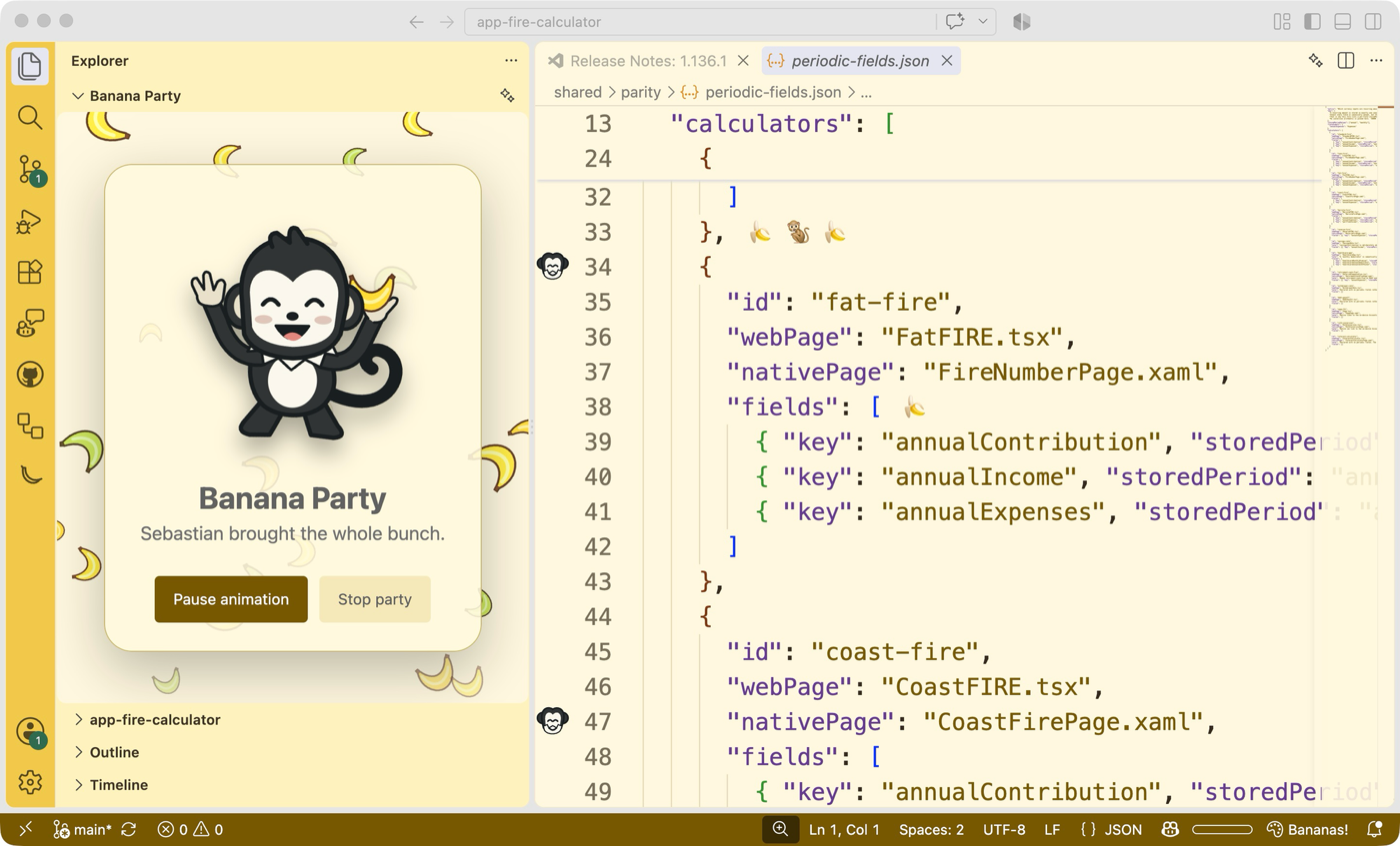
Bananify for VS CodeGive your editor a harmless banana party. Bananify adds stable banana and illustrated monkey decorations to every visible editor pane, four optional color themes, and a little troop of monkeys in the Activity Bar.
Features
The extension performs no network requests and does not collect telemetry. Banana text decorations use supported editor decorations. Illustrated monkeys use the editor gutter and therefore share that space with native editor features such as breakpoints. Bananify does not claim priority over those features. A smaller Explorer partyThe Explorer view uses a miniature troop, smaller falling bananas, and compact controls so more room is left for your files. VS Code controls the pane's outer height: drag the Banana Party divider to resize it, or collapse the view. The editor Party tab keeps its larger layout. Themes in the Agents windowAll four themes are available in the Agents window in current VS Code Insiders builds that honor extension-declared Agents window support. Open Preferences: Color Theme in that window and select Banana Grove, Banana Cream, Midnight Banana, or Monkey Jungle. Installing Bananify never selects a theme for you. The Activity Bar, Explorer party view, and status item are editor-window features; the Agents window does not provide those surfaces. Bananify includes executable party features as well as themes. Without an explicit compatibility declaration, VS Code disables the entire extension in the Agents window, including its declarative themes. Bananify now declares that compatibility without requiring proposed APIs. Older builds, including VS Code 1.141.2, do not yet honor that declaration for Marketplace extensions. Update to a build that supports it, or explicitly enable Bananify in your User Settings (JSON) and reload the Agents window: Merge this entry with any existing entries in that setting. On newer builds,
also check that Settings
Celebrations are disabled by default, globally rate-limited, and never open or focus a view. Hidden webviews do not run animation loops. DevelopmentUse Node.js 22 or newer. The standard smoke test runs against the minimum supported VS Code version.
The Agents smoke test uses current Insiders and an isolated profile, without a
per-extension enablement override. Set Press F5 from this directory in VS Code to launch an Extension Development Host. PrivacyBananify reads only the visible document lines needed to place decorations. It does not change files, open network connections, track usage, or send code anywhere. License |