Skip to content
| Marketplace
Sign in
Visual Studio Code>Themes>MallornNew to Visual Studio Code? Get it now.
Mallorn

Mallorn

volfied

| (0) | Free
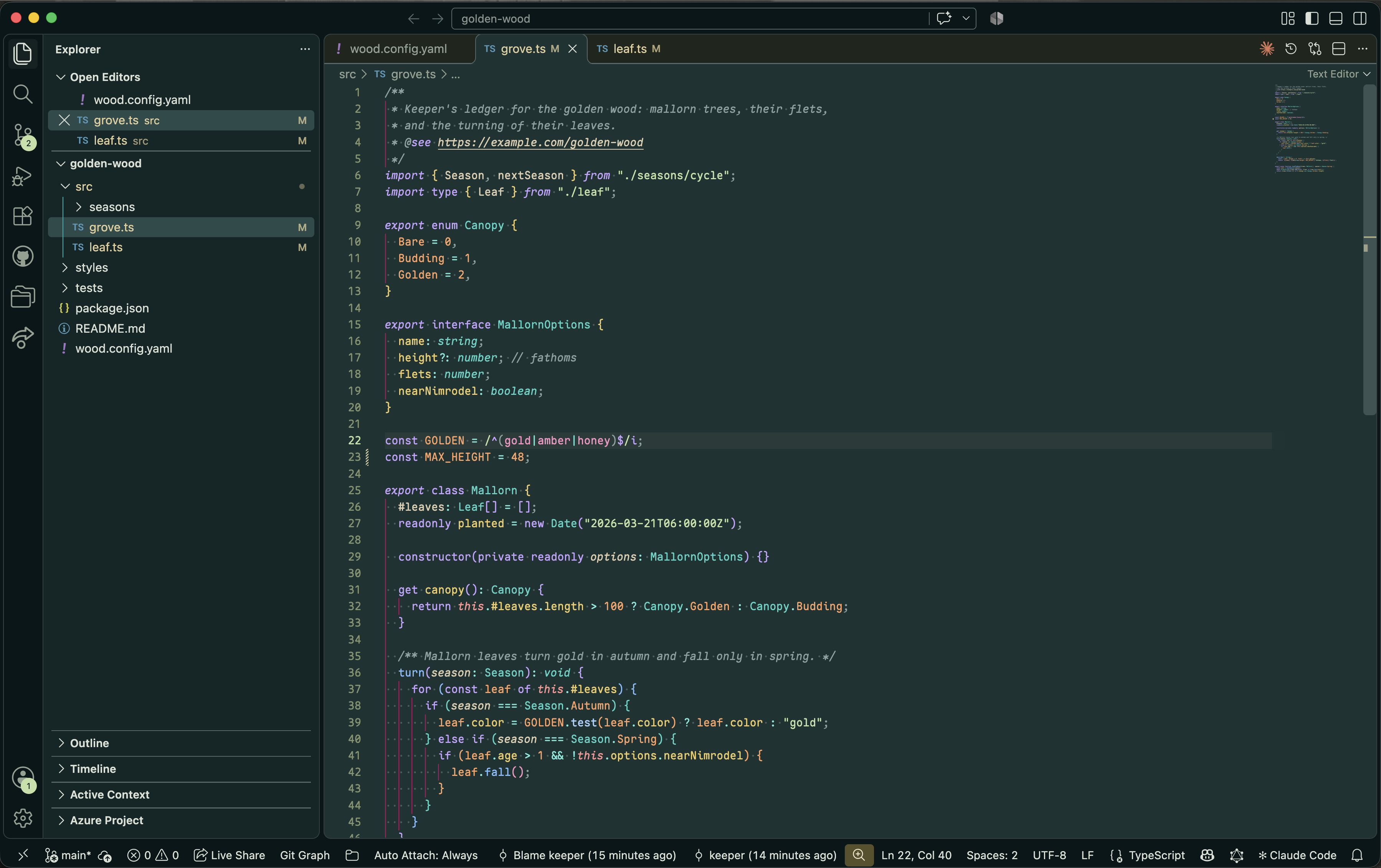
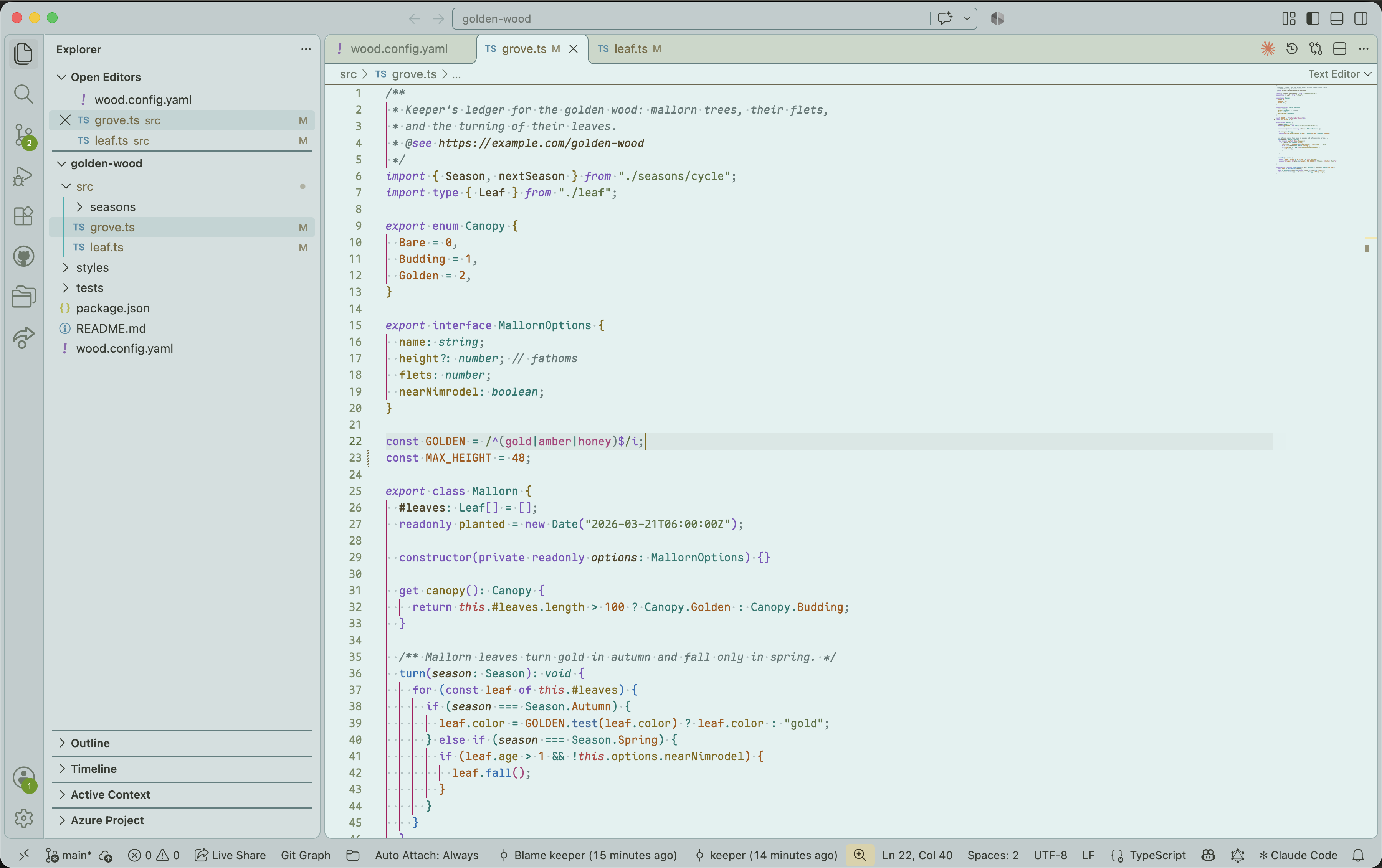
Cream text on deep teal-green, with a matching light variant. Built from an OKLCH palette.
Installation
Launch VS Code Quick Open (Ctrl+P), paste the following command, and press enter.
Copied to clipboard
More Info

Mallorn

Cream text on deep teal-green, with a matching light variant.

Mallorn Dark

Mallorn Light

Install

Search for Mallorn in the Extensions view, or run:

code --install-extension volfied.mallorn-theme

Then pick Mallorn Dark or Mallorn Light from Preferences: Color Theme.

Notes

  • Colors come from an OKLCH palette: accents share lightness and chroma, so no hue shouts over another.
  • Light is derived from Dark by rule rather than hand-picked, and holds syntax colors to WCAG AA contrast against the editor.
  • Indent guides are deliberately vivid. If you prefer quiet ones, override editorIndentGuide.background1 and editorIndentGuide.activeBackground1 under workbench.colorCustomizations.

License

MIT

  • Contact us
  • Jobs
  • Privacy
  • Manage cookies
  • Terms of use
  • Trademarks
  • Your Privacy Choices
  • Consumer Health Privacy
© 2026 Microsoft