
Local API CheckOffline API client for VS Code. Requests are plain .api files in your repo — send them in one click, or turn them into pass/fail checks. A Postman alternative with no account and no cloud sync. Installation Launch VS Code Quick Open ( Ctrl+P), paste the following command, and press enter.Copied to clipboard |

Local API CheckOffline, git-native API testing for VS Code — no account, no cloud sync. Write requests in a plain text file in your repo, click to send them, and turn any request into a pass/fail check that runs as a suite.
WhyYour API requests are part of your codebase. They should live next to it, diff in code review, and branch with your feature work — not in a cloud workspace behind a login.
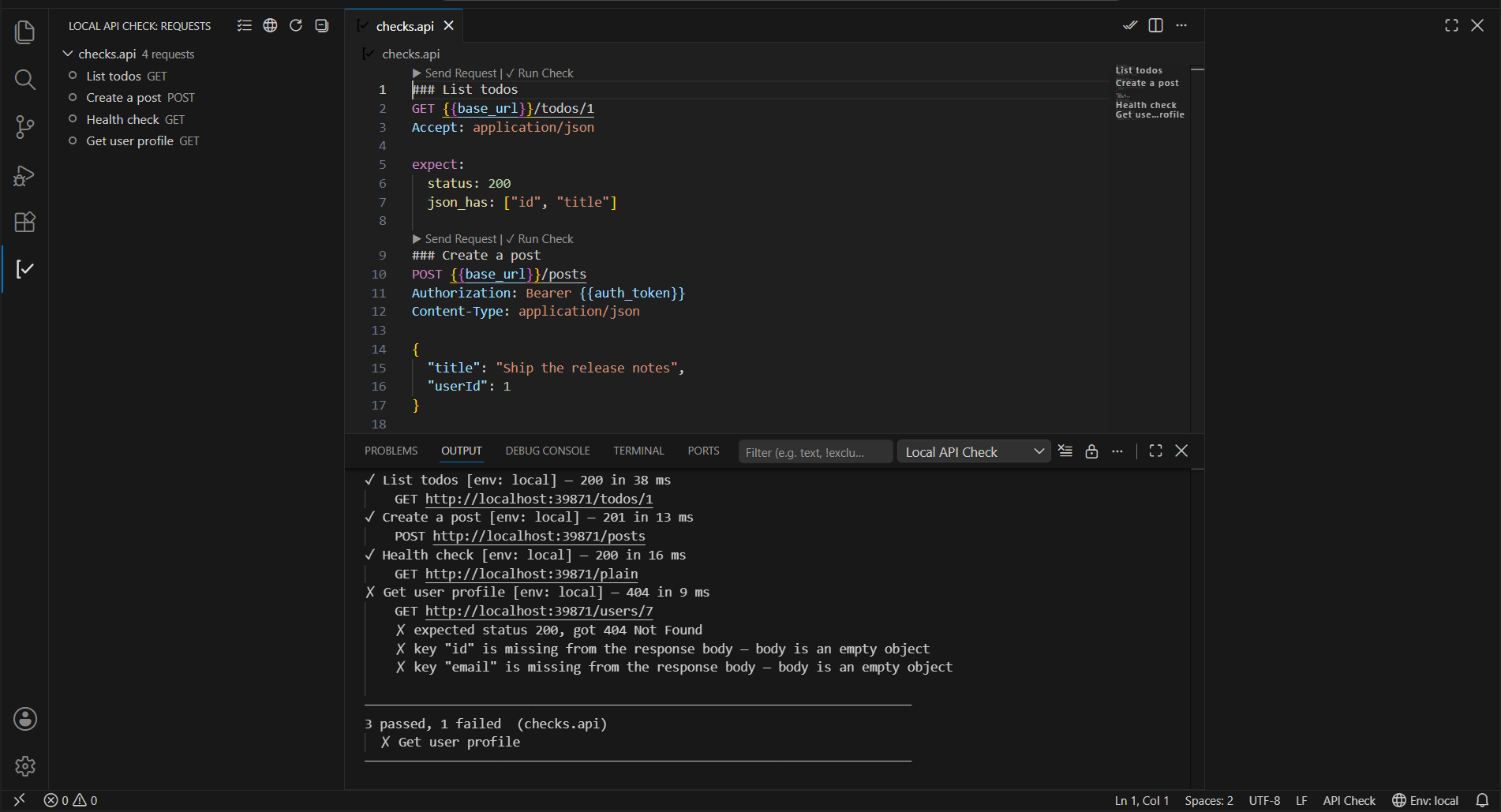
Quick start1. Create a file ending in 2. Set your variables in 3. Run it. Click ▶ Send Request above the block to see the full response, or ✓ Run Check to assert the 4. Run the suite. The
|
| Assertion | Example | Passes when |
|---|---|---|
status |
status: 200 |
The response status matches exactly. |
json_has |
json_has: ["id", "user.email"] |
The body parses as JSON and every key exists (dot paths and array indexes work: items.0.id). |
A request without an expect: block is just a request — it is skipped by the check runners.
Environments
A project has an .api-env/ folder; each file is a flat JSON object of variables:
.api-env/
  local.json          committed — shared, non-secret defaults
  staging.json        committed
  staging.local.json  git-ignored — real secrets
  .gitignore          created for you, ignores *.local.json
{{name}} is substituted in the URL, headers and body from the active environment. Anything unresolved is reported instead of being sent silently. Keys starting with _ (like _comment) are notes, not variables.
The bundled .api-env/.gitignore keeps *.local.json out of git. If you would rather manage it from the repo root, add this to your top-level .gitignore instead:
.api-env/*.local.json
Secret protection
When you save a .api file, it is scanned for things that look like credentials typed in where a {{variable}} belongs — bearer and basic auth, API-key headers, api_key= in a URL or form body, secrets in a JSON body, and vendor prefixes like sk-, ghp_, AIza, xoxb-, AKIA.
You get a warning and a quick fix that moves the value into your active environment file and replaces it with {{auth_token}} in place. It is always a nudge, never a block — turn it off with localApiCheck.warnOnHardcodedSecrets.
Free and Pro
Free, forever. Writing and sending requests, .api-env environments and {{variable}} substitution, and hardcoded-secret warnings with their quick fix. That is a complete HTTP client, and it is not time-limited, request-limited or nagged.
Pro, one-time purchase. The pass/fail check system: expect: blocks, Run Check, Run All Checks in File, and Run All Checks in Workspace — the part that turns a folder of requests into a suite you can run before a commit.
How the licence behaves, in full:
- The key is stored in your OS keychain (VS Code
SecretStorage), never in a file and never in your project. - Activating a key contacts Dodo Payments once. After that it is re-checked at most once every 21 days.
- If that check cannot be made, Pro keeps working. A network error, a timeout, or any error response leaves your licence exactly as it was. Only an explicit "this key is not valid" answer locks the Pro features — and even then, everything in the free tier keeps working.
Local API Check: License Statussays which of those states you are in, in plain words.
Commands
| Command | What it does |
|---|---|
Local API Check: Run All Checks in File |
Runs every expect: block in the open file. (Pro) |
Local API Check: Run All Checks in Workspace |
Runs every expect: block in every .api file. (Pro) |
Local API Check: Select Environment |
Switches the active .api-env file. |
Local API Check: Show Output |
Opens the output channel. |
Local API Check: Enter License Key |
Activates a Pro licence key. |
Local API Check: License Status |
Shows the current licence state. |
Local API Check: Remove License Key |
Deletes the stored key from this machine. |
Settings
| Setting | Default | What it does |
|---|---|---|
localApiCheck.requestTimeoutMs |
30000 |
How long to wait for a response. |
localApiCheck.createEnvFolderOnActivate |
true |
Create a starter .api-env/local.json in projects without one. |
localApiCheck.warnOnHardcodedSecrets |
true |
Warn about credentials hardcoded into .api files. |
Privacy
There is no backend. The extension makes exactly the HTTP requests you write and run, using the Node runtime's built-in fetch. It collects no telemetry and has no account.
The one exception, stated plainly: if you enter a Pro licence key, the extension calls Dodo Payments to activate it, and again at most once every 21 days to check it is still valid. Those two calls send your licence key and a random identifier generated on this install — no hostname, no machine fingerprint, nothing about your projects or your requests. They use Dodo's public licence endpoints, so the extension ships with no API key of any kind. Without a licence key, the extension makes no calls of its own at all.
License
MIT