Smart EPUB Reader



Seamless AI Agent integration to interact and chat with your books, built into an elegant native EPUB reader for Antigravity IDE and VS Code.
✨ Features
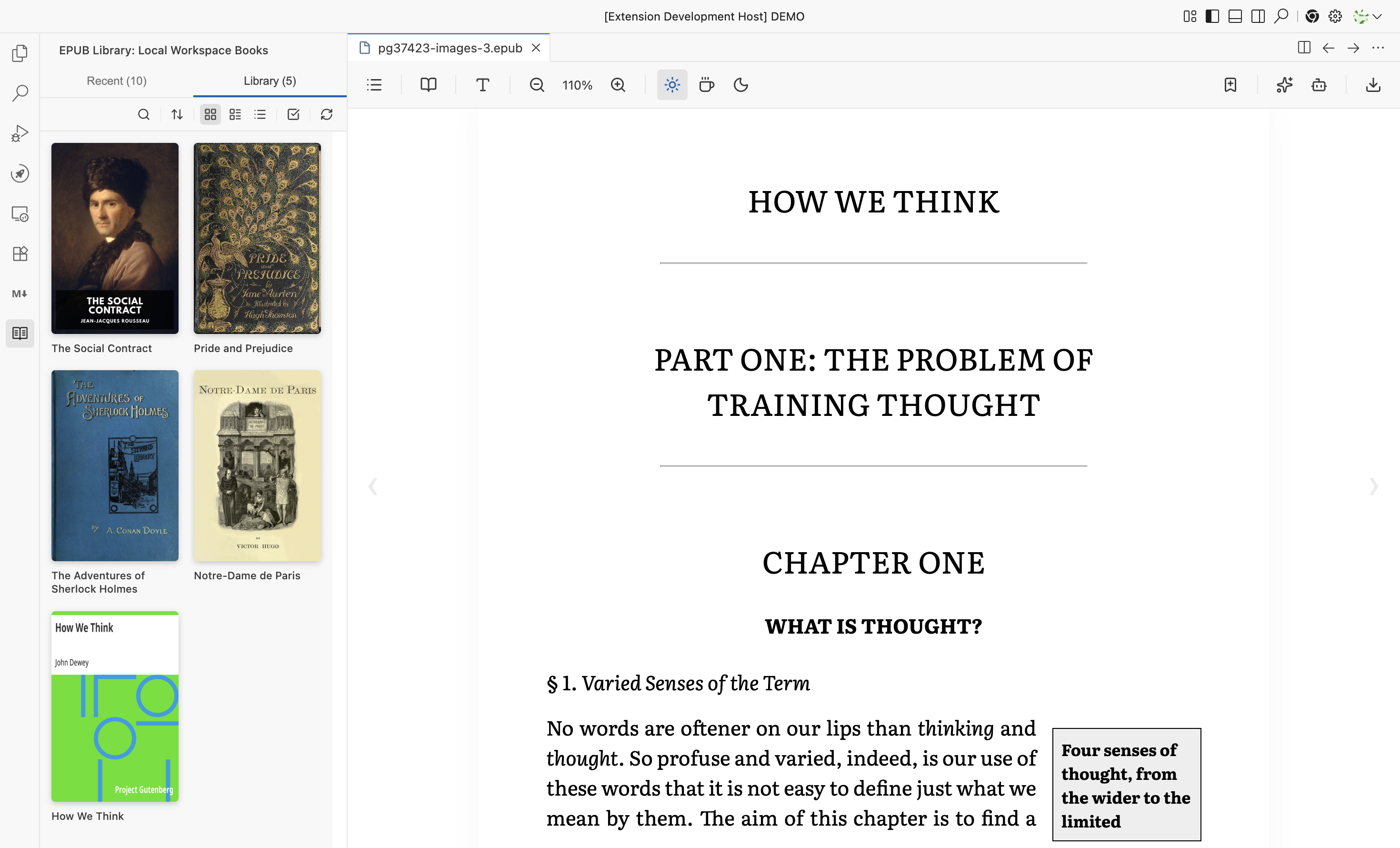
🌟 Killer Features
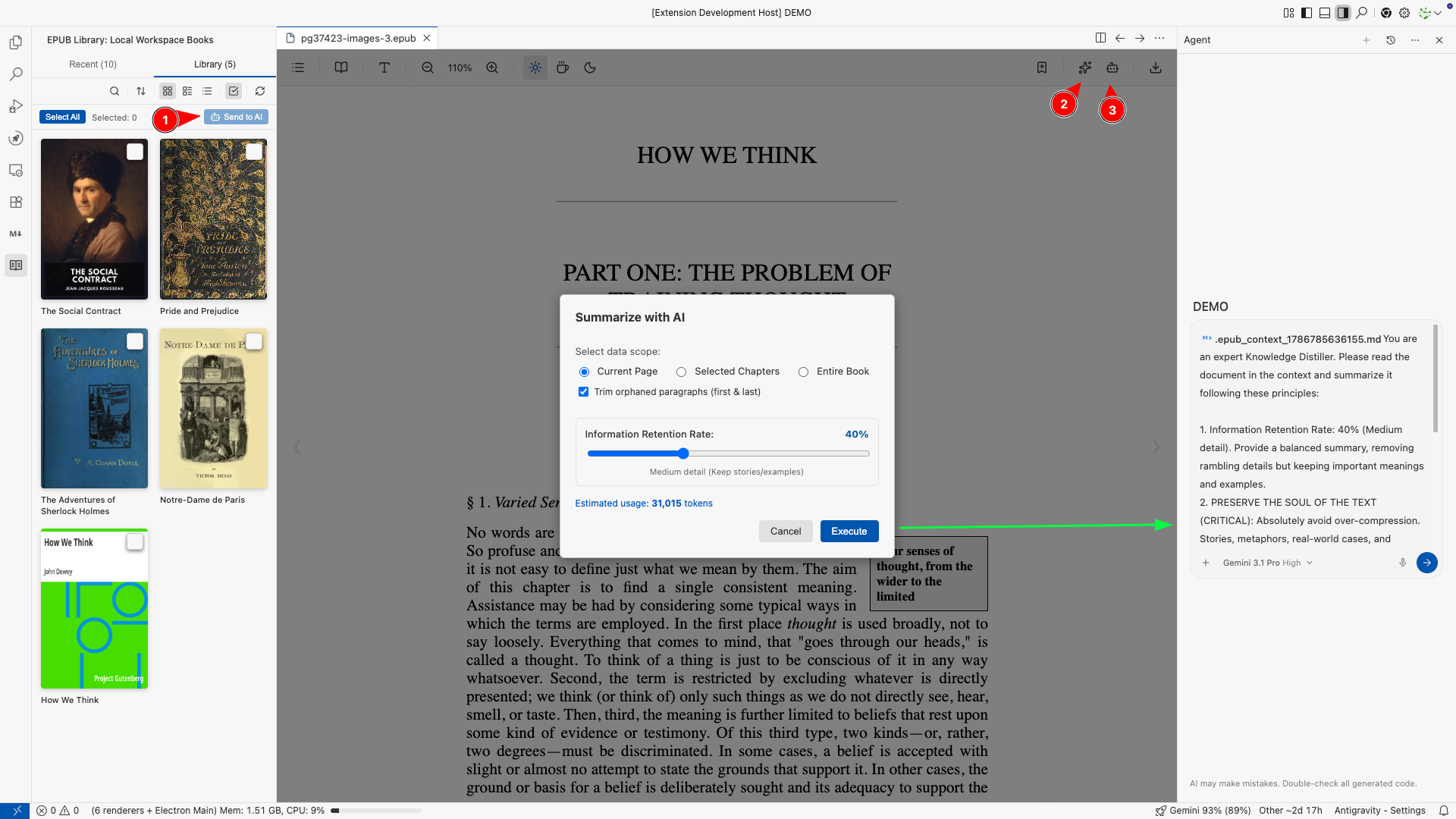
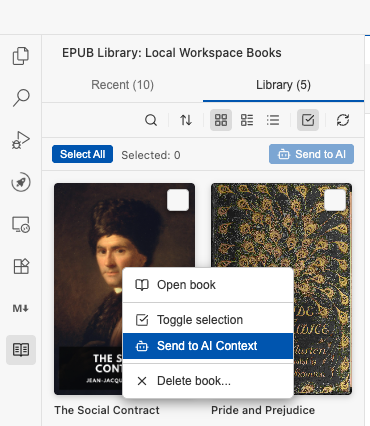
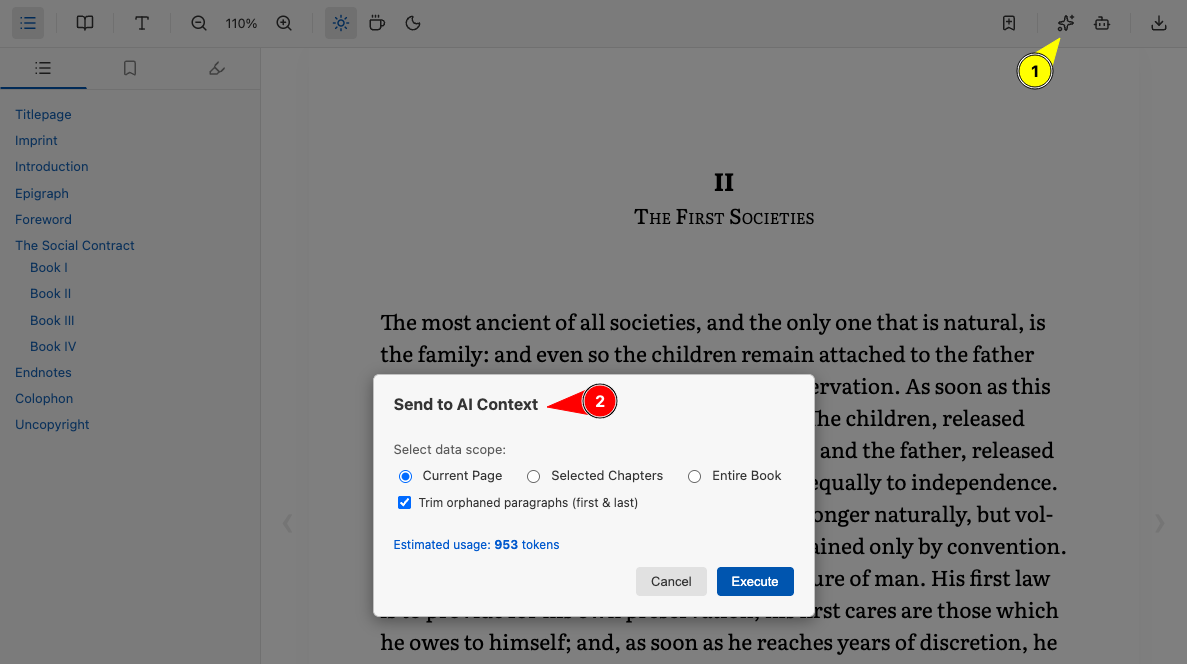
- Deep AI Agent Integration: Don't just read books—interact with them!
- Send to AI Context: Highlight any text and send it directly to your active AI Agent with a single click. The agent will instantly understand the context of the book and answer your questions.
- AI Summarization: Instantly summarize the current page, a specific chapter, or the entire book using native AI integration.
View screenshots (AI Agent Integration)
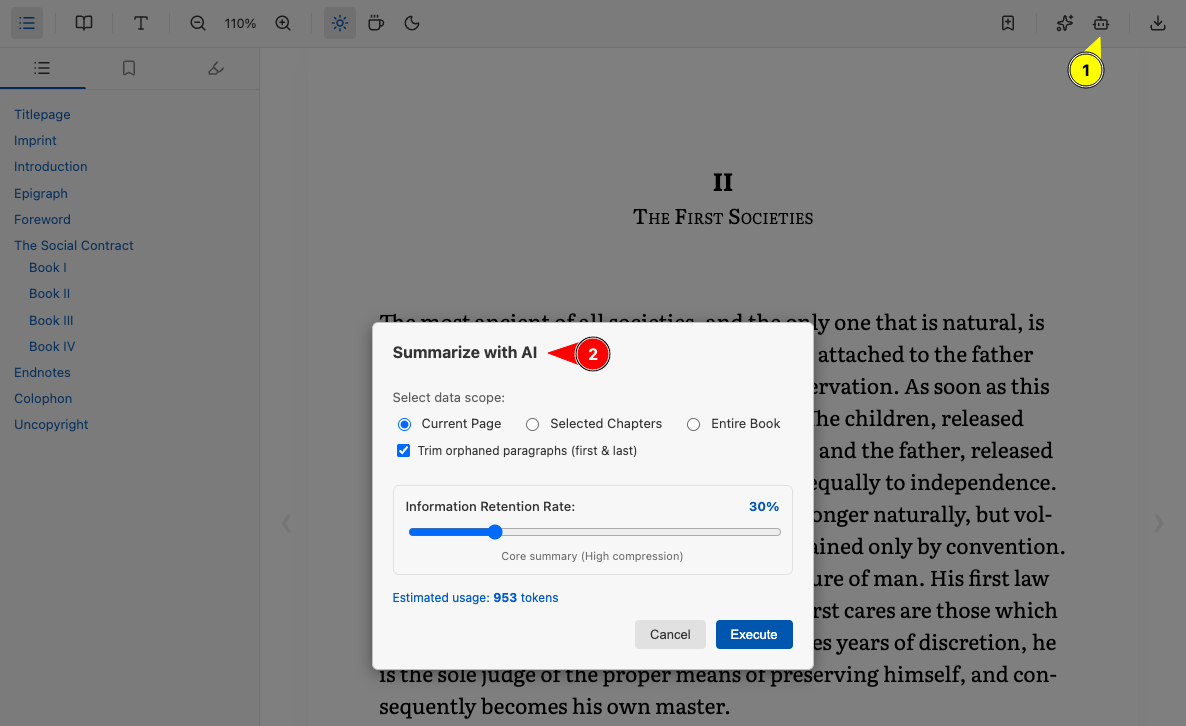
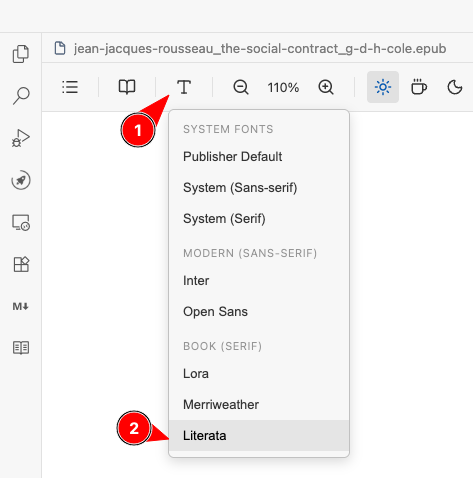
- Elegant, Book-Like Reading Experience: Focus on your reading with a sleek UI inspired by high-end e-readers. Toggle between 1 Page (Book), 2 Pages (Spread), or Vertical Scroll (Web) layouts. Experience beautiful, typography-focused fonts like Literata (default), Lora, and Merriweather out-of-the-box. Toolbar menus use elegant, native-feeling dropdowns powered by Lucide icons.
- Smart Annotations & Highlights: Highlight text, add custom notes with beautiful colors, and bookmark your progress. All annotations are automatically parsed and saved to local markdown files, ready to sync with your PKM (Personal Knowledge Management) systems like Obsidian.
View screenshot (Smart Annotations)
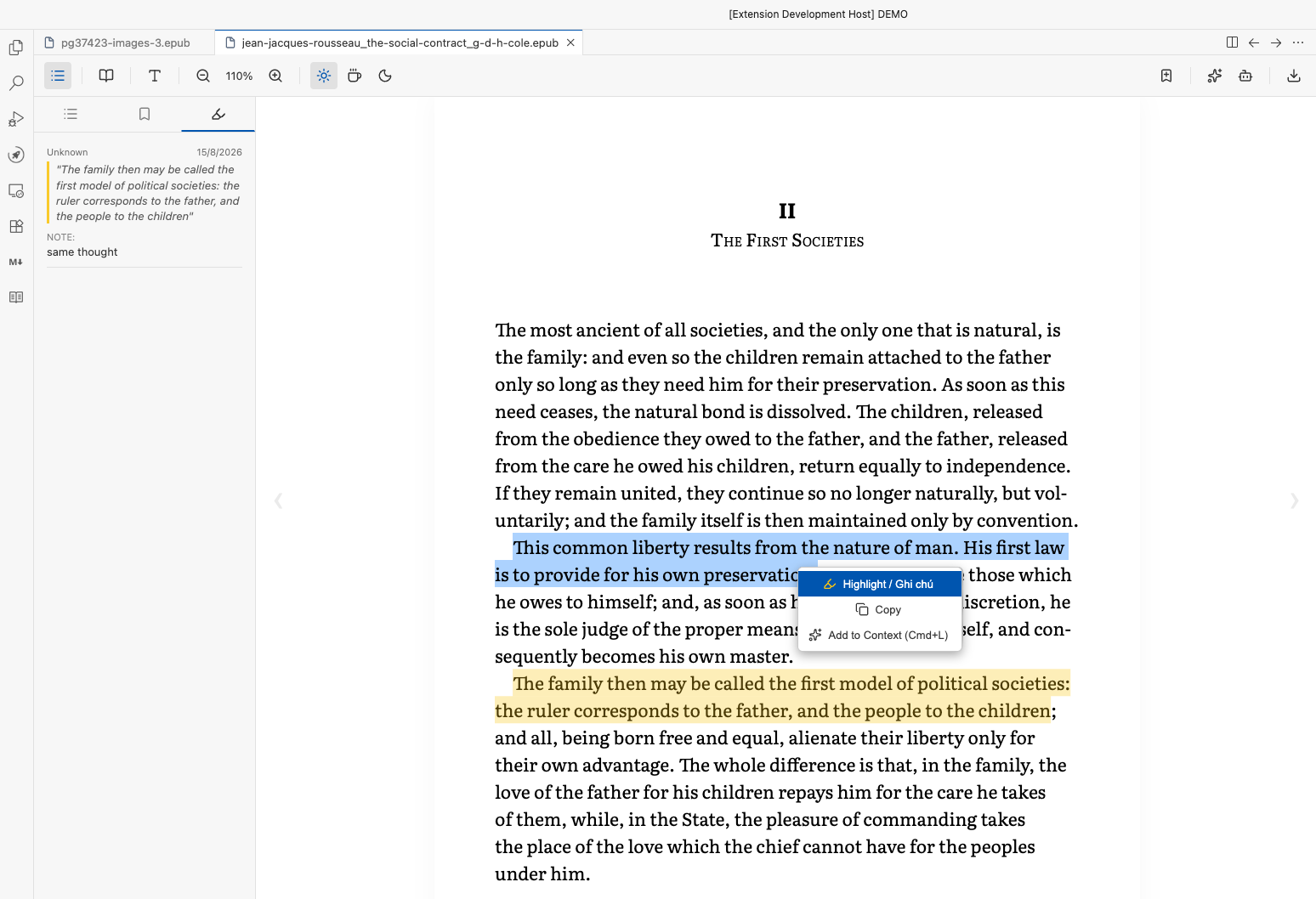
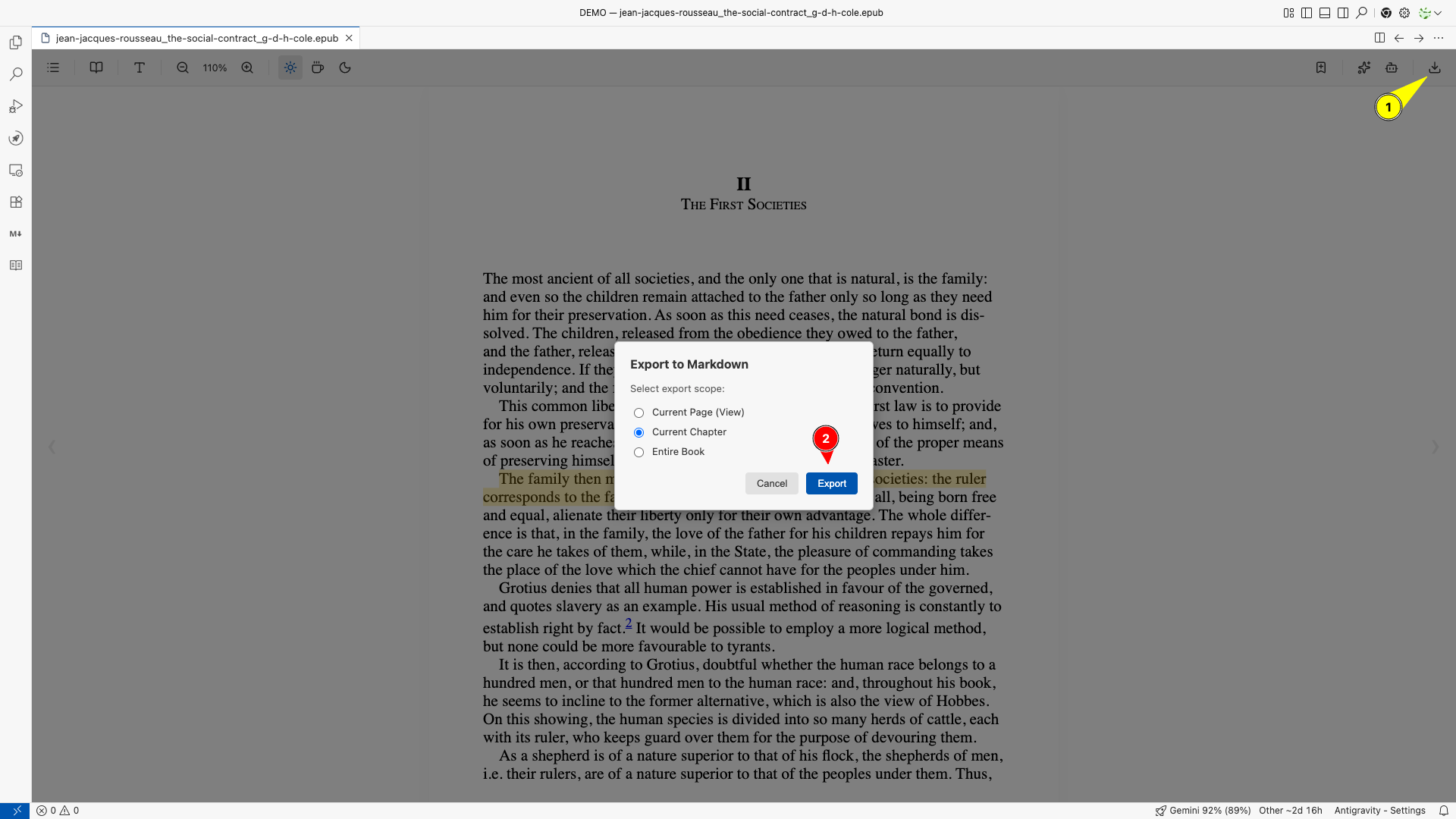
- Frictionless Markdown Export: Effortlessly export your book's annotations, highlights, or full chapters into pristine Markdown format (
.md). The exported file includes hidden %% metadata blocks, ensuring your notes stay clean while remaining machine-readable for automated workflows.
View screenshot (Markdown Export)
✨ Quality of Life
Navigation & Organization
- Intuitive Pagination: Turn pages effortlessly using your keyboard (Arrow keys, Page Up/Down, Space), or simply scroll with your mouse wheel. Jump instantly to the beginning (
Home) or end (End) of the book.
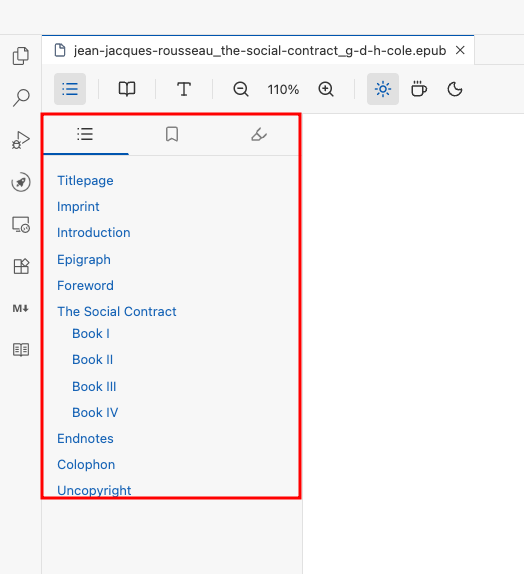
- Interactive Sidebar: Easily navigate through the Table of Contents, manage your Bookmarks, and review all your colorful Highlights & Notes in one convenient sidebar.
View screenshot (Interactive Sidebar)
- Smart Memory: The reader automatically remembers your exact reading progress (
CFI), keeping track of where you left off even if you close the editor.
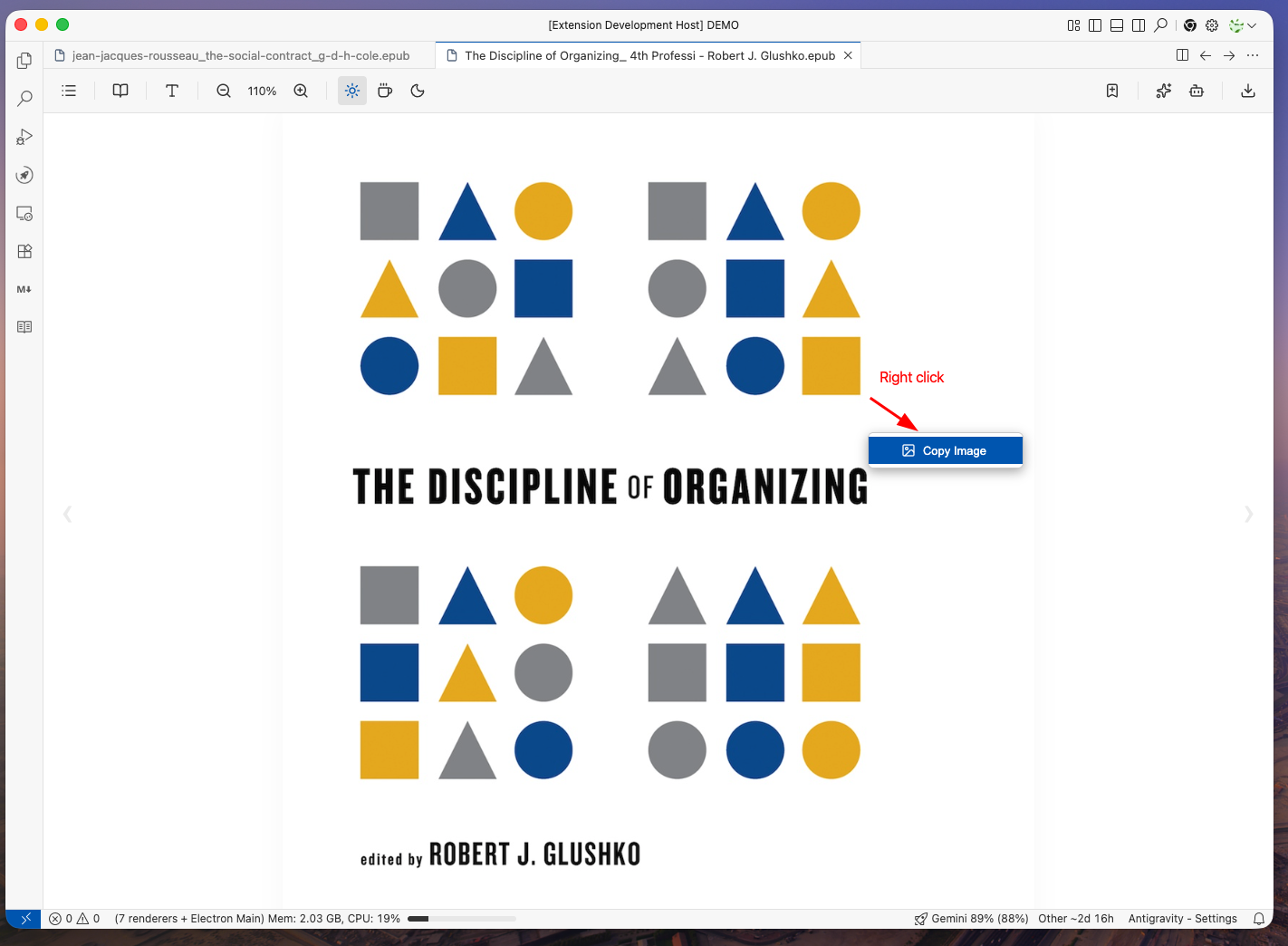
- Media Extraction: Right-click on any image within the EPUB to instantly copy it to your clipboard.
View screenshot (Media Extraction)
Frictionless UX
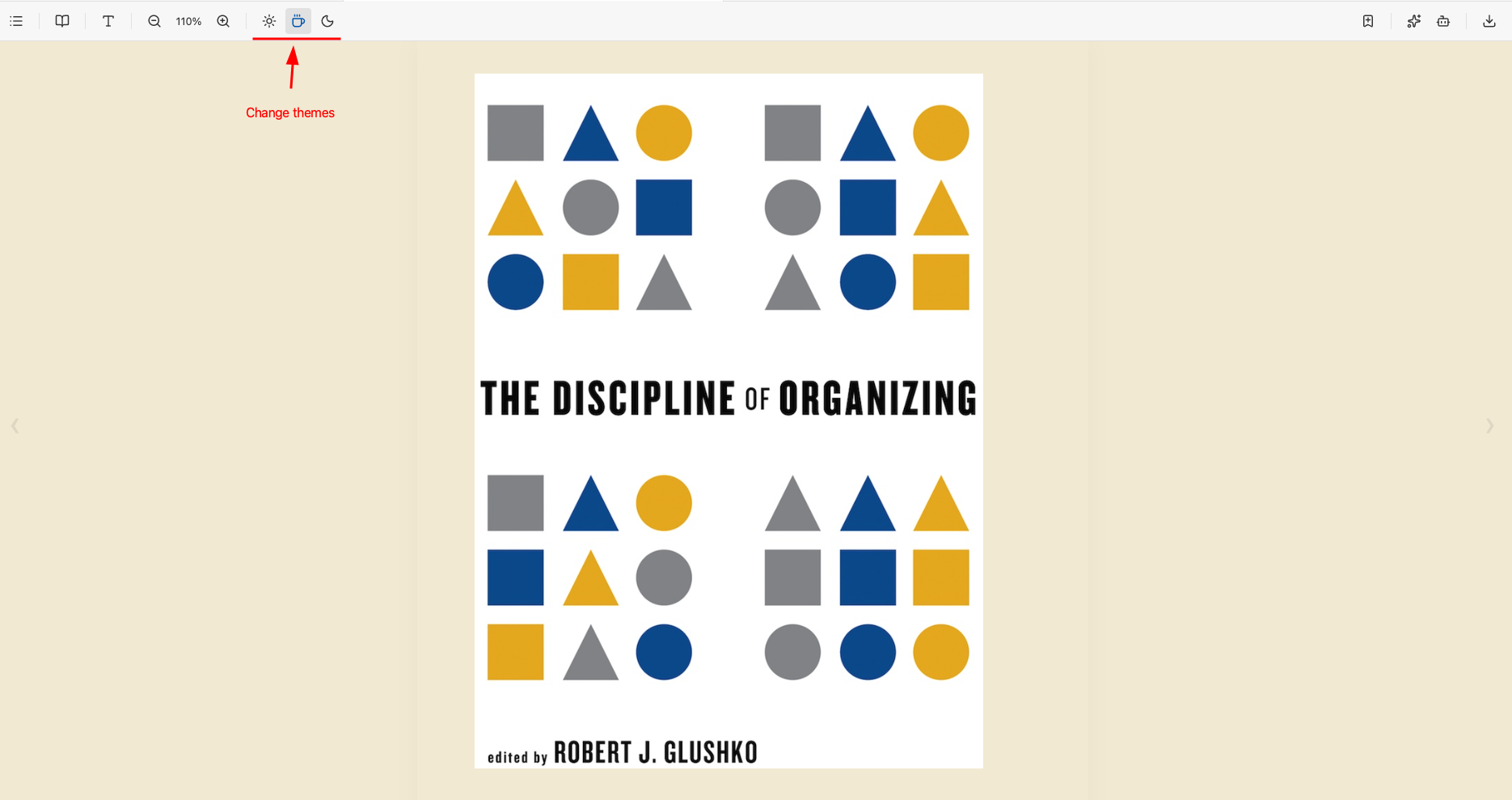
- Dynamic Typography & Themes: Switch instantly between Light, Sepia, and Dark themes. Increase or decrease font sizes seamlessly, and apply Google Fonts on the fly without refreshing the page.
View screenshots (Typography & Themes)
- Fully Local & Offline: Your books stay on your machine. No server uploads, no privacy concerns. It renders large EPUB files blazing fast using a highly optimized internal buffer.
- Multi-Language UI: Fully localized interface. Choose between English and Vietnamese seamlessly through your VS Code Settings.
🚀 Getting Started
- Install the extension from the VS Code Marketplace.
- Open the EPUB Library view in the sidebar to scan for books, or open any
.epub file directly from your Explorer.
- The EPUB Reader will launch automatically, rendering your book instantly!
⚙️ Configuration
The extension provides several customization options available in your VS Code settings (Cmd/Ctrl + ,):
| Setting |
Description |
Default |
vscode-epub-reader.language |
UI Language of the Extension (en or vi). |
en |
vscode-epub-reader.notesDirectory |
Directory for saving annotation markdown files. |
notes |
vscode-epub-reader.libraryDirectory |
Absolute path to the directory containing EPUB books. If empty, it scans the workspace. |
"" |
vscode-epub-reader.scanDepth |
Maximum recursive depth for scanning EPUB files (0 = root only). |
1 |
vscode-epub-reader.recentBookBehavior |
Behavior when clicking a book in the Recent tab (workspace or file). |
workspace |
vscode-epub-reader.libraryViewMode |
Default view mode for the library (grid, list, or combo). |
grid |
⌨️ Keyboard Shortcuts
| Action |
Mac |
Windows/Linux |
| Next Page |
Right Arrow / Page Down / Space |
Right Arrow / Page Down / Space |
| Previous Page |
Left Arrow / Page Up |
Left Arrow / Page Up |
| Start of Book |
Home |
Home |
| End of Book |
End |
End |
| Turn Page |
Mouse Wheel Scroll |
Mouse Wheel Scroll |
| Toggle Outline (TOC) |
Option + O |
Alt + O |
| Toggle Highlights & Notes |
Option + H |
Alt + H |
| Toggle Bookmarks List |
Option + B |
Alt + B |
| Toggle Bookmark (Mark Page) |
Option + M |
Alt + M |
| Export to Markdown |
Option + E |
Alt + E |
| AI Context (Highlighted Text) |
Right Click -> Send to AI Context |
Right Click -> Send to AI Context |
🤝 Credits & Acknowledgements
Read smarter, learn faster, and integrate your books seamlessly into your dev workflow.
| |

