Fuzzy Search Plus
Fuzzy search the current file, its diagnostics and your git changes from the
quick pick.
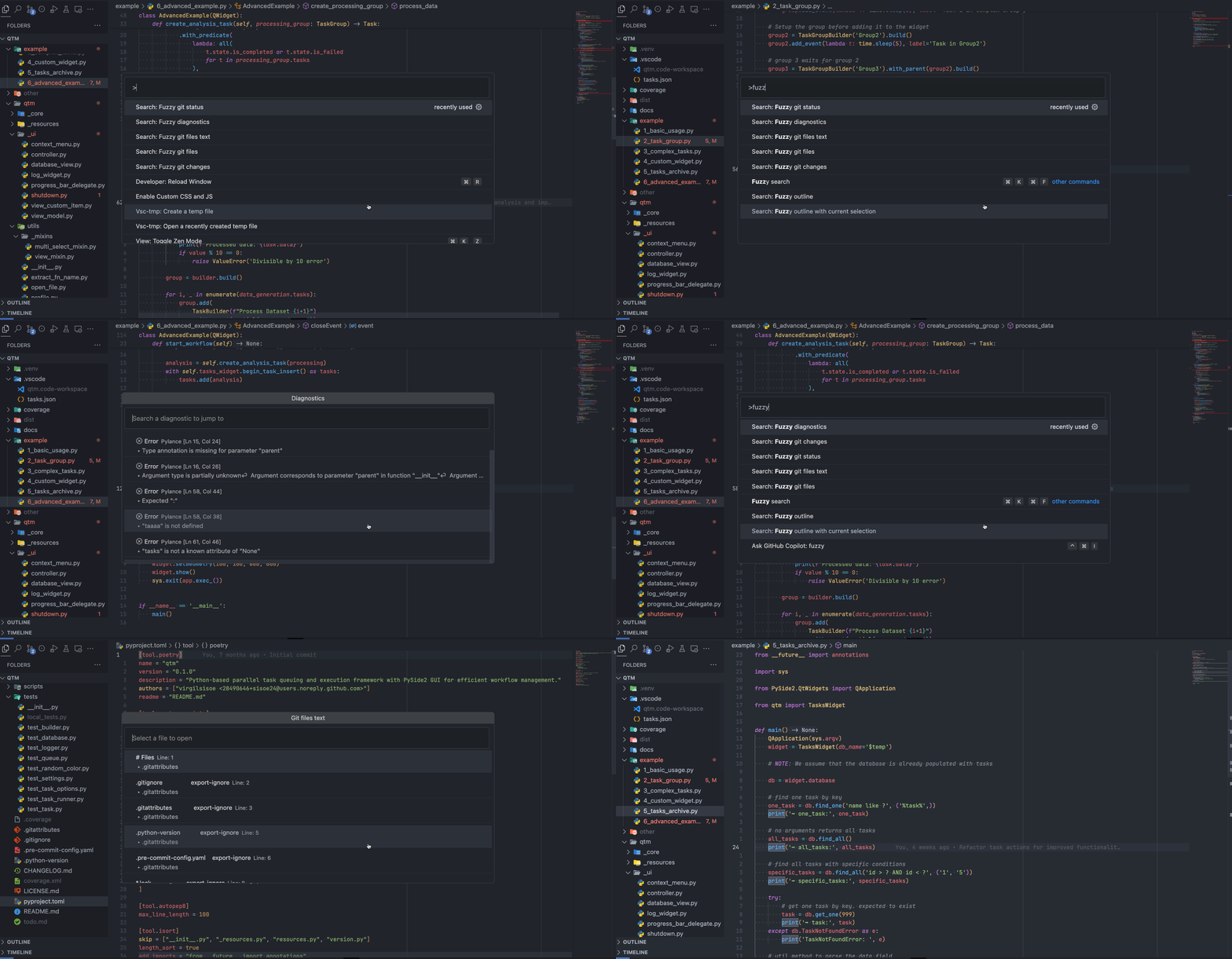
Commands
| Command |
Searches |
ID |
Search: Fuzzy lines |
Lines of the current file |
fuzzySearch.activeTextEditor |
Search: Fuzzy lines with current selection |
Same, with the selected text as the query |
fuzzySearch.activeTextEditorWithCurrentSelection |
Search: Fuzzy diagnostics |
Errors, warnings and hints in the current file |
fuzzySearch.activeTextEditorDiagnostics |
Search: Fuzzy git status |
Changed files in the repository |
fuzzySearch.gitStatus |
Search: Fuzzy git changes |
Changed lines in the current file |
fuzzySearch.gitChanges |
Search: Fuzzy git files |
Files tracked by git |
fuzzySearch.gitFiles |
Search: Fuzzy git files text |
Text inside the files tracked by git |
fuzzySearch.gitFilesText |
When you search the current file, the editor previews each result as you move
through the list. Escape puts you back where you started.
Keybindings
None by default. For example, in keybindings.json:
[
  {
    "key": "alt+shift+o",
    "command": "fuzzySearch.activeTextEditor",
    "when": "editorTextFocus"
  },
  {
    "key": "alt+shift+d",
    "command": "fuzzySearch.activeTextEditorDiagnostics",
    "when": "editorTextFocus"
  },
  {
    "key": "alt+shift+g",
    "command": "fuzzySearch.gitStatus"
  }
]
Known issues
- Git status does not list deleted files.
- Git changes does not list deleted lines.
- Git files does not list untracked files.
About this fork
Fork of jacobdufault/vscode-fuzzy-search,
last updated in 2020. It adds the diagnostics and git commands and keeps the
original command IDs, so old keybindings still work. Uninstall the original
first: both extensions register the same commands.

