PlantUML & Graphviz Preview
Live PlantUML, Graphviz (DOT) and D2 diagrams in VS Code, with no Java setup.
Open a .puml, .dot or .d2 file and press Alt+D. The preview updates as you type. Graphviz and D2 render on your own machine through WebAssembly, so there is nothing to install. PlantUML renders through a PlantUML server: your own, a Kroki server, or the public plantuml.com server.
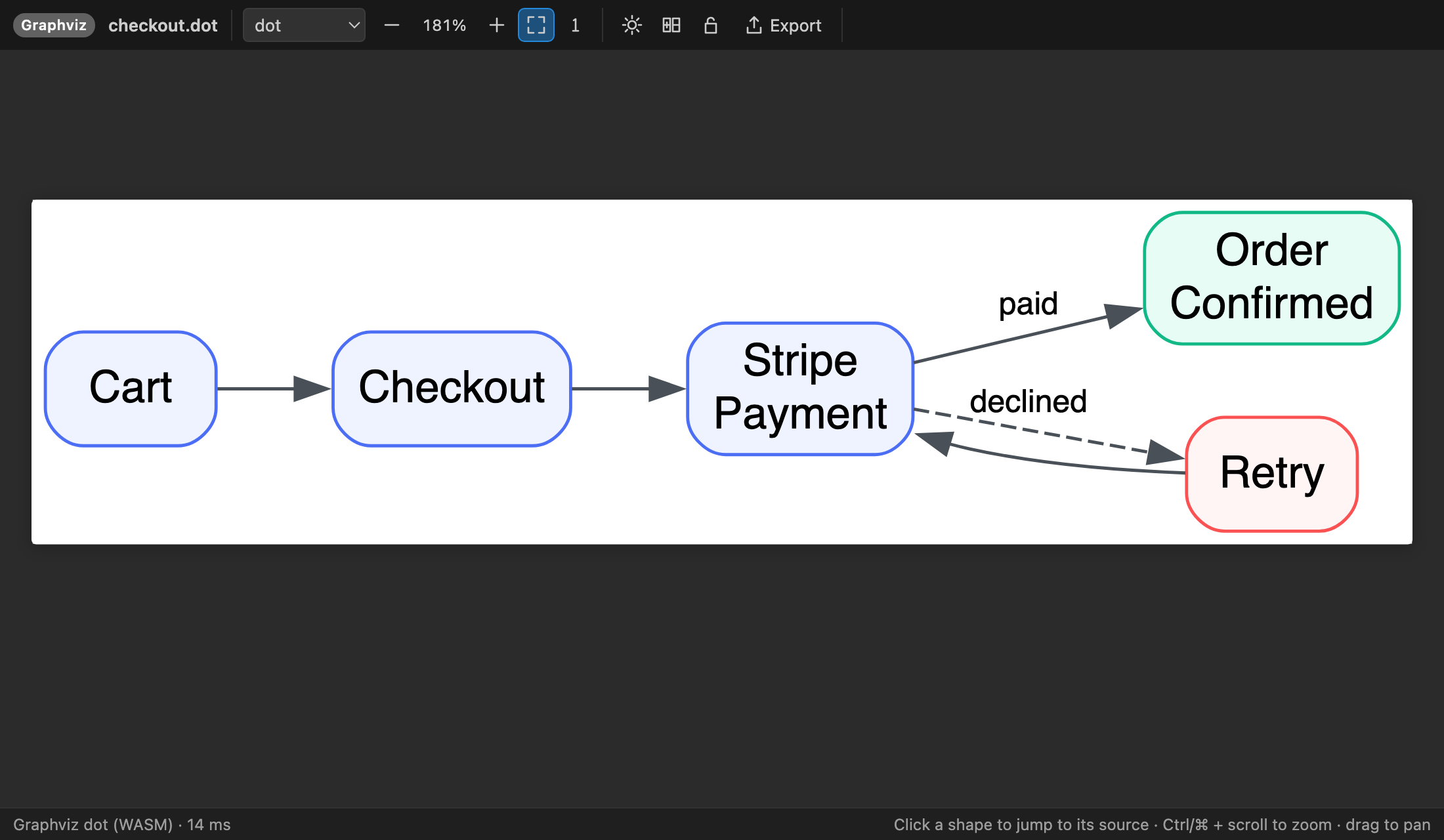
Features
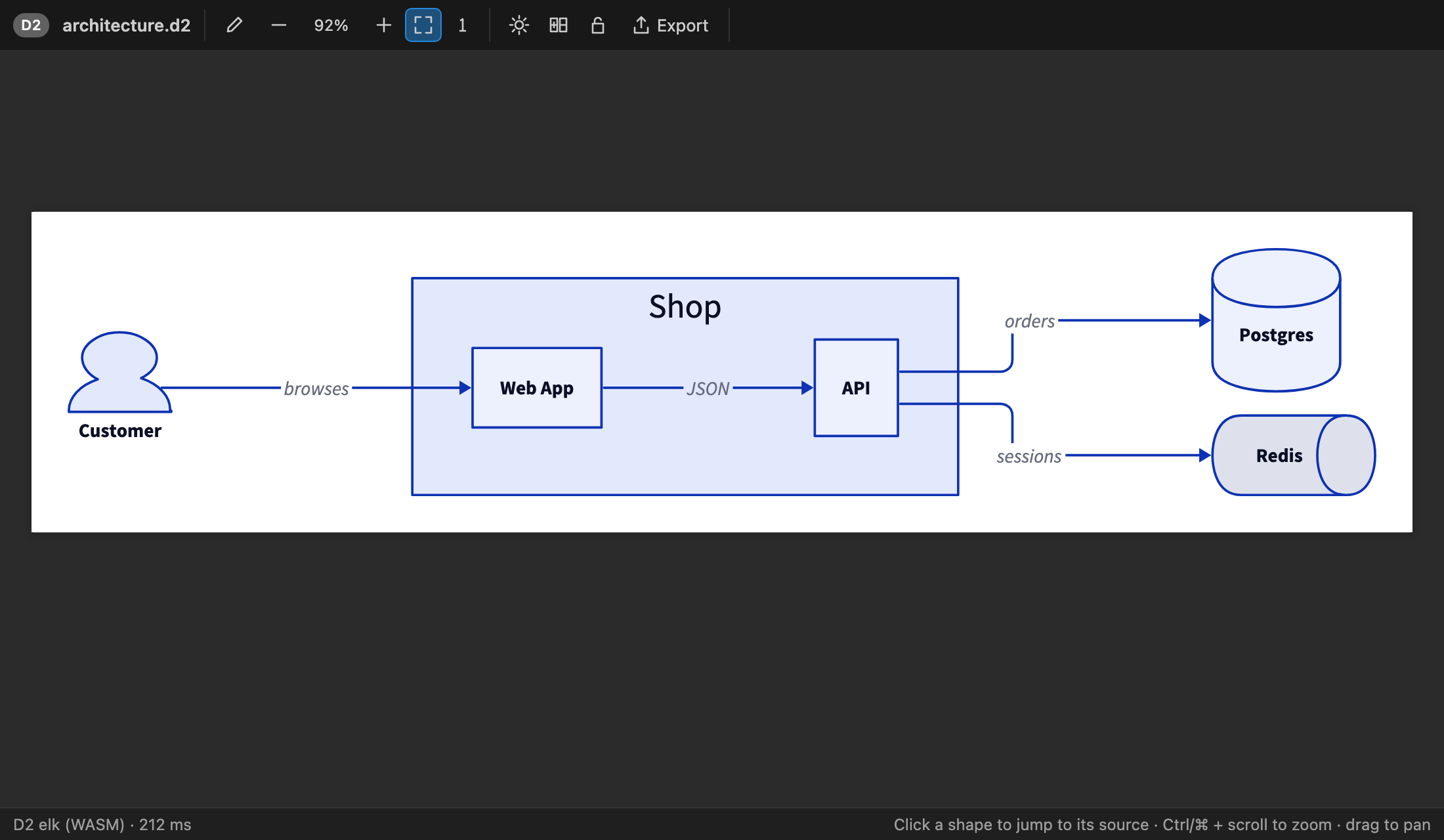
- Three languages, one preview. Use PlantUML (sequence, class, activity, component, state, use case, C4, mind maps, Gantt, WBS and more), Graphviz DOT, and D2. Diagrams inside Markdown
```plantuml, ```dot and ```d2 fences work too.
- No Java, no
dot, no d2 binary. Graphviz and D2 run through WebAssembly inside VS Code. If you'd rather keep PlantUML fully offline, point the extension at a plantuml.jar.
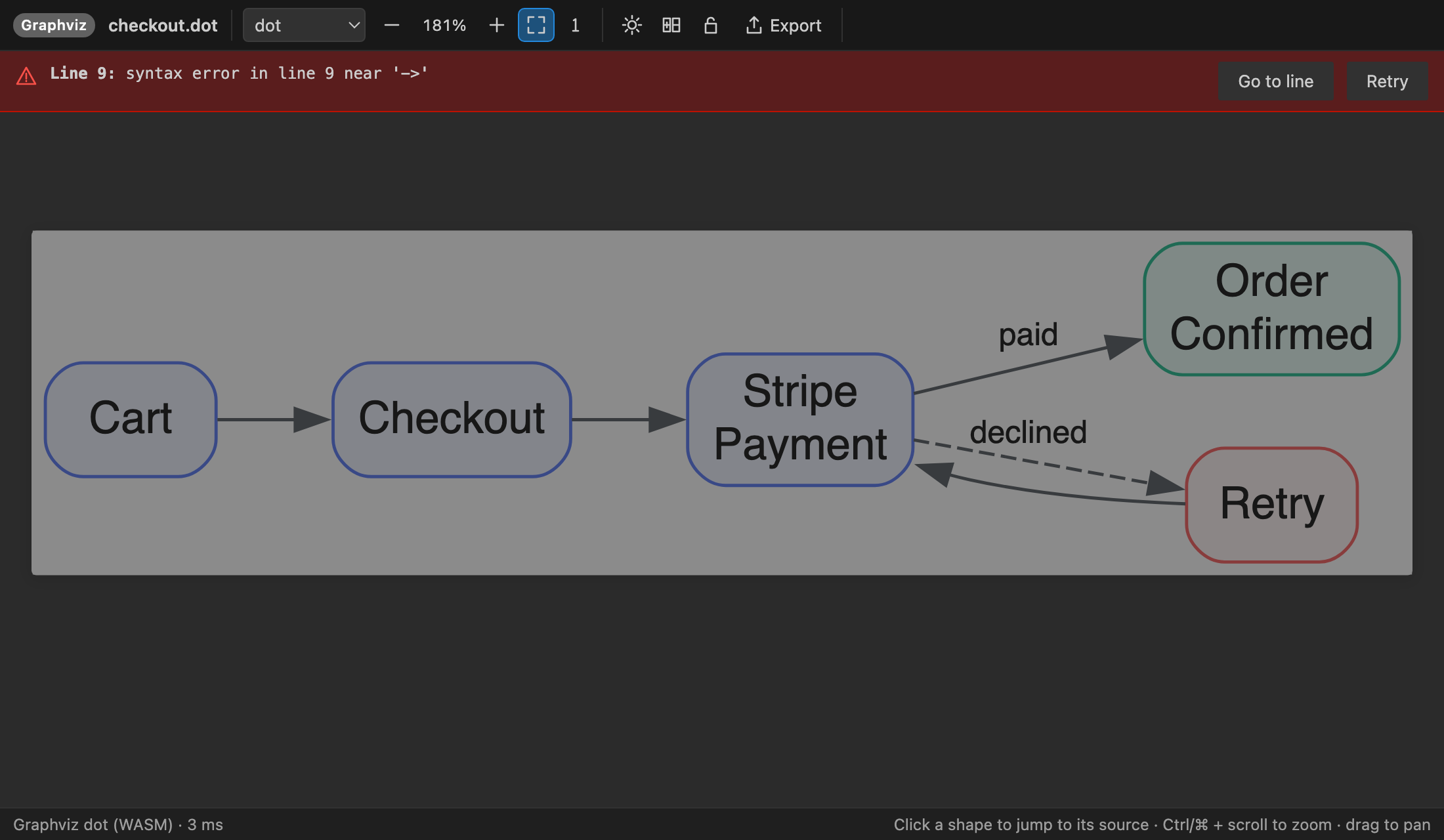
- Fast live updates. The preview re-renders a moment after you stop typing. Your zoom and scroll position stay put, and the last good picture stays on screen while you fix an error.
- Click to source. Click a node, edge, participant or label to jump to the line that defines it.
- Clear errors. Each error names the line it's on and gives you a Go to line button.
- Pan and zoom. Drag to pan. Zoom with Ctrl/⌘ + scroll or a pinch. Fit to window, actual size, and keyboard shortcuts (
+ - 0 1 and the arrow keys).
- Several diagrams per file. The preview follows your cursor from one
@startuml block to the next, or you can pick a diagram from the list.
- Export PNG, SVG and PDF. PNG exports at 1x to 6x. PDFs are one page per diagram, sized to fit it. You can also copy a diagram as SVG.
- Batch export. Export every diagram in a workspace or folder in one go. Output goes next to each source file or into a mirrored folder, and a progress view links to every file it writes.
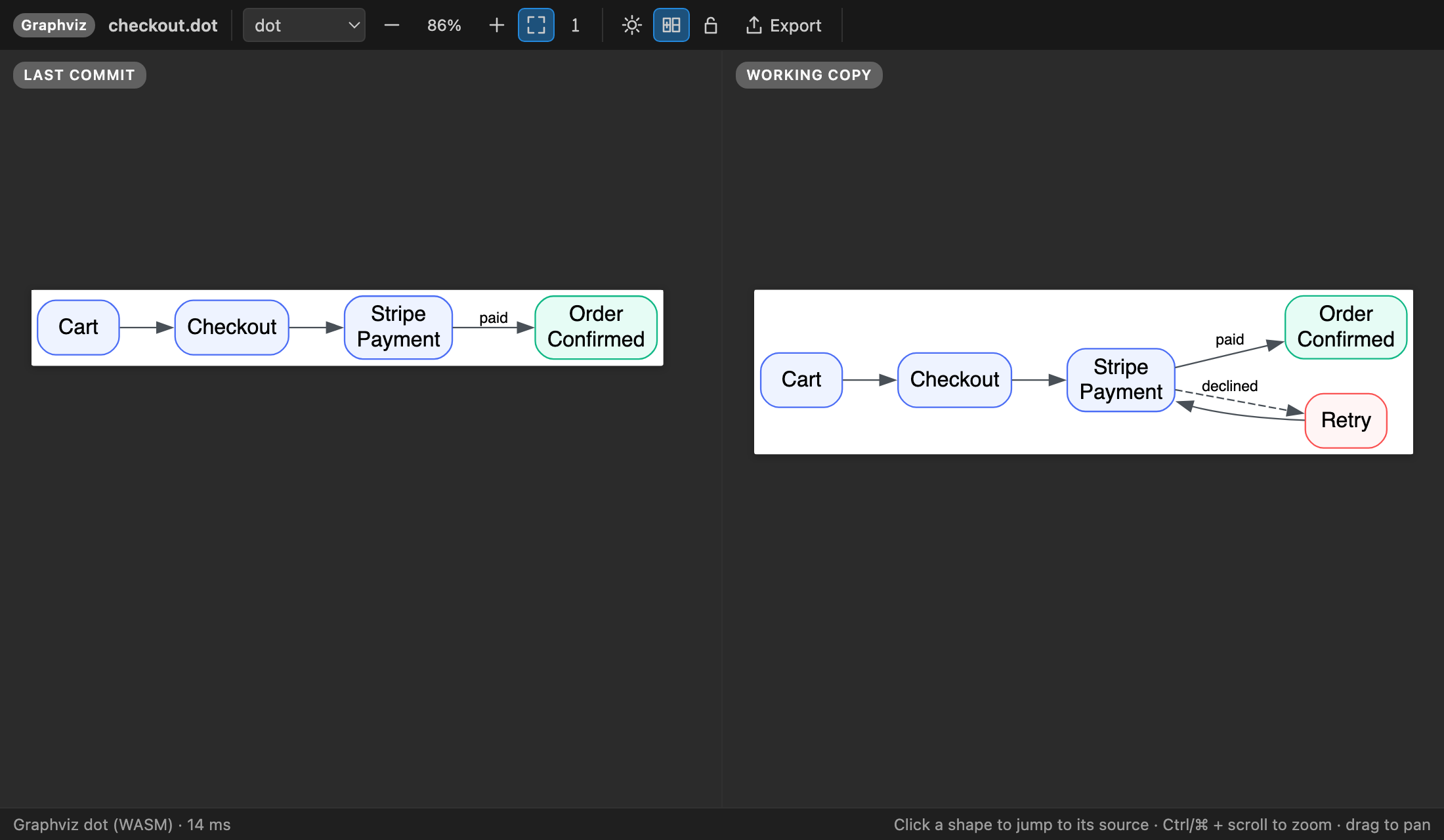
- Compare with the last commit. See the committed and working versions of a diagram side by side.
- Themes and styles. Switch the Graphviz layout engine (dot, neato, fdp, sfdp, circo, twopi, osage, patchwork). D2 has a sketch mode and a dark theme. You can set a PlantUML
!theme, and choose a paper, editor or checkerboard background.
- Works with your includes. Local
!include, !include_once and !includesub files are inlined before a diagram goes to the server, so includes work even on a remote server. <C4/...> and the rest of the standard library still work.
- Syntax highlighting for PlantUML, DOT and D2, plus New Diagram… starters (sequence, class, C4, Graphviz and D2).
- Native look. The UI follows your VS Code theme, including light, dark and high-contrast. It works on macOS, Windows and Linux.
Getting started
- Open a
.puml, .plantuml, .pu, .iuml, .wsd, .dot, .gv or .d2 file, or a Markdown file with a diagram fence.
- Press Alt+D or Ctrl/⌘+K V. You can also click the preview icon in the editor title bar, or run Diagram Preview: Open Diagram Preview to the Side.
- Export from the Export menu in the preview, from the editor's right-click menu, or right-click a folder and choose Export All Diagrams….
Commands
| Command |
What it does |
| Open Diagram Preview / … to the Side |
Live preview of the current file |
| Open Locked Diagram Preview to the Side |
Preview that stays on one file |
| Export Diagram as PNG / SVG / PDF |
Save the current diagram |
| Copy Diagram as SVG |
Copy SVG markup to the clipboard |
| Export All Diagrams… |
Batch-export a workspace or folder |
| Compare Diagram with Last Commit |
Side-by-side view against HEAD |
| New Diagram… |
Start from a template |
| Go Unlimited / Restore Purchase |
Plans and restoring a purchase |
Settings
| Setting |
Default |
|
plantumlPreview.plantuml.renderer |
server |
server or local (Java + plantuml.jar) |
plantumlPreview.plantuml.server |
https://www.plantuml.com/plantuml |
Your own server, e.g. http://localhost:8080 from the plantuml/plantuml-server Docker image |
plantumlPreview.plantuml.serverStyle |
plantuml |
kroki for a Kroki server |
plantumlPreview.plantuml.jarPath / javaPath |
|
For the local renderer |
plantumlPreview.plantuml.theme |
|
Theme for diagrams that don't set one |
plantumlPreview.graphviz.engine |
dot |
Default layout engine |
plantumlPreview.d2.layout / theme / darkTheme / sketch |
dagre / 0 / 200 / false |
D2 options |
plantumlPreview.preview.background |
white |
white, editor or transparent |
plantumlPreview.export.scale |
2 |
PNG/PDF resolution |
plantumlPreview.export.outputDir |
(next to source) |
Batch export folder, relative to the workspace |
plantumlPreview.export.include / exclude |
diagram files / node_modules, .git, build folders |
What batch export picks up |
Free trial and Unlimited
Every feature is included in the free trial. When the trial ends, choose one of the plans below to keep previewing and exporting:
- Unlimited Monthly
- Unlimited Yearly (best value)
- Unlimited Lifetime (pay once)
Current prices appear on the in-app plan screen. Payments are handled by Stripe. If you've already paid, Already paid? Restore sends a sign-in link to the email you paid with. If you subscribe, Manage subscription opens the Stripe customer portal.
Privacy
- Graphviz and D2 diagrams never leave your computer. They render locally through WebAssembly.
- PlantUML diagrams go to the server you configure. By default that's the public plantuml.com server, and the extension tells you so the first time. For private diagrams, use your own server (a one-line Docker command) or
plantumlPreview.plantuml.renderer: "local" with a plantuml.jar.
- No telemetry. The only other network calls are the licence checks for the free trial and Unlimited: an anonymous install ID, a hashed machine ID, and how many active seconds were used. These go to
api-ext.viralinc.live. Diagram content, file names and code are never sent there.
Support
Email ope@trysixth.com with questions, bug reports or feature requests.
Third-party components: D2 (MPL-2.0), Graphviz via @hpcc-js/wasm-graphviz (Apache-2.0 / EPL), React (MIT). See ThirdPartyNotices.txt.
| |

