Excel Viewer & CSV Editor
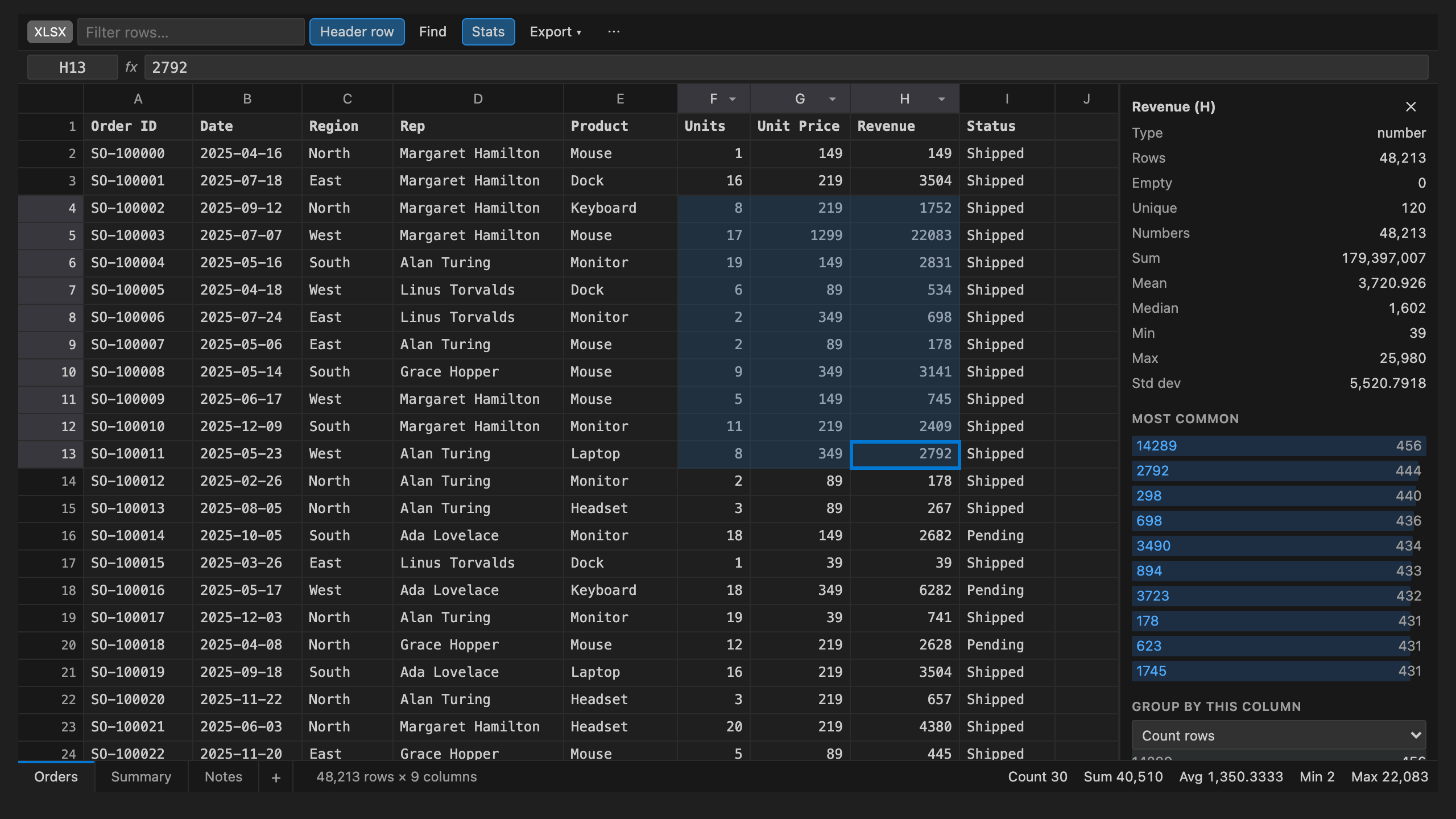
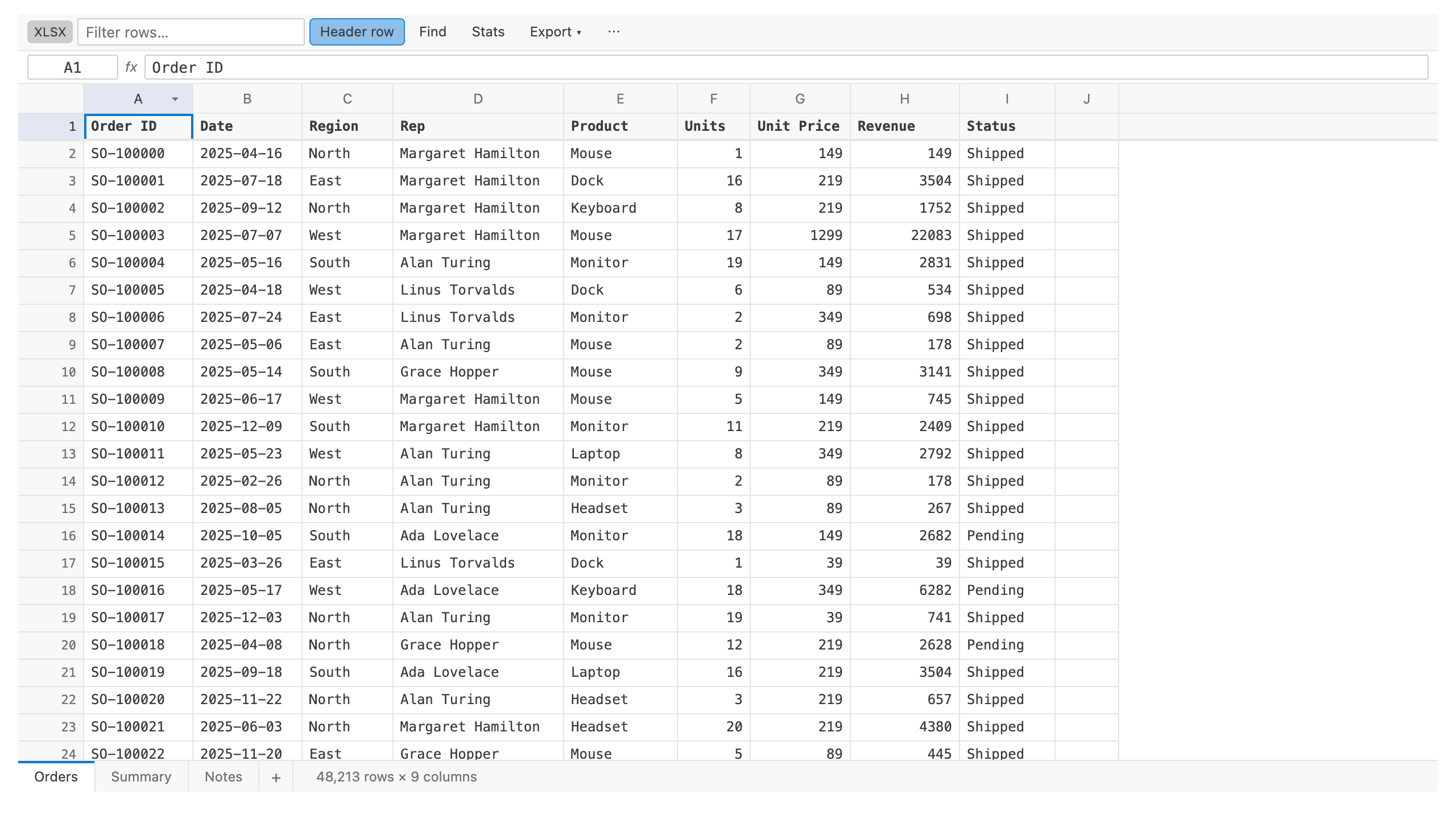
Open .xlsx, .csv and .tsv files in a real spreadsheet grid inside VS Code. Edit, sort, filter, find and replace, see sums and column statistics, then save back to the same file. Excel files keep their formatting and formulas. CSV files keep their delimiter, quoting and line endings, so your diffs stay small.
No ads, no banners, no nag popups. It works offline and never uploads your data.
Features
Open any spreadsheet
.xlsx opens in the grid automatically. .xls, .xlsm, .xlsb, .ods and .numbers open read-only, with one click to save a copy as .xlsx.- For
.csv, .tsv, .tab and .psv, click the table icon in the editor title bar, or right-click the file and choose Open in Spreadsheet Editor. Run Spreadsheet: Always Open CSV/TSV Files in the Spreadsheet Editor to make the grid the default.
- The delimiter is detected for you (comma, semicolon, tab or pipe), as is the encoding (UTF-8, UTF-16 or Windows-1252).
- Large files stay fast because only the visible cells are drawn.
Edit like a spreadsheet
- Type to replace a cell, or press Enter, F2 or double-click to edit it. Alt+Enter adds a line break inside a cell.
- Copy and paste blocks to and from Excel, Google Sheets and Numbers.
- Insert and delete rows and columns. Add, rename and delete sheets.
- Cmd/Ctrl+S saves, and undo and redo work like any other VS Code editor. Unsaved edits survive a restart.
- The formula bar shows each cell's raw value or formula. Type a cell such as
B120 in the address box (or press Cmd/Ctrl+G) to jump to it.
Excel files stay intact. Saving an .xlsx changes only the cells you edited. Fonts, fills, number formats, column widths, merged cells, formulas and the other sheets are all kept.
Sort, filter and find
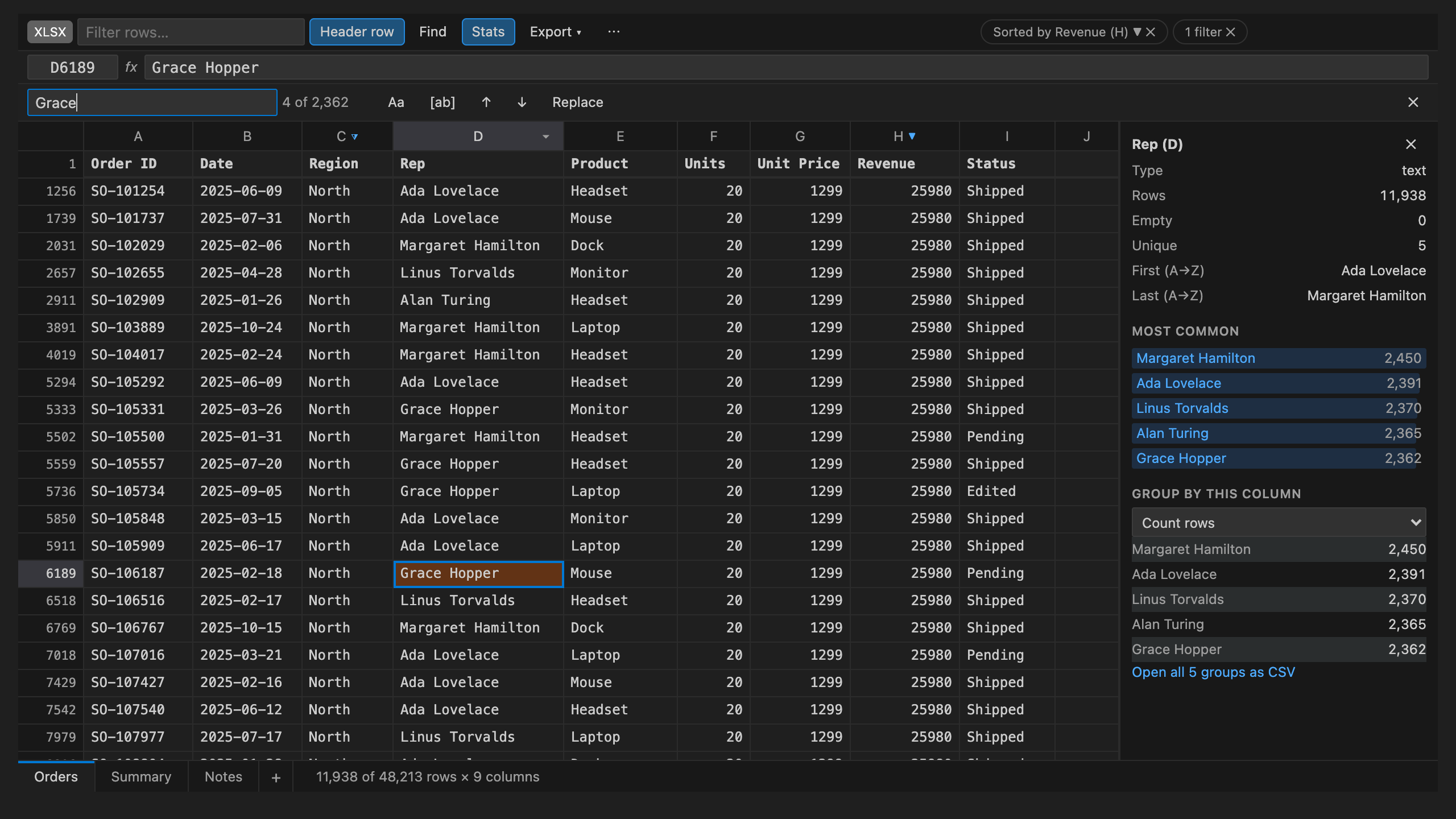
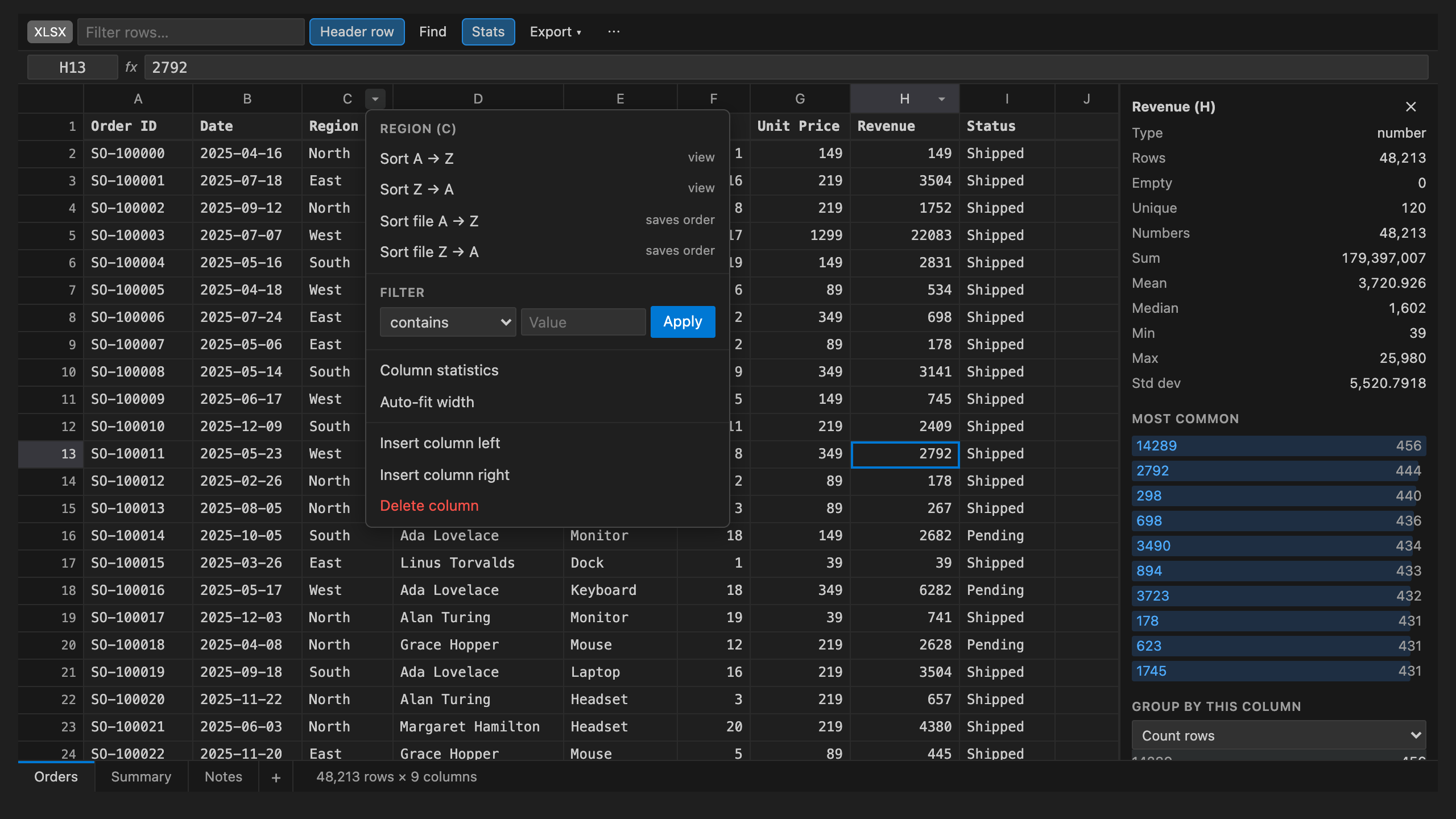
- Sort any column A→Z or Z→A. Numbers sort as numbers, and empty cells always go last. Use Sort file to save the new order.
- Filter a column with contains, equals, greater than, less than, empty or not empty. The quick filter box keeps only the rows that contain your text.
- Find and replace, with match case and whole-cell options.
Numbers at a glance
- Select a range to see its count, sum, average, min and max in the footer and the VS Code status bar.
- The Stats panel shows each column's type, count, empties, unique values, sum, mean, median, min, max, standard deviation and most common values.
- Group by any column and sum, average, count or take the min or max of another column, a quick pivot table. Open the result as a CSV.
Convert and export
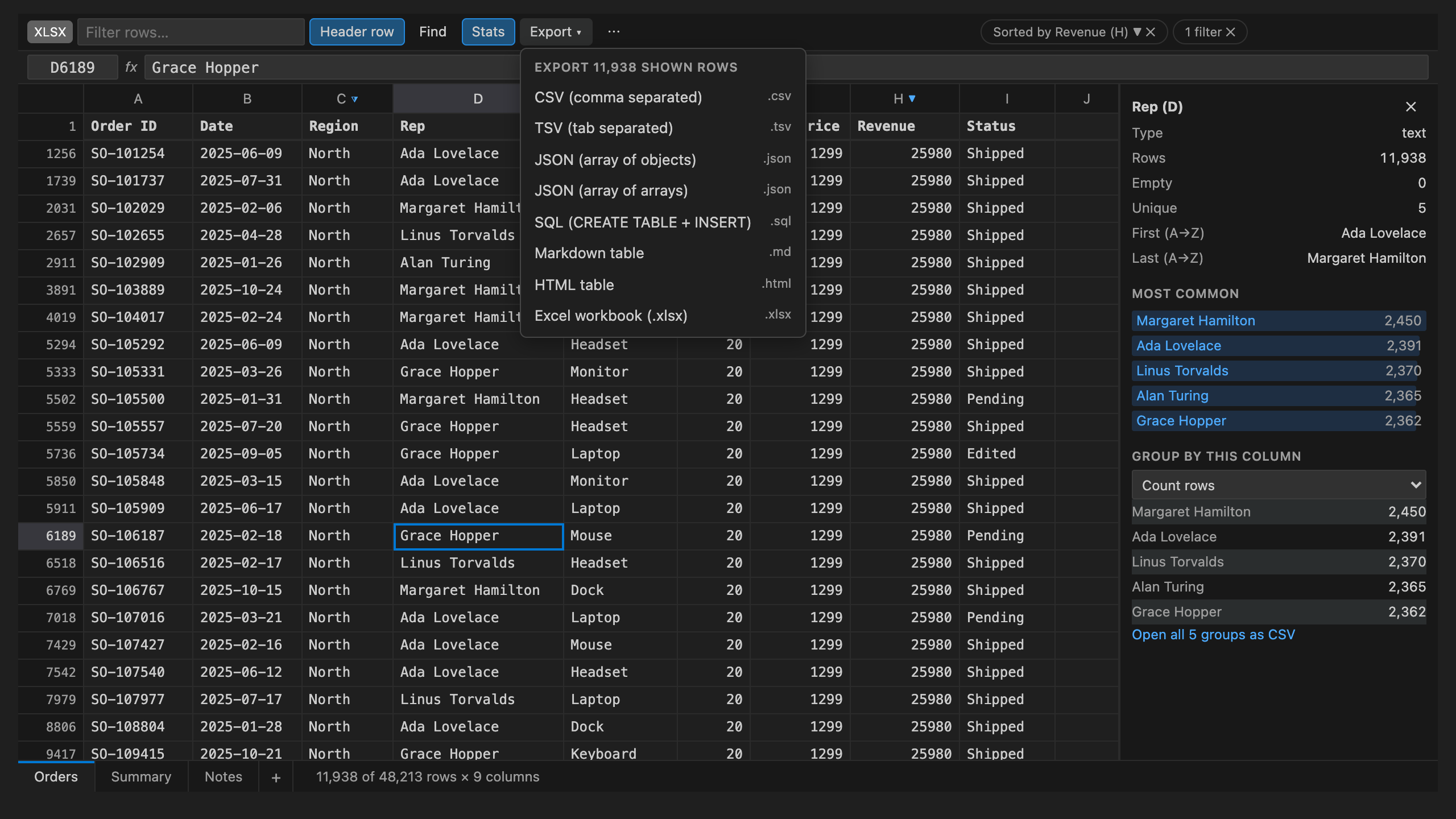
- Export the current view (with your filter and sort applied) to CSV, TSV, JSON, SQL (
CREATE TABLE plus INSERT), a Markdown table, an HTML table or Excel.
- Bulk convert: select several files in the Explorer, right-click, and choose Convert to JSON, SQL, Markdown, CSV or Excel....
Looks like VS Code. The editor follows your theme (light, dark and high contrast) and works with the keyboard alone.
Keyboard
| Action |
Keys |
| Move |
Arrow keys, Tab, Shift+Tab, Page Up, Page Down |
| Jump to the edge of the sheet |
Cmd/Ctrl + arrow key |
| Select a range |
Shift + arrow key, or Shift + click |
| Select everything |
Cmd/Ctrl+A |
| Edit a cell |
Type, Enter, F2 or double-click |
| New line inside a cell |
Alt+Enter |
| Clear the selection |
Delete or Backspace |
| Find / Replace |
Cmd/Ctrl+F, Cmd/Ctrl+H |
| Next / previous match |
Enter / Shift+Enter in the find box, or F3 |
| Column menu (sort and filter) |
Alt+Down |
| Cell menu |
Shift+F10 or the context menu key |
| Go to cell |
Cmd/Ctrl+G |
| Save, undo, redo |
The usual VS Code keys |
Free trial and Unlimited
Every feature is included in the free trial. The trial counts only the time you actually spend working in a spreadsheet, not the time it sits open in the background. After the trial ends, choose one of the plans:
- Unlimited Monthly
- Unlimited Yearly (best value)
- Unlimited Lifetime (pay once)
Payments are handled by Stripe in your browser. Unlimited turns on in VS Code as soon as the payment goes through, with no reload needed. If you reinstall or move to a new machine, use Spreadsheet: Restore Purchase (or Already paid? Restore on the plans screen) and we will email you a link. You can manage or cancel a subscription from the same screen.
Privacy
Your files never leave your computer, and all reading, editing and conversion happens locally. There is no telemetry and no analytics. The only network calls are the ones that check your free trial and licence with api-ext.viralinc.live. They send a random install id, a hashed machine id and how many seconds you actively used the editor, and never any file names or file contents.
Support
Email ope@trysixth.com. We read every message.
| |

