Skip to content
| Marketplace
Sign in
Visual Studio Code>Programming Languages>Design Tokens ExplorerNew to Visual Studio Code? Get it now.
Design Tokens Explorer

Design Tokens Explorer

Vira

vira.build
|
2 installs
| (0) | Free Trial
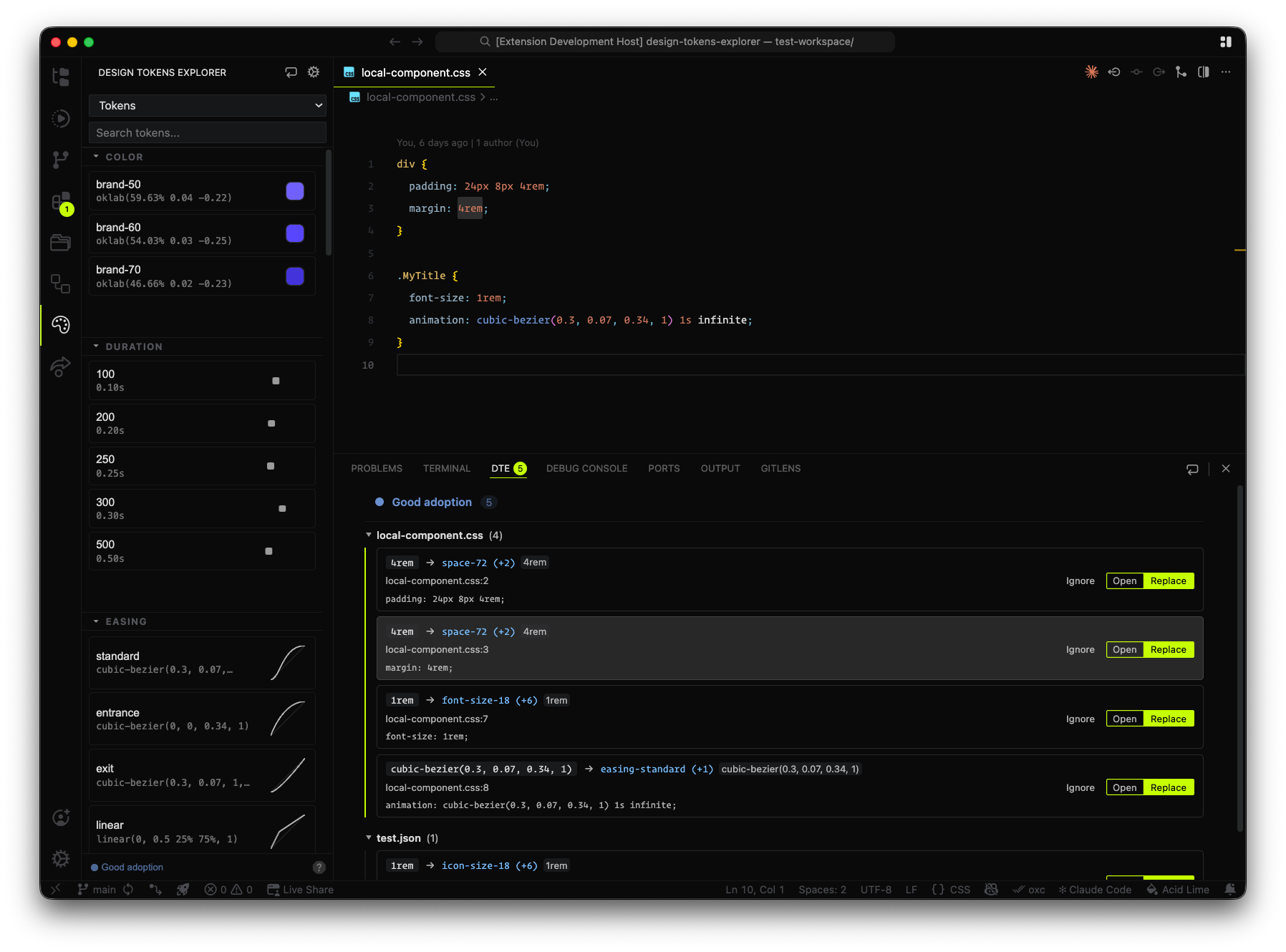
Load, explore, preview, check adoption and insert design tokens.
Installation
Launch VS Code Quick Open (Ctrl+P), paste the following command, and press enter.
Copied to clipboard
More Info

Design Tokens Explorer

Design Tokens Explorer — [ Beta ]

DESIGN TOKENS MADE EASY
dtexplorer.io

Design tokens are platform-agnostic data that need to be compiled for each platform. The Design Tokens Explorer lets you browse, share and visualise design tokens created for the web.

Configure

{
  // Glob pattern to scan for token usage in the codebase.
  // It should be set to include all files where tokens are used.
  "designTokensExplorer.usageScanPath": "*.{css,tsx,jsx,svelte,astro}",
  "designTokensExplorer.sources": [
    // Each object represents a collection of design tokens,
    // and how they are grouped in the explorer view
    {
      "name": "Tokens",
      // Groups names must match the prefix of the token names in the file,
      // for example: color-primary, color-secondary, etc. will be grouped under "color"
      "groups": [
        // the type key define the preview used for that tokens group. Read below.
        { "name": "color", "type": "color" },
        // ...other groups
      ],
      // Path can be relative to the workspace root or remote url ending with .json|.css|.js
      "path": "tokens/flat-tokens.json",
    },
  ],
}

Assign preview type to groups

Currently the plugin can preview tokens of these type. If a group has no type defined no preview is shown, and the same happens if an unknown type is declared.

| 'color'
| 'size'
| 'radius'
| 'font-size'
| 'font-weight'
| 'line-height'
| 'shadow'
| 'easing'
| 'time'
| 'filter'


Copyright © Vira Software. All rights reserved.


Design Tokens Explorer is a Vira Software's commercial product developed by Mattia Astorino.
By using this extension you agree with the Terms of Service published on dtexplorer.io

  • Contact us
  • Jobs
  • Privacy
  • Manage cookies
  • Terms of use
  • Trademarks
© 2026 Microsoft