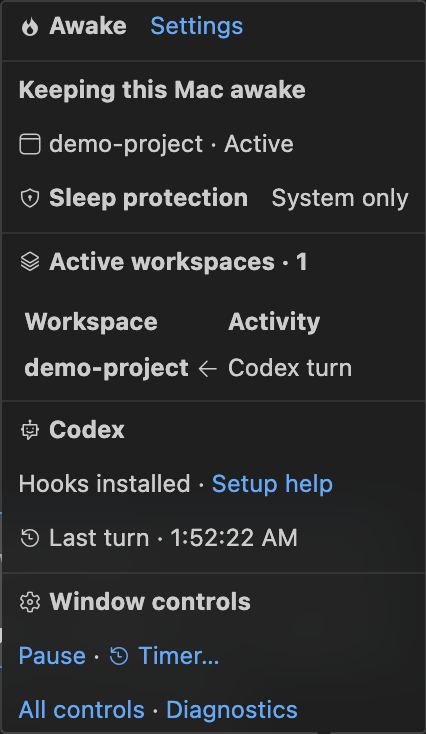
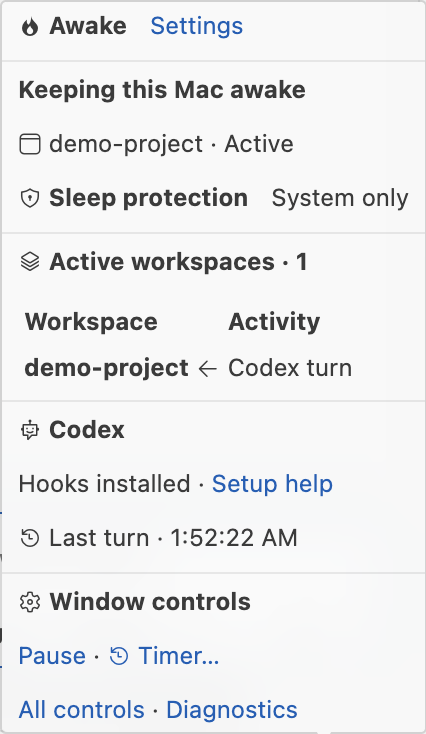
Awake for CodexPreviewKeep your Mac awake during Codex turns, VS Code tasks, terminal commands, or a timer. Installation Launch VS Code Quick Open ( Ctrl+P), paste the following command, and press enter.Copied to clipboard |

Awake for CodexKeep your Mac awake while Codex works in VS Code. Awake follows Codex turns, VS Code tasks, terminal commands and timers. A small flame in the status bar pulses amber, orange and red while work is active. Hover it to see which workspaces are keeping your Mac awake. Public pre-release · Apple Silicon Macs · Local VS Code 1.140 or newer Connect Codex
No separate Node.js installation or setup command is needed for a fresh install. Initial approval in Codex is required. Hooks installed confirms configuration, not approval; use Awake: Codex Setup Help if the flame remains idle. Routine Awake upgrades preserve the hook definitions. Moving VS Code or changing the signal directory can require setup and approval again. See it in VS Code
Real VS Code captures from an isolated demo workspace using simulated events. Small controls, shared visibility
An idle window may show a colored flame when another workspace is working. The hover distinguishes this window's activity from other active workspaces. Tasks and terminal commands also count, including long-running watch commands. PrivacyAwake runs locally, with no telemetry or runtime network requests. It saves working directories, timestamps, hashed session/turn identifiers and optional process identity. Shared window records include workspace names and paths. It does not save prompt, answer or transcript text. Hook setup preserves other hooks and saves private configuration backups under
Pre-release limitations
Remove or reconnectRun Awake: Remove Codex Integration before uninstalling Awake. Uninstalling alone does not remove external hooks. Removal disables the launcher and removes Awake's hook entries; backups and helper files remain for recovery. Reinstalling intentionally keeps a removed integration disabled. Run Awake: Set Up Codex to reconnect it explicitly. FeedbackReport a problem or read setup help. You can also use this listing's Q & A tab. Include Awake, VS Code, Codex and macOS versions, what happened, and how to reproduce it. Awake: Show Diagnostics can help; review paths and workspace names before sharing. Do not post credentials, conversation text or hook configuration backups. Awake is an independent extension, not an OpenAI or Microsoft product. Licensed under MIT. Source hosting is currently private. |