VimNinja: Learn Vim (Interactive Tutor)Learn Vim in VS Code with an interactive Vim tutor: lessons with a real Vim editor, a two-minute daily review, drills, Vim golf and practice on your own code. Works with VSCodeVim and VSCode Neovim. Installation Launch VS Code Quick Open ( Ctrl+P), paste the following command, and press enter.Copied to clipboard |

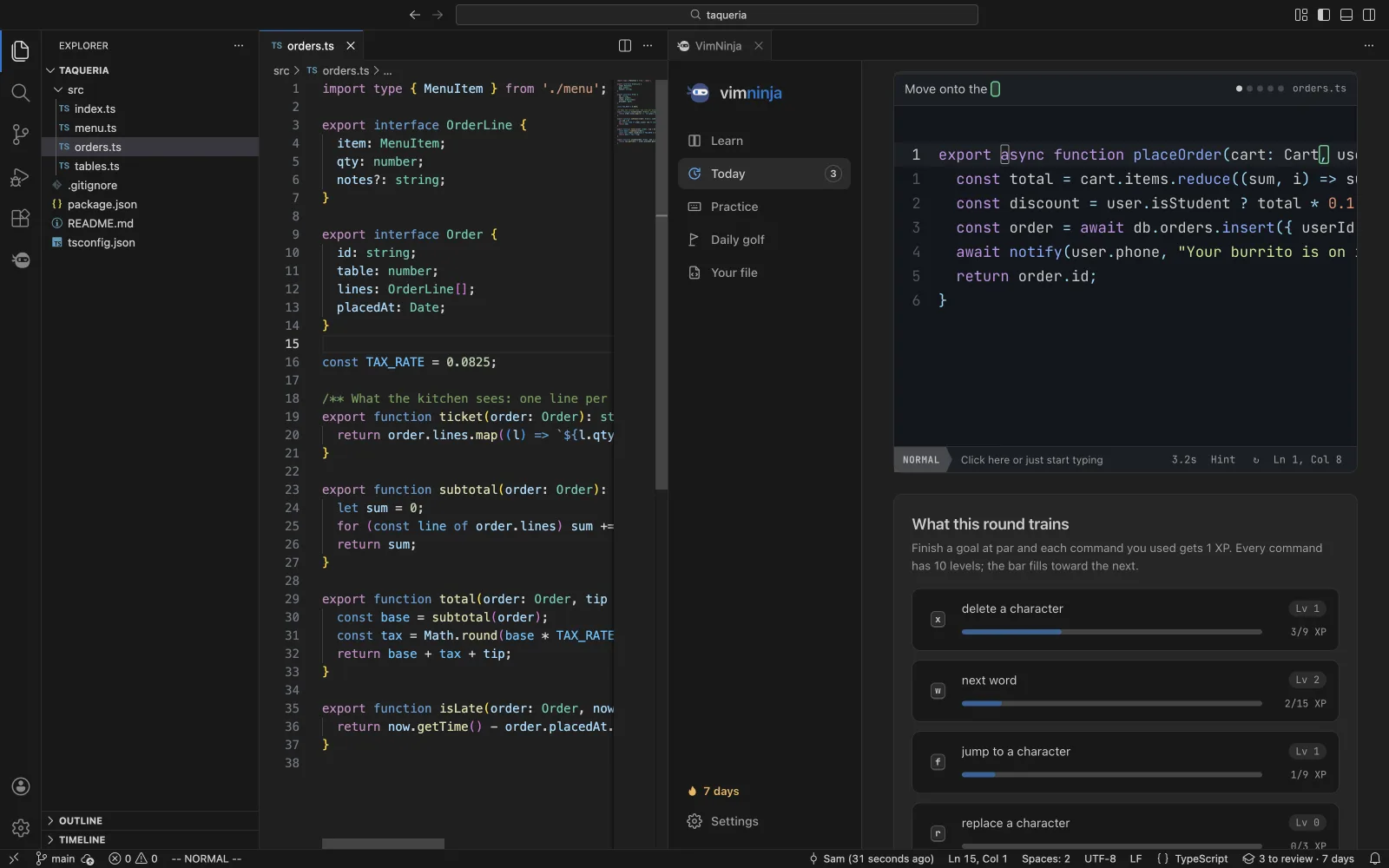
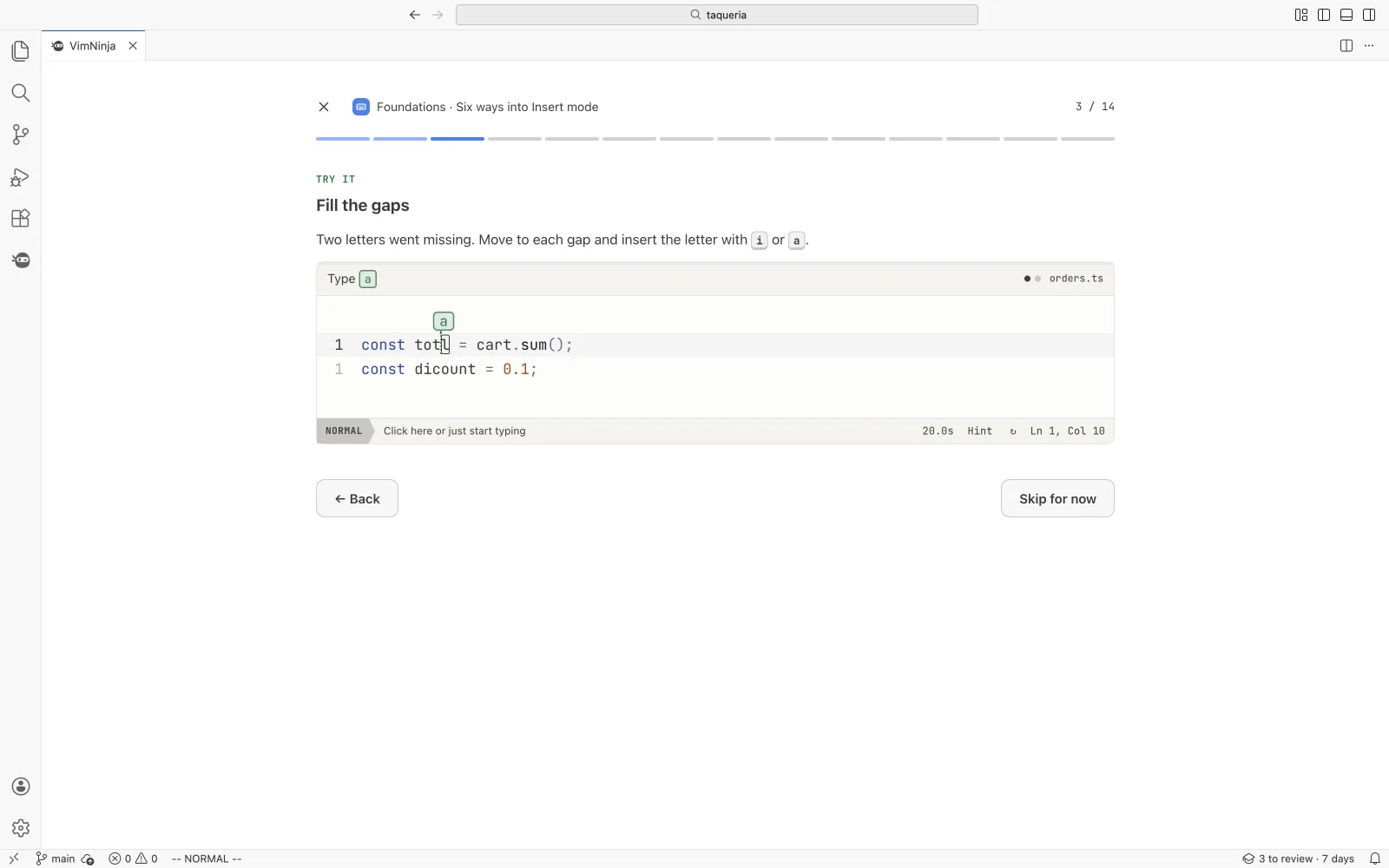
VimNinja: Learn Vim in VS CodeInteractive Vim lessons, a two-minute daily review and Vim golf, right inside VS Code. Learn Vim's motions where you'll use them. VimNinja brings the course from vimninja.com into VS Code: 82 short lessons with a real Vim editor, a daily review of the commands you're starting to forget, drills on real code, a Vim golf hole a day, and practice on a copy of your own file. It pairs with VSCodeVim or VSCode Neovim: VimNinja teaches the keys, they bring them to your files.
Get started
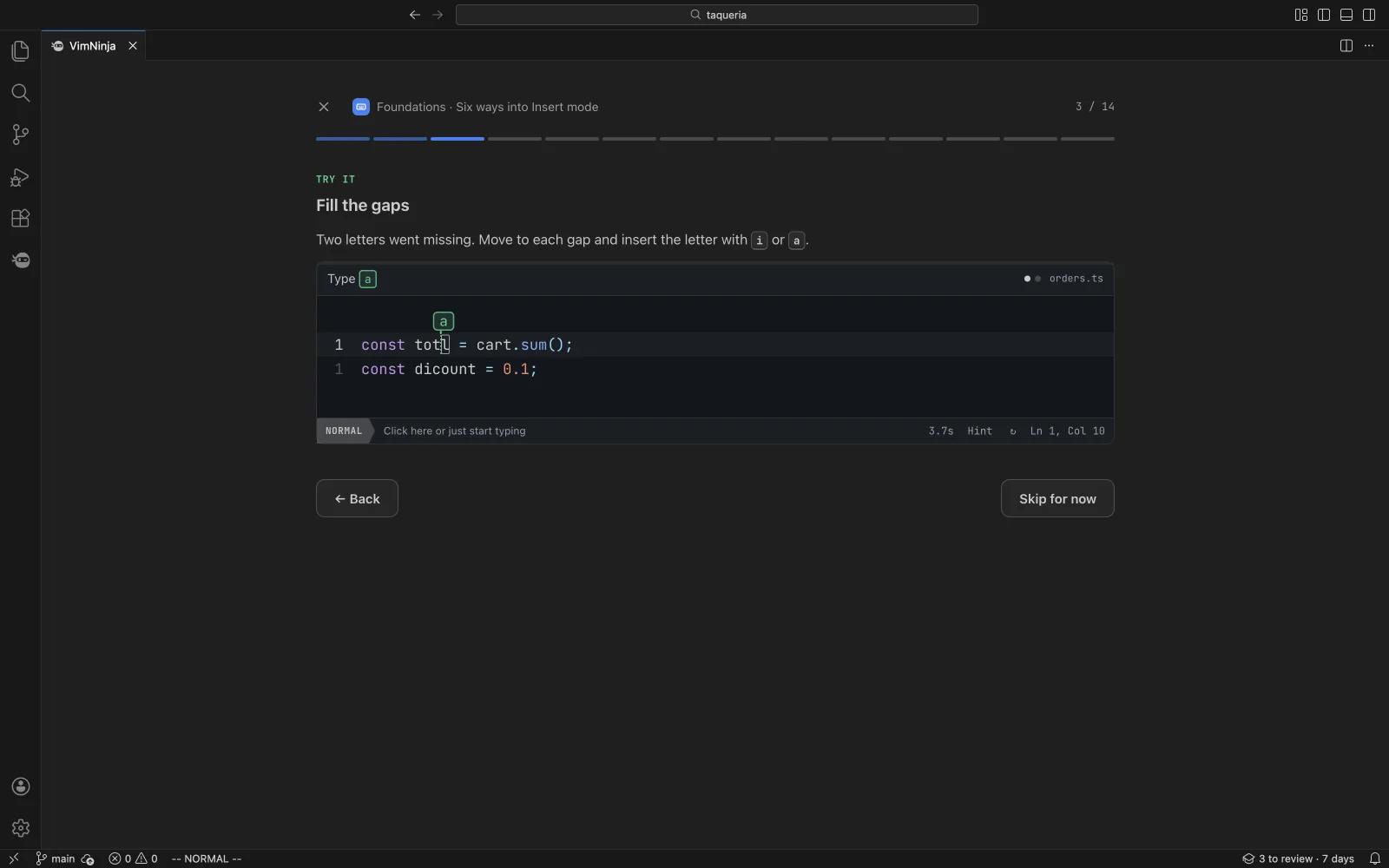
Look for Learn Vim with VimNinja in VS Code's Get Started (Help › Welcome) for a six-step tour. What you getThe course in a tab82 short lessons, from your first keystroke to macros, with a real Vim editor that reads back every key you press. The free chapters are here; the rest open with Pro on vimninja.com.
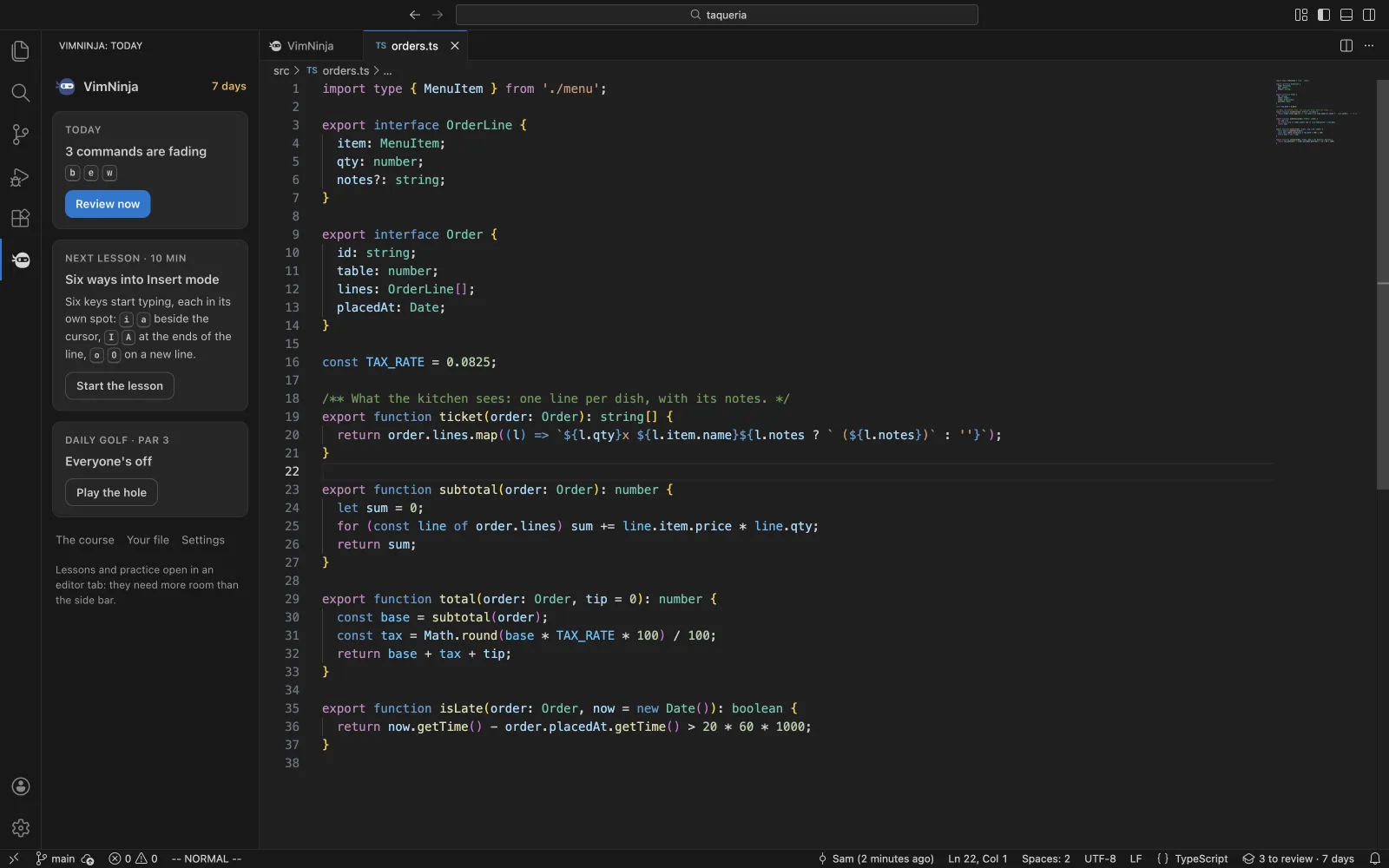
Today, in two minutesEach command you learn comes back just as you'd start to forget it: a few questions from memory, then five goals on real code. The ninja in the activity bar shows your streak, what's fading, the next lesson and today's golf hole; the status bar says what's due, and a click opens today's review.
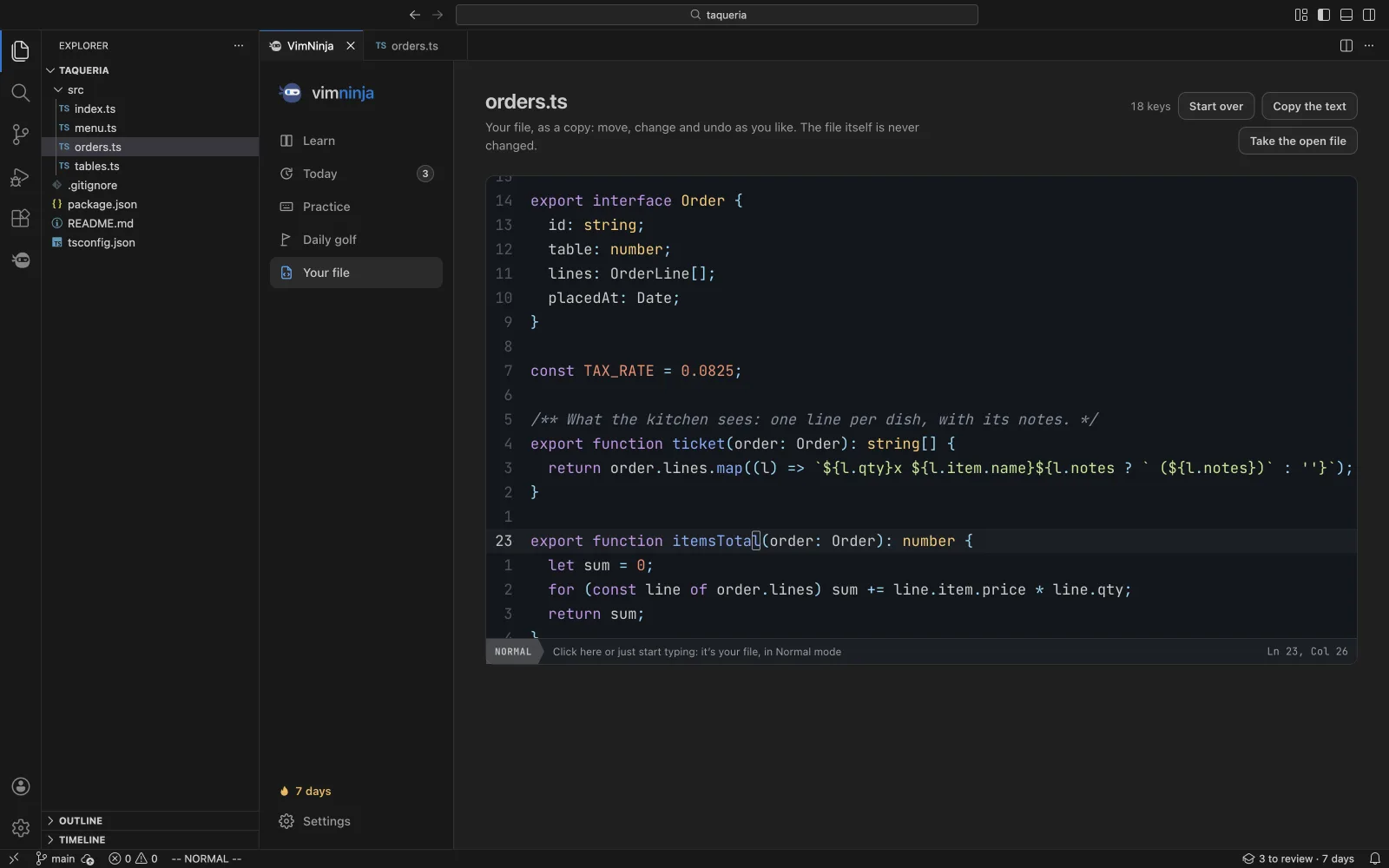
Practise on your own fileVimNinja: Practise Vim on This File opens a copy of the file (or the lines you selected) in VimNinja's editor. Move, change and undo as you like: the file itself is never changed.
It feels like VS CodeIt wears your colour theme, light or dark, and VS Code's shortcuts keep working: only the keys Vim needs stay in the practice editor.
And, when you want them
Commands
FAQIs VimNinja a Vim emulator? No, it teaches Vim. To use Vim keys in your own files, install VSCodeVim or VSCode Neovim alongside it. VimNinja's Settings tell you which one you have, and the settings worth turning on. I've never used Vim. Where do I start? Run VimNinja: Open and start with the first lesson, Meet the modes. Each lesson shows an idea, plays it on real code, then hands you the keys. Is it free? Yes. The free chapters and drills, today's review, Vim golf and practice on your own file need no account and no payment. VimNinja Pro, on vimninja.com, opens the rest of the course and every drill. Does it work in Cursor, Windsurf or VSCodium? Yes: editors built on VS Code install it from Open VSX. It's tested in VS Code and Cursor. More on vimninja.com
PrivacyNothing leaves VS Code until you connect an account. Progress and settings are kept in VS Code's own storage on this computer. If you connect (a code you approve on vimninja.com while signed in), your practice results sync with your account; the sign-in token is kept in VS Code's secret storage and is sent only to vimninja.com. The file you practise on stays on this computer and is never sent anywhere. Disconnect any time, in VimNinja's Settings or on your account page. Settings
Works in VS Code 1.90 and later, and in the editors built on it that install from Open VSX. |