Skip to content
| Marketplace
Sign in
Visual Studio Code>Debuggers>LangLens ViewerNew to Visual Studio Code? Get it now.
LangLens Viewer

LangLens Viewer

viet-the-le

|
4 installs
| (0) | Free
A visual tracer and debugger for LangChain and LangGraph (.langlens)
Installation
Launch VS Code Quick Open (Ctrl+P), paste the following command, and press enter.
Copied to clipboard
More Info

LangLens Viewer

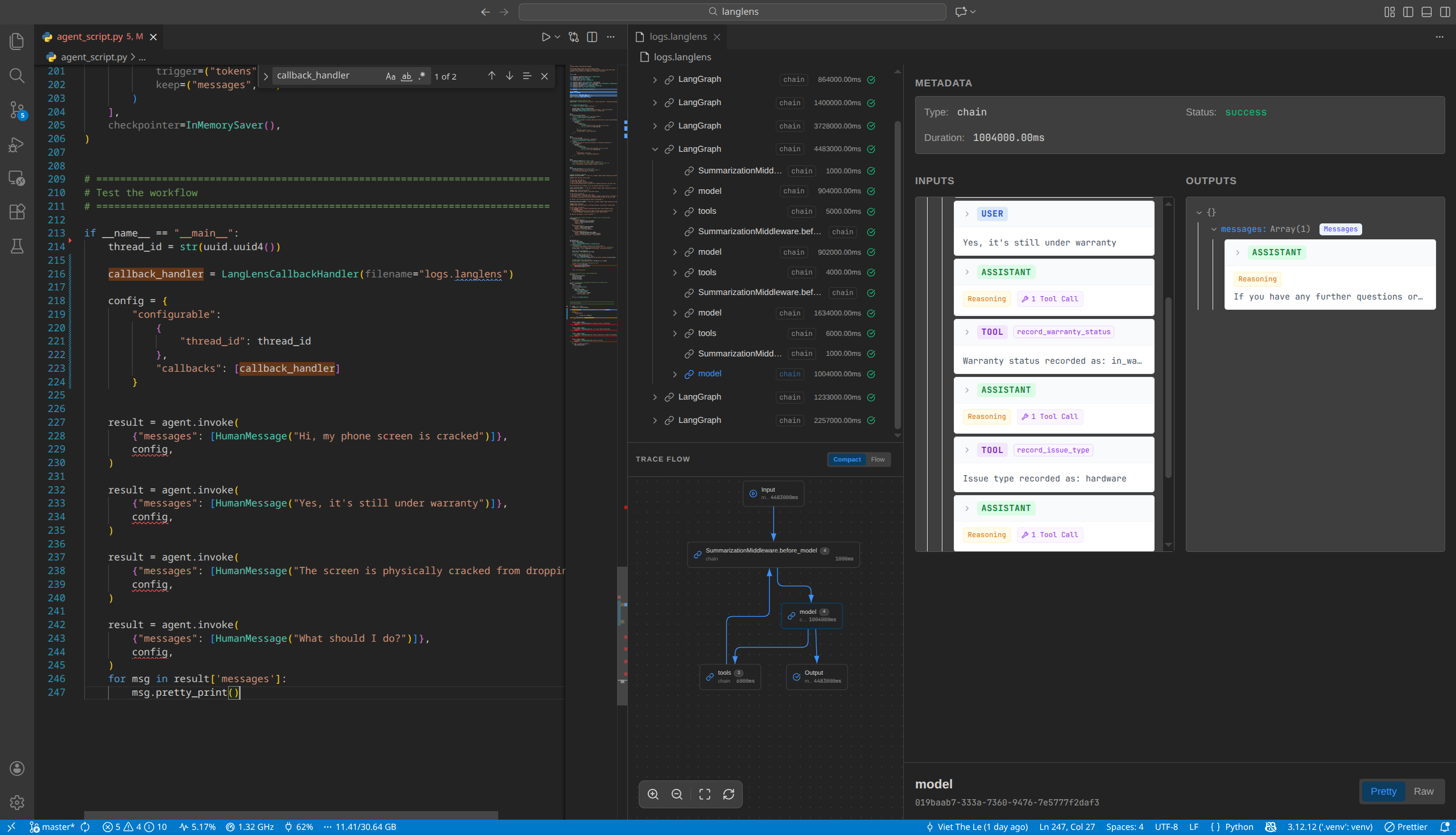
LangLens Viewer is an interactive trace viewer for LangChain and LangGraph. It allows you to visualize and debug the execution of your agents and chains directly within VS Code.

LangLens Viewer Screenshot

Features

  • Visual Trace Graph: Inspect the flow of your LangChain applications.
  • Node Details: Deep dive into individual chain runs, LLM prompts/responses, and tool execution data.
  • Custom Editor: Automatically opens .langlens files in a rich interactive interface.

Usage

Simply open any file with the .langlens extension to launch the viewer.

You can generate these files using the LangLensCallbackHandler in your Python code:

from langlens import LangLensCallbackHandler
handler = LangLensCallbackHandler(filename="trace.langlens")
# Use handler in your LangChain run...

Requirements

No external dependencies are required to view traces.

Release Notes

0.1.0

Initial release of LangLens Viewer for VS Code.


For more information, bug reports, and contributions, visit the LangLens GitHub Repository.

  • Contact us
  • Jobs
  • Privacy
  • Manage cookies
  • Terms of use
  • Trademarks
© 2026 Microsoft