CodepitA graphical cockpit for the Claude Code CLI: chat, plan limits, per-turn review and undo, Shortcut stories and optional Codex models. Installation Launch VS Code Quick Open ( Ctrl+P), paste the following command, and press enter.Copied to clipboard |

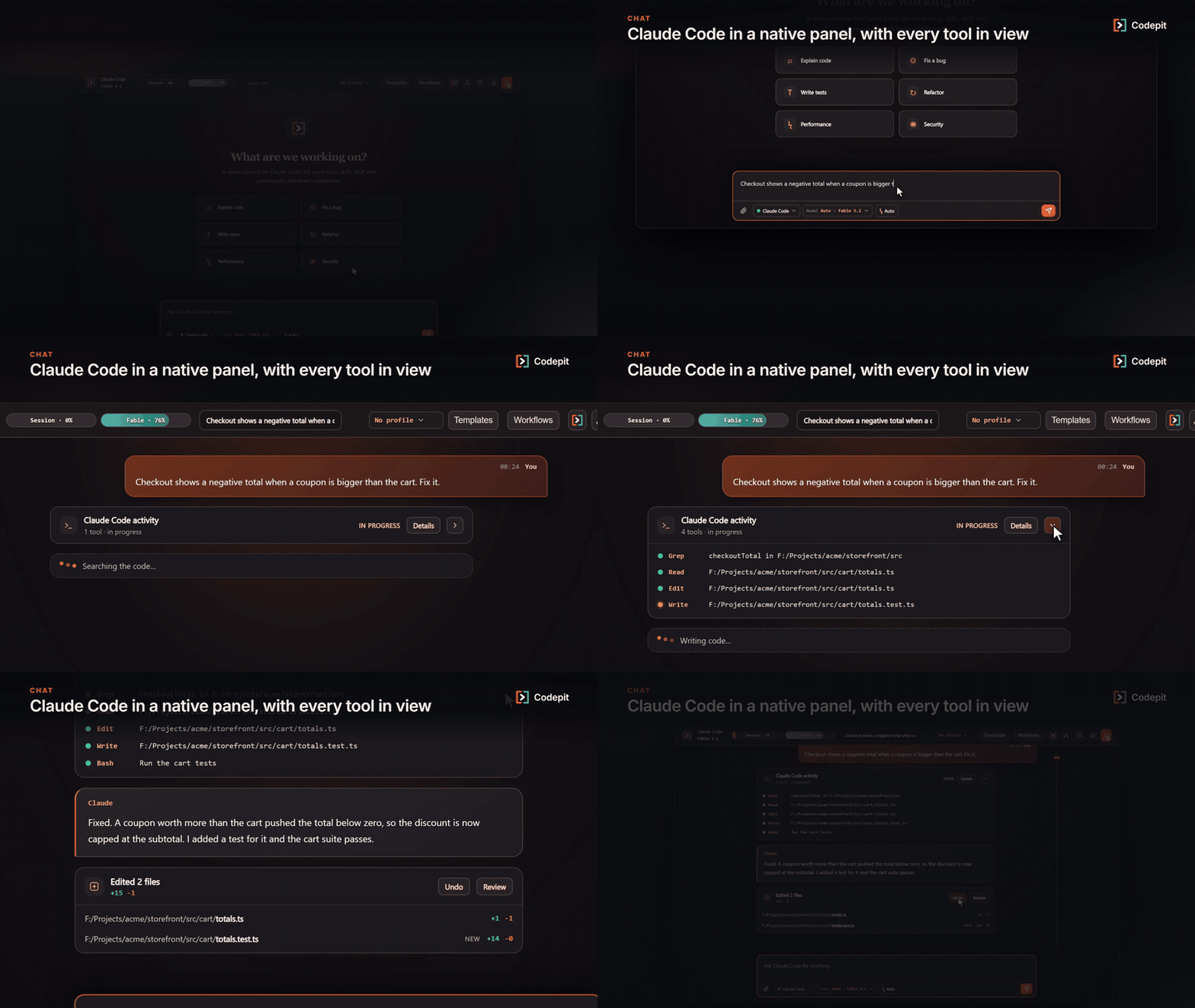
CodepitA graphical cockpit for the Claude Code CLI inside VS Code. Chat with Claude in a native panel, keep an eye on your plan limits, review and undo what each turn changed, and pick up Shortcut stories — while Claude Code keeps owning your sign-in, MCP servers, skills, hooks and permissions. By default the extension never asks for an API key: it drives the Claude Code CLI you already have installed and signed in. The optional experimental Ahefi provider is the exception; its key is kept in VS Code's encrypted SecretStorage and sent only to Ahefi's HTTPS API. FeaturesChat panelOpen it from the Codepit icon in the activity bar or with Codepit: Open. Choose the model and the permission mode (default, accept edits, plan, auto or bypass) per chat, follow every tool Claude runs, and queue a message while a turn is still running. Every turn lists the files it edited, and you can undo the whole turn.
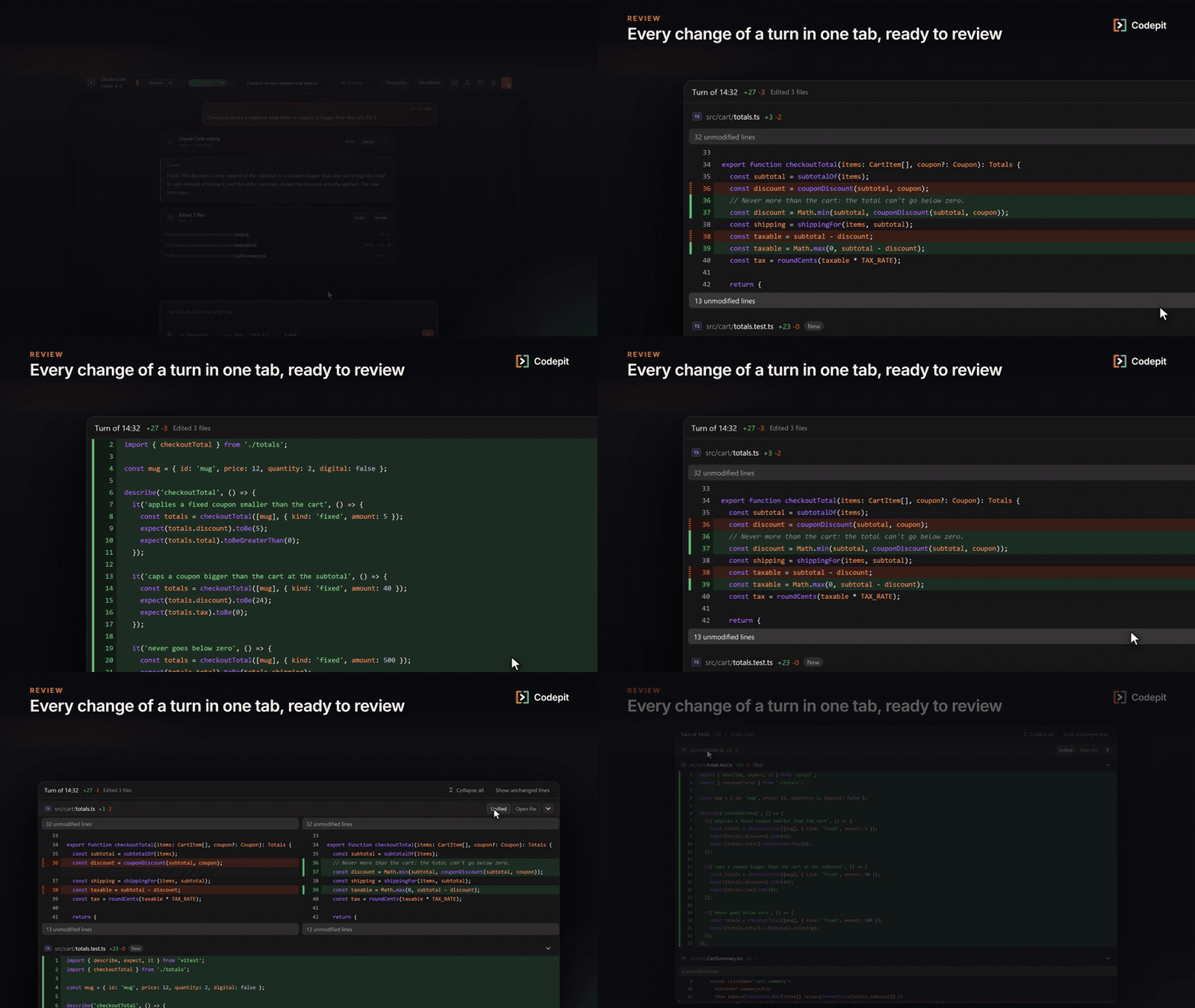
Review each turnReview opens one tab with a unified or side-by-side diff of everything that turn changed. Files
brought in by a
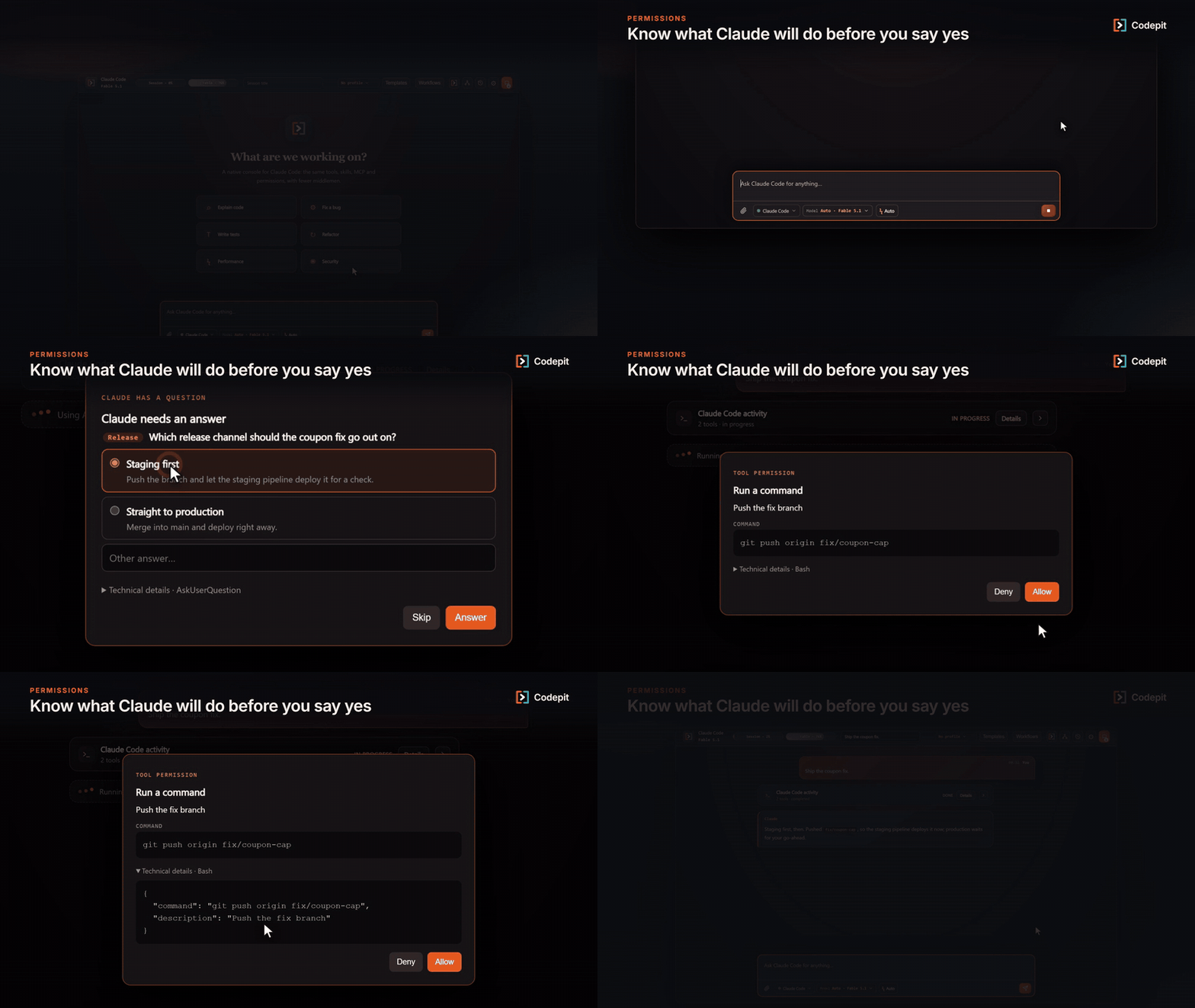
Permissions and questionsA permission prompt says what the tool is about to do (the command, the file and the change, the web address…) and keeps the raw input under Technical details. Claude's questions open as a form, and your answers reach Claude.
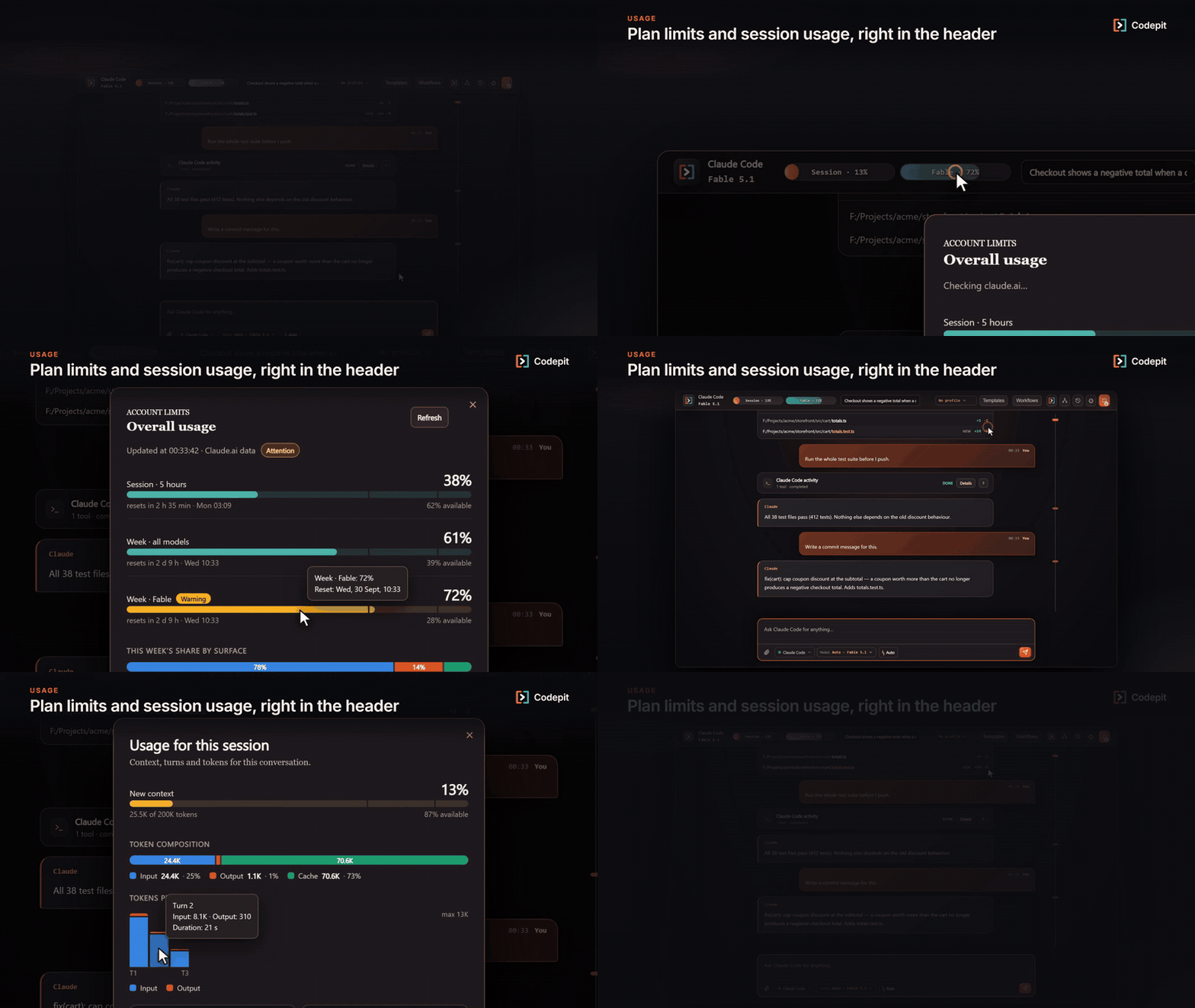
Plan limits at a glanceThe header shows the 5-hour and weekly windows of your Claude plan, including per-model weekly limits and extra-usage credits, with charts of where the usage went and what this session used.
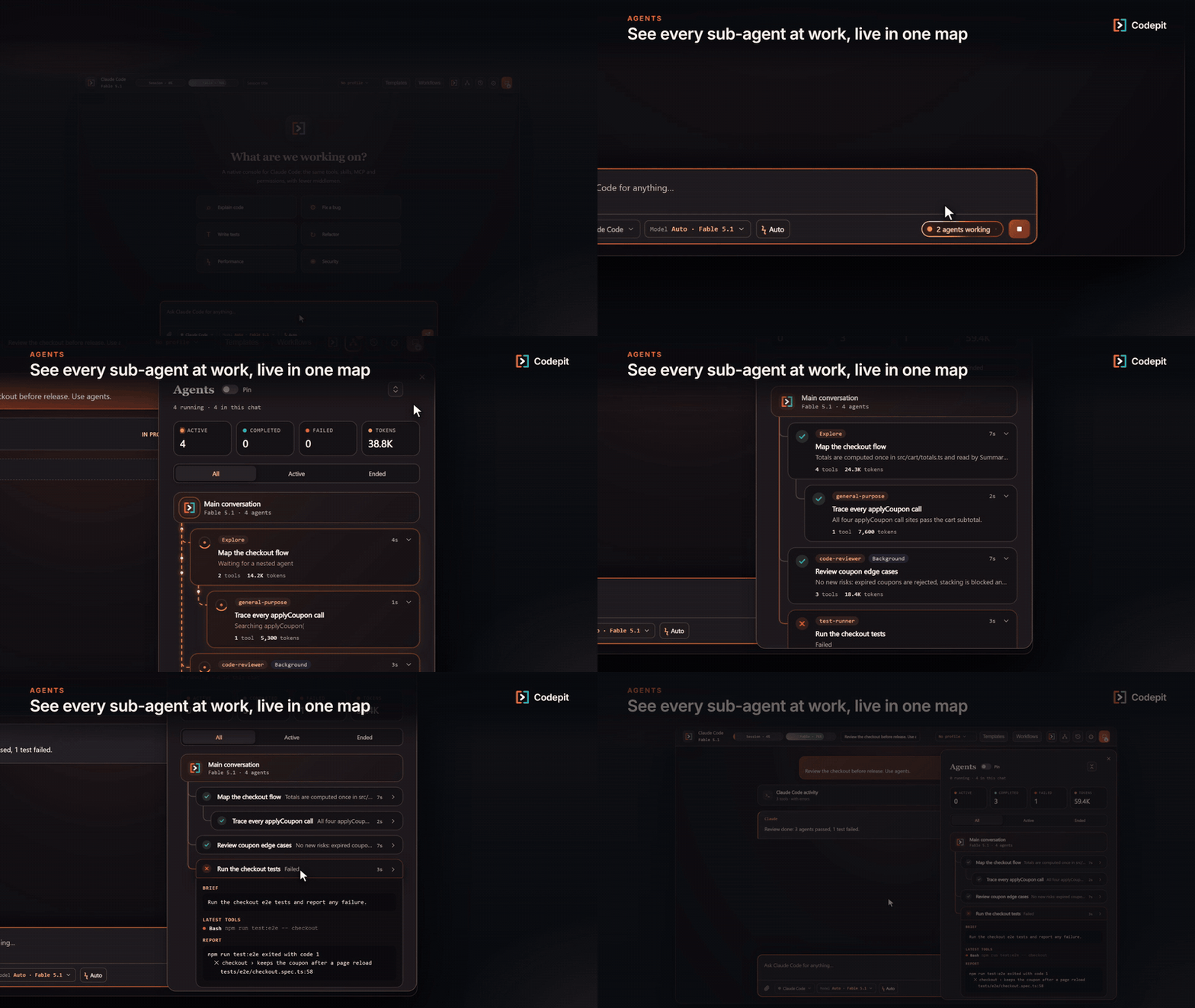
Sub-agentsWhen Claude spreads the work over agents, the agent map shows each one live: what it is doing, its tools and tokens, nested and background agents, and the report of the ones that fail.
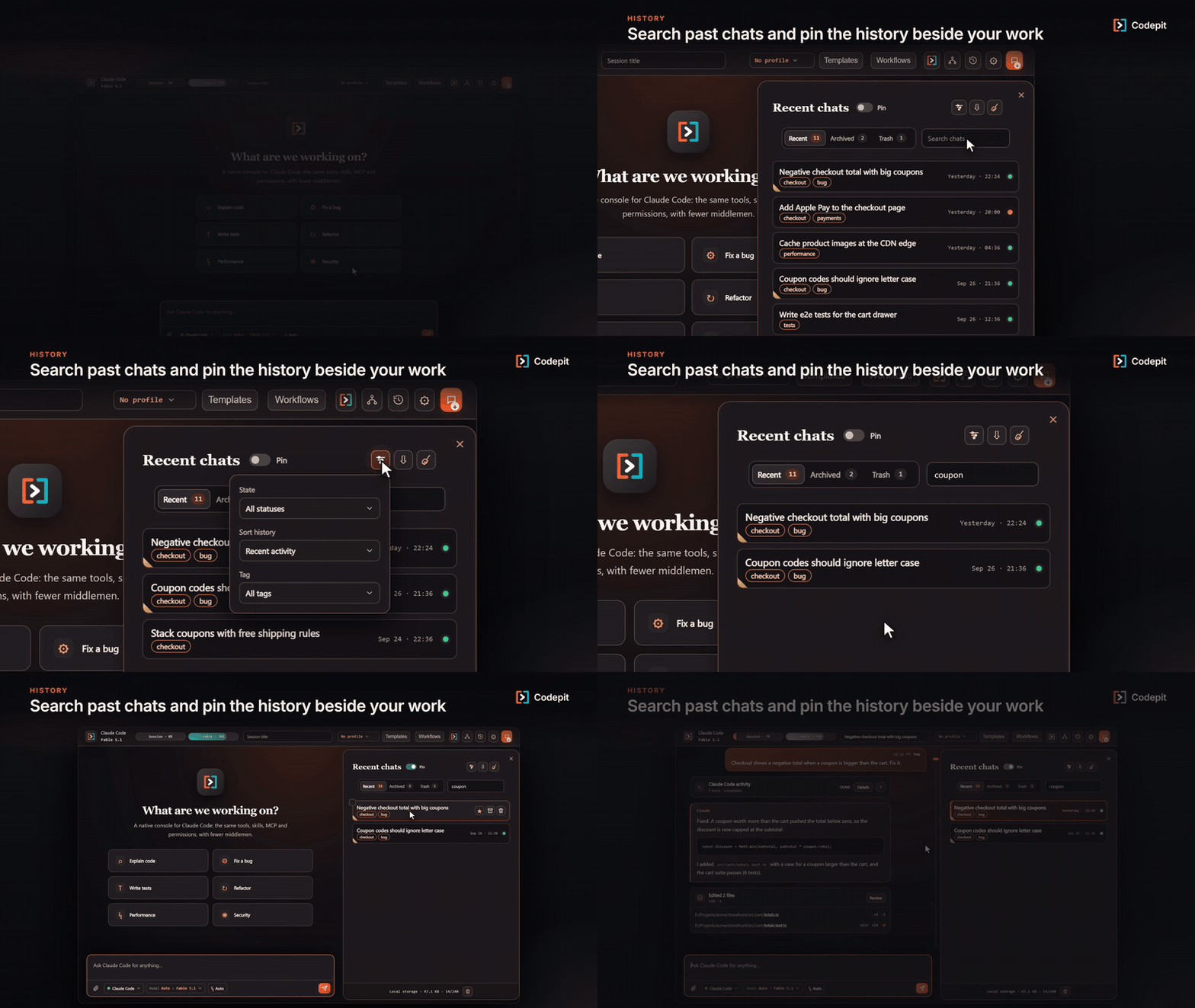
HistorySearch, filter and organize chats, pin the history beside the chat, and import sessions you started in Claude Code. Export one chat, a selection or the project as JSON or Markdown, preview a JSON backup and choose which conversations to restore. Optional local backups keep the latest ten copies.
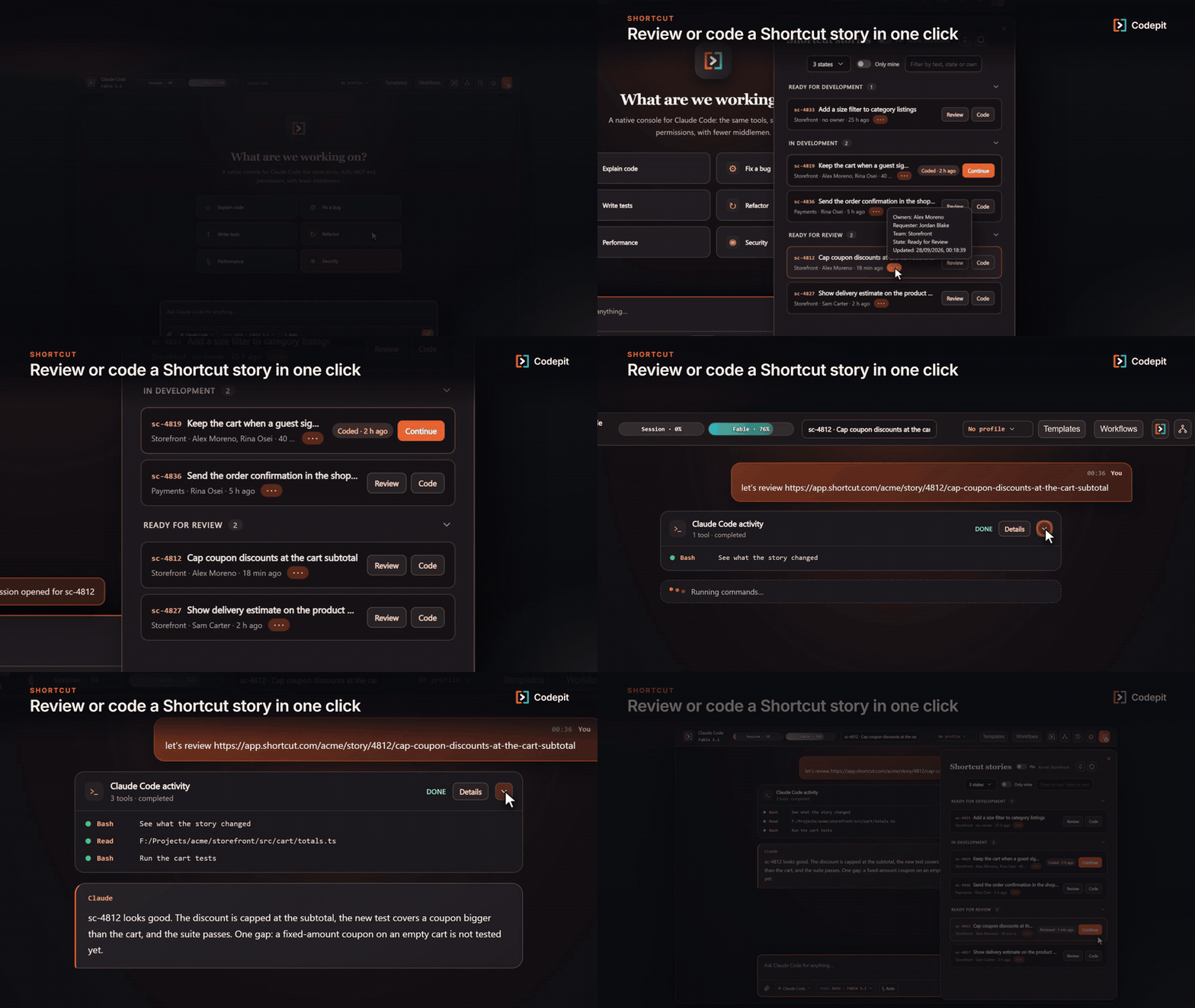
Shortcut storiesPaste a read-only Shortcut API token once per project to list your stories. Review or Code opens a chat for the story, and reopens the same chat the next time.
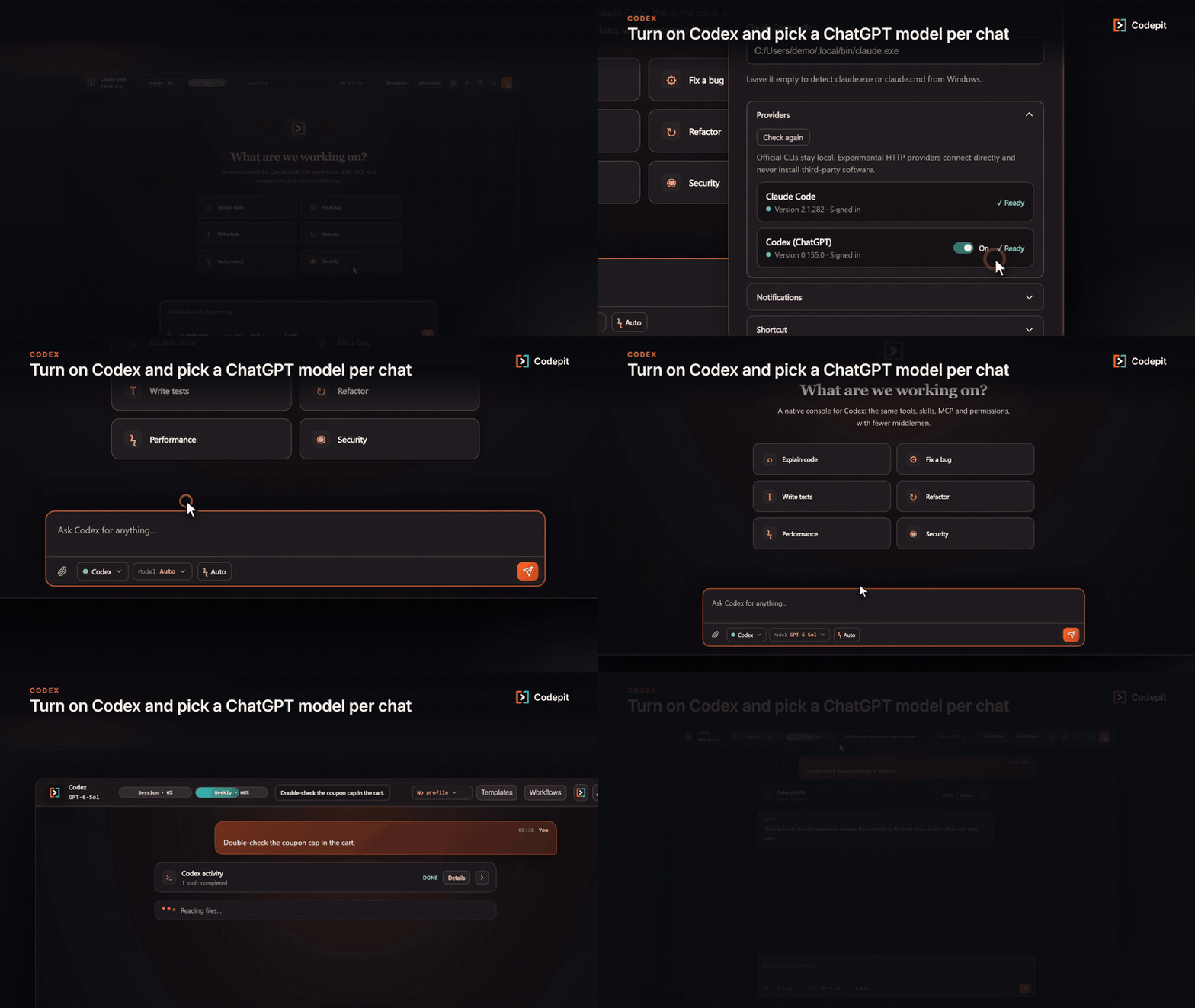
Codex (optional)Turn on ChatGPT models through the Codex CLI as a second provider from Settings → Providers, then pick the provider and the model for each new chat. It is off by default.
And also
Requirements
Codepit is developed and tested on Windows. It also looks for the CLIs in the usual macOS and Linux locations. Settings
Privacy
UpdatesUpdates arrive automatically through the Visual Studio Marketplace. VS Code installs a new version in the background and asks you to restart extensions; your chats and settings are kept. Codepit is made by Vicxelcode, S.L. It is not affiliated with, endorsed by or sponsored by Anthropic, OpenAI or Shortcut. Claude and Claude Code are trademarks of Anthropic. |