Natural Adabas SoftwareAG
This a extension for Natural Adabas SotwareAG language.
Limitations
- This extension cannot connect to the server, it only works with local files.
Extension Settings
This extension contributes the following settings:
naturaladabas.problems.subroutineNotDefined: Allow user configure the problem with type: error(default) | warn | info | ignore.naturaladabas.problems.variableDefinedNotUsed: Allow user configure unused variable diagnostics with type: error | warn(default) | ignore.naturaladabas.problems.subroutineDefinedNotUsed: Allow user configure unused subroutine diagnostics with type: error | warn(default) | ignore.
Features
- Syntax highlighting for Natural Adabas SoftwareAG language.
- Tokenization of the code to provide better readability and understanding.
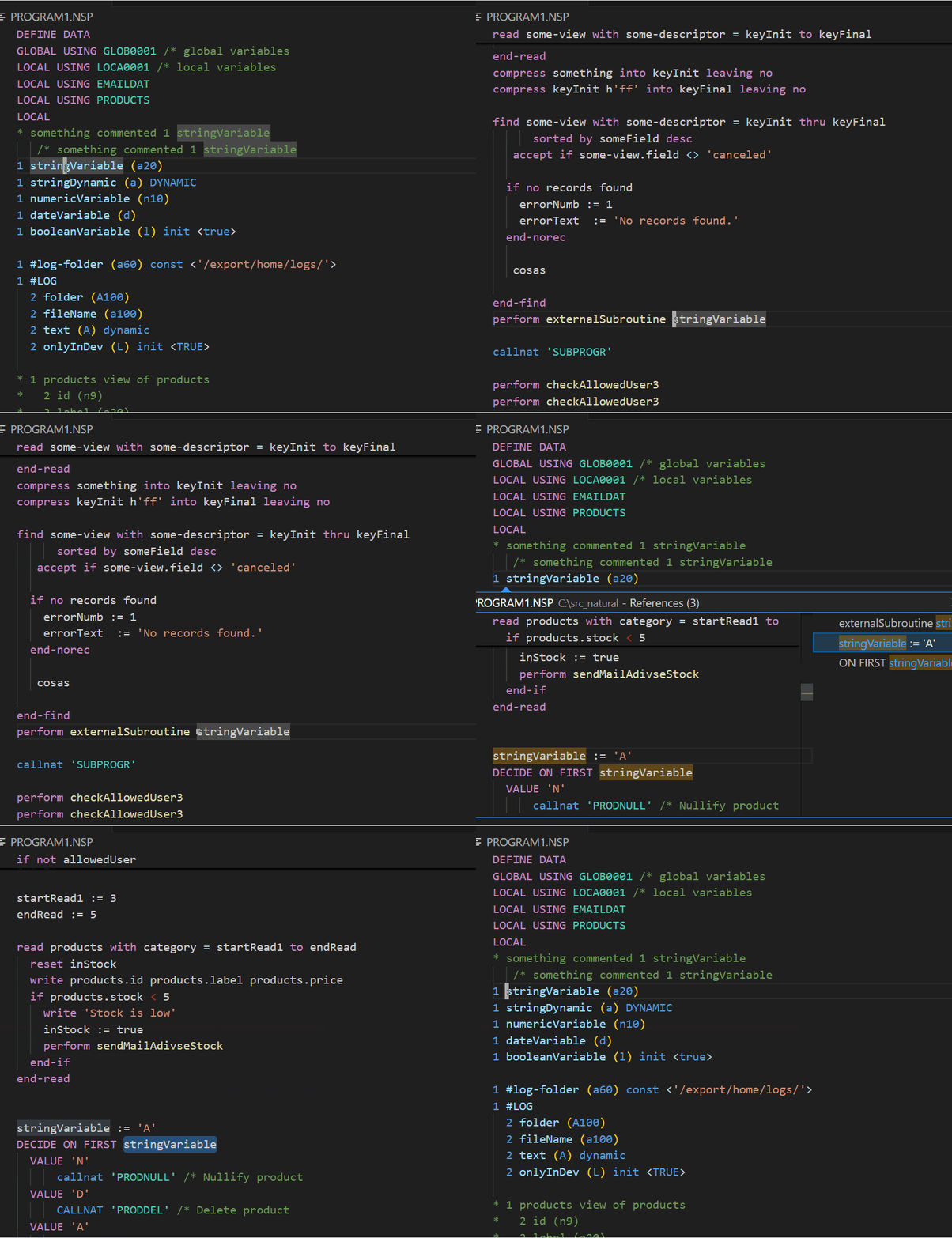
- Go to definition and references of variable:
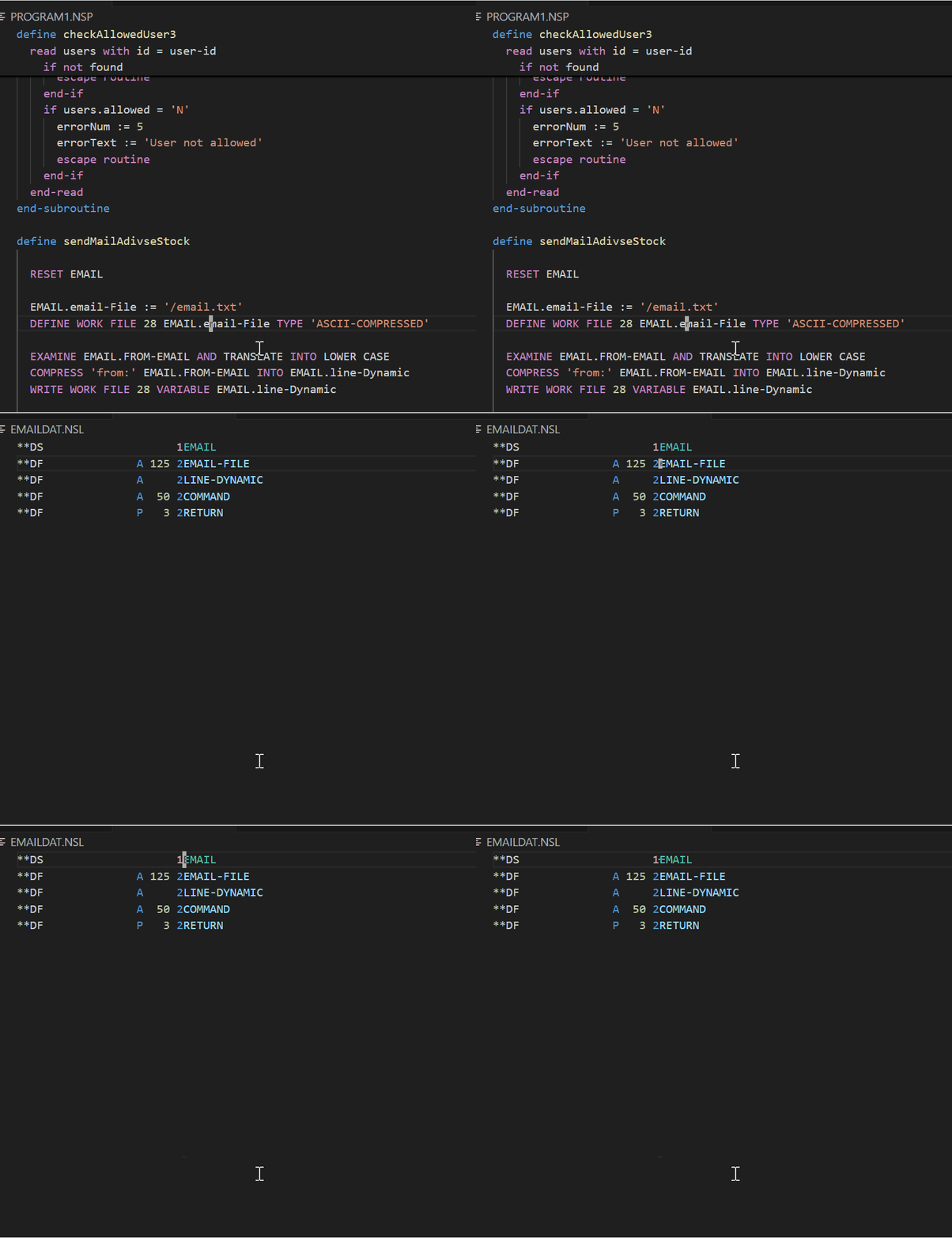
- Go to external definition of data area.
- Go to external definition of view.
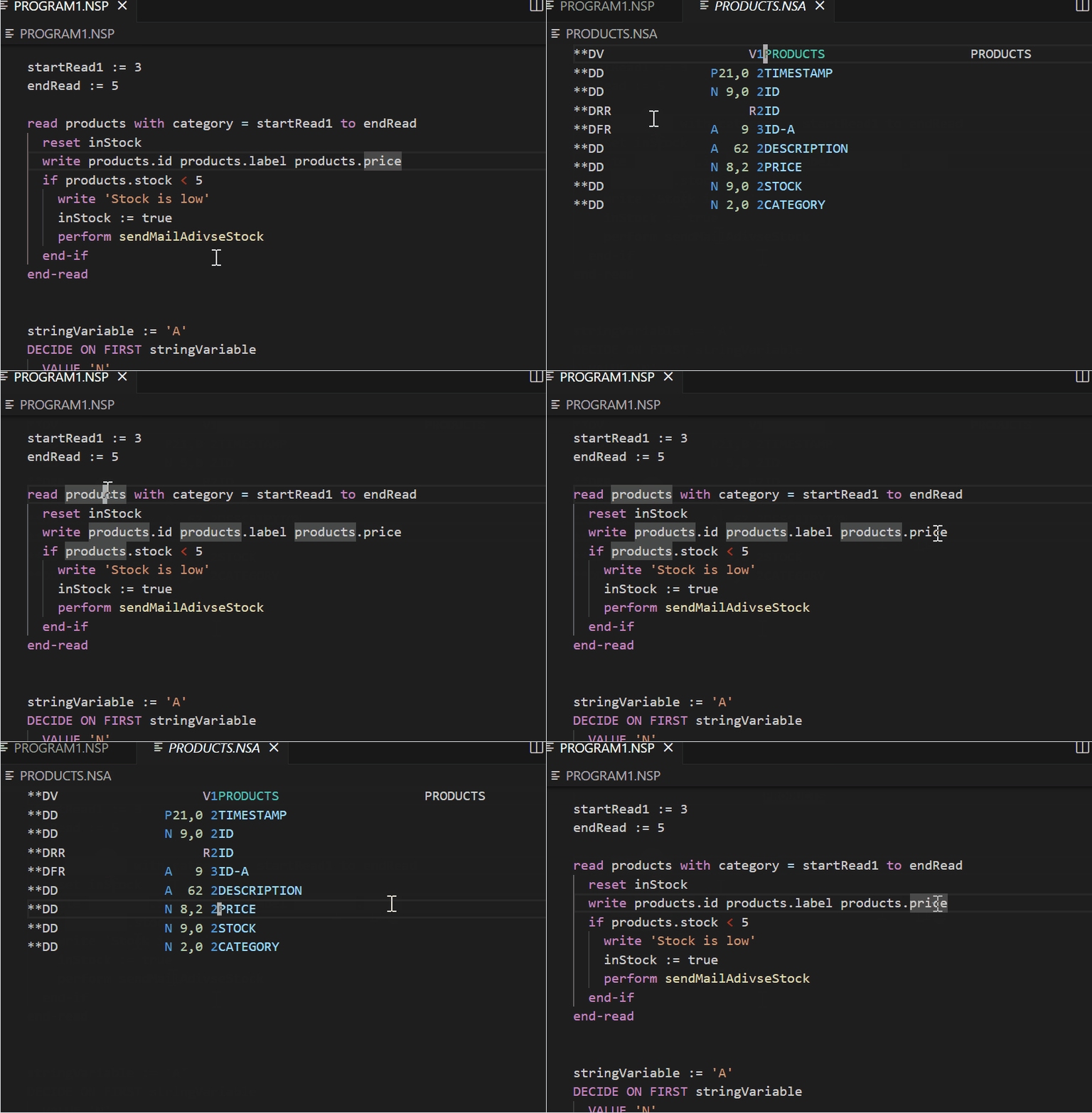
Go to external definition of LOCAL/GLOBAL/PARAMETER USING files by searching matching .NSL, .NSA, or .NSG files.
Go to definition of object properties now resolves the correct parent, so PRODUCTS.PRICE and PRODUCTS-A.PRICE jump to their own definitions.
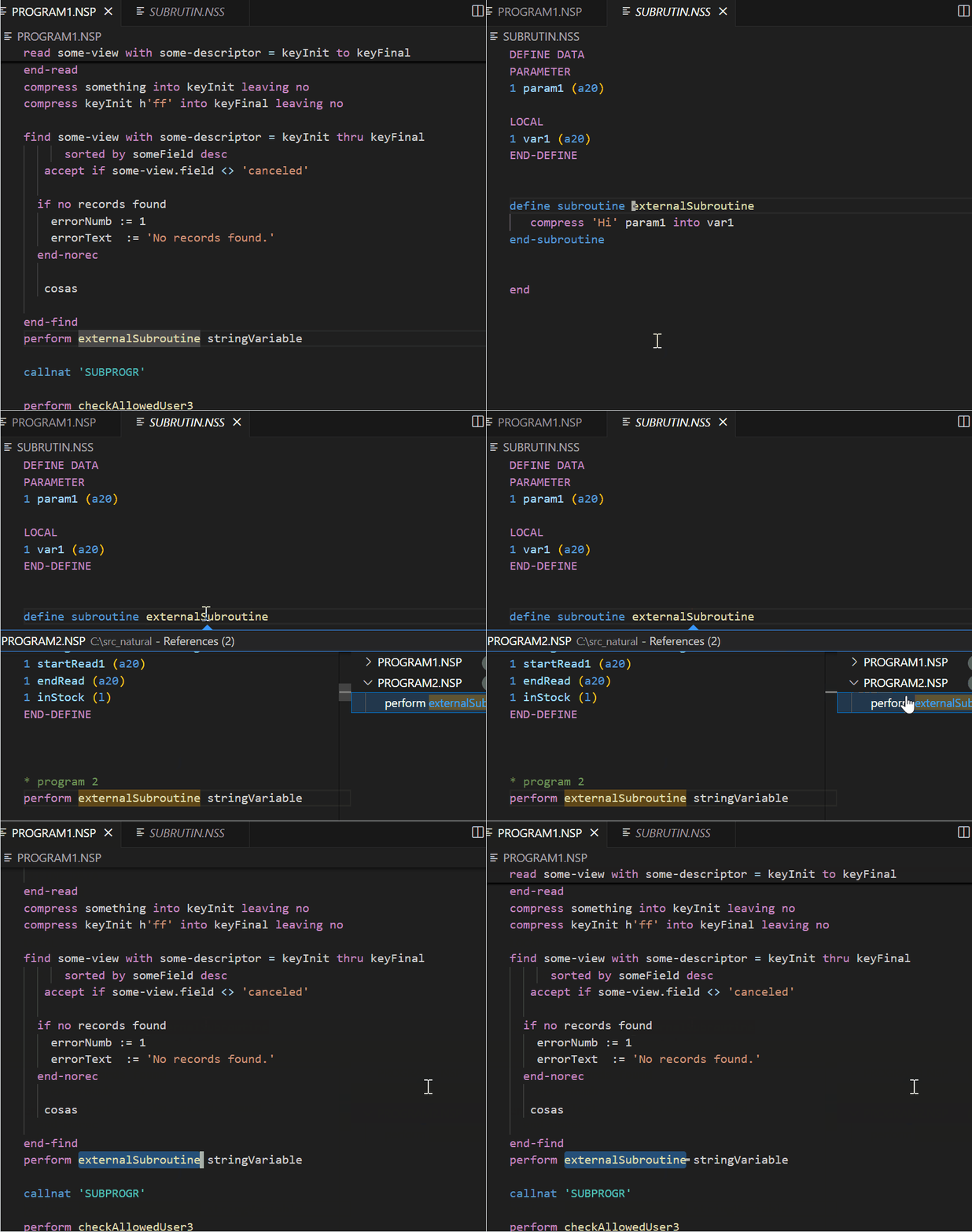
Go to define of subroutine and references of performs:
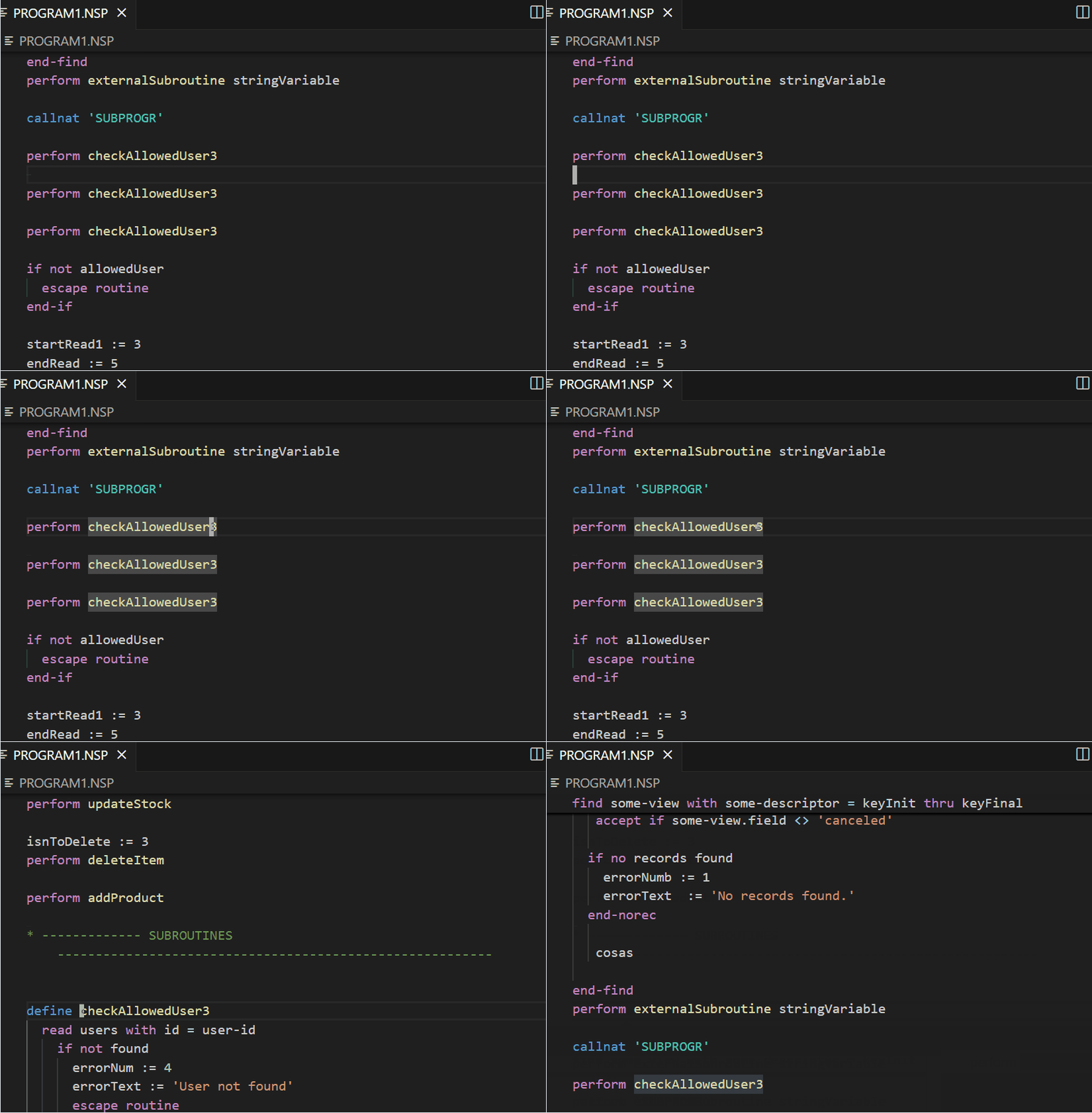
- Go to external define subroutine and performs:
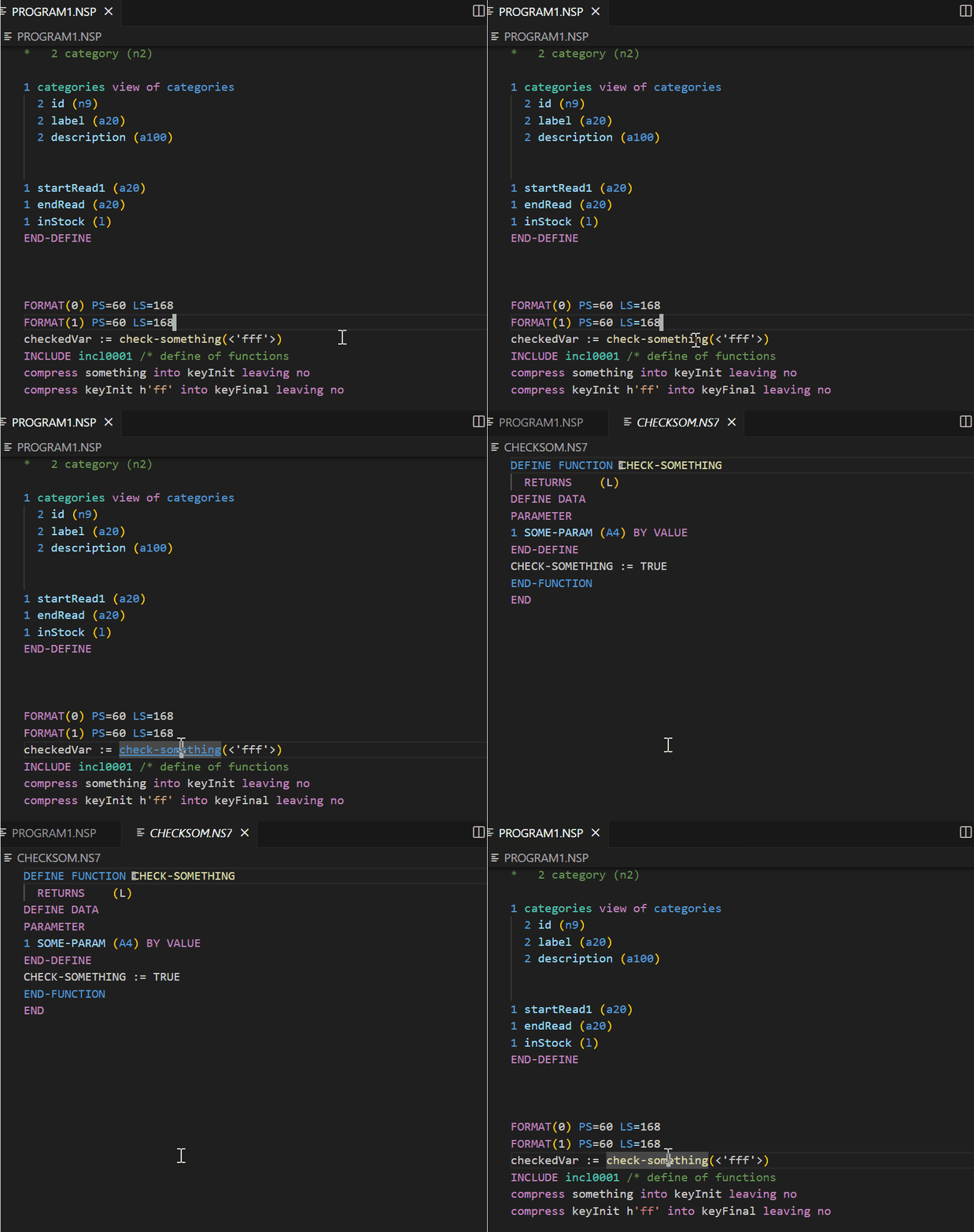
- Go to definition of a custom function:
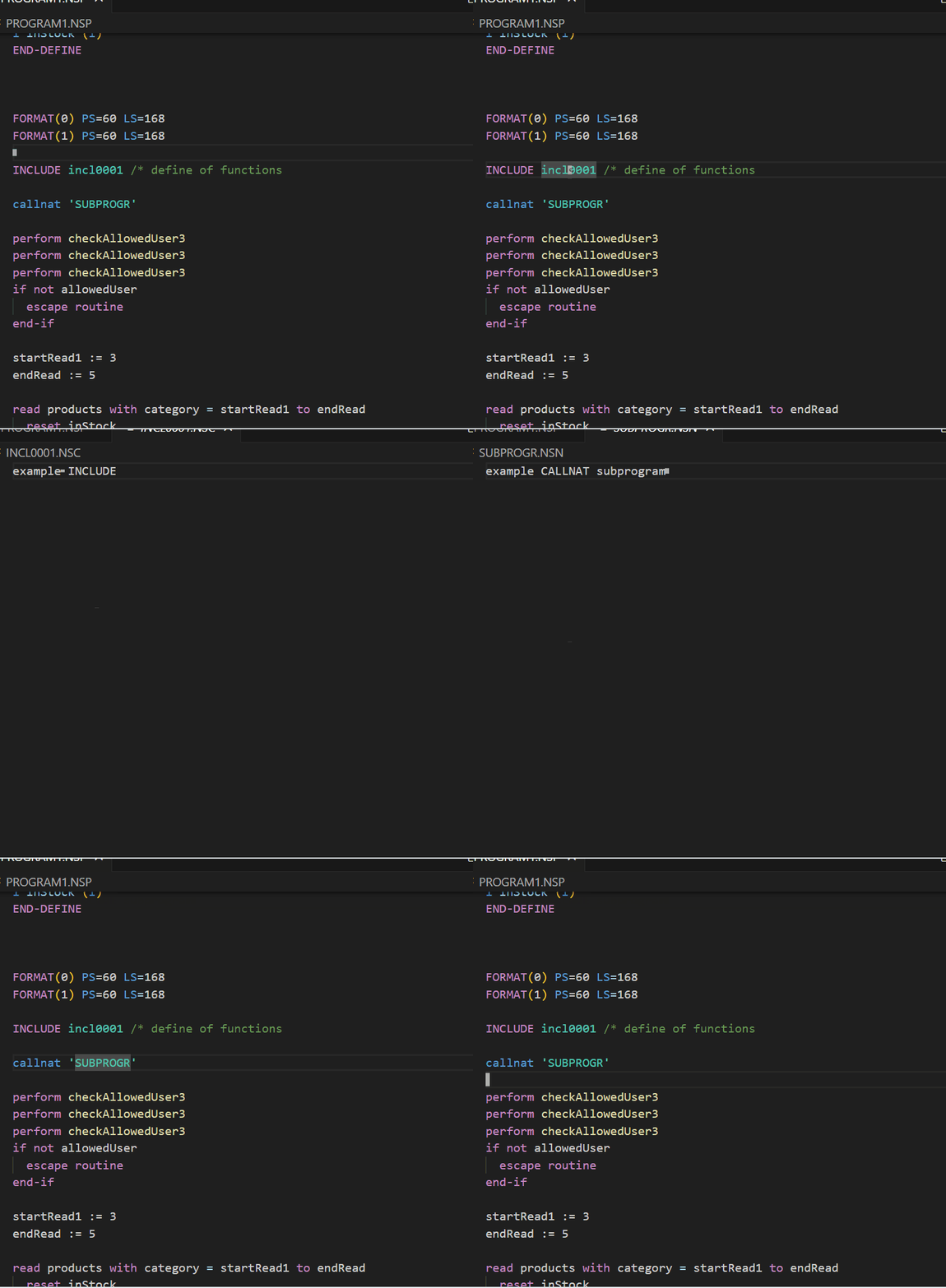
- Go to copycode file or subprogram:
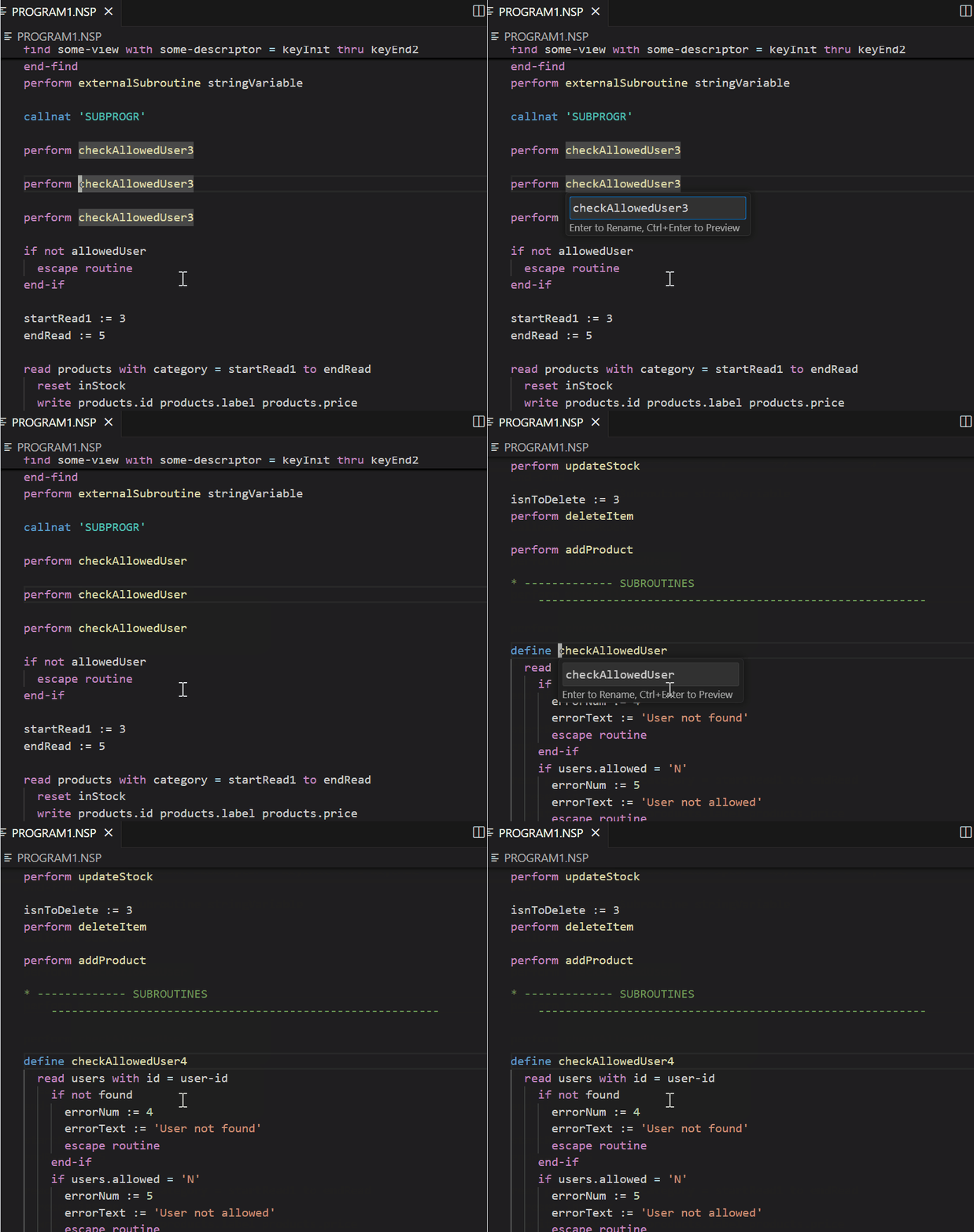
- Rename internal variable:
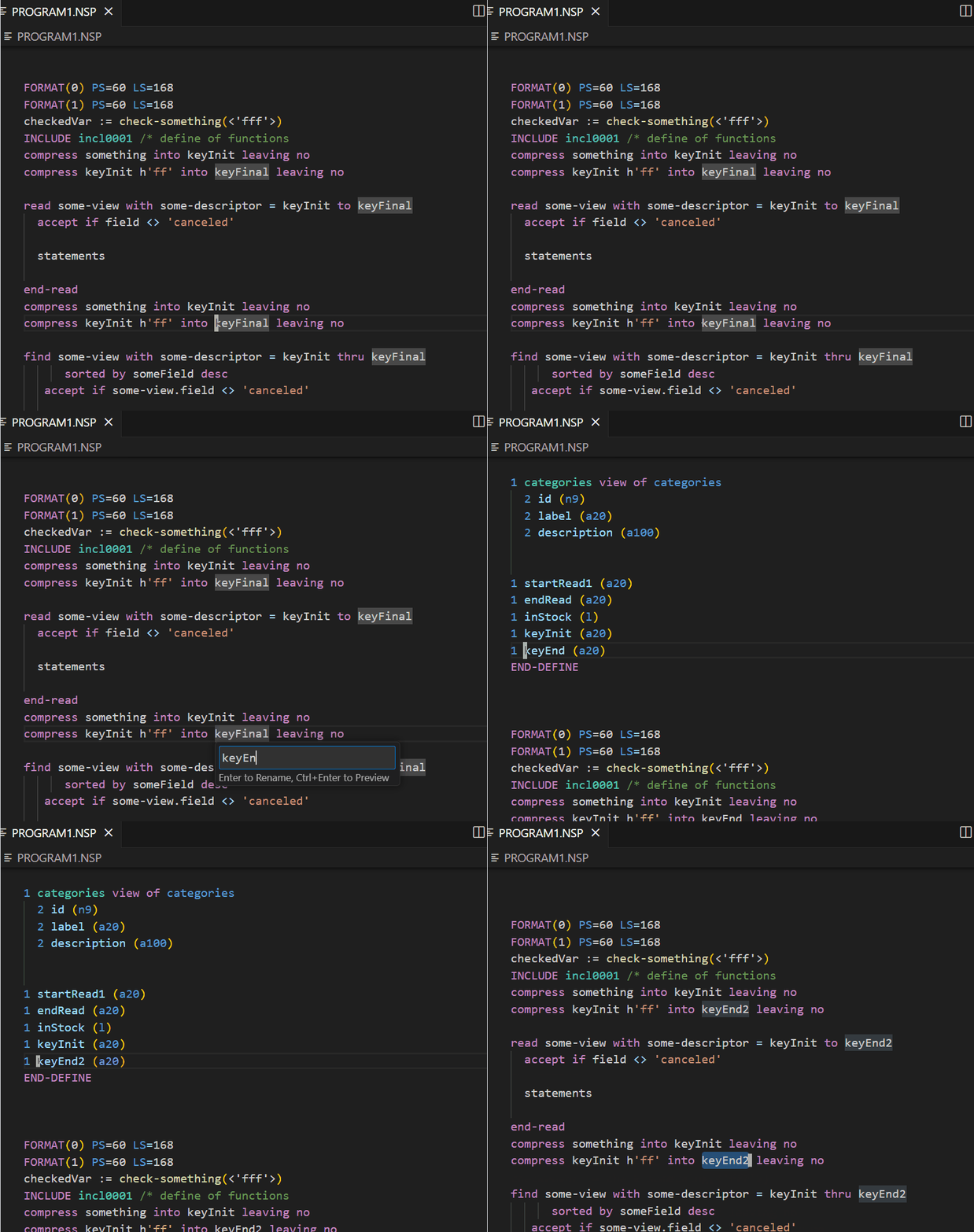
- Rename internal subroutine:
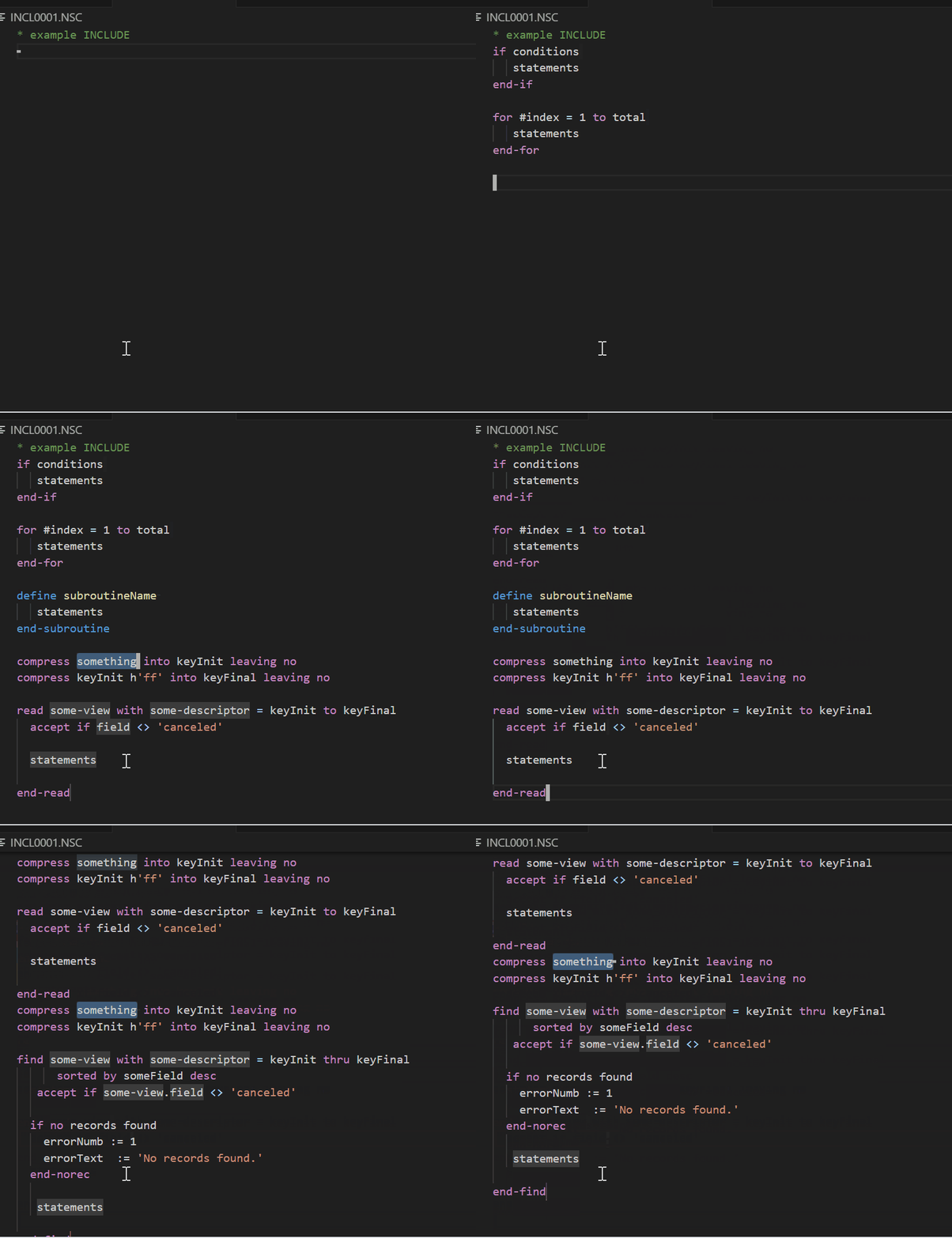
Snippets of read, find, for, if, define subroutine, compress, decide, add, subtract, multiply, and divide.
Arithmetic snippets include the optional ROUNDED clause and the available TO, FROM, BY, and GIVING variants.
Structural parsing accepts END-ALL as a valid close for READ and FIND blocks.
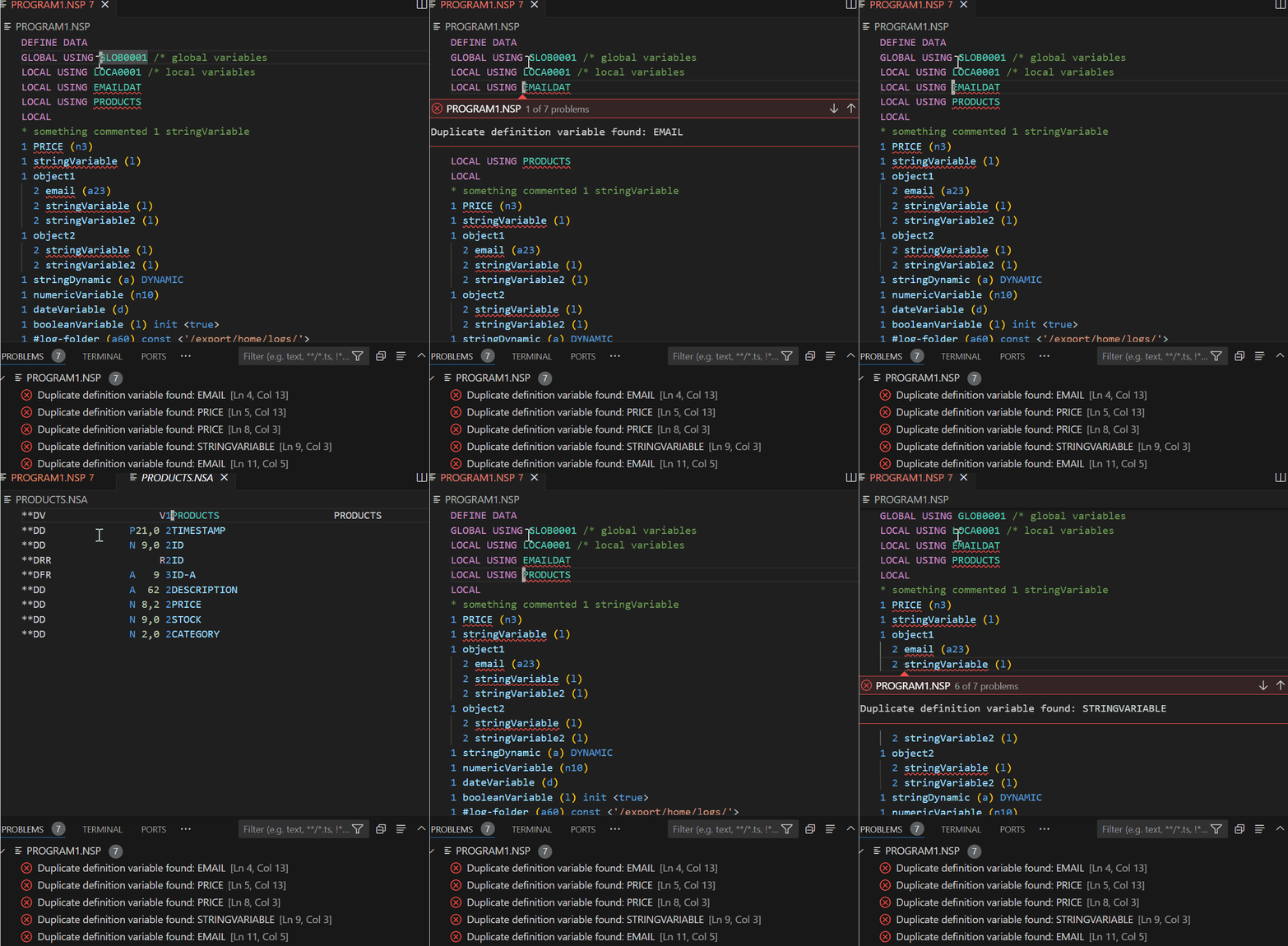
- Show problem on
duplicate variable definition:
Show problem on undefined variables and undefined object properties used as assignment targets, with quick fixes to define them in DEFINE DATA.
Undefined variable diagnostics resolve variables and properties from external GLOBAL/LOCAL/PARAMETER USING data areas, including Adabas view fields such as PRODUCTS.ID.
Adabas **DV view definitions now use the view name as the root variable, even when the line also contains the underlying table name.
Show error on LOCAL/GLOBAL/PARAMETER USING when the referenced .NSL, .NSA, or .NSG file is not found.
Show problem on undefined variables and undefined object properties used in COMPRESS statements.
Show configurable diagnostic on variables defined in DEFINE DATA but not used.
Show configurable diagnostic on defined subroutines that are not performed, excluding .NSS global subroutine files.
Expand selection supports multiline COMPRESS statements.
Expand selection supports DECIDE ON ... END-DECIDE and DECIDE FOR ... END-DECIDE blocks.
Improved syntax highlighting for DECIDE ON, DECIDE FOR, VALUE/VALUES, WHEN, ANY, ALL, NONE, and END-DECIDE.
Improved syntax highlighting for COMPRESS clauses such as NUMERIC, FULL, INTO, LEAVING, and WITH DELIMITERS.
Show problem in perform subroutineName not defined:
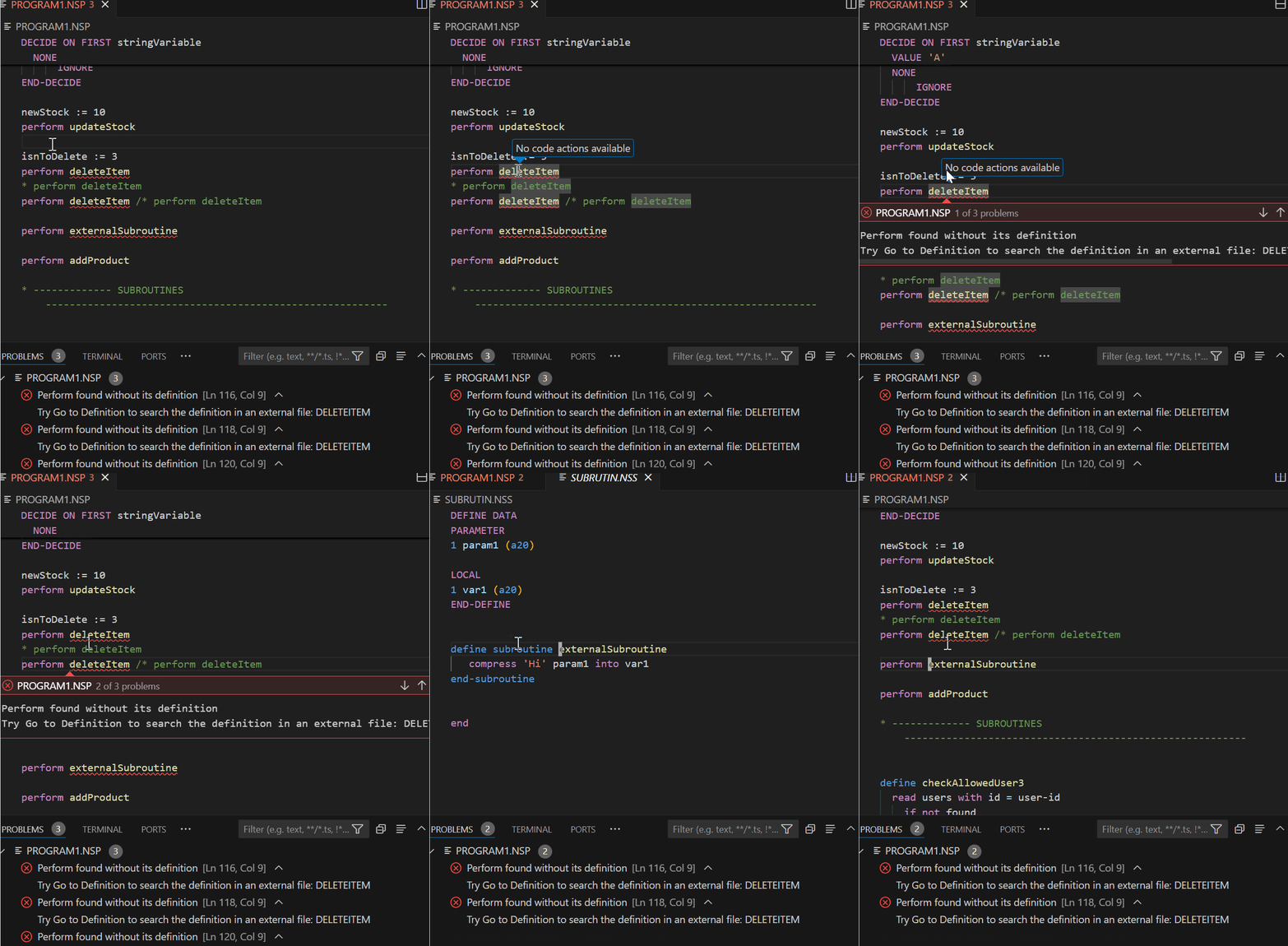
Quick fix on problem perform subroutineName for search external definitions, or define a new subroutine:
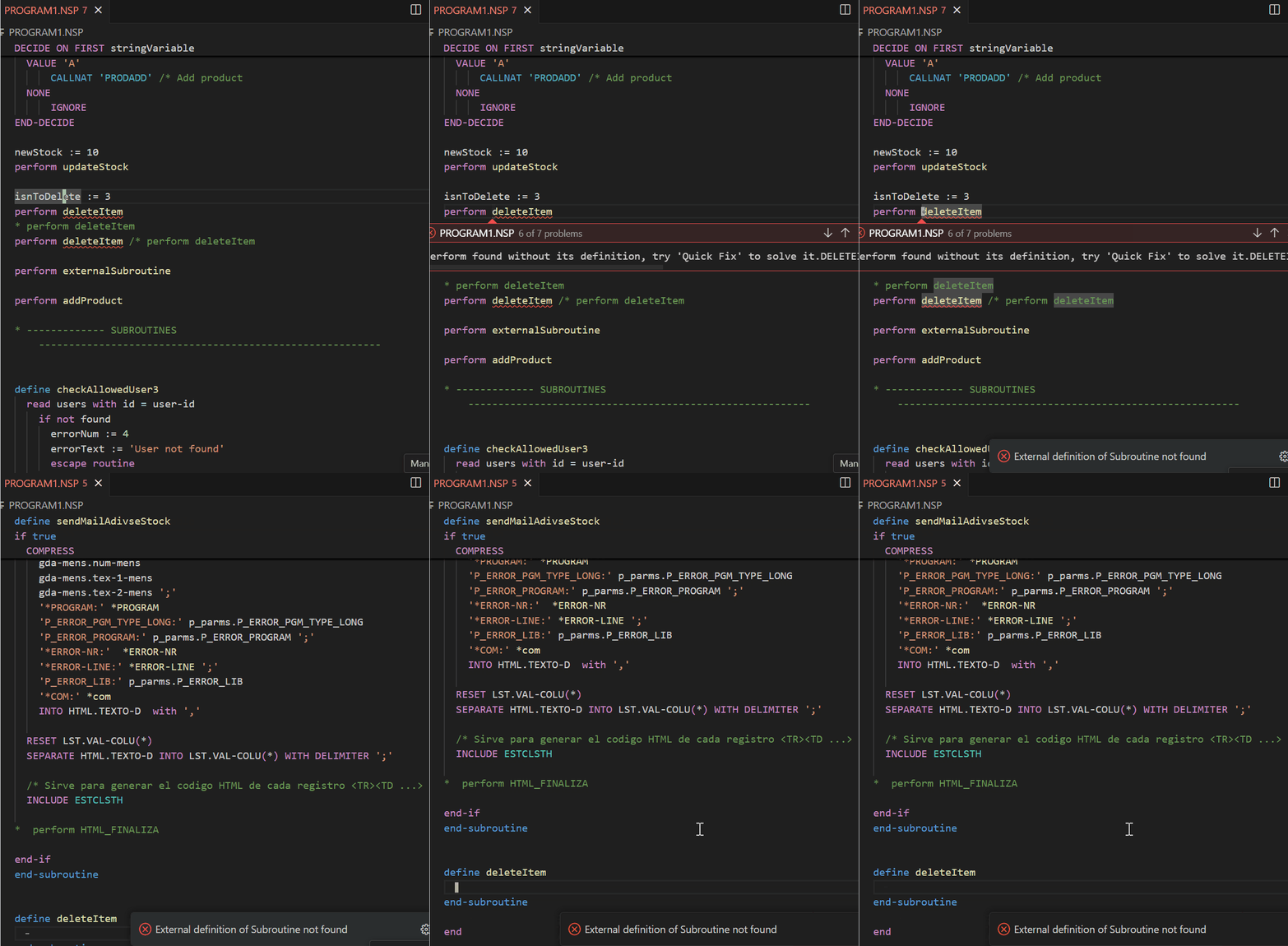
External subroutine quick fix stores found definitions in workspace folder settings so future diagnostics can resolve them directly.
Refactor selected code with Natural: Extract to New Subroutine from the command palette, editor context menu, or VS Code refactor menu. It replaces the selection with perform subroutineName and creates a new internal subroutine before the final end.
Known Issues
- This extension cannot connect to the server, it only works with local files.
Supported Languages
This extension supports the following languages:
Natural Adabas Documentation
Support
If you encounter any issues or have any questions, please feel free to contact us at victordgimeno@gmail.com.
| |