

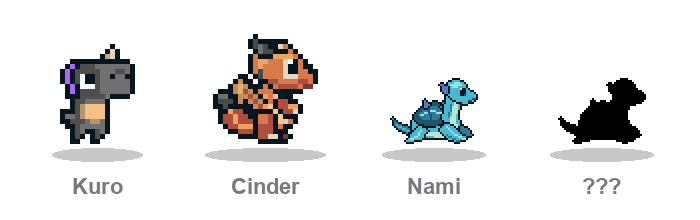
VibesaurRaise a dinosaur from your git commit quality — not just how often you commit. Vibesaur lives in the Explorer sidebar: an island pet that reacts when you commit in the open workspace. Local-only — no account, no cloud sync.
Features
Star Store & HomeSpend ✦ stars you collect on the island.
Snacks are consumable — you can buy them again. Hut and campfire are one-time placeables. Class change and slot unlocks are intentionally expensive. InstallFrom the marketplace (recommended)
Keep Auto Update enabled so you get new versions from the store. From a
|
| Meter | Effect |
|---|---|
| Hunger | −25 every scored commit |
| Health | Up or down from diff size + message quality |
| EXP | +1 per scored commit · ~100 commits per level · levels 1–3 |
Name your dino, then hatch the egg with commits (about 25 scored commits to hatch).
Diff size (changed lines)
| Kind | Lines | Health |
|---|---|---|
| tidy | ≤ 80 | +14 |
| balanced | 81–400 | +9 |
| bloated | > 400 | −2 |
Commit message
| Kind | Rule | Health |
|---|---|---|
| junk | Under 8 characters, or only wip / tmp / asdf / test / update / change(s) (bare fix is allowed) |
−4 |
| conventional | Not junk; starts with feat: fix: docs: refactor: test: chore: (optional scope) |
+6 |
| clear | Not junk or conventional; length ≥ 8 | +2 |
Net HP = size score + message score
Example: tidy + feat: … → +20 · bloated + junk → −6
Short rule: keep diffs ≤ 80 lines and use a clear feat: / fix: style message.
Outside commits
- Long gaps raise hunger; very high hunger can chip health
- Lightning / slime bites can lower HP on their own track
- Slime hunts give a little bonus EXP — they do not replace committing
- Buy snacks in the Star Store when you need a quick HP or food boost
Commands
| Command | What it does |
|---|---|
| Vibesaur: Open Pet | Focus the Vibesaur Explorer section |
| Vibesaur: Home | Switch / unlock pet slots |
| Vibesaur: Open in Editor | Large island tab |
| Vibesaur: Star Store | Buy snacks, habitat items, or a new class egg |
| Vibesaur: Pet Desk | Stats and progress |
| Vibesaur: Settings | Music and playlists |
| Vibesaur: Choose Map | Ruins Meadow / Classic Meadow |
| Vibesaur: Refresh from Git | Manual sync if needed |
| Vibesaur: Check for Updates | Look for a newer release (VSIX installs) |
Privacy
Reads git history only from the open workspace on your machine to update the pet. Nothing is uploaded.
Credits
Dino Characters by @ScissorMarks.