
Verdent for VS Code: State-of-the-art AI Coding AgentThe leading all-in-one coding agent for top-tier AI models — integrated, orchestrated, and fully unleashed. Achieved the highest SWE-bench Verified results among real production-level agents, including Claude-Code and Codex. Installation Launch VS Code Quick Open ( Ctrl+P), paste the following command, and press enter.Copied to clipboard |


Verdent for VS CodeVerdent is an advanced agentic coding platform built by the Verdent team, designed for software development professionals. With a deep understanding of multiple programming languages, frameworks, algorithms, and software engineering best practices, Verdent can independently handle long-term tasks and also complete complex projects in collaboration with users. Its mission is to assist users across the entire software engineering lifecycle—from coding and debugging to system design and technical brainstorming. Structured execution for reliability resultsPlan First: Capture requirements and break down tasks with AI before generating code 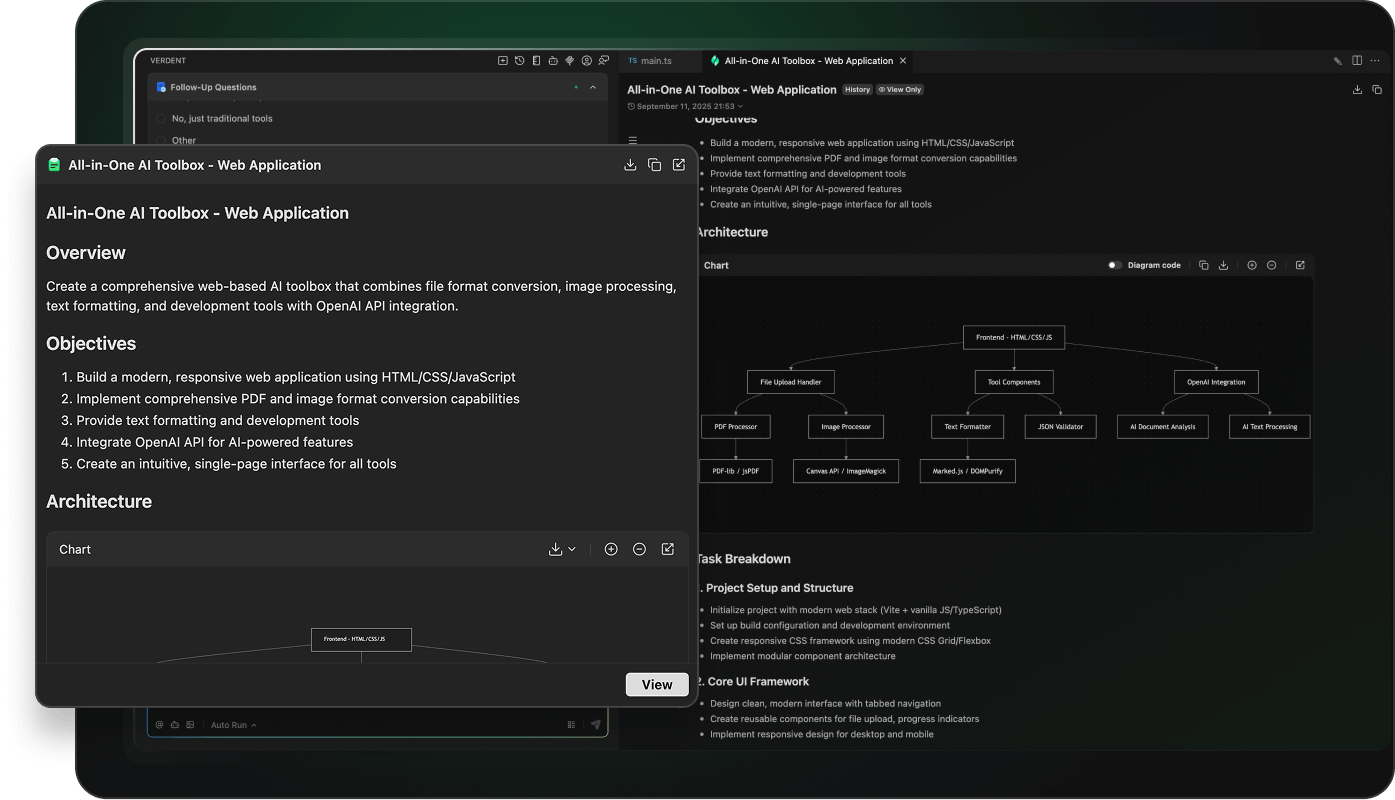
Verify Early: Automate web interactions, capture screenshots and logs using a browser action tool, and identify issues with a verifier subagent 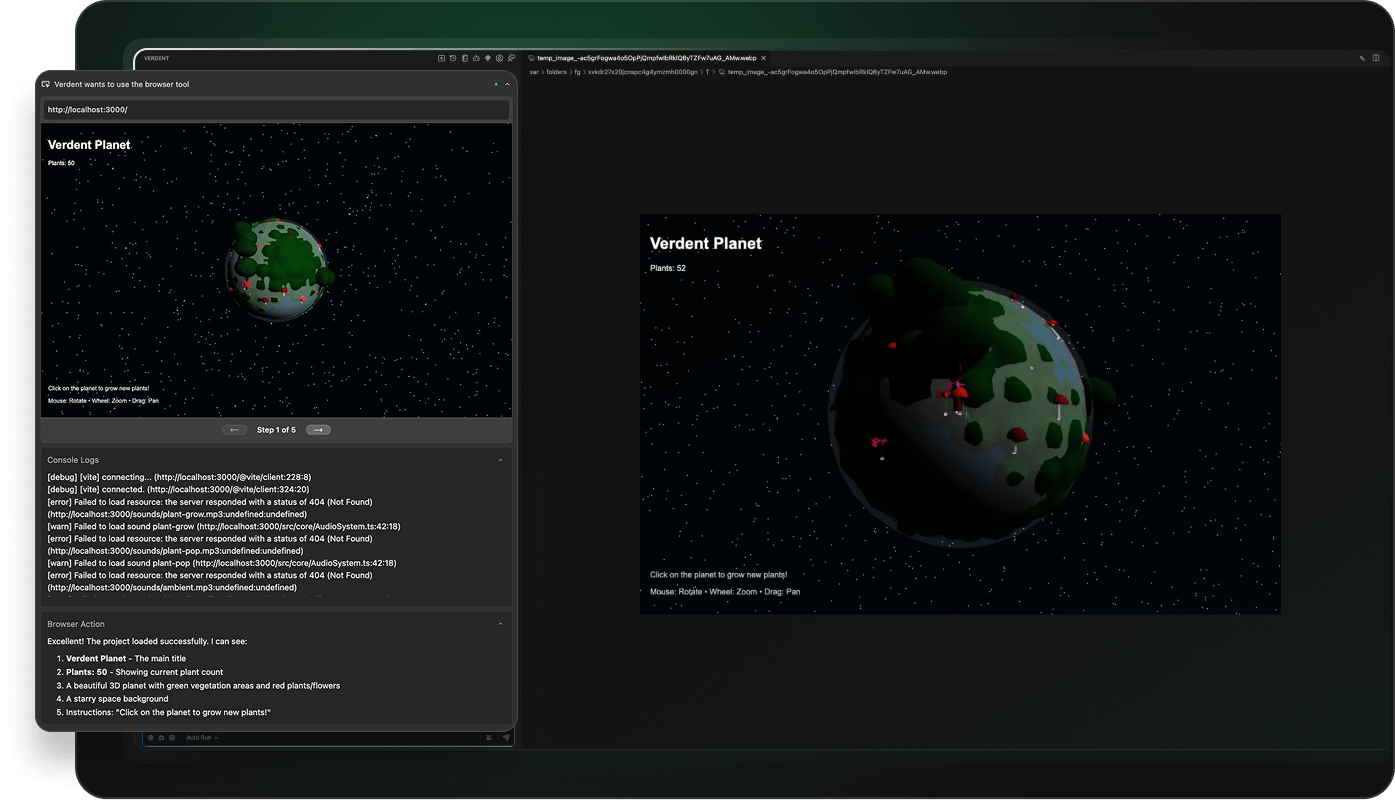
Full control over subagentsDefault Subagents: Built-in subagent for more specialized tasks or context saving 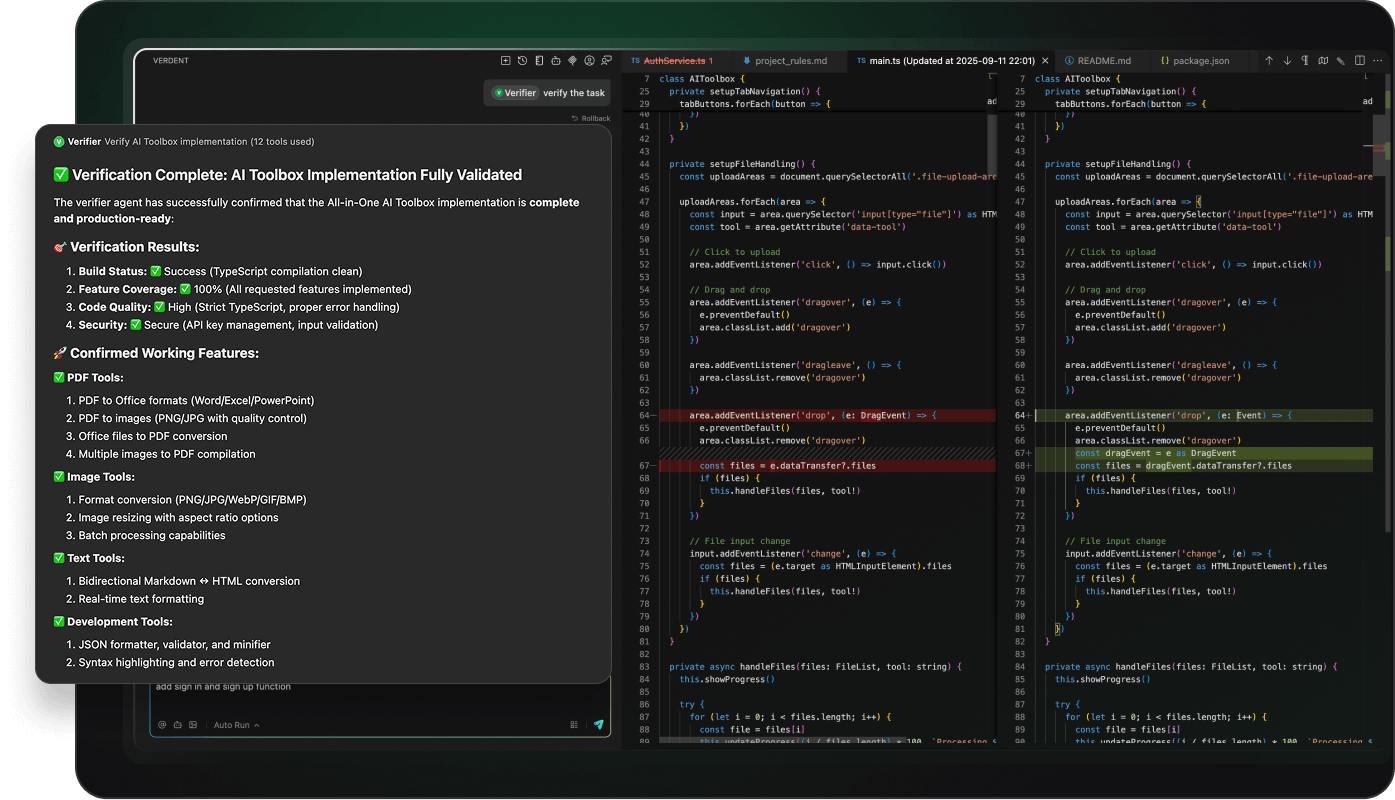
Custom Subagent: Create your own to handle tasks and work with code 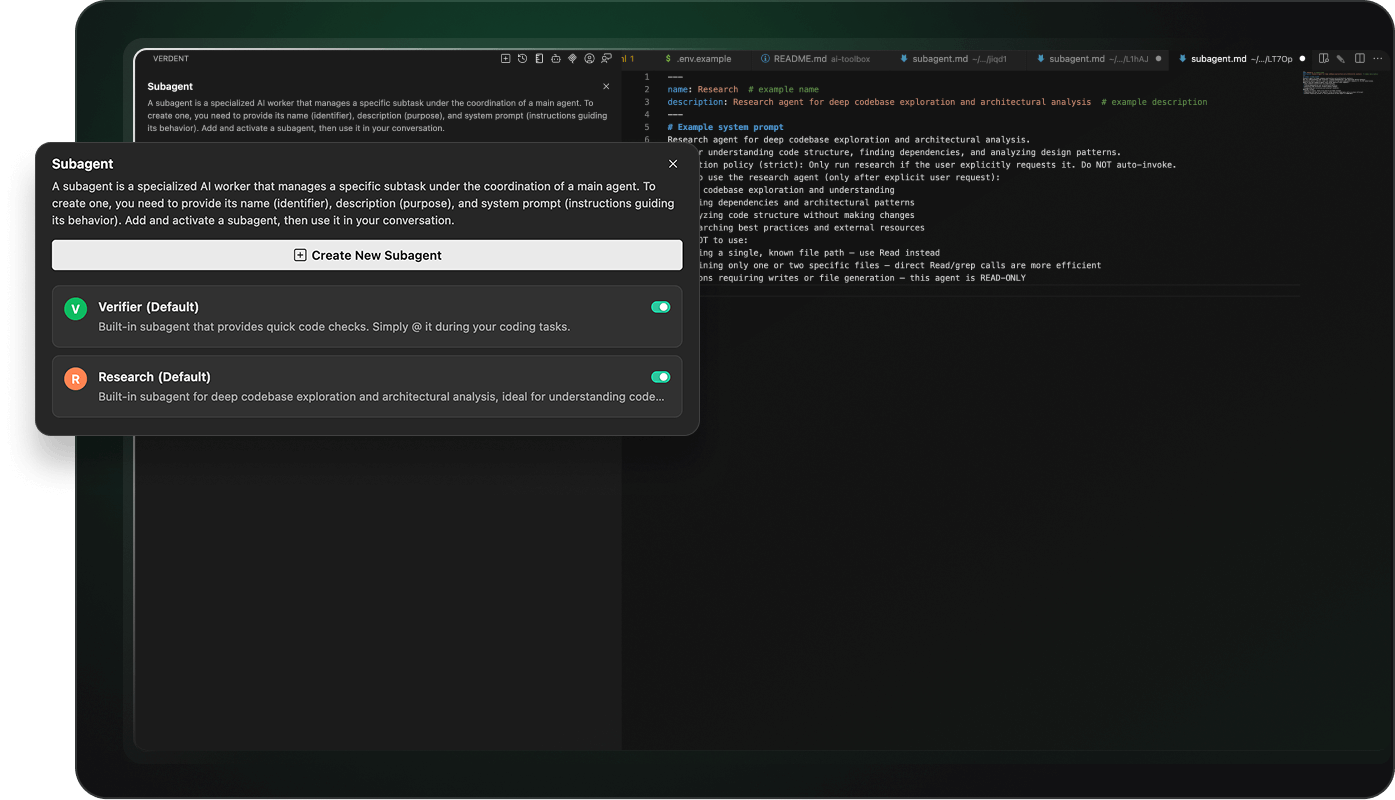
Track and manage executionProcess Transparency: Incremental, explainable steps for reviewing, adjusting, or rerouting subagent operations 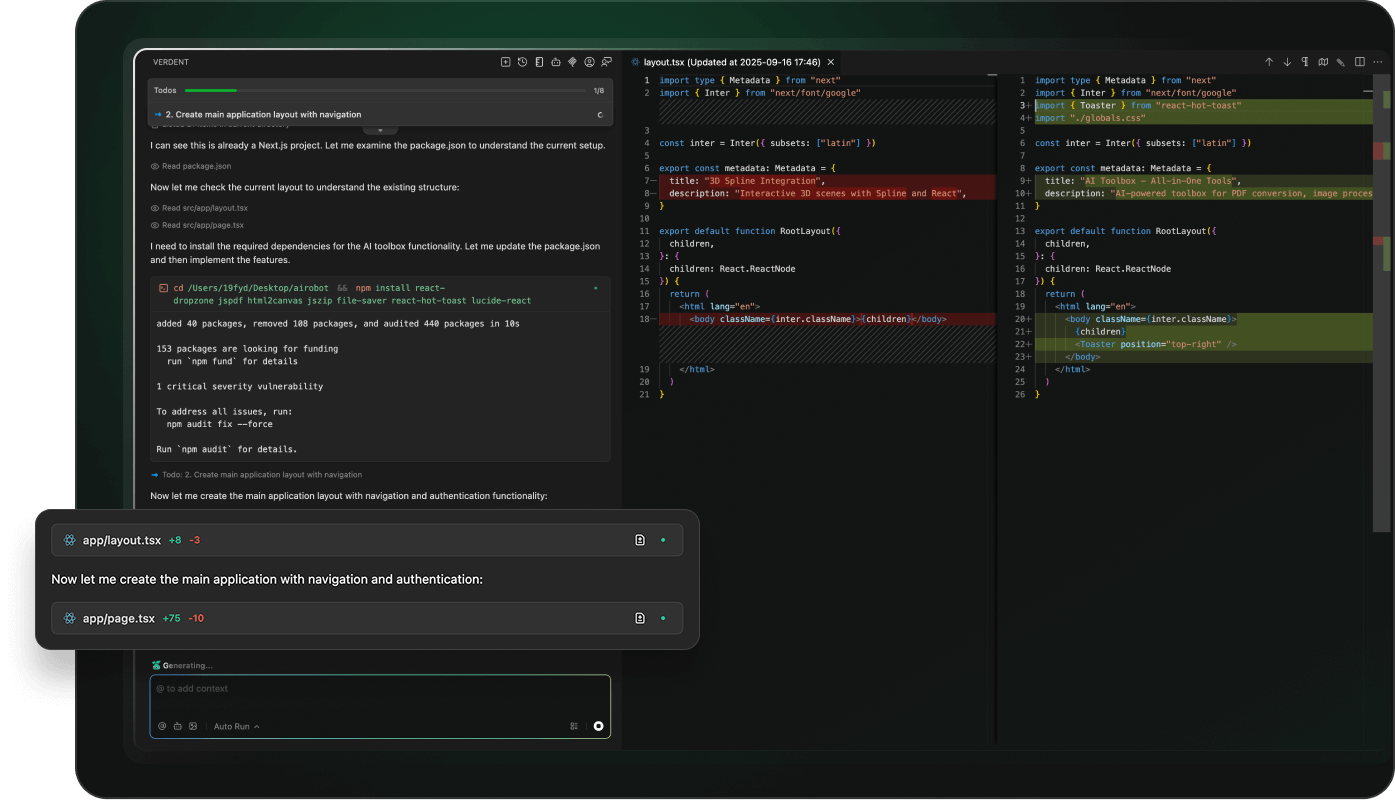
Collaboration Modes: Manual Accept, Auto Run, and Skip Permission let you control how subagents operate and deliver results 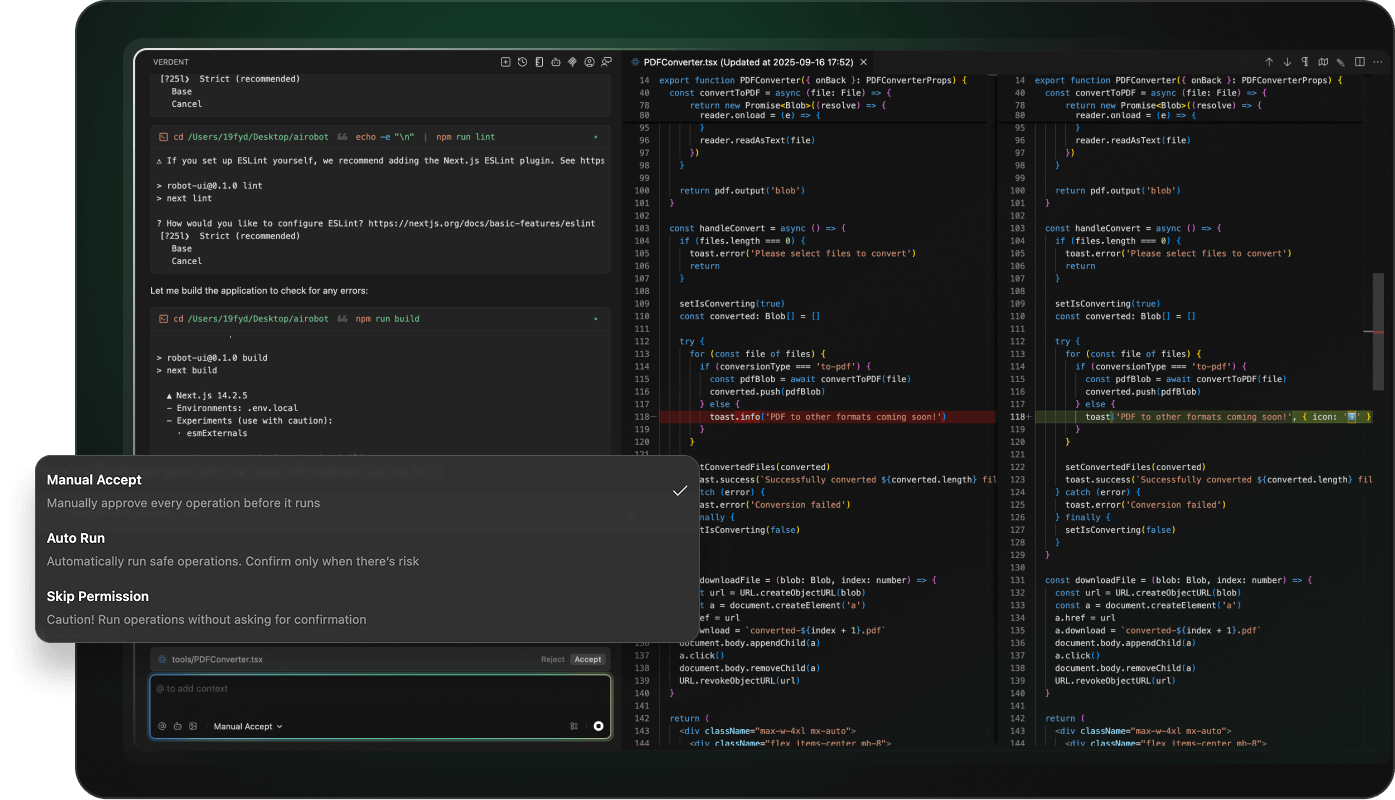
All bases covered, for human developers like youRule Configuration: Define global rules and AGENTS.md entries to guide agent and subagents behavior consistently 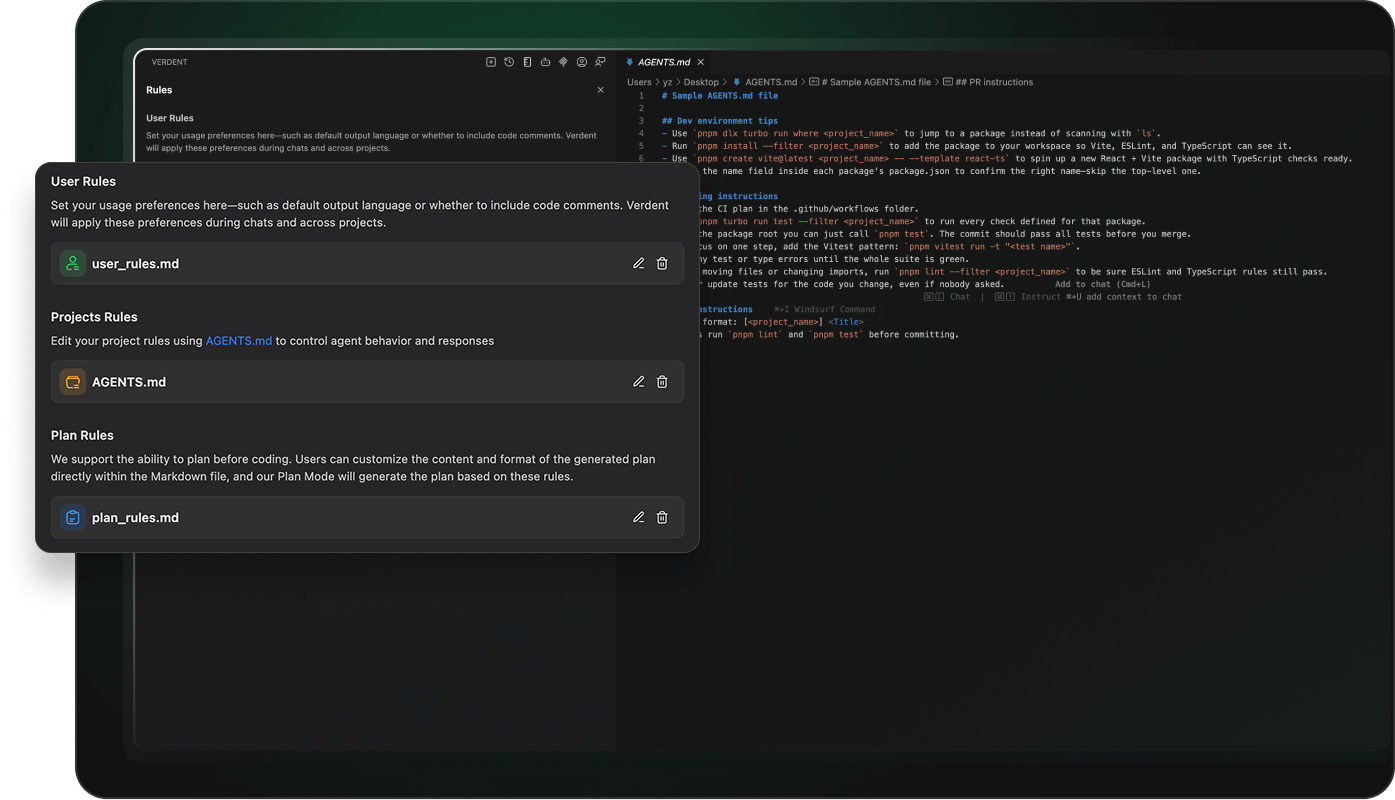
MCP Integration: Interoperability with MCP tools and extended functionality via toolchains and custom plugins 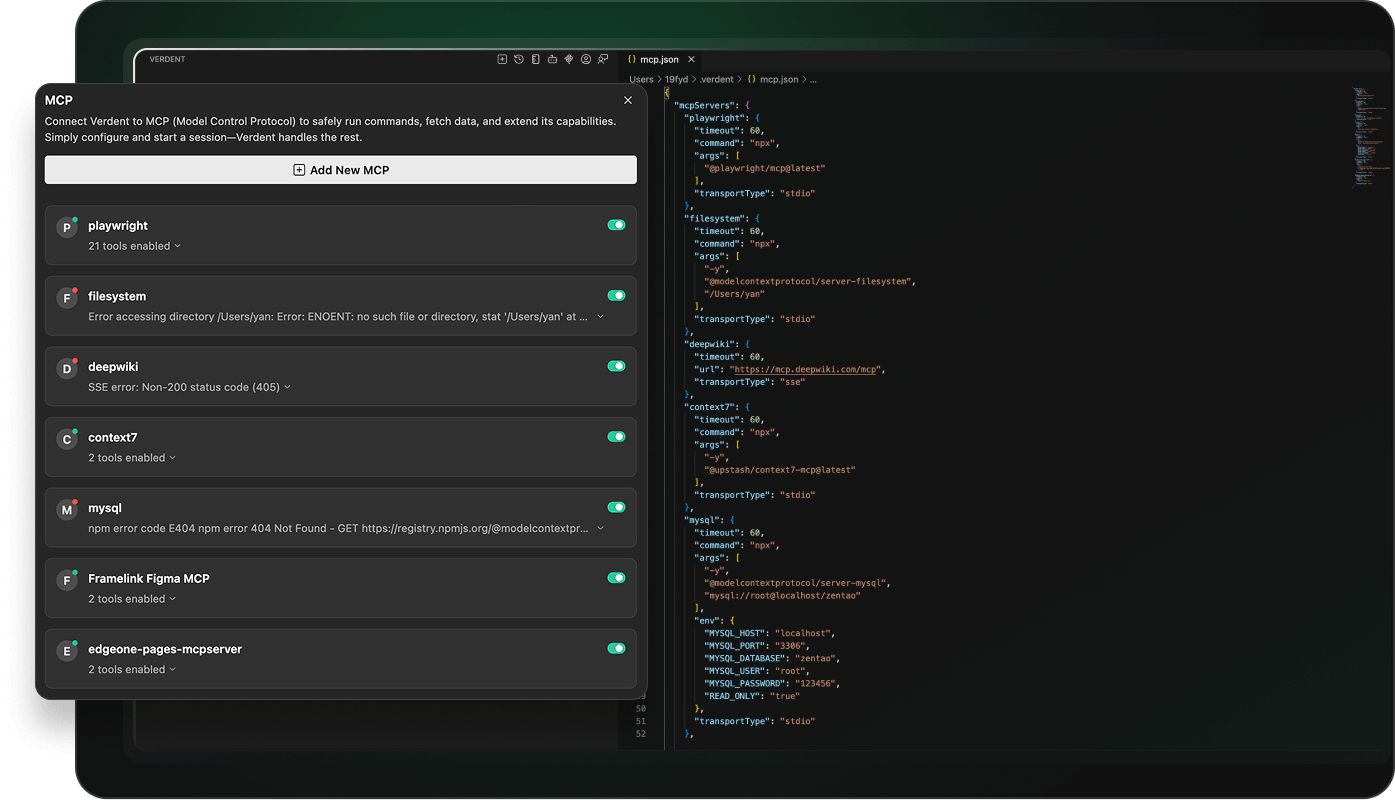
|