Waterloo DocstringsVisual Studio Code tools for writing, validating, and generating Waterloo docstrings in Python. Installation Launch VS Code Quick Open ( Ctrl+P), paste the following command, and press enter.Copied to clipboard |

Waterloo Docstrings for Visual Studio Code
The Waterloo Docstrings project defines a structured docstring format with explicit section semantics, normativity rules, and multiple render targets. The same source docstring can be consumed by humans, LLM-assisted tooling, and renderers without losing structural meaning. This extension adds VS Code support for Waterloo docstrings in Python. It
provides syntax highlighting for roles such as Source and releaseThe extension source and release workflow are tied to the GitHub repository:
This GitHub repository is the public source of truth for the extension and is the repository used for the Trusted Publisher workflow on the Marketplace. RequirementsTo use the extension, install the Waterloo Python package that provides the backend and shared schema data:
Install it from PyPI: If you want the Sphinx extension and related extras, install: The package can also be installed from the GitHub repository during active development, but PyPI is the default release channel now. If you prefer to work from a fresh checkout, clone the This extension provides:
FeaturesThe extension contributes the following commands:
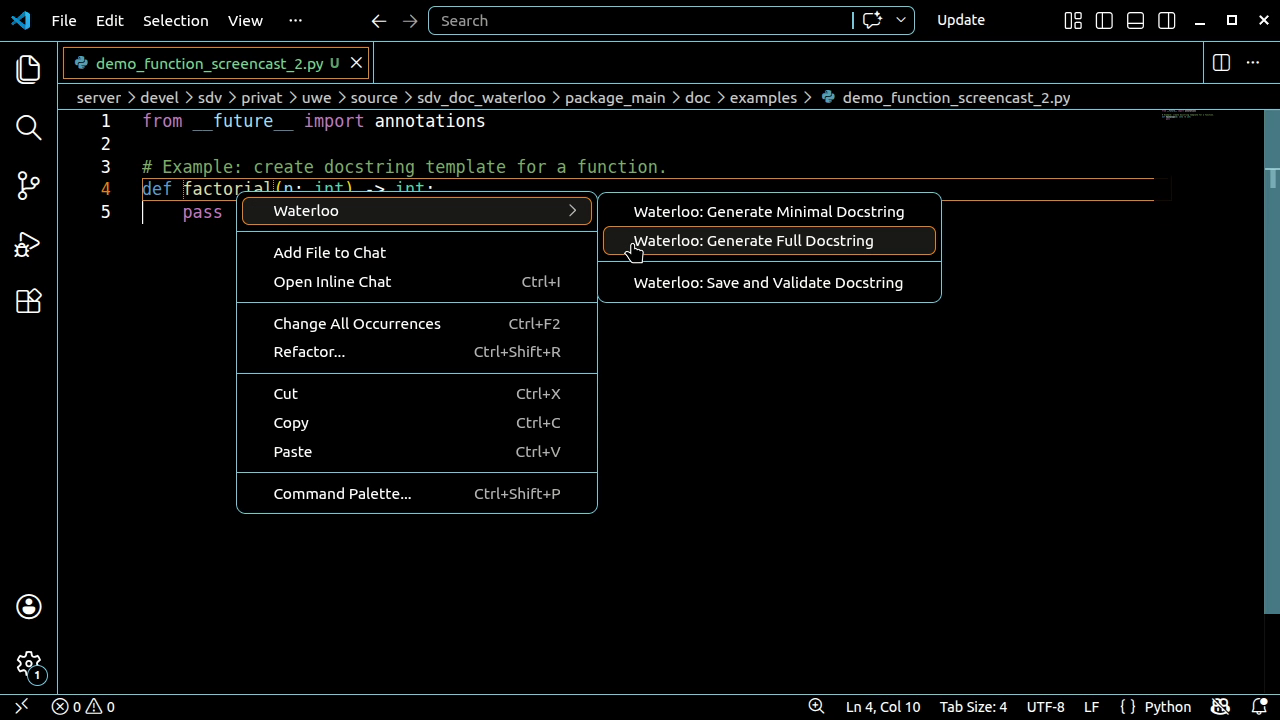
In Python files, these commands are also available from the editor context menu under:
The menu appears when the current line is a supported location, such as:
Quick tutorial
If generation is selected, a docstring template is inserted below the current definition. If validation is selected, the extension reports whether the docstring is valid. The same commands are also available from the Command Palette under names
starting with ConfigurationThe extension defines the following setting:
If enabled, successful Waterloo operations show VS Code information messages. Known issuesNo known issues at the moment. Please report problems on GitHub. Included componentsThe extension bundles both major parts of the Waterloo tooling for VS Code:
Compatibility
|