SFTP Sync, Upload on Save, FTP Sync, SFTP Client, FTP Client, Remote File Explorer, Deploy to Server, SSH, FTPS, SCP, Rsync, FileZilla, WinSCP Alternative for HTML, CSS, JavaScript, TypeScript, PythonSFTP sync and FTP sync for VS Code: upload on save, deploy to server and browse a remote file explorer over SFTP, FTP, FTPS, SSH and SCP. Two-way sync, diff local vs remote, git deploy of changed files, multiple servers and a dual-pane file manager: a FileZilla and WinSCP alternative. Works with HTM Installation Launch VS Code Quick Open ( Ctrl+P), paste the following command, and press enter.Copied to clipboard |

SFTP / FTP Sync & DeployUpload on save, browse and edit files on your server, sync folders both ways, deploy only the files git says changed, and move files in a keyboard-driven dual-pane manager. Works with SFTP (SSH), FTP and FTPS on macOS, Windows and Linux. No AI, and nothing about your files or servers is ever sent to us.
Why switchThe popular SFTP extensions have not been updated in years and have hundreds of open issues. This one is maintained and has a real UI.
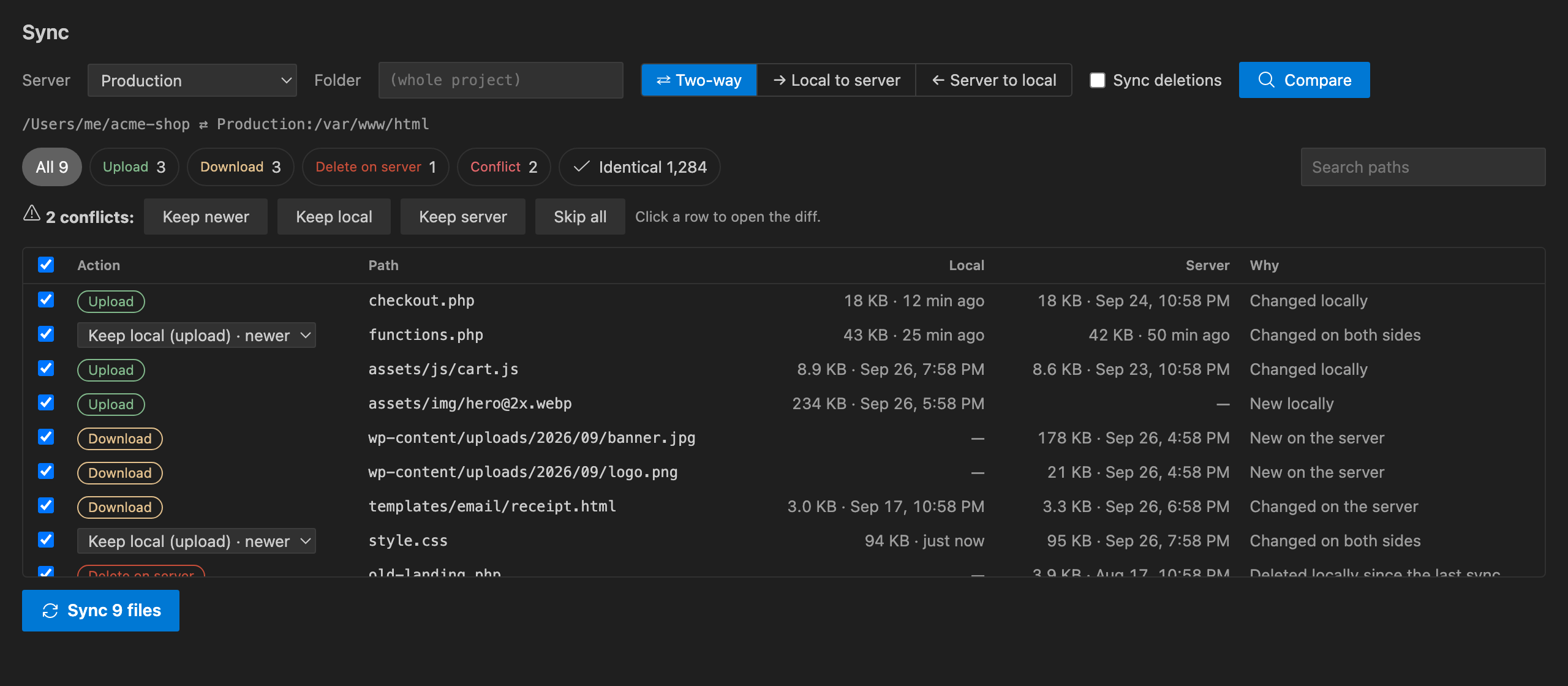
FeaturesUpload on saveSave a file and it goes to the active server. The status bar shows which server that is: click it to switch between Production, Staging and any others. Upload on save honours your Servers tree and remote editingThe SFTP / FTP activity bar lists every server. Expand folders lazily, then open, edit and save remote files directly (saving writes to the server). You can also create files and folders, rename, delete, download, upload into a folder, and diff a remote file with your local copy. Diff local vs remoteRight-click a file and choose SFTP / FTP › Diff with Server to open VS Code's diff editor with the server version on the left. Two-way sync with conflict resolutionSync Folder with Server scans both sides and shows every file that would change: uploads, downloads, deletions and conflicts. Conflicts are files changed on both sides since the last sync, and you resolve them per file or all at once (keep newer, local or server). Nothing happens until you press Sync. Other modes: Local → server and Server → local mirrors, with optional removal of extra files. Git deployDeploy Changed Git Files uploads exactly what changed:
Deleted and renamed files are removed from the server after you confirm. Dual-pane file manager
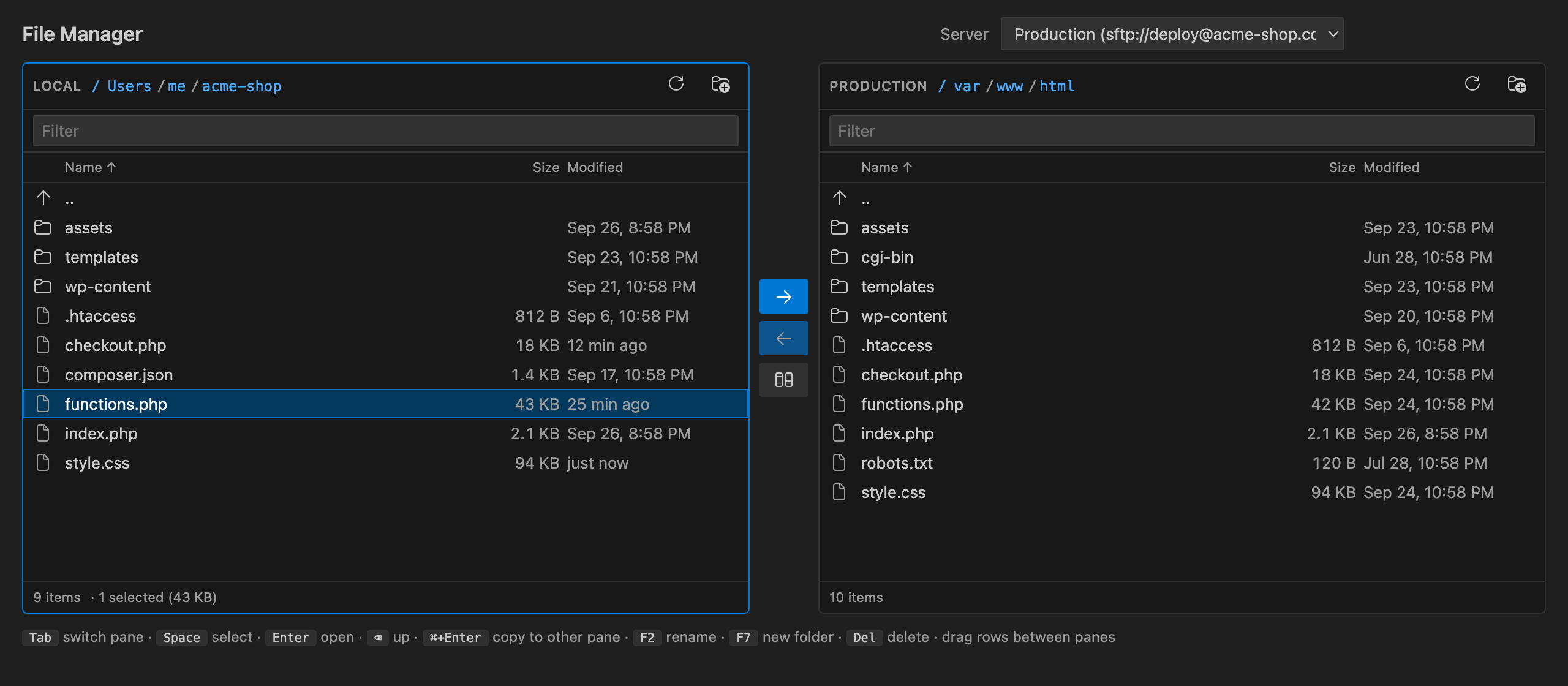
Local files on the left, server files on the right. Drag rows across, or use the keyboard:
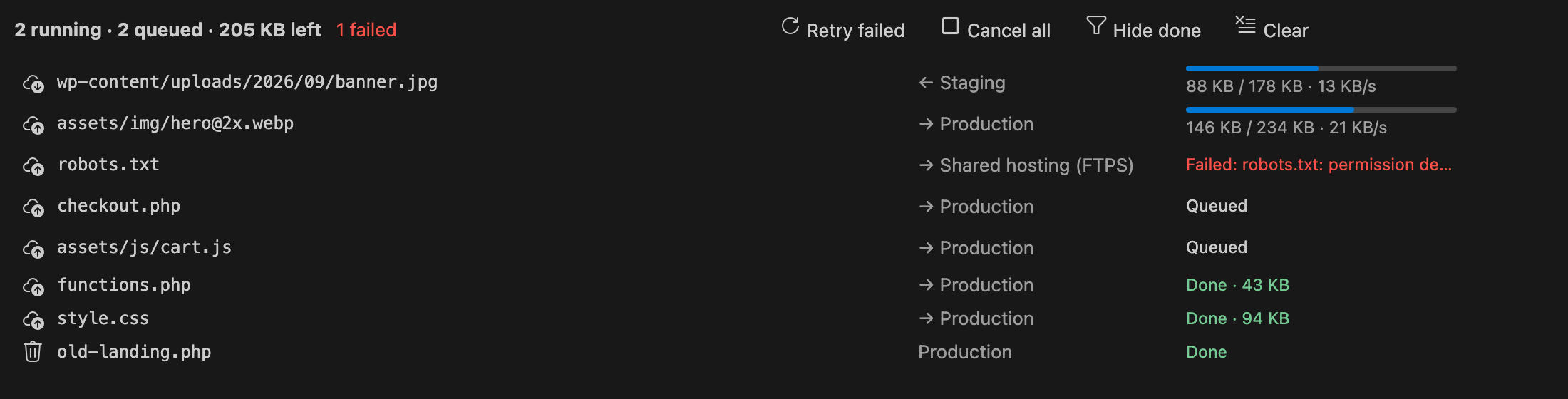
Transfer queue
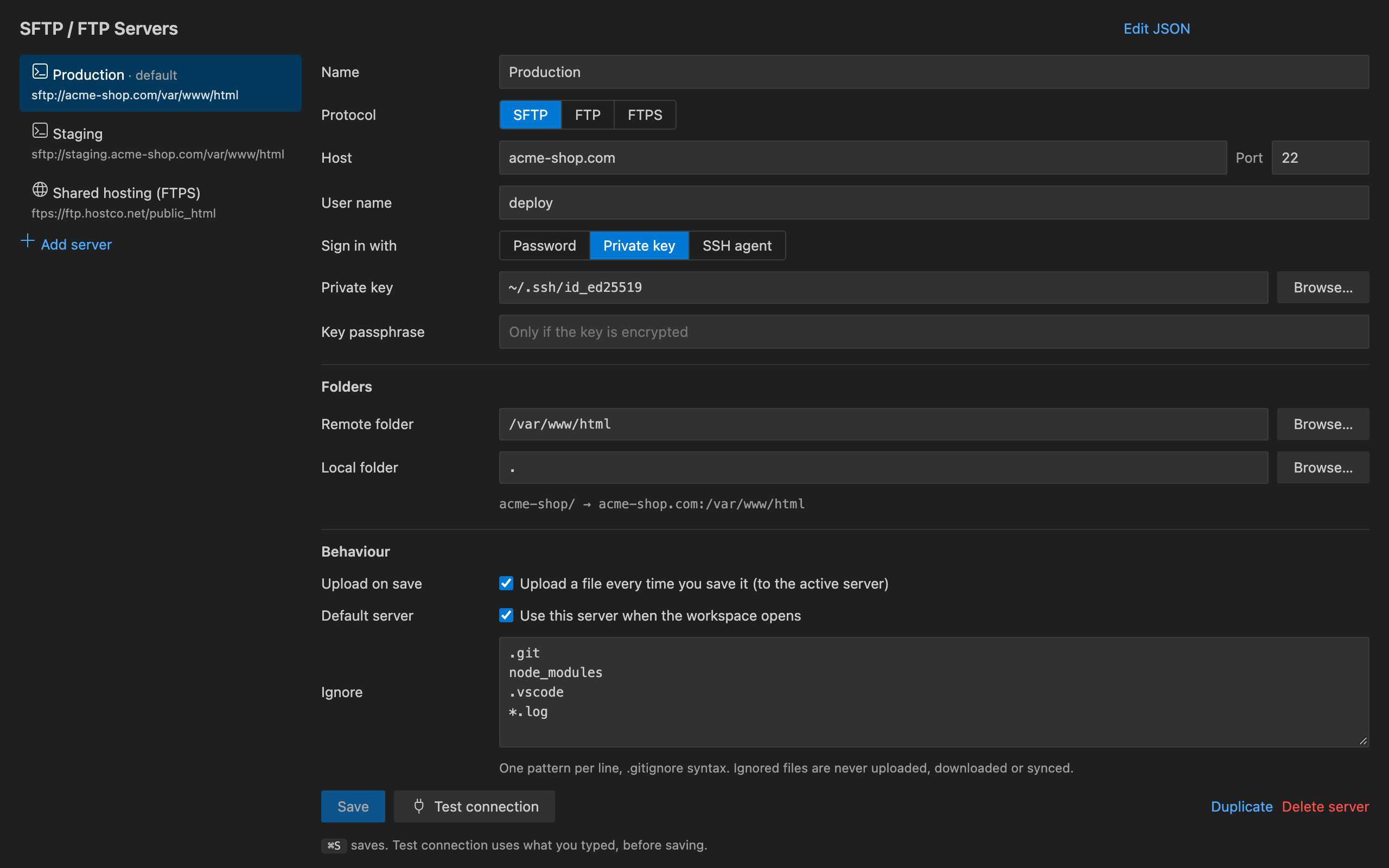
Every transfer goes through a queue, shown in the Transfers panel with progress, speed, cancel and retry. Browsing uses a separate connection, so you can keep working while a big upload runs. Multiple serversAdd as many servers per workspace folder as you like. Each server has its own local folder, remote folder, ignore rules and upload-on-save setting. Multi-root workspaces are supported.
Getting started
Shortcuts: Free trial and UnlimitedEvery feature is included in the free trial. The trial counts only the time you actively use the extension. When it ends, choose an Unlimited plan: monthly, yearly or a one-time lifetime licence. Checkout is handled by Stripe in your browser, and Unlimited turns on without reloading VS Code. Already paid? Use SFTP: Restore Purchase and we email you a link. Privacy
Configuration file
SupportEmail ope@trysixth.com. |