JSON Viewer & JSONL Editor
Open huge JSON, JSONL, NDJSON and GeoJSON files in VS Code without freezing it. A 50 MB JSON or a 200,000-line JSONL file opens in a fraction of a second, as a fast collapsible tree or a sortable, filterable table. Search every key and value, filter with JSONPath or jq, copy paths, format and minify, see the exact line and column of a syntax error, decode JWTs, export CSV and compare two files.
No ads, no account, no AI. Your files never leave your machine.
Features
Opens huge files instantly
- Files are parsed in a background thread, so the editor never locks up, even on 50 MB+ files.
- Only what is on screen is drawn. Scroll through 200,000 items as smoothly as through 20.
- Children load page by page as you expand and scroll.
- The header shows the file size, the number of items or lines, and how long parsing took.
Collapsible tree
- Expand and collapse with the mouse or the keyboard (arrows,
Enter, Home/End, PageUp/PageDown).
- Strings, numbers, booleans and
null in your theme's colours, with the size of every object and array.
- Copy path (
$.users[3].email), copy path as JavaScript (data.users[3].email), copy value and copy key from the right-click menu or the bar under the tree.
- Edit any value and delete keys or items, then save them back to the file.
JSONL and arrays as a table
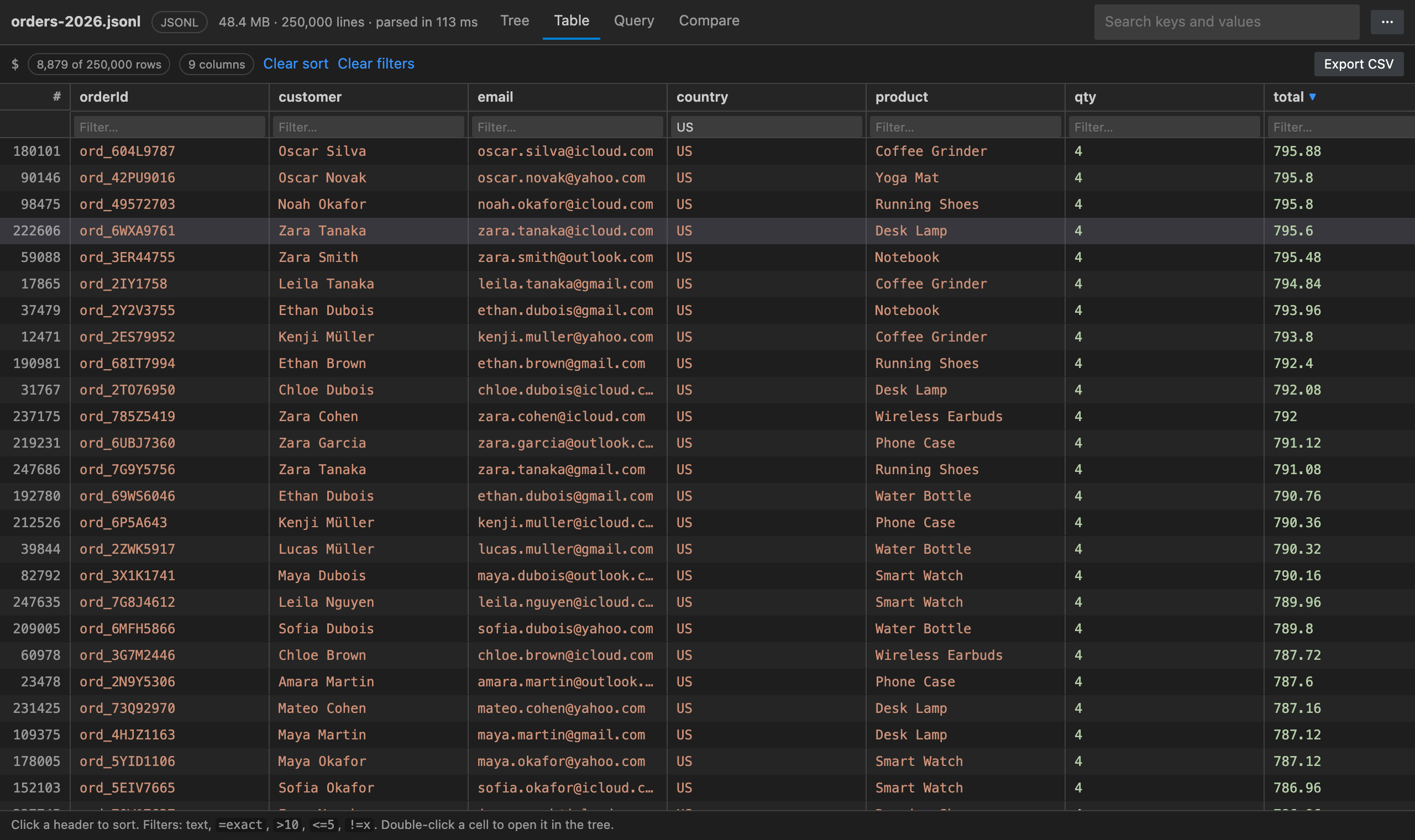
.jsonl, .ndjson and .jsonlines files open as a table by default; any array of objects can be shown as a table (right-click it and pick Show as table).- One column per key, merged across every row. Click a header to sort. Drag to resize columns.
- Filter each column:
text (contains), =exact, !=value, >10, <=5.
- Lines that are not valid JSON are kept and flagged, so one bad line never stops you opening a log file.
- Export the rows as CSV, with your sort and filters applied, ready for Excel or Google Sheets.
Search, JSONPath and jq
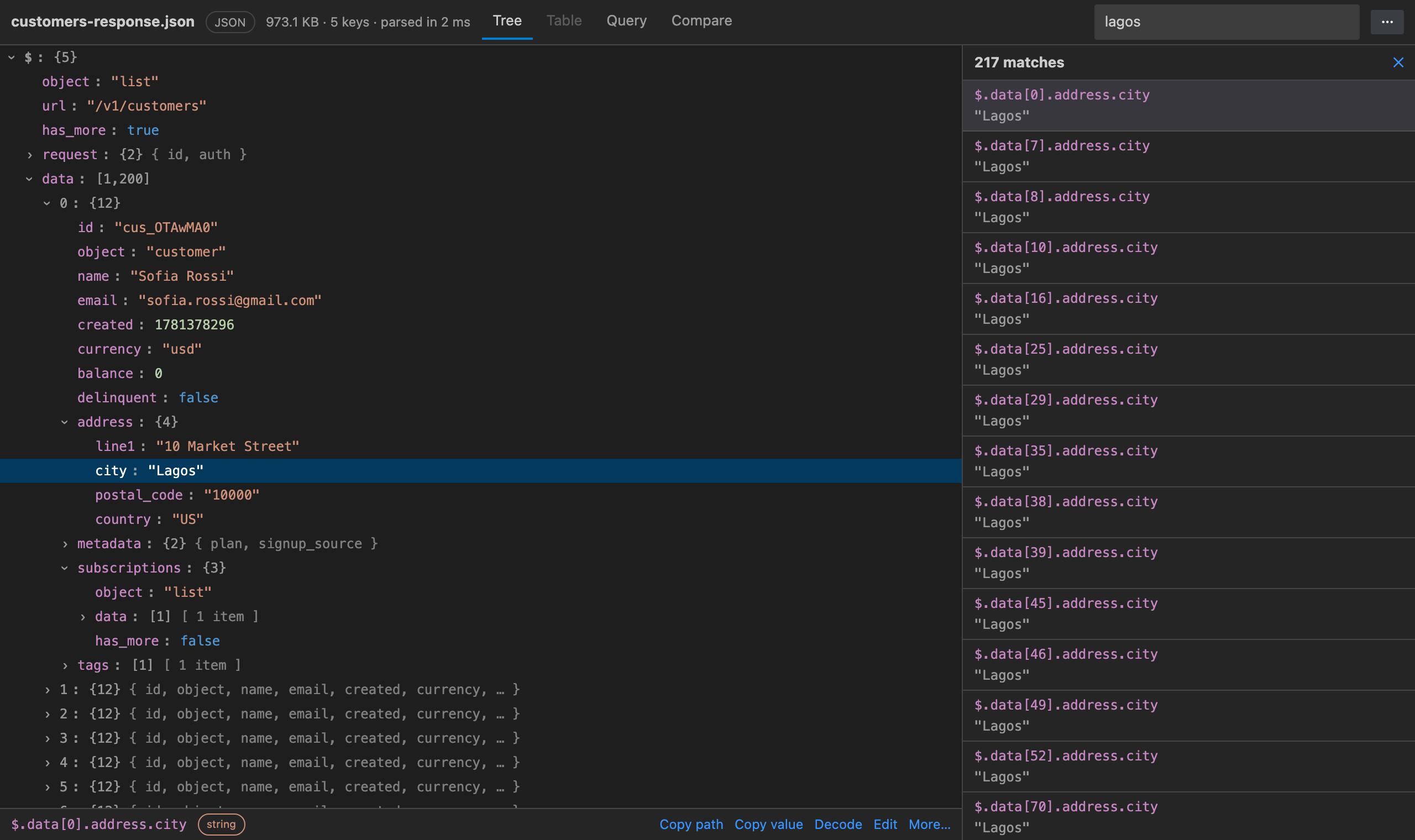
- Search keys and values across the whole file (
Ctrl/Cmd+F). Click a match to jump to it in the tree.
- JSONPath filter:
$..id, $.store.book[*].author, $[0:10], $[-1], $[?(@.price < 10 && @.inStock)], regex =~ /gmail/i.
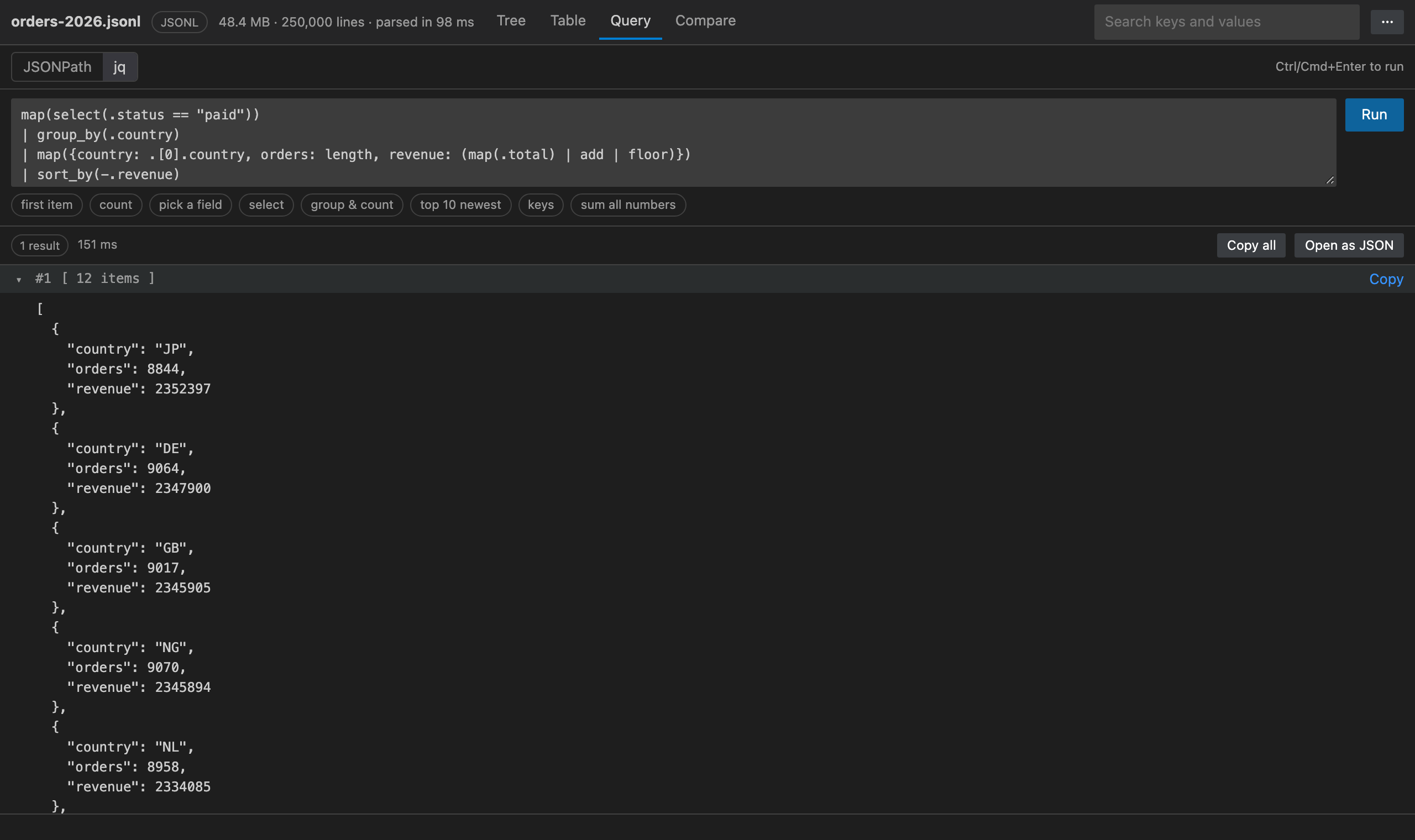
- jq query editor: pipes,
select, map, group_by, sort_by, unique, to_entries, with_entries, keys, length, add, min_by/max_by, test, split/join, object construction {name, email}, if … then … else … end and more. JSONL files are queried as one array of lines.
- Copy every result as JSON, or open them in a new tab.
Exact error line and column
- Broken JSON opens in an error view with a plain-English reason (Trailing comma before "]", Keys need double quotes, missing comma?), the line and column, and the lines around it with a marker under the problem.
- One click opens the file in the text editor at that exact spot.
JWT and base64 decoder
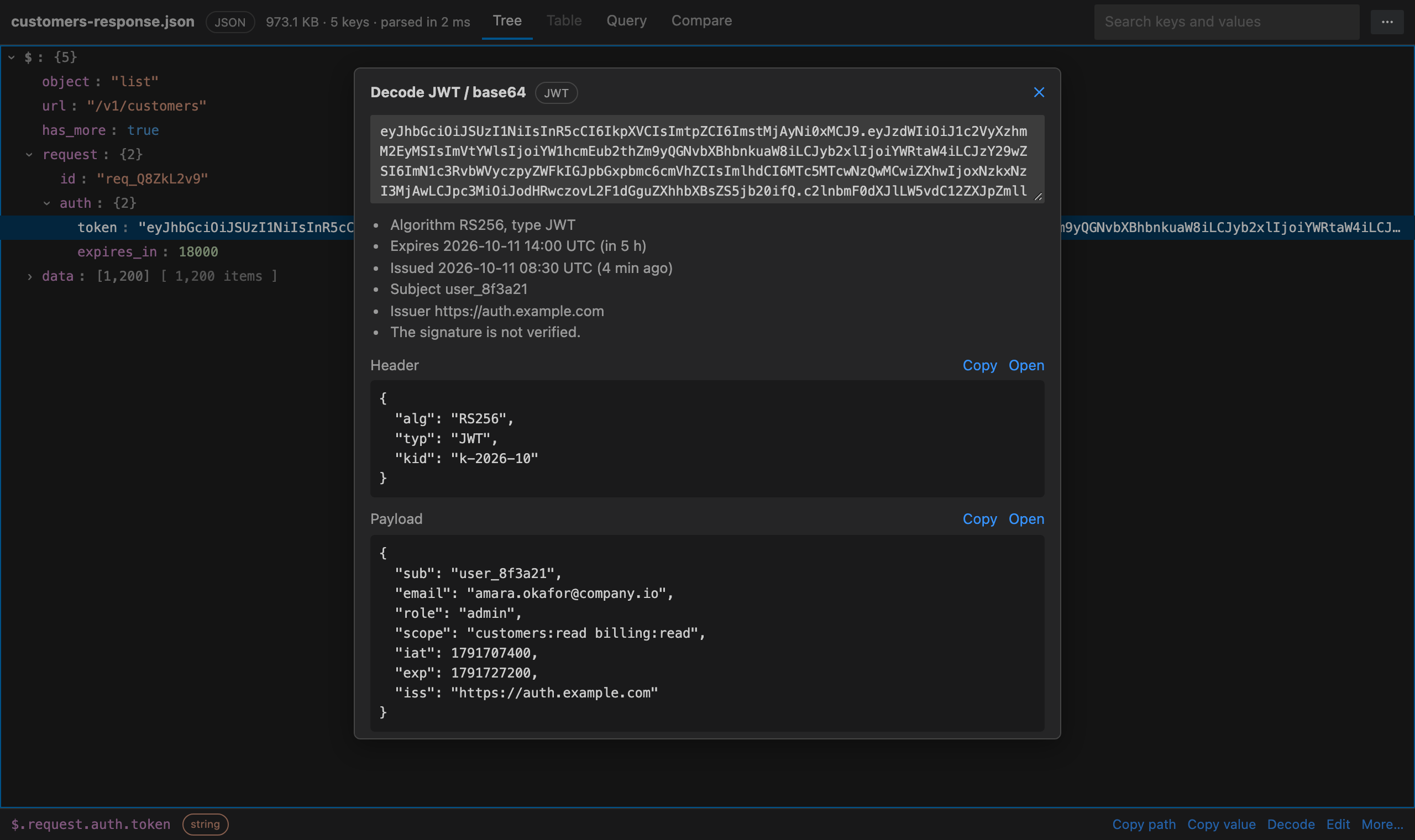
- Select any string and press
Enter (or right-click → Decode JWT / base64).
- JWTs show their header and payload, the algorithm, and when the token was issued and expires (expired 2 h ago, expires in 5 h).
- Base64 and
data: URLs decode to text or JSON (binary shows as hex).
- Format, minify or sort keys (deeply) into a new tab, or straight into the file.
- Compare with another JSON file: every added, removed and changed value, with its path. Objects are matched by key, arrays by position. Click a difference to see it in the tree.
- Edits keep the file's indentation. If another program changes the file, it reloads by itself.
How to open a file
- .jsonl / .ndjson / .jsonlines files open in JSON Viewer automatically.
- .json / .geojson files keep opening in the normal text editor. Click the Open with JSON Viewer button in the editor title bar, right-click the file in the Explorer, or run JSON Viewer: Open with JSON Viewer.
- When you open a large JSON file as text, JSON Viewer offers to open it for you (you can turn this off).
- Switch back any time with Open as Text.
Commands
Open the Command Palette and type JSON Viewer:
- Open with JSON Viewer, Open JSON File…, Open as Text
- Search Keys and Values, Filter with JSONPath, Run jq Query
- Show as Table, Show as Tree, Export Table as CSV…
- Compare with Another JSON File…, Save Edits, Reload from Disk
- Format JSON, Minify JSON, Sort Keys, Decode JWT / Base64
- Restore Purchase
Click the { } icon in the Activity Bar for one-click access: Open a JSON file…, open the current file, search, JSONPath, jq, compare and CSV export, your recent files, and the most-used settings.
Settings
| Setting |
Default |
What it does |
jsonViewer.defaultView |
auto |
Start in the table for JSONL and lists, the tree otherwise (or always tree / table) |
jsonViewer.showStatusBar |
true |
Show items and file size in the status bar |
jsonViewer.suggestForLargeFiles |
true |
Offer JSON Viewer when a large JSON file opens as text |
jsonViewer.largeFileMB |
5 |
Size from which a file counts as large |
Free trial and Unlimited
JSON Viewer & JSONL Editor starts with a free trial that includes every feature. When it ends, choose an Unlimited plan to keep using it: Unlimited Monthly, Unlimited Yearly or Unlimited Lifetime (pay once). Stripe handles the payment securely in your browser, and Unlimited turns on here by itself, with no restart.
Already paid on another machine? Run JSON Viewer: Restore Purchase and enter the email you paid with. Subscribers can open Manage subscription from the plans screen.
Privacy
- Your files are read and parsed only on your machine (or inside your remote workspace). Nothing from your files is ever sent anywhere.
- The only network calls are the licence checks for the free trial and Unlimited. They send a random install id, a hashed machine id and how many seconds of active use went by, to
api-ext.viralinc.live. If VS Code telemetry is turned on, the extension also sends two anonymous usage events (opened, and the Unlimited page shown) with the same random install id, and nothing else.
Notes
- The whole file is held in memory while it is open (in a background thread). Files of several hundred MB work; very large files need enough free memory.
- JSON with comments (JSONC) and trailing commas is shown in the error view, since it is not valid JSON.
- Search, JSONPath and jq results are capped on screen (copy or open them to get everything).
Support
Email ope@trysixth.com. We read everything.
| |

