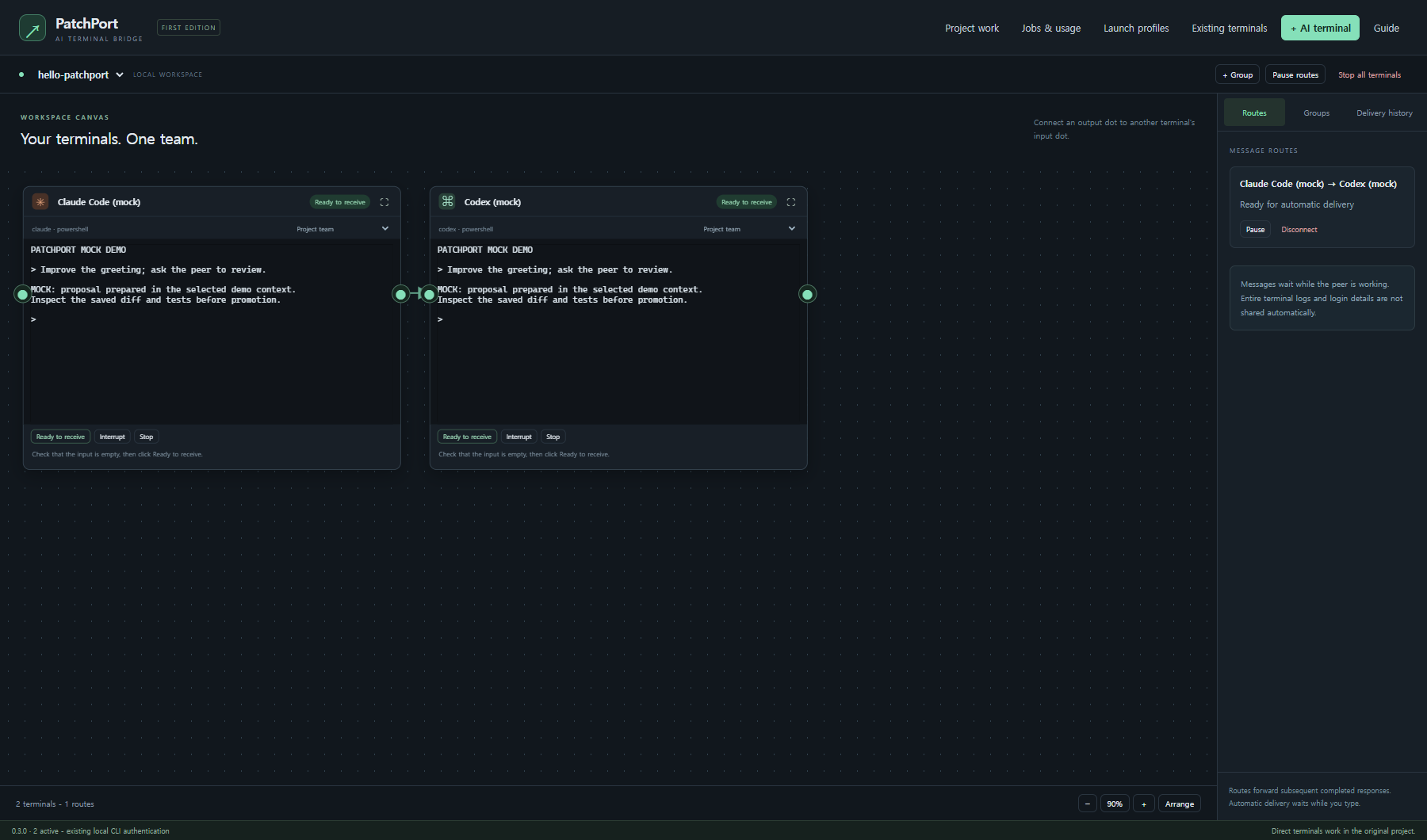
PatchPort for VS CodePut your AI terminals on one board. Connect their replies. Review their changes. PatchPort opens real Codex CLI and Claude Code terminals and local Ollama or LM Studio text conversations inside VS Code. Type and approve requests in each CLI as usual, then connect an output dot to another terminal's input dot to forward completed replies. Your existing CLI authentication and permissions stay in use.
Screenshots show an earlier English Windows build with controlled demo data, not live provider responses or account usage. This document describes source 0.6.0. Before you startInstall Python 3.11+ and the official provider CLI(s), then finish each CLI's own login. Open a trusted local project folder in VS Code. The VSIX includes the Python core and workflow helpers; Python and the provider CLIs are separate. Node.js and Git are needed only for building from source. If Python is not found, set Your first connection
An arrow forwards subsequent completed replies, not the entire conversation or raw terminal log. A return message needs a return arrow. Pause routes pauses delivery; Stop ends a terminal. Provider requests can consume your allowance. Choose how files are changed
For copy work, install the repository's Python backend in a separate environment,
run project setup and select that same Python in Other useful panels
Failed/interrupted provider work is not retried automatically. Restoring a board does not restart AI work or resend uncertain deliveries. Talk to a local modelSet up Ollama or LM Studio and a text model first. In Launch profiles, choose New local profile, enter the loopback server origin and exact model ID, and confirm the model runs on your computer. Check connection lists models without generating, downloading or loading them. Set context/output limits and save. For authenticated LM Studio servers, save the profile and use Set API token; VS Code stores it in SecretStorage for that profile and origin. Add a terminal with this profile. Enter submits, Ctrl+J or Alt+Enter adds a line, and Ctrl+C cancels. Pasting multiple lines does not submit them. Connect its output dot to route only completed replies. Local chat has no file or command tools. New local conversation clears model context in a new session; New round resets group delivery counts while retaining context. See the bundled local-model walkthrough. Platforms and helpNative packages target local Windows x64, glibc Linux x64/ARM64, and macOS Intel/Apple Silicon. Remote extension hosts, Remote-WSL, Alpine/musl and Windows ARM64 are outside the current supported scope. Ordinary-task/role-flow body removal, connection-file removal and their guided cleanup stages remain Windows-only. Local chat supports loopback text inference; remote servers and local coding-agent tools are outside its current scope. Open Guide on the board for the bundled walkthrough. The online guide covers examples and troubleshooting; the platform guide covers native requirements. Source and build instructions are on GitHub. |