ubCodeSphinx and Sphinx-Needs real-time project insights. Installation Launch VS Code Quick Open ( Ctrl+P), paste the following command, and press enter.Copied to clipboard |

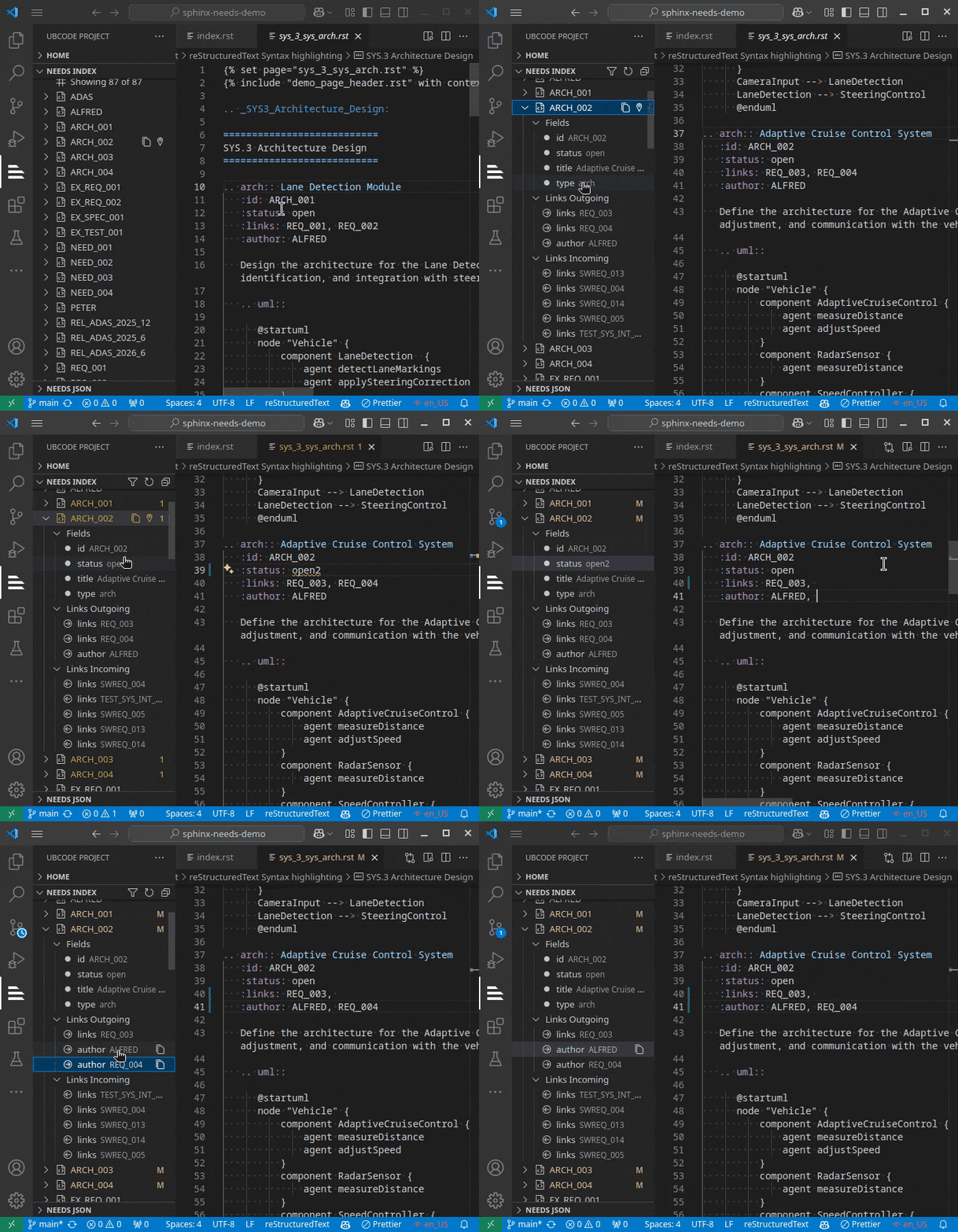
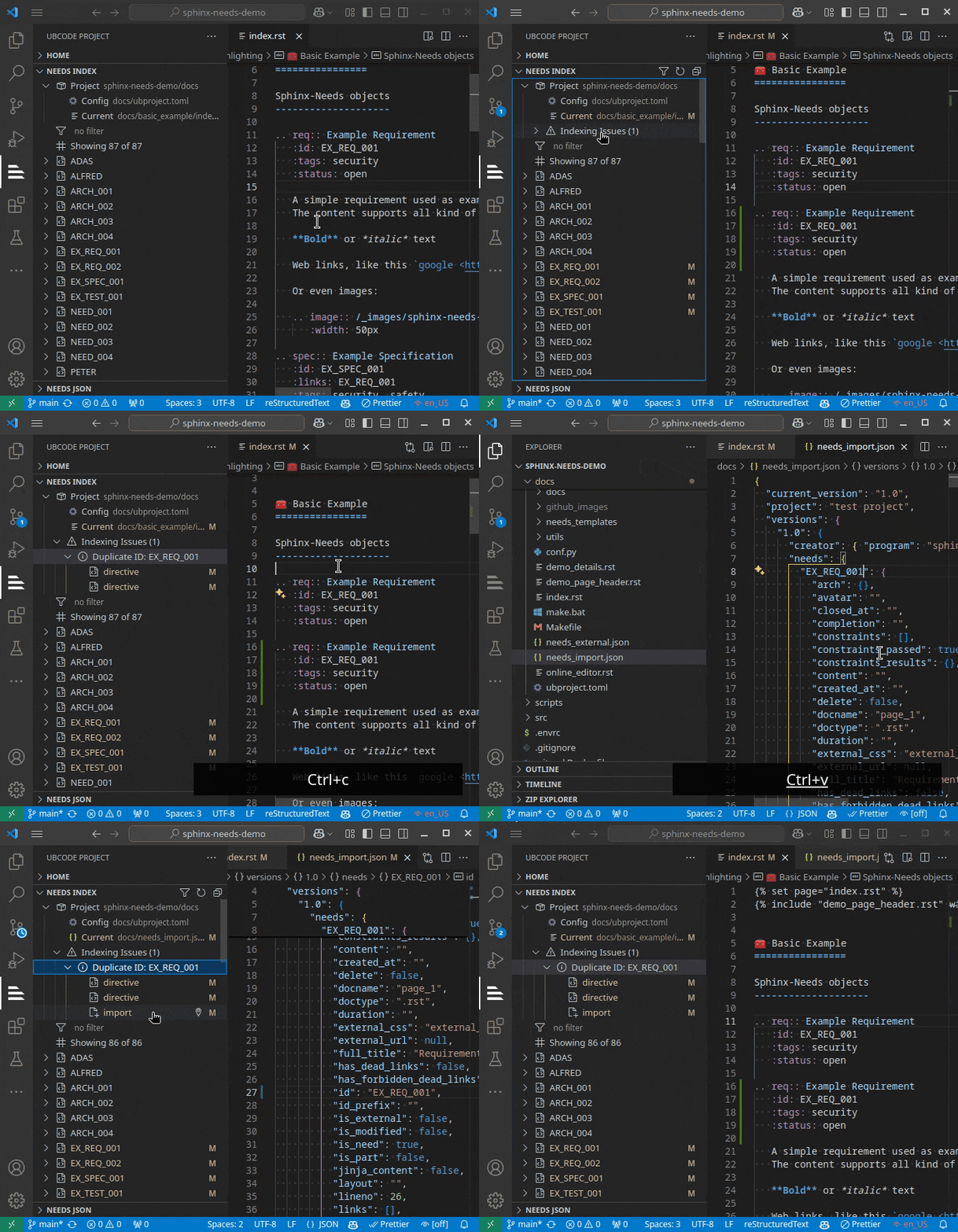
Enhance Sphinx and Sphinx-Needs editing experienceubCode features a lightning-fast language server that deeply understands Sphinx-Needs to provide a joyful editing experience in VS Code. Documentation: https://ubcode.useblocks.com/ ubCode is currently in open beta and improving rapidly. If you have any feedback or issues, please let us know: Real-time indexing of RST filesA Rust based RST indexer provides real-time insights into your Sphinx projects. The data is used to power many of the features below.
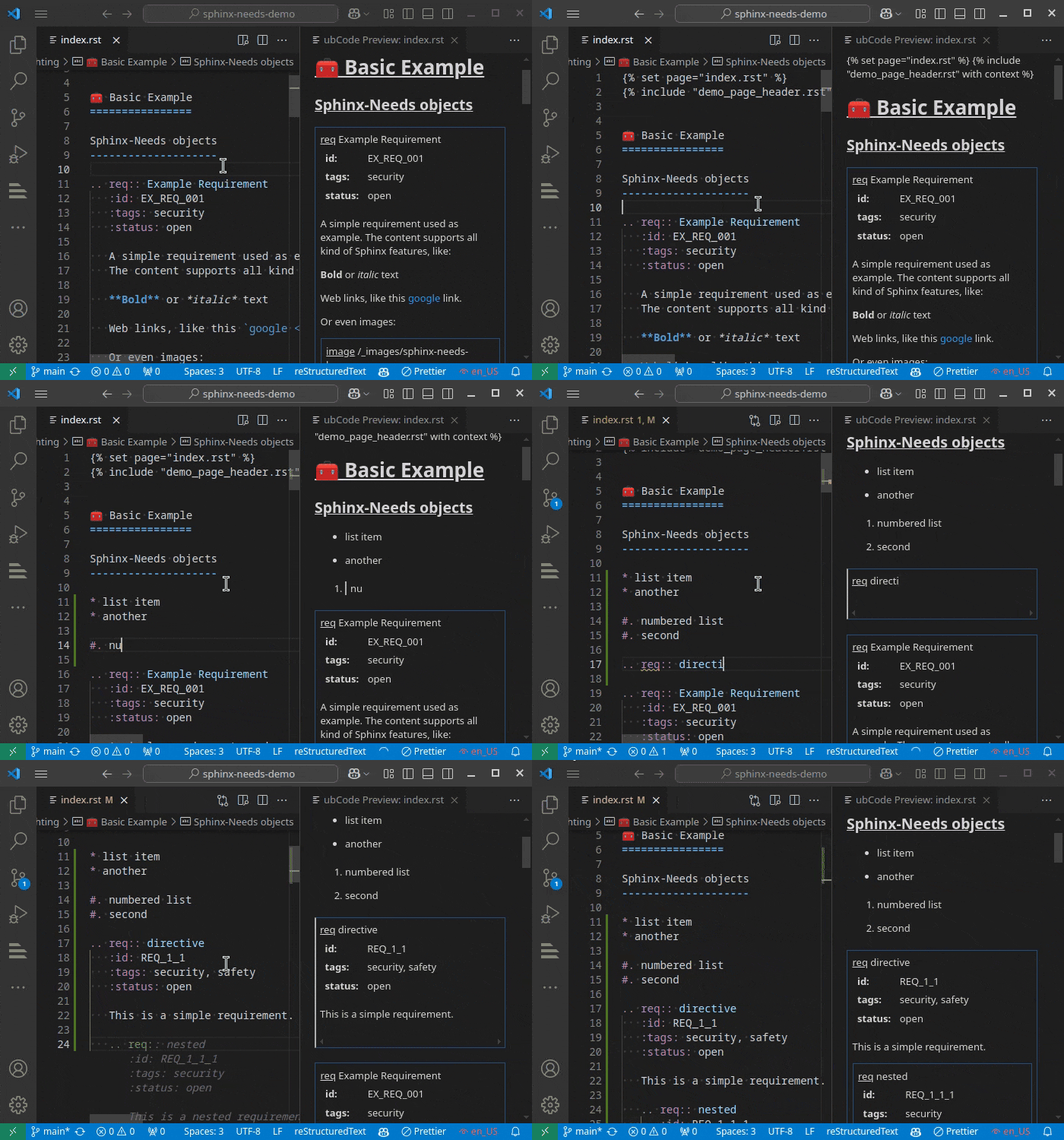
If the setting index_on_save is enabled, the indexer will re-index the whole project when a file is saved. This ensures that the index is always up-to-date. Real-time preview of RST filesubCode maintains a continuously updated preview of your RST files. It shows how Sphinx / docutils will see your RST input. Common mistakes can be detected such as wrong indentation, broken lists or directives.
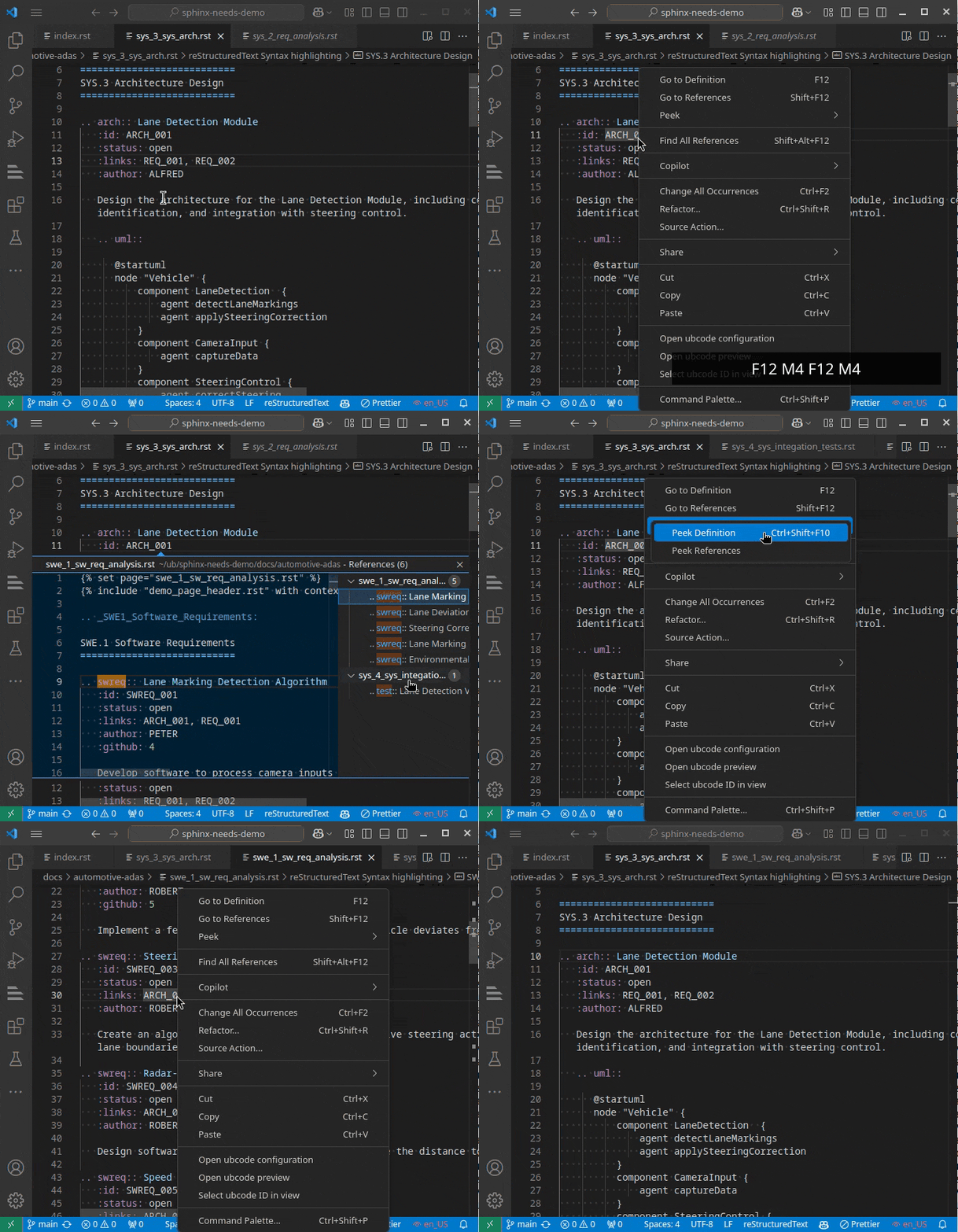
Navigation / LSP featuresThe indexer powers many navigation features such as "Go to Definition", "Find all References" and "Peek Definition".
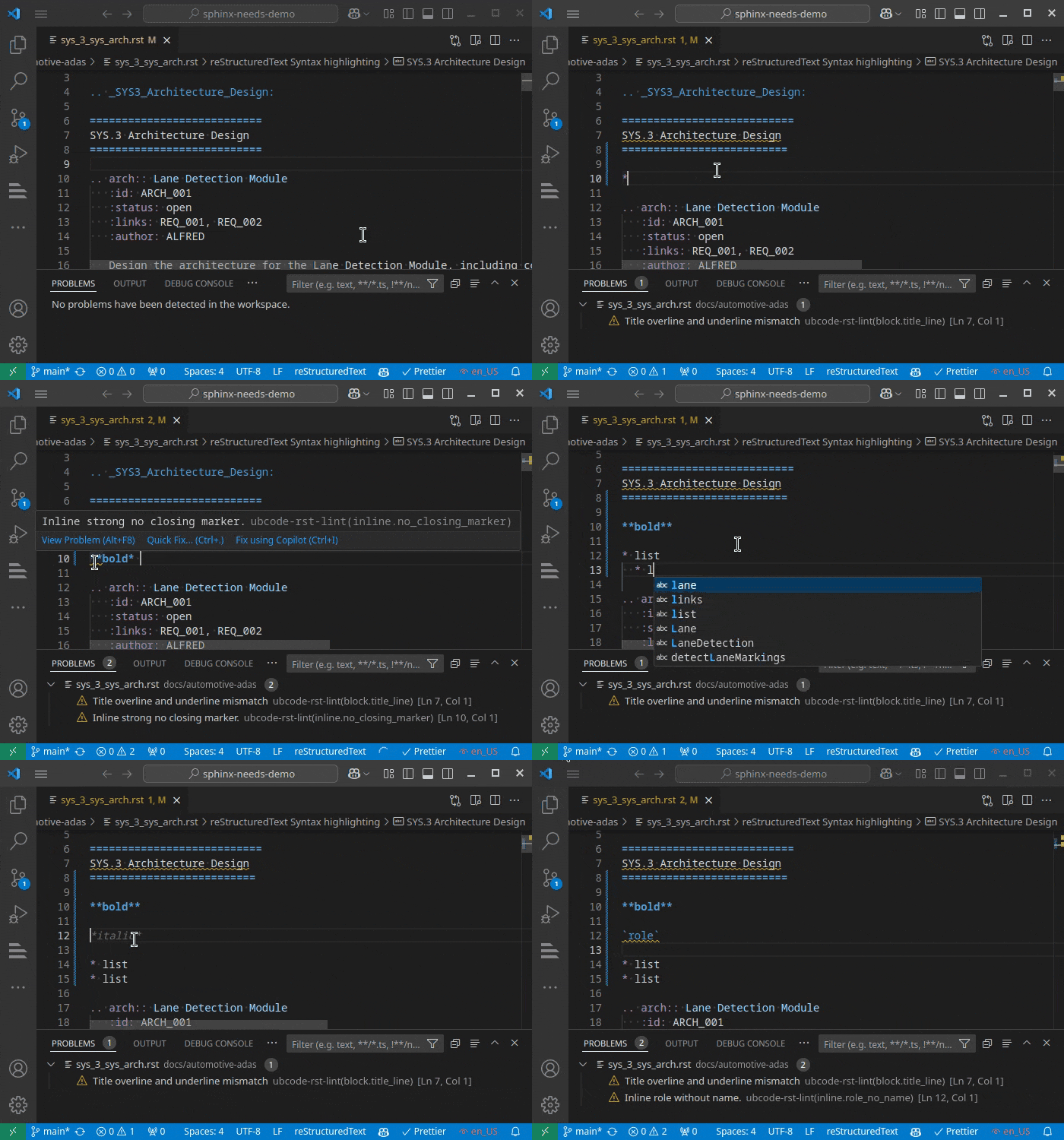
Linting & DiagnosticsCommon RST linting issues are detected and highlighted in real-time.
For project wide diagnostics a dedicated view is available:
FormatterubCode integrates an RST formatter that can fix lint issues
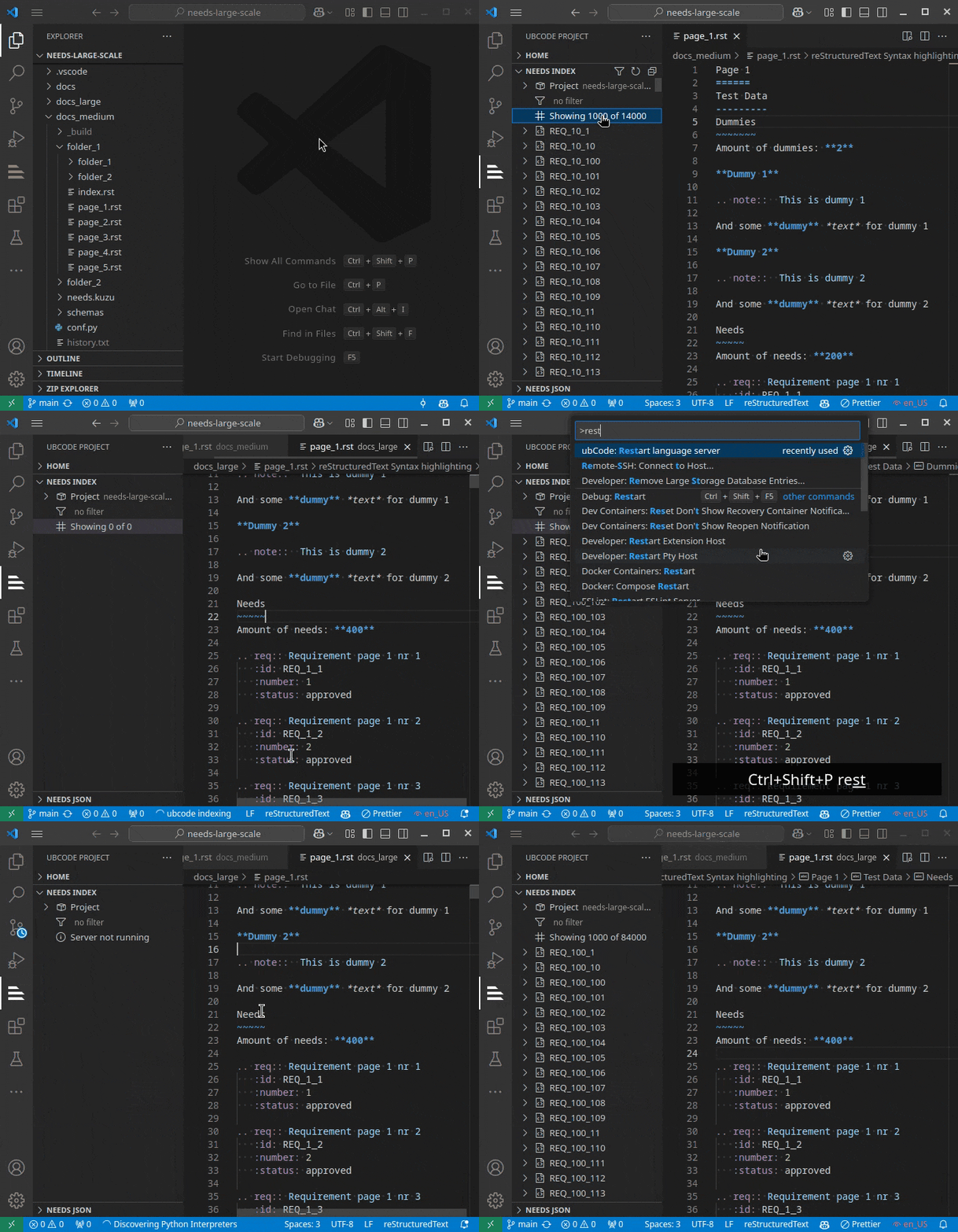
and integrates deeply with RST and known directives. It integrates into VS Code using the The formatter can also wrap paragraphs to a given line length, so you do not have to worry about that anymore. Its behavior can be customised. Large projectsubCode is designed to handle large Sphinx projects with thousands of files and need items.
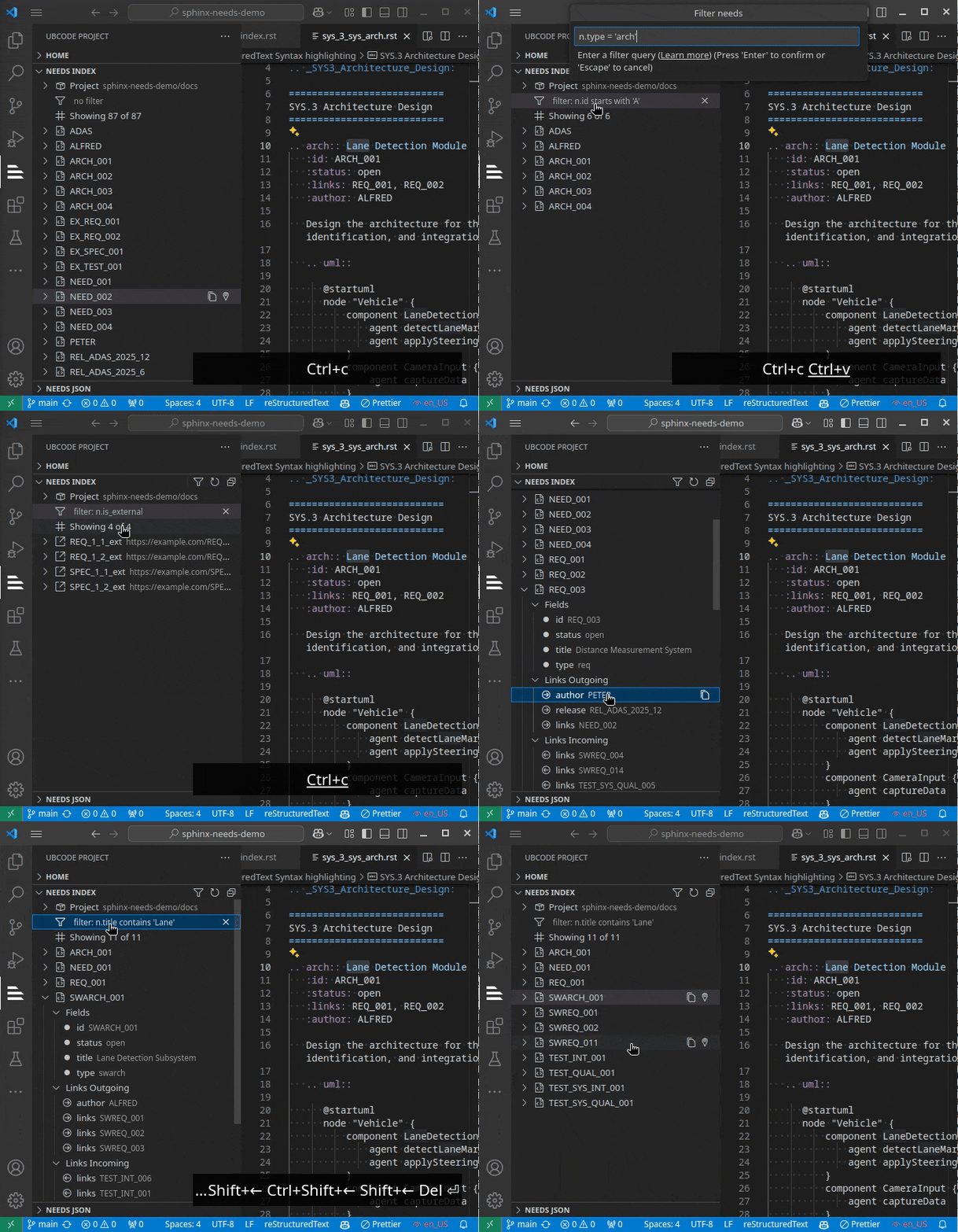
Filtering
Model Context Protocol (MCP) IntegrationubCode includes a built-in MCP server that provides AI assistants with seamless access to your Sphinx-Needs project data. This integration enables AI tools to query and retrieve information about requirements, specifications, and other needs directly from your project. The MCP server automatically:
AI assistants can use this integration to help with requirements traceability, project analysis, and documentation tasks by directly accessing your ubCode indexed data. ReportsRender HTML reports of your needs data, straight from the editor.
Reports are user-authored Jinja templates ( The Reports view in the ubCode sidebar:
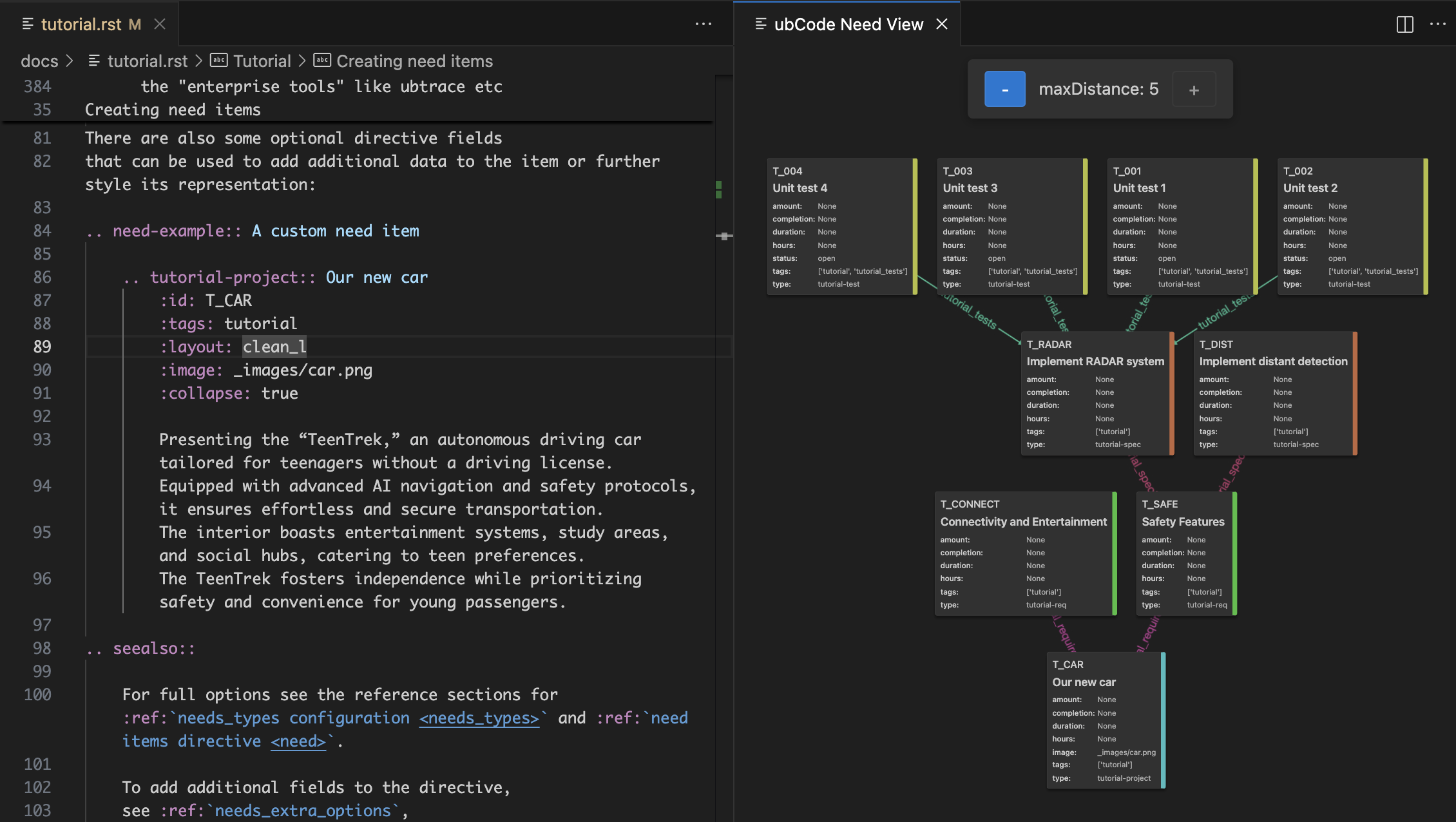
Needs Graph ViewerThe interactive Needs Graph Viewer provides a visual representation of relationships between needs in your project. This powerful visualization tool helps you understand complex requirement dependencies and navigate large projects more effectively. Key features:
To access the graph viewer:
LicenseubCode and its companion CLI app ubc is available free of charge with all features for public open source projects. For private projects, a paid license is required. We also offer free trials, so that you can evaluate ubCode in your own environment. Please get in touch with us for that. |