JSON Mindmap
Turn any JSON file into an interactive mindmap — explore, search and export in seconds.
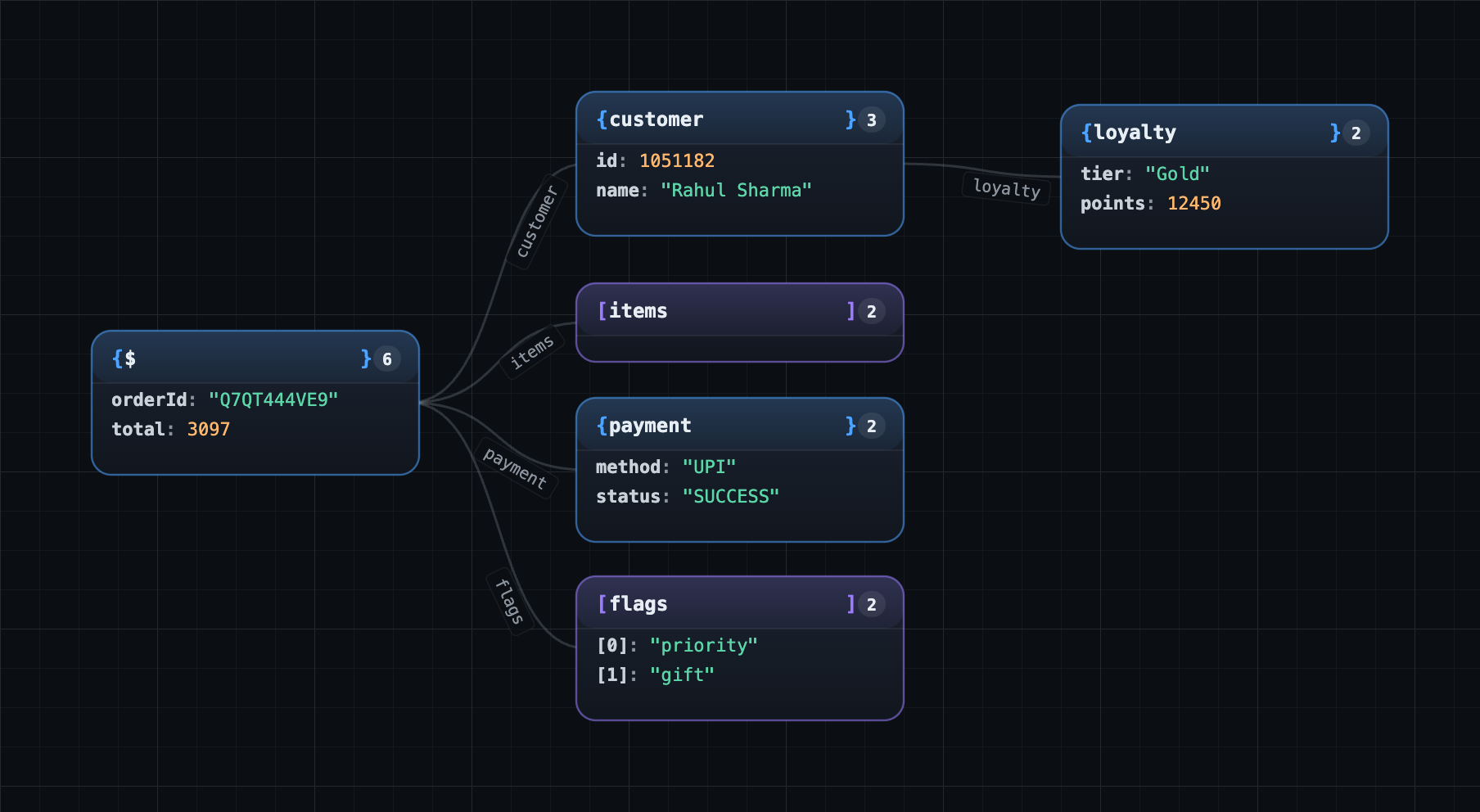
Why JSON Mindmap?
Reading deeply nested JSON in a normal editor is painful. Ctrl+F finds what
but never where. JSON Mindmap opens any .json / .jsonc file as a
visual graph so you can see the shape of your data, jump to any path instantly,
and stay in sync with your editor cursor.
Built for everyday workflows — API responses, configs, fixtures, large
analytics dumps — up to several megabytes, with no slowdown.
Features
- Mindmap view — see your JSON as a radial graph, with smooth curved
connections between parent and child objects.
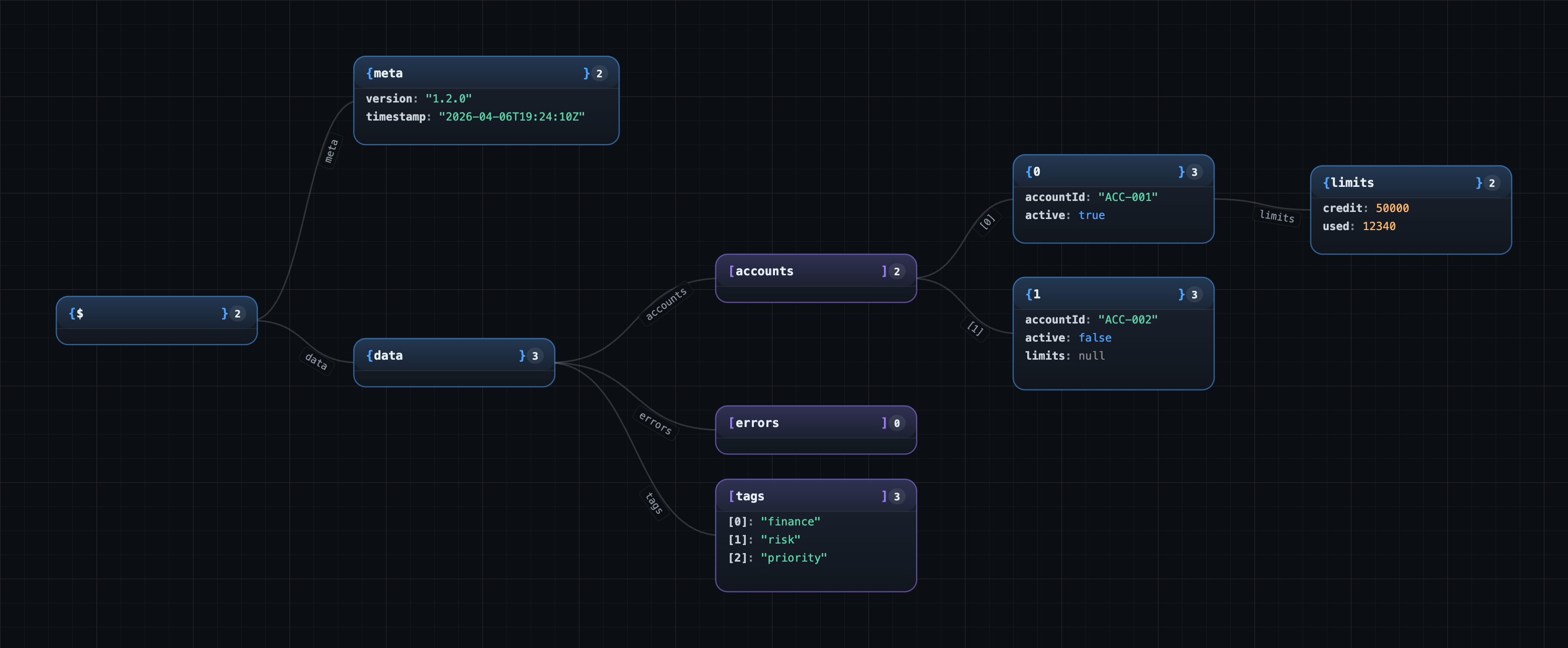
- Grid view — a compact card layout when you want density over flow.
- Bidirectional editor sync — click any card to jump to that location in
the editor; move the cursor in the editor and the matching card lights up.
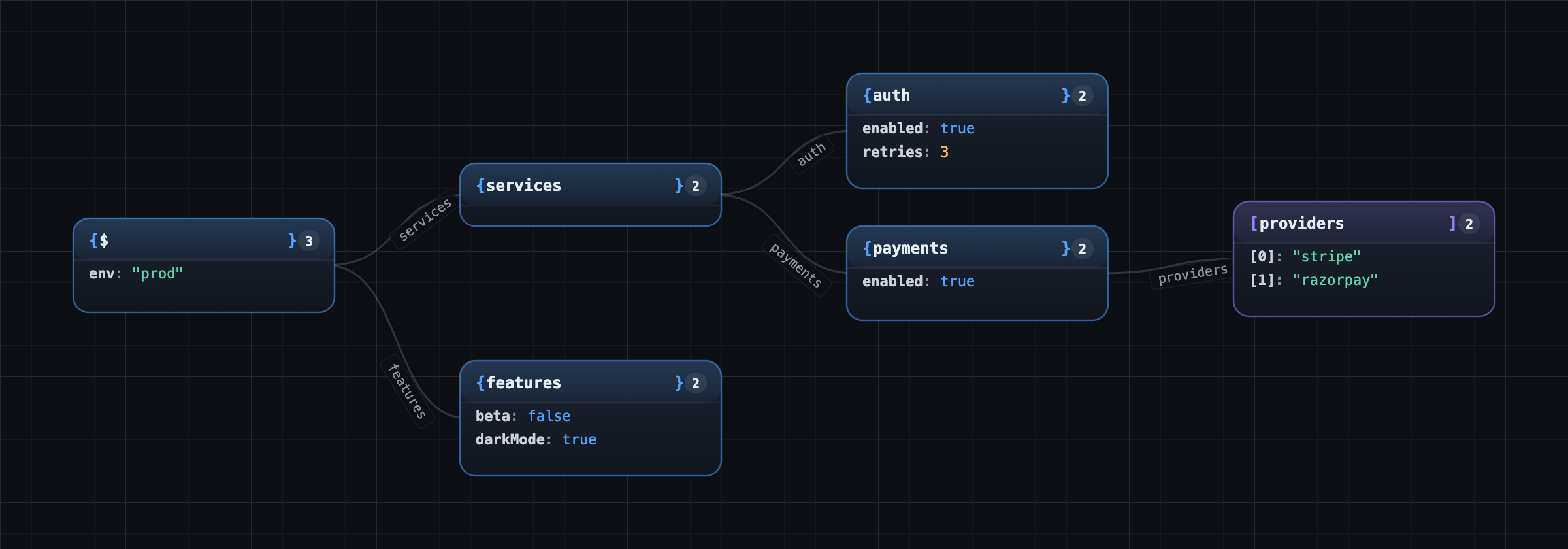
- Indexed search — fast, debounced search across keys and values, with a
result list you can step through.
- Path jump — type a JSONPath like
$.users[12].address.city and land
there immediately.
- Expand all / collapse all — works across lazy-loaded branches; the tree
resumes expanding as soon as new children arrive.
- Focus mode — dim everything outside the selected branch so you can read
long objects without distraction.
- Noise-field auto-dim — common fields like
id, uuid, createdAt,
etag, _id, timestamp, etc. are visually muted so the meaningful data
stands out.
- Image export — save the current view as SVG, PNG (1× / 2× / 3×),
or JPG, or copy a PNG straight to the clipboard.
- Performance built in — viewport culling, memoised cards and lazy child
loading keep the canvas smooth on large files.
Screenshots
Grid view
Search & path jump
How to use
- Open any
.json or .jsonc file.
- Open JSON Mindmap in any of these ways:
- Click the JSON Mindmap icon in the editor's top-right toolbar.
- Right-click the editor → Open JSON Mindmap.
- Right-click the file in the Explorer → Open JSON Mindmap.
- Command Palette (
Cmd/Ctrl+Shift+P) → Open JSON Mindmap.
A side panel opens with your JSON laid out as a mindmap. Use the search bar at
the top to find keys/values or jump to a path. Use the toolbar to switch modes
or export an image.
Settings
| Setting |
Default |
Description |
jsonMindmap.noiseFieldPatterns |
(common id / timestamp regexes) |
Field names matched by these regular expressions are auto-dimmed. |
jsonMindmap.debounceMs |
300 |
Delay (ms) between an editor edit and re-indexing the mindmap. |
jsonMindmap.previewLength |
60 |
Maximum number of characters shown for a single primitive value. |
Tips
- Shift+click the toggle on a node to expand or collapse the entire subtree.
- Hover any card to highlight just that branch — everything else dims.
- Drag empty space to pan; scroll to zoom; the bottom-right shows current zoom.
- The graph is purely visual — your JSON file is never modified.
Privacy
JSON Mindmap runs entirely on your machine. Your files are never uploaded,
analysed remotely, or shared. The extension makes no network requests.
Feedback
Found a bug? Want a feature? Reach out at
Umerfaisal.md@gmail.com — feedback shapes
the next release.
License
MIT © 2026 Umer Faisal

