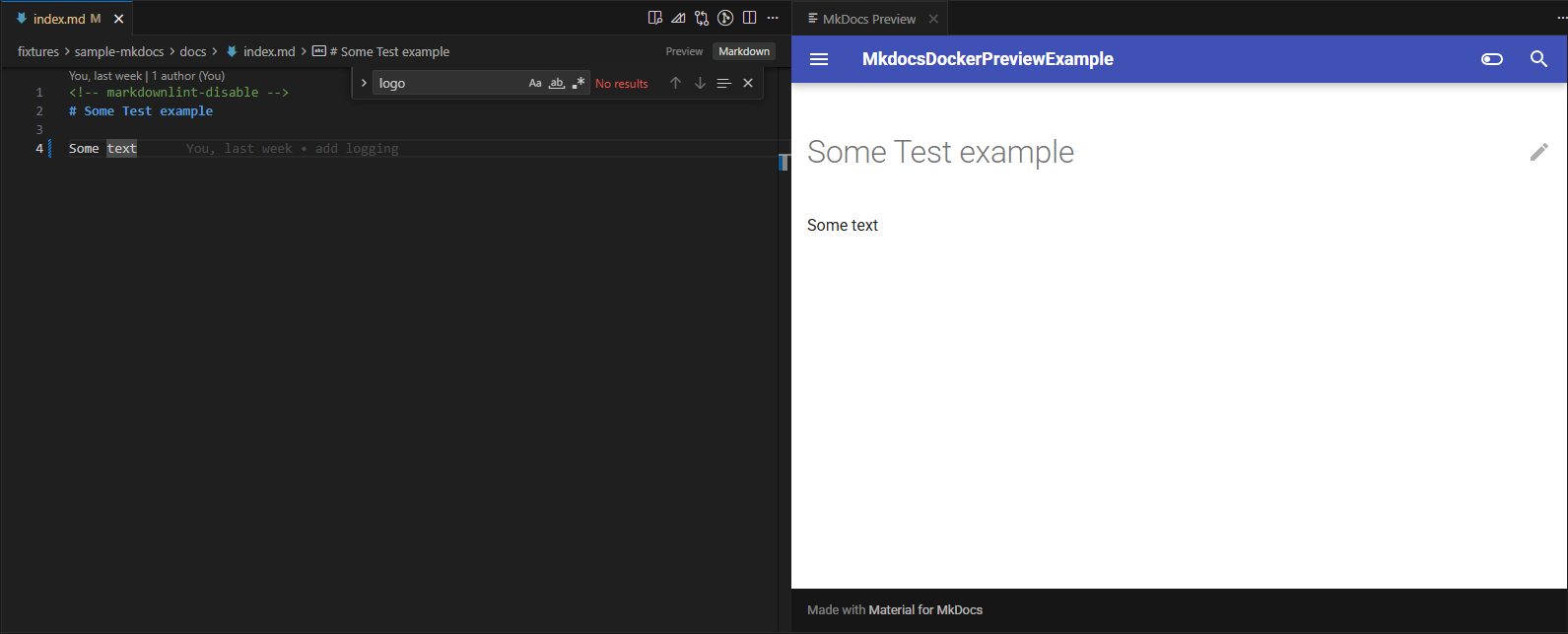
Preview an MkDocs (or properdocs) repository inside VS Code by running serve in Docker — no local Python/MkDocs install needed, and easy to swap the image or plugin set.
Features
Start Preview — pulls the configured Docker image, runs serve in a container, and opens the live site in an editor tab. The tab shows a loader until the site has finished building.
Stop Preview — stops and removes the preview container.
Explorer integration — right-click mkdocs.yml or properdoc.yml to start a preview for that config file.
Follows your active file — when you have a docs markdown file open, the preview jumps to the matching page and stays in sync as you switch tabs.
Live logs — Docker and serve output stream to the MkdocsDockerPreview Output channel.
Containers run with --rm and are cleaned up on Stop, on window close, or on next activation if VS Code was closed unexpectedly.
Requirements
Docker (Desktop or Engine) running and reachable from the command line.
A workspace containing an MkDocs-style config file (default mkdocs.yml).
Settings
Setting
Default
Description
mkdocsDockerPreview.dockerImage
ujifman/properdocs-material:latest
Docker image used to run serve.
mkdocsDockerPreview.entrypoint
/bin/bash
Container entrypoint passed to docker run --entrypoint.
mkdocsDockerPreview.serveCommand
-c "properdocs serve -f {configFile} -a 0.0.0.0:8000"
Arguments passed after the image. {configFile} is replaced with the config file name.
mkdocsDockerPreview.workdir
/build
Container path where the workspace is mounted and used as the working directory.
mkdocsDockerPreview.configFileName
mkdocs.yml
Config file expected at the workspace root for Command Palette Start Preview.
mkdocsDockerPreview.docsDir
docs
Docs folder (relative to the workspace root) whose markdown files map to preview pages.
mkdocsDockerPreview.dockerPullParams
--platform=linux/amd64
Extra arguments passed to docker pull before the image name. Empty to pull with no extra flags.
Container port 8000 is published to a random localhost port; the extension detects the mapping automatically.