UIToSource
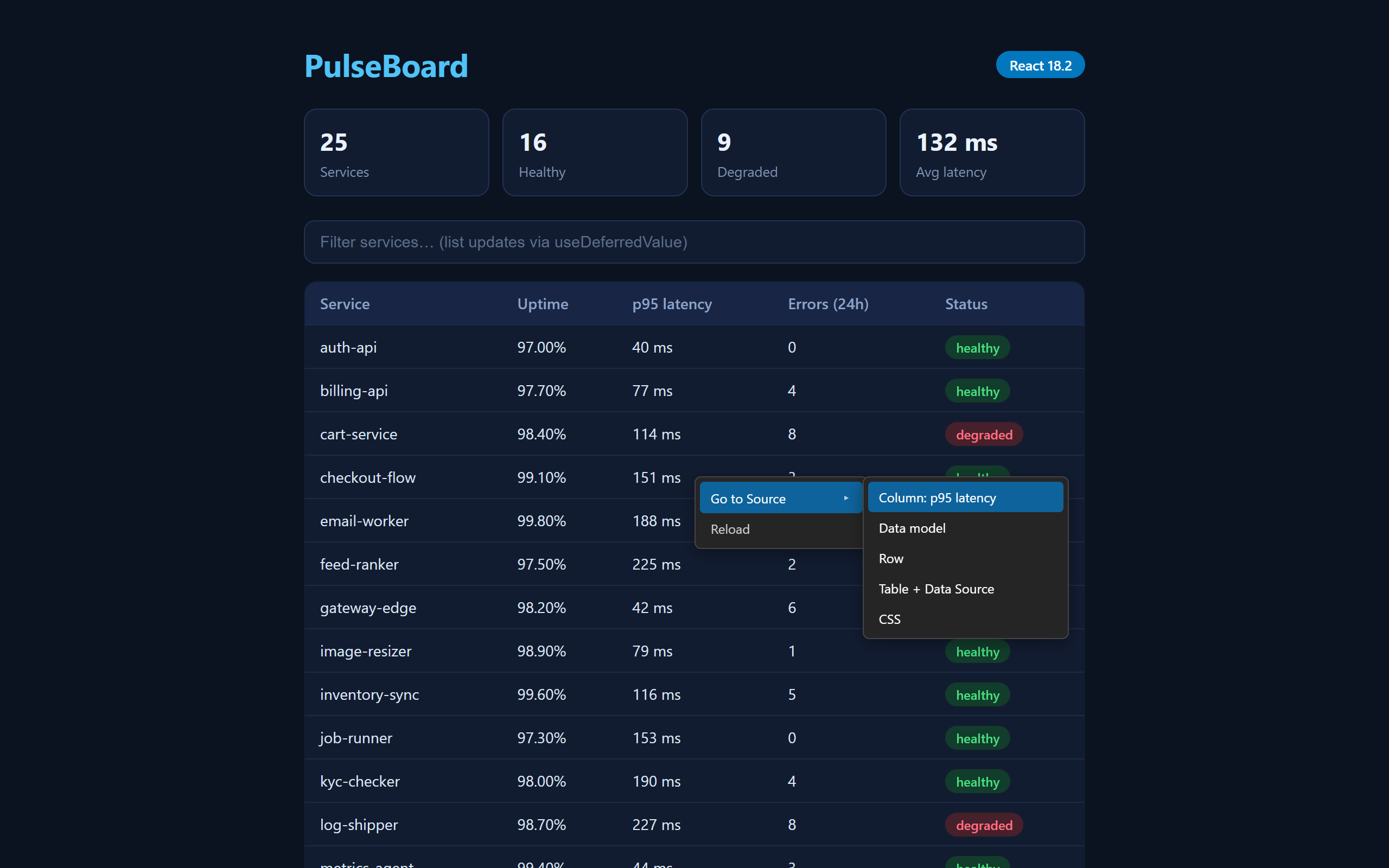
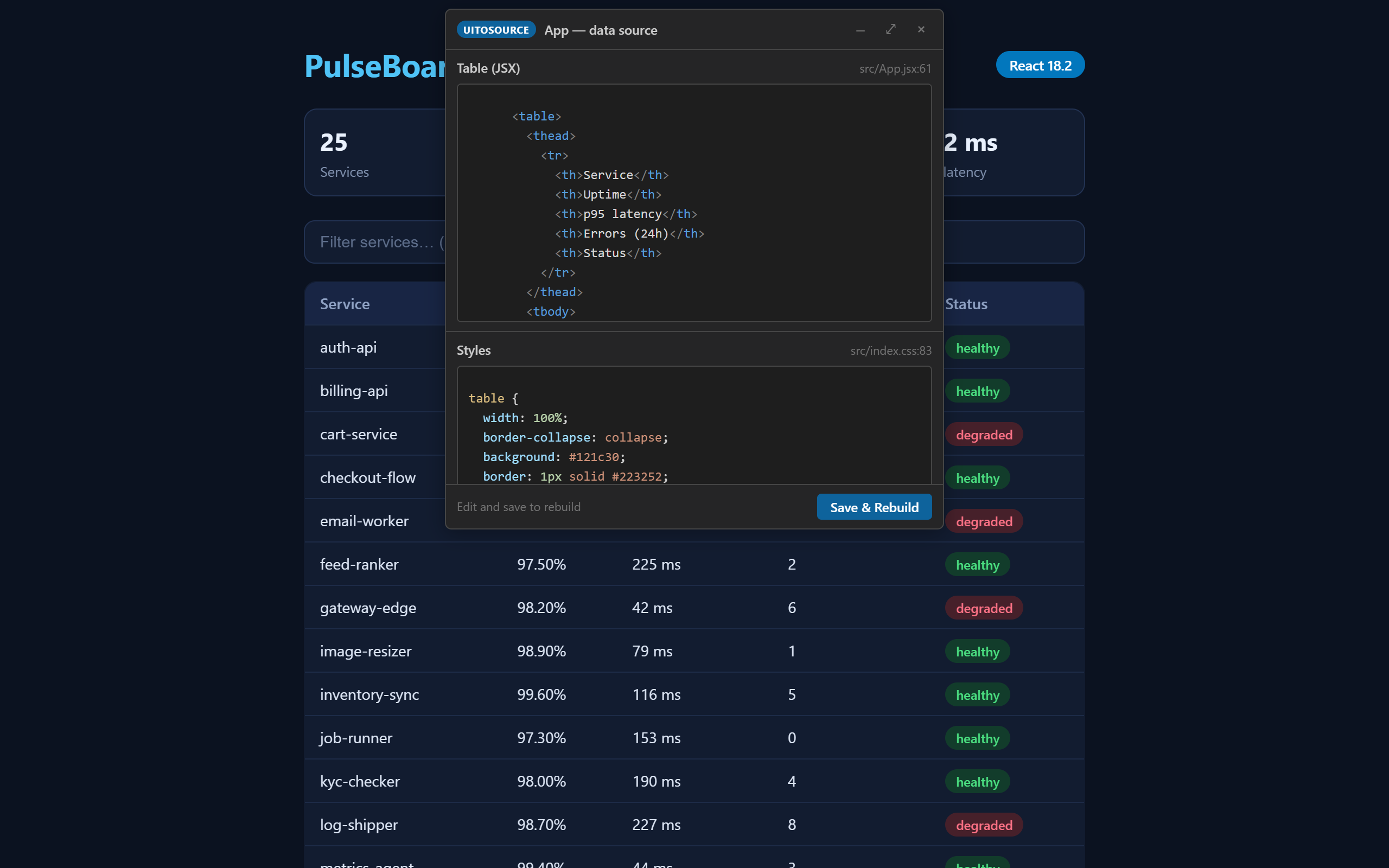
Trace UI elements in your running app back to their source code — right-click an element in the browser, see and edit its TypeScript/HTML/CSS in place, and rebuild live. Zero changes to your project.
Supported stacks
|
Best fit |
Notes |
| Angular |
v11–v22, standalone or NgModule roots, templateUrl/inline, styleUrl(s), Routes, component libraries (CoreUI/Material — resolves to your usage site) |
loadComponent lazy routes not resolved yet |
| React |
v16–v19 (Vite/CRA/Next/webpack), function or class components, component libraries (MUI/Chakra/Radix — resolves to your call site), CSS modules / plain CSS |
JSX-declared <Route> elements and styled-components/Tailwind sections not resolved yet; React exactly 19.0.0 has no debug info |
Runs against dev servers (HTTP or HTTPS). Production/minified builds strip the framework debug info tracing relies on, so trace those in dev.
Getting started
- Open a React or Angular project folder → UIToSource analyzes it and opens
uitosource-config.json (stored in VS Code's workspace storage on your machine — never in your repo). On other stacks it stays out of the way: only the status bar item appears until you run UIToSource: Configure Project.
- Review
runCommand / projectUrl, then click Start Project (or modify + save the file).
- The command runs in a UIToSource terminal; when the server answers, the browser opens. If the run fails, the browser is not opened.
- Right-click any element → Go to Source → edit → Save & Rebuild.
Status bar: Start → starting… → Open Browser (also the recovery path if you close the tab) → Run Again if the dev server stops.
Commands: UIToSource: Configure Project · Run Project · Open Browser · Toggle Focus Layout — the last switches the window between the browser-beside-code layout and a focused editor layout.
Configuration
UIToSource: Configure Project opens uitosource-config.json. The file lives
in VS Code's per-workspace storage on your machine — it is never written
into your repo — and edits hot-reload: save it and the new settings apply
without restarting anything.
{
	"projectType": "angular",        // detected for you (react/angular/…)
	"frameworkVersion": "17.3.0",    // detected for you
	"packageManager": "npm",         // detected for you
	"runCommand": "npm start",       // what the UIToSource terminal runs
	"projectUrl": "http://localhost:4200", // where your dev server answers
	"autoRun": false,                // start the project when the workspace opens
	"autoPrompt": true,              // ask "start the app?" on later opens ("Don't Ask Again" writes false)
	"waitForServerSec": 90,          // how long to poll projectUrl before giving up
	"trace": {
		"types": {                   // per-kind kill switches for the type-aware menus
			"table": false           // false = that kind falls back to the plain menu
		}
	}
}
trace.types keys are the element kinds the overlay classifies:
button, text-field, table (covers the whole table plus its rows, cells,
and in-row controls), navbar, and sidebar. A kind set to false degrades
to the generic Go to Source menu — useful if a classification misfires on
your app. Absent keys mean enabled.
Privacy & security
Everything stays on your machine. UIToSource talks to your app over
127.0.0.1 only, fetches only local dev-server origins, and
nothing is ever sent off-device — there is no telemetry. The local channel
between the browser tab and the extension is authenticated per session. Edits
are written through a drift guard: a section is saved only if the file
still matches exactly what you were shown, the change lands in the editor's
undo stack (⌘/Ctrl-Z reverts a Save & Rebuild), and a file you had unsaved
work in is applied but left for you to save. To render your app inside
VS Code's browser, UIToSource relaxes frame-blocking headers
(CSP/X-Frame-Options) for your own locally served dev app only.
Trust boundary. The Go to Source menu runs inside your dev app's own page,
so scripts running in that page — including any third-party scripts it loads —
can use the same local trace/save channel: they could read the resolved source
snippets and write (drift-guarded) edits to your workspace files. Only use it
with apps whose loaded scripts you trust — the same trust you already extend
by running that project's dev server. For the same reason the extension
declines to run in untrusted or virtual workspaces.
Troubleshooting & limitations
- Right-click shows nothing / "could not resolve". The dev server isn't
running through the UIToSource proxy (use the status bar / Open Browser),
the app is a production/minified build (debug info stripped — run the dev
build), or the framework isn't supported.
- Stale tab after an extension update. An already-open browser tab keeps
the old overlay and refuses mismatched messages; reopen it via the status
bar or
UIToSource: Open Browser.
- Dev server port already in use. If
runCommand fails because your dev
server's port is taken (an old run still holding it), the browser never
opens; free the port or stop the stale process, then Run Again. The
UIToSource terminal shows the underlying error.
- Vue / Svelte are not supported — precise tracing targets React and
Angular.
- React exactly
19.0.0 shipped without the source hints tracing needs;
19.1+ and ≤18 are fine.
- Multi-root workspaces: only the first workspace folder is analyzed and
traced.
License
MIT — see LICENSE. The shipped bundle includes MIT-licensed
third-party code; the full notices are in
THIRD_PARTY_NOTICES.md.

