UI-Markdown (UMD) Visual Editor
Interactive Visual Documents in Pure Plain Text — for .umd and .md files.
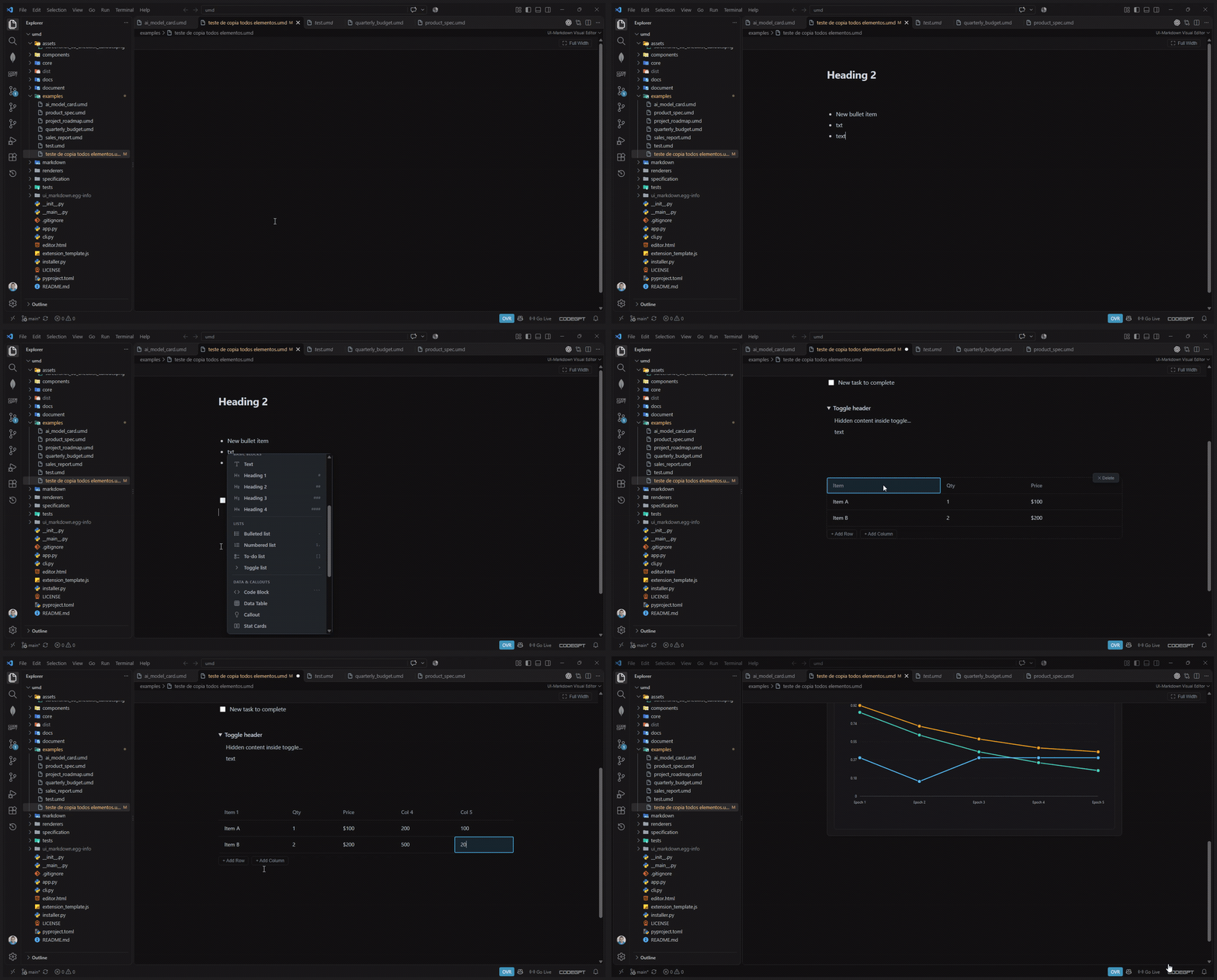
Combine fluid Markdown writing with live editable data charts, metric stat cards, architecture pipelines, progress bars, callouts, checklists, images, and rich typography — stored cleanly in a single plain-text file with zero companion files.
Features
- Zero Companion Files: Every visual component, chart, table, and style persists cleanly inside a single plain-text
.umd file.
- Open Any
.md File with UMD: Right-click any .md or .markdown file in the Explorer, Editor, or Tab bar and click Open with UMD (or Open With... → UMD Visual Editor). Regular .md editing stays untouched by default.
- 6 Interactive Data Charts: Horizontal Bar (
bar), Vertical Column (column), Comparison Multi-Series (comparison), Pie / Donut (pie), Line (line), and Curved Spline (curved) — all editable directly on the canvas.
- Rich Typography Floating Toolbar: Select any text to change Font Family, Font Size, Letter Spacing, Color (palette + custom picker), Bold, Italic, Underline, Strikethrough, and Inline Code.
- Native Image Blocks (
[IMAGE] & ): Open local images from your PC (Open Image), embed direct URLs, resize with hover presets (S / M / L / Full), and edit captions inline.
- Automatic Dark & Light Themes: Seamlessly adapts to your VS Code color theme (
vscode-dark and vscode-light).
- Productivity Built-In:
Ctrl+F / Cmd+F live find & highlight across the entire documentCtrl+Z / Ctrl+Y / Ctrl+Shift+Z full document Undo & Redo- Auto-wrapping plain-text (
text) blocks and syntax-highlighted code blocks
- Hover-only scrollbars and action buttons for a distraction-free canvas
- Clean clipboard copy (
Ctrl+C) into Google Docs, Word, or chat apps
Usage
.umd files: Click any .umd file to open it directly in the UI-Markdown Visual Editor..md files: Right-click any .md file → Open with UMD.- Insert blocks: Right-click anywhere on the visual canvas to insert headings, lists, checklists, toggles, tables, images, callouts, stat cards, pipelines, progress meters, or charts.
Links
| |

