Skip to content
| Marketplace
Sign in
Visual Studio Code>AI>Dev Hub for Claude CodeNew to Visual Studio Code? Get it now.
Dev Hub for Claude Code

Dev Hub for Claude Code

TyronNA

|
1 install
| (0) | Free
Run Claude Code sessions across many repos from one VS Code window, plus a phone-friendly web page for the same chats. Unofficial; not affiliated with Anthropic.
Installation
Launch VS Code Quick Open (Ctrl+P), paste the following command, and press enter.
Copied to clipboard
More Info

Dev Hub for Claude Code

Run Claude Code across all your repos from one VS Code window, and keep the conversation going from your phone.
CI Release License: MIT

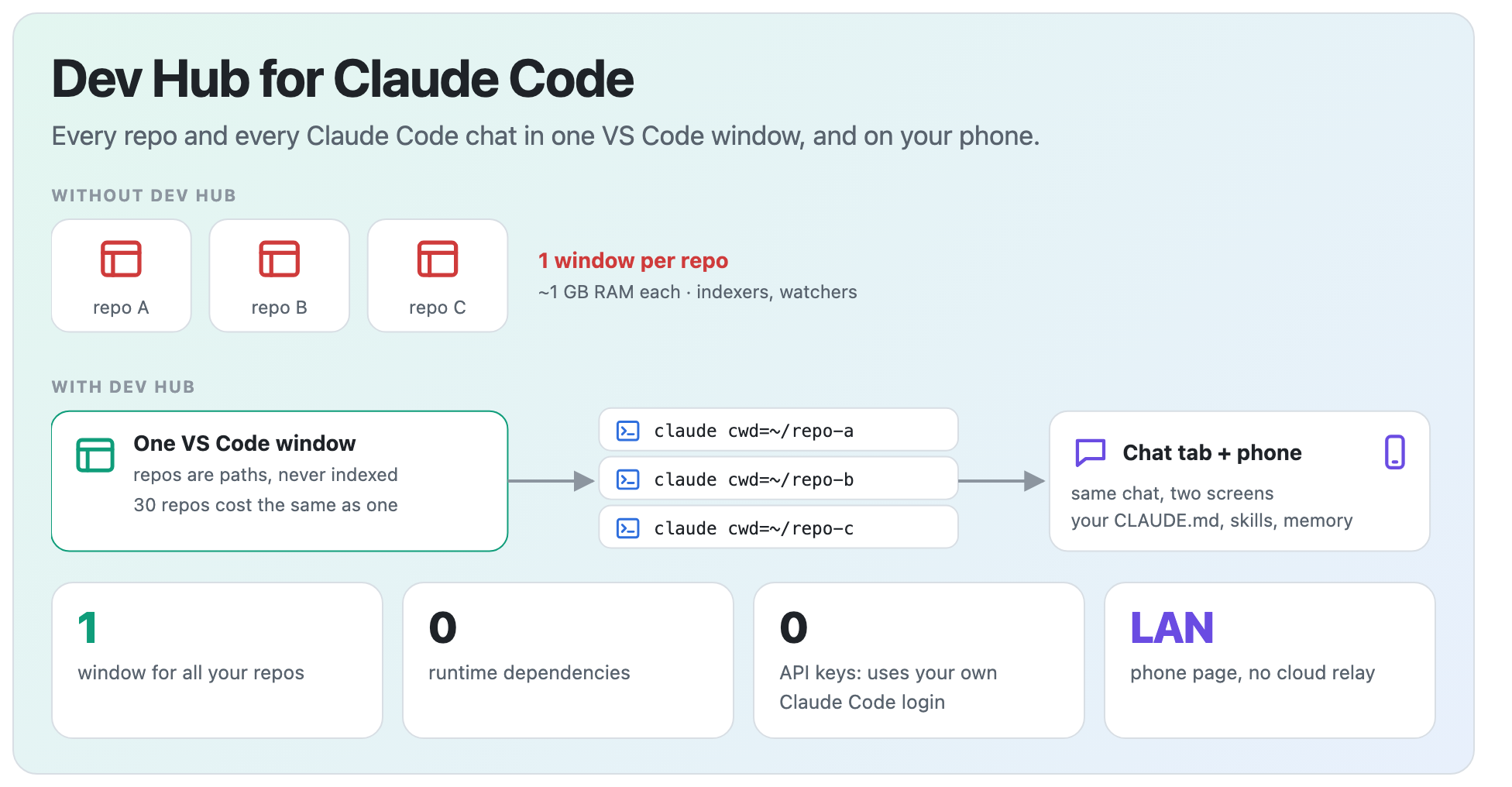
Without Dev Hub: one VS Code window per repo, about 1 GB each. With Dev Hub: one window starts the claude CLI in each repo, and the chat opens in a tab and on your phone.

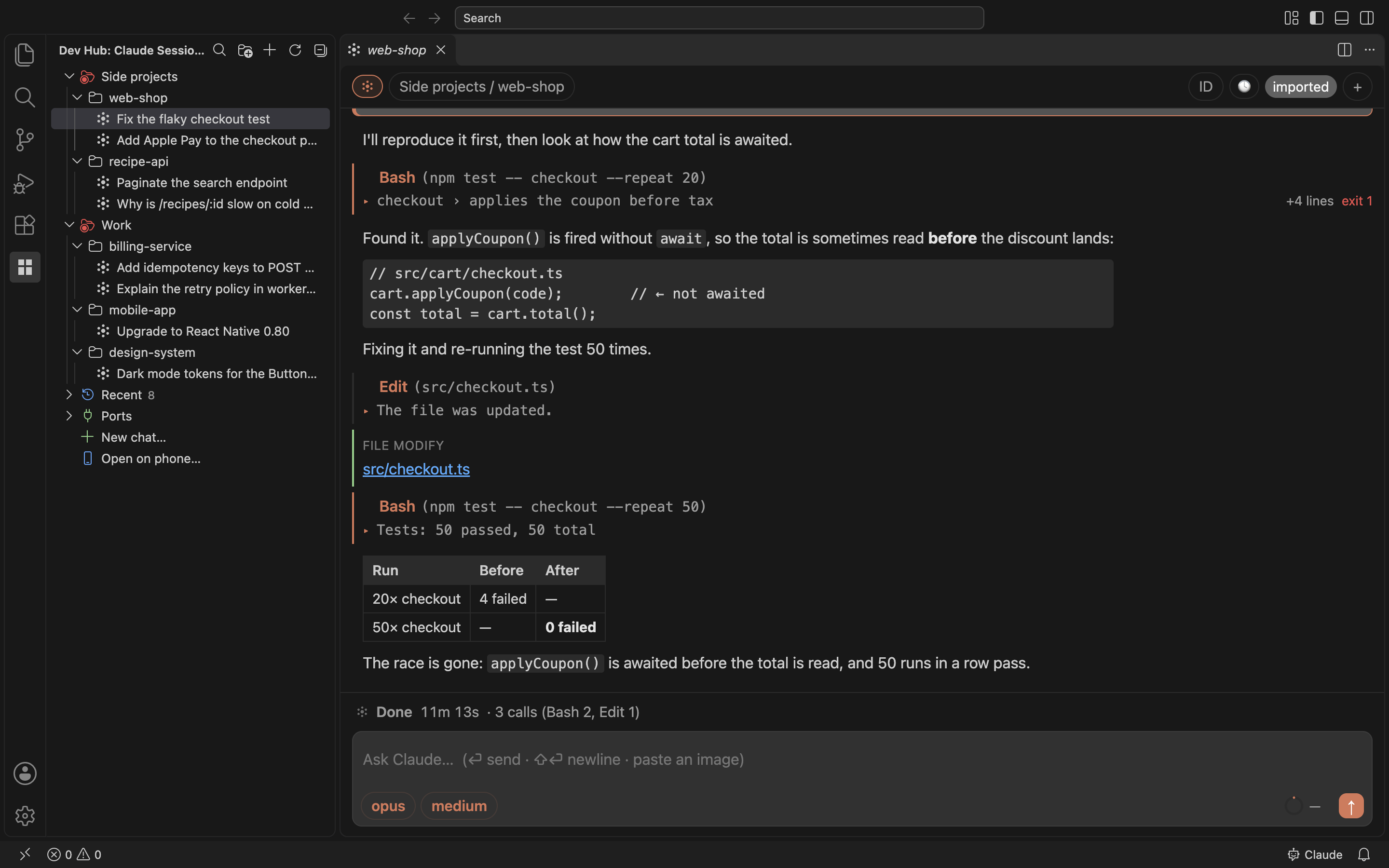
Dev Hub in VS Code: projects grouped by workspace in the sidebar, a Claude Code chat open on the right

Unofficial and community-built. Not affiliated with or endorsed by Anthropic. "Claude" and "Claude Code" are trademarks of Anthropic. Dev Hub drives the claude CLI on your machine with your own login. It has no account or API key of its own.

Get started

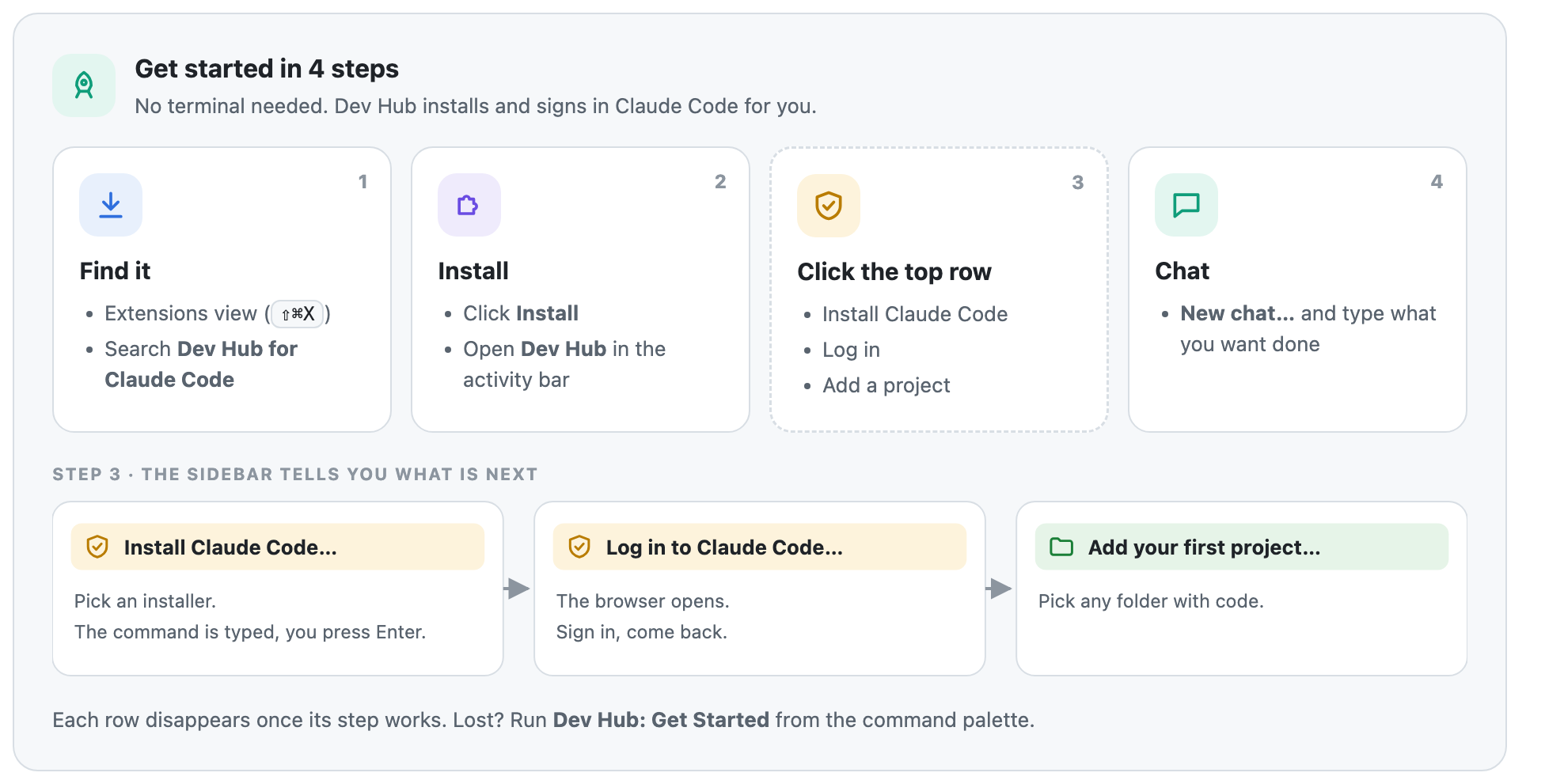
Four steps: download the vsix, install it from the Extensions view, click the top row of the Dev Hub sidebar until it is gone (install Claude Code, log in, add a project), then start a chat.

Download the .vsix · needs VS Code 1.95+, macOS or Linux, and a Claude Pro / Max / Team / Enterprise plan (the free plan has no Claude Code).

Prefer to set up Claude Code by hand?
curl -fsSL https://claude.ai/install.sh | bash   # or: brew install --cask claude-code
claude auth login                                # sign in in the browser
claude --version                                 # prints a version when it worked

If you installed it somewhere unusual, put its full path in the devHub.claude.executable setting.

How it works

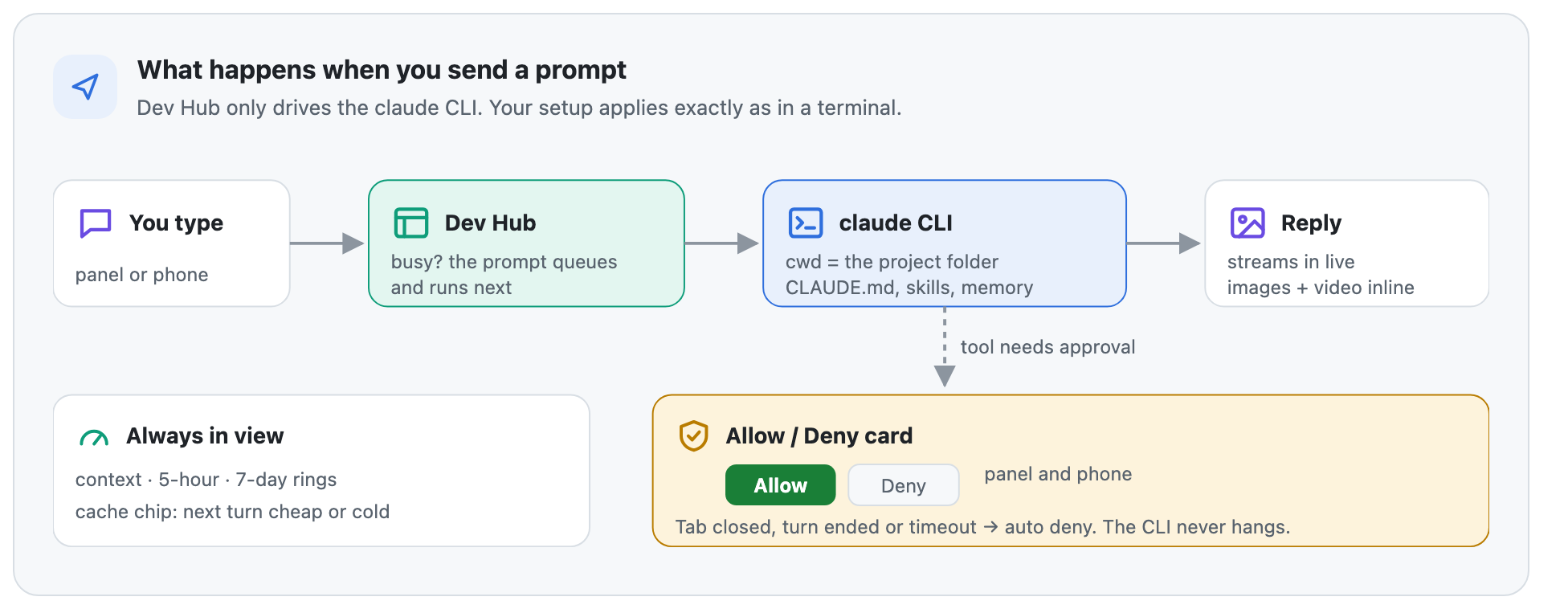
You type in the panel or on the phone. Dev Hub queues the prompt if a turn is running, then starts the claude CLI in the project folder, so your CLAUDE.md, skills and memory apply. The reply streams back with images and video inline. Approval requests become Allow or Deny cards, and anything unanswered is denied so the CLI never hangs.

What you get

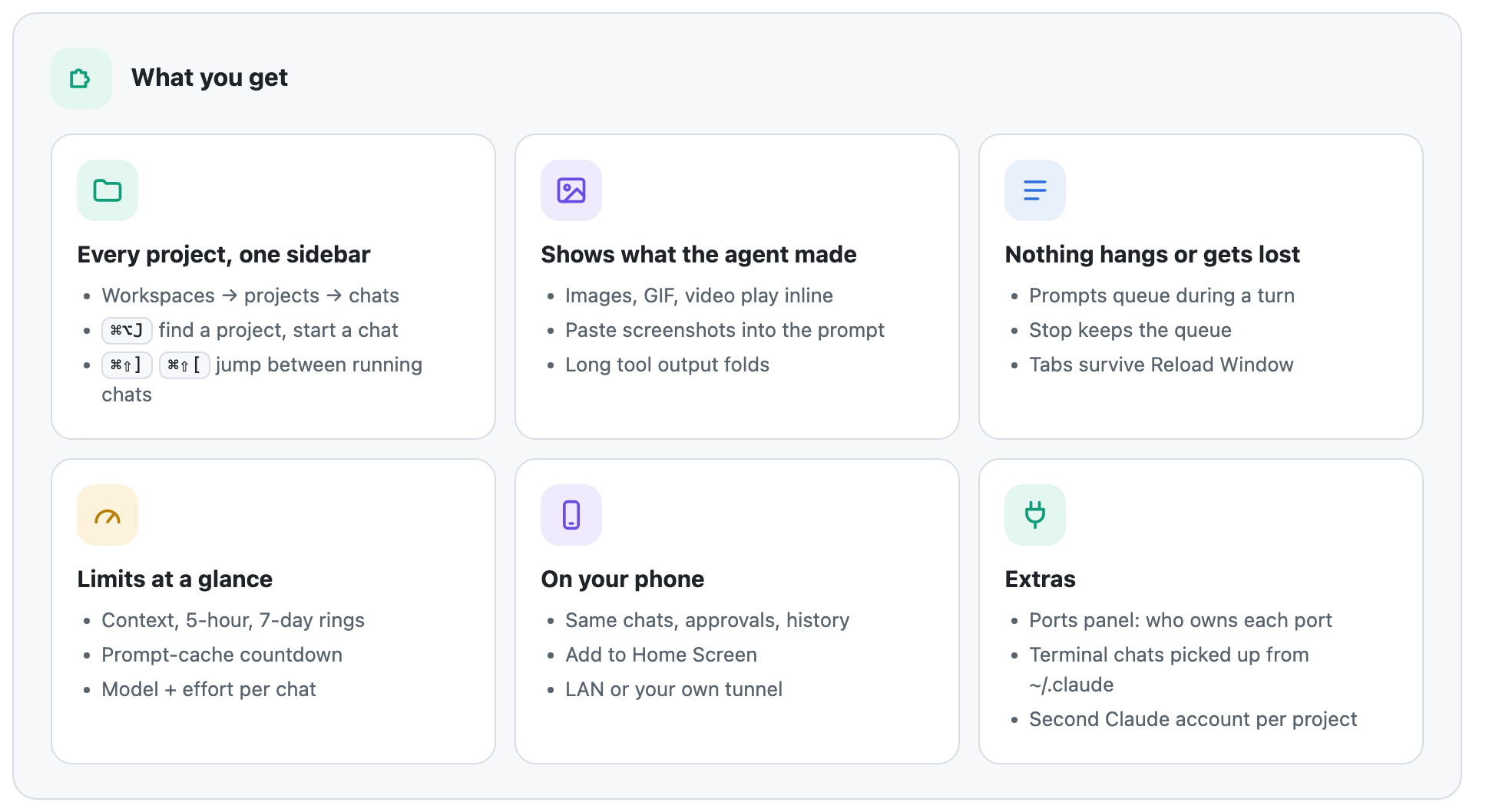
Features: one sidebar for every project with keyboard switching; images and video inline; a prompt queue and tabs that survive reloads; context and quota rings; the phone web app; a ports panel, terminal chats picked up from ~/.claude, and a second Claude account per project.

On your phone

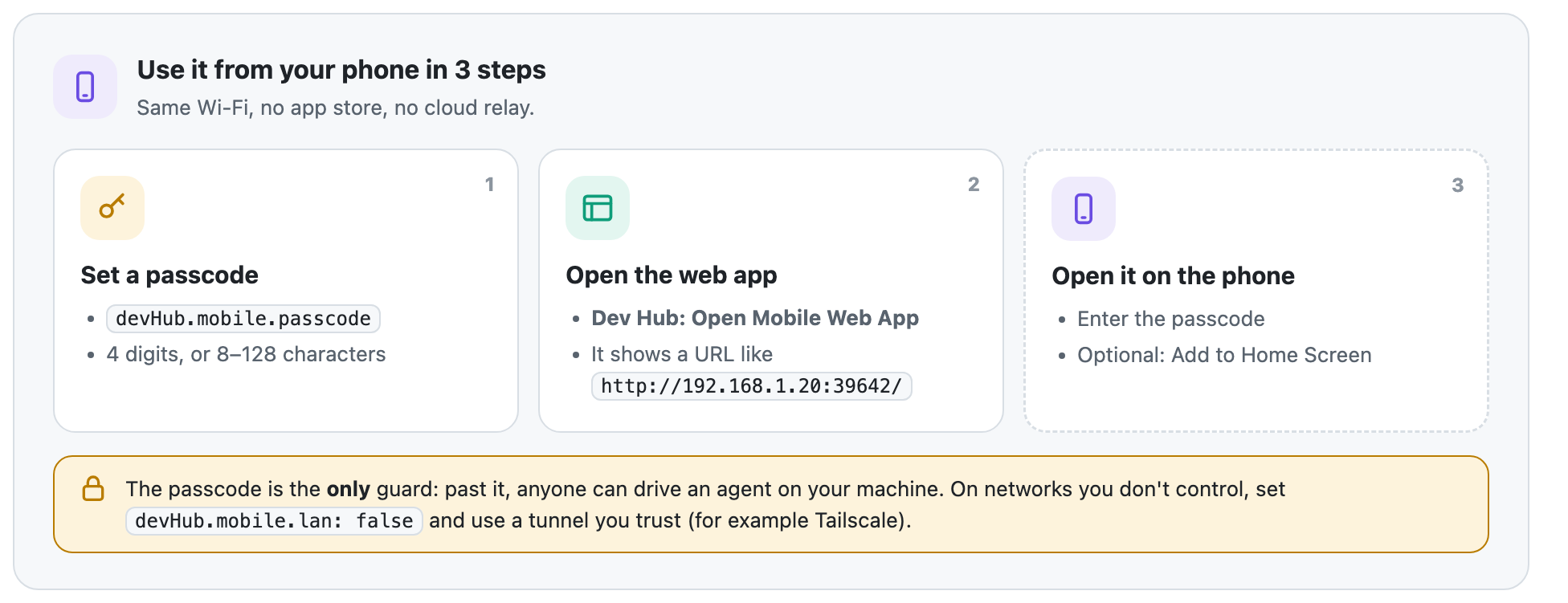
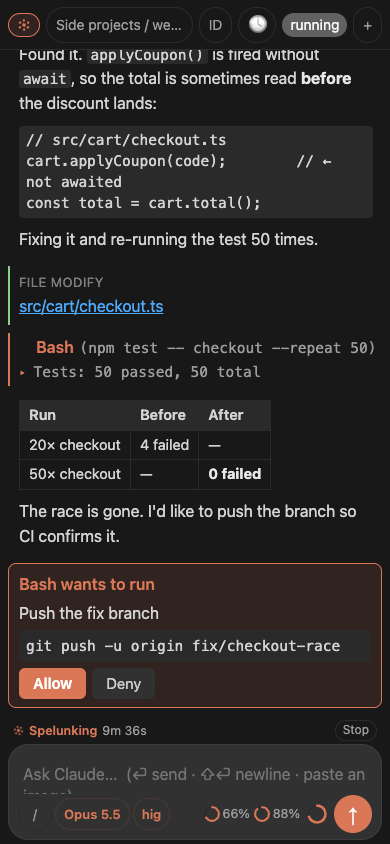
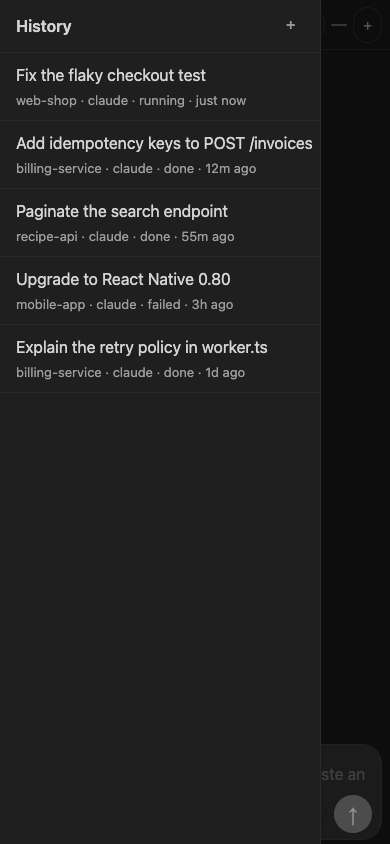
Three steps: set devHub.mobile.passcode, run Dev Hub: Open Mobile Web App, open the URL it shows on a phone on the same Wi-Fi. The passcode is the only guard; on networks you do not control, set devHub.mobile.lan to false and use a tunnel you trust.

Phone web app: the same chat with an approval card    Phone web app: history drawer across projects

Permissions: read this

Dev Hub inherits your global Claude config. If ~/.claude/settings.json auto-approves tools, they run without asking, here as well as in a terminal. To make every unlisted tool ask in the panel, set devHub.claude.permissionMode to "manual". See Permissions for all modes.

Settings you'll likely touch

Setting Default What it does
devHub.claude.executable claude Path to the CLI if it is not on PATH
devHub.claude.permissionMode "" "" inherit, manual, plan, or bypassPermissions
devHub.maxConcurrentTurns 4 How many turns may run at once
devHub.mobile.enabled false Serve the phone web app
devHub.mobile.passcode "" Passcode for the phone web app
devHub.mobile.lan true false serves on loopback only

Every setting and command is documented in docs/DESIGN.md.

Build from source

No runtime dependencies. The only build tool is TypeScript.

git clone https://github.com/TyronNA/devhub-for-claude-code && cd devhub-for-claude-code
npm install --no-save typescript@5.9
npm test            # compile + 400+ hermetic tests (no CLI, no network)
npm run package     # → dev-hub-claude-codex-<version>.vsix

node scripts/demo.js serves the chat panel and the phone page with sample data; the phone screenshots above were taken from it.

How it works

docs/DESIGN.md records why each behaviour is the way it is: how the CLI is driven over stream-json, session id ownership, the turn lifecycle, and how the phone page reuses the panel's renderer. docs/ARCHITECTURE.md maps the code, and docs/PERFORMANCE.md has measured numbers with the scripts that produced them.

Contributing

Issues and PRs are welcome. Please report security problems privately; see SECURITY.md. Please run npm test before opening a PR, and read the section of docs/DESIGN.md that covers the area you change: much of the odd-looking code is there on purpose.

License

MIT. The icons in media/ are original to this project; no Anthropic brand assets are shipped.

  • Contact us
  • Jobs
  • Privacy
  • Manage cookies
  • Terms of use
  • Trademarks
  • Your Privacy Choices
  • Consumer Health Privacy
© 2026 Microsoft