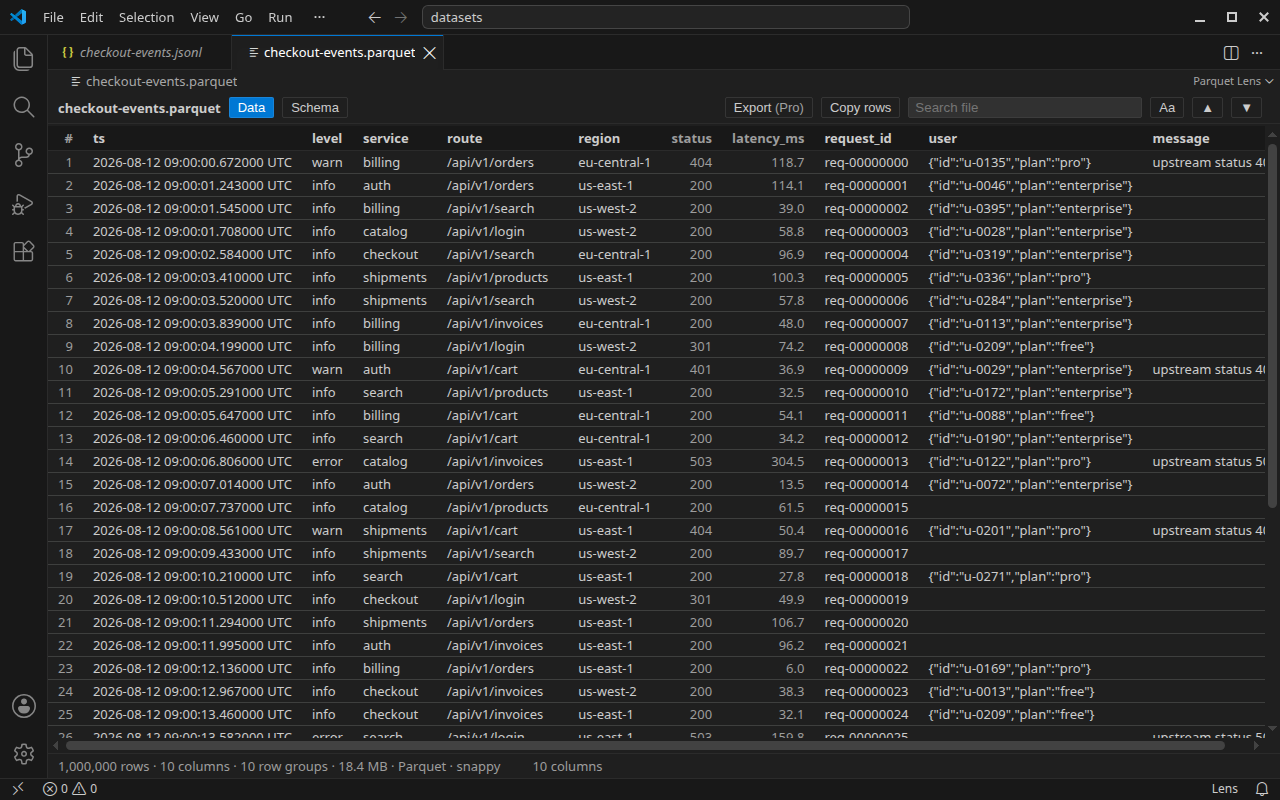
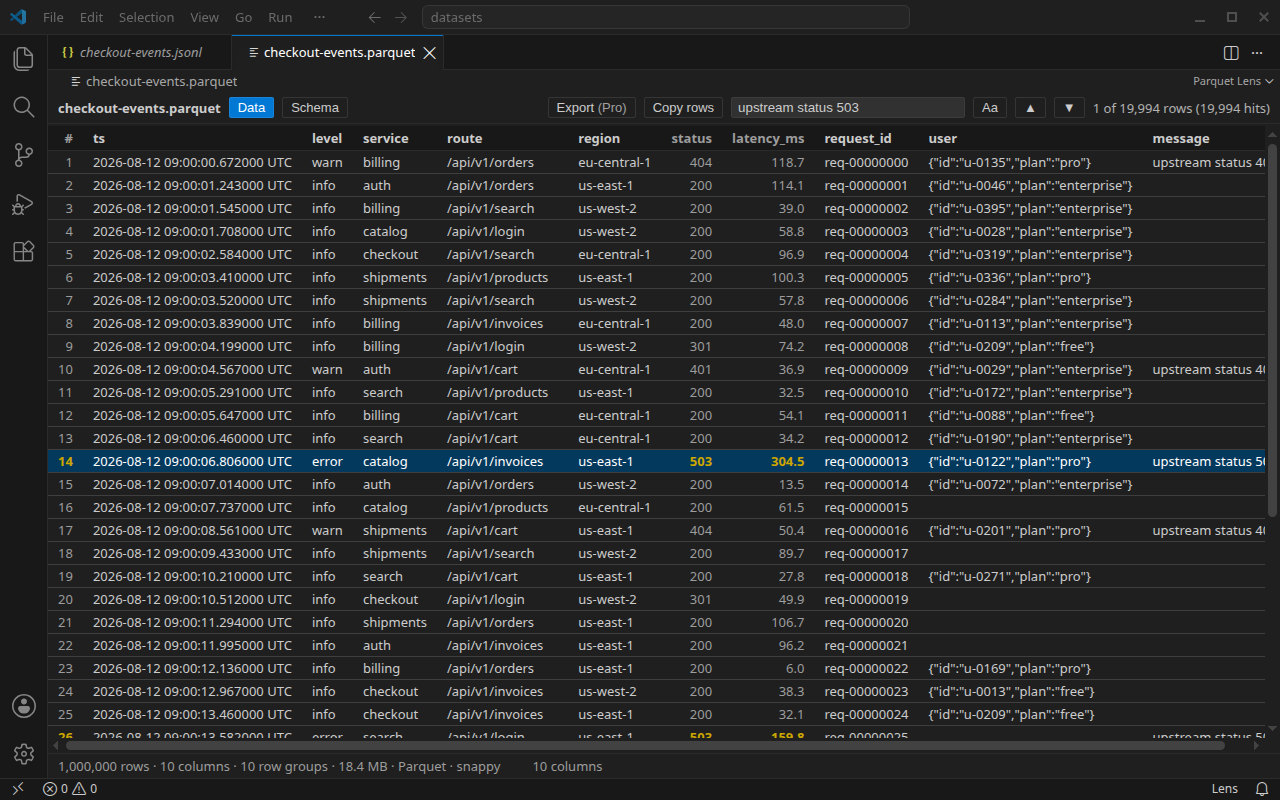
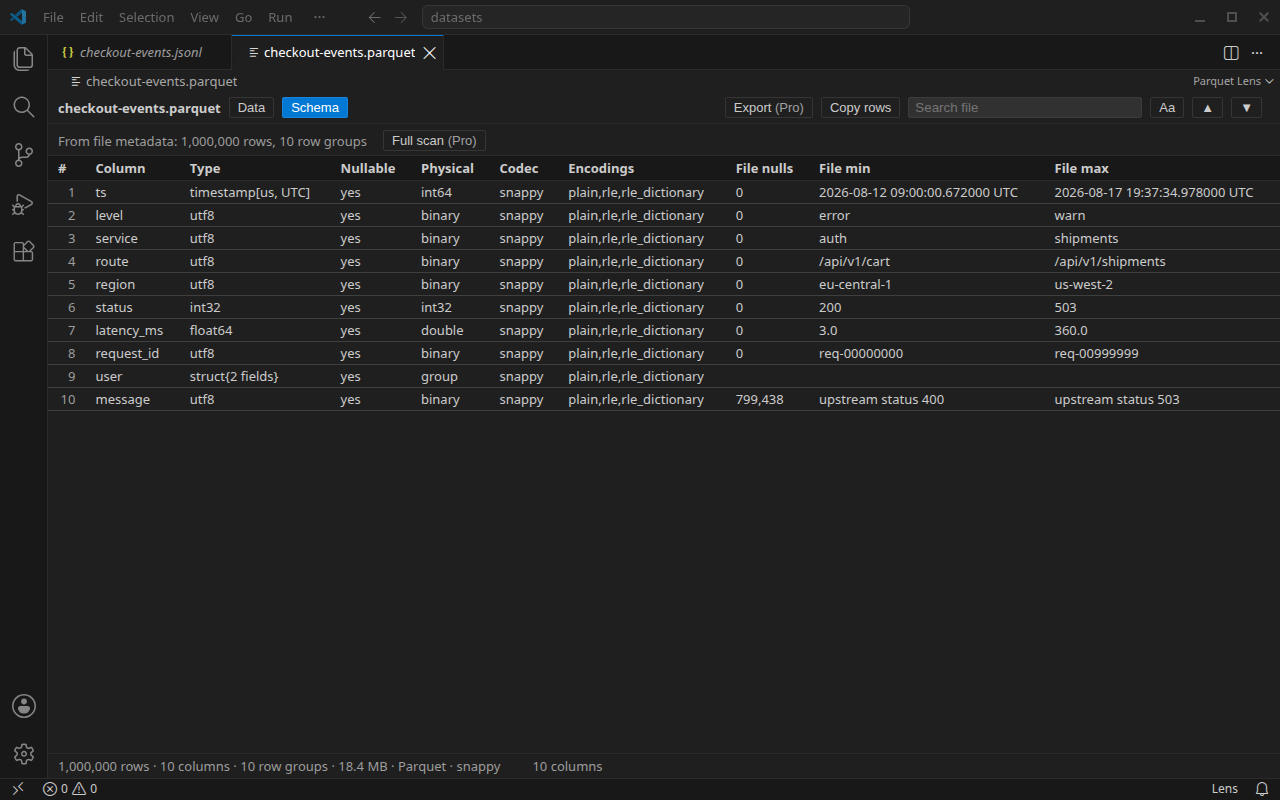
Parquet Lens: Parquet, Avro, TFRecord, Arrow & Feather Dataset ViewerViewer for Parquet, Avro, TFRecord, Arrow IPC and Feather v2 files of any size. For Parquet the schema and row count come from the footer, so a big file opens before any row decodes; rows decode as you scroll, search reads the whole file, and the schema view shows the footer stats. Optional one-time Installation Launch VS Code Quick Open ( Ctrl+P), paste the following command, and press enter.Copied to clipboard |

Parquet Lensa fast viewer for parquet, avro, tfrecord, arrow ipc and feather v2
datasets of any size. open a
Free - the full viewer, for files of any size
for a parquet file the row count and the schema come from the footer before any row decodes, and the grid asks for rows in pages of 200 as you scroll, read from the file by position. a list, struct or map column stays one column under its schema name, with the value rendered as JSON in the cell, clipped at 200 characters there and shown whole in the row detail. a timestamp column reads as a date and time to the microsecond, with UTC after it when the file stores the value as UTC-adjusted, rather than as an integer. the extension runs on VS Code 1.90 or newer. it claims .parquet, .pq, .parq, .avro, .tfrecord, .tfrecords, .tfrec, .tfrecord.gz, .arrow, .arrows, .ipc, .feather and .ftr, and nothing else: a .csv or .json file is not touched. the status bar item shows only while a Parquet Lens tab is active; the pro dialog appears only when you click a pro item. Pro, optional one-time purchase
the trial has three notices, each shown when a Parquet Lens tab is in front. one comes inside the last seven days, with the days left in it rather than seven every time, and another on the final day; those two stay out of a sitting that asks you for a review, and never both show in one session. a third comes once the trial has ended. it reads "Your Lens Pro trial has ended. Get Lens Pro to keep whole-file filters, export, exact stats and themes.", and after it the free viewer stays as it was. a machine sees each of the three once, and a key entered stops all of them. all three carry the Get Lens Pro button, which opens the same checkout the status bar item does. every pro dialog names the feature, "Whole-file filter is a Lens Pro feature." for the filter box, and offers the same two buttons, Enter license key and Get Pro; the command palette has the pair as Parquet Lens: Get Lens Pro and Parquet Lens: Enter license key, and the status bar item opens a menu with both. one Lens Pro key covers Parquet Lens, JSONL Lens and Log Lens for VS Code, but the three do not pass the key between them. paste it into each one you use; the Remove license key command in that extension releases that activation again. $49 personal, $99 business, one-time, includes 12 months of updates: the key unlocks Pro in every build released within a year of the purchase and keeps working in those builds; a build released after that runs as the free viewer until a new key. a personal key activates on up to 3 machines, a business key on 10, all three extensions on each (each extension on each machine is one activation: 9 on the personal key, 30 on the business key); release a machine any time from the Polar customer portal. buy on polar (personal, business), then run Parquet Lens: Enter license key. receipts, invoices, your key and its activations are in the Polar customer portal at polar.sh/twilight-ventures/portal. sign in with the purchase email. for a refund, write to support@twilightventures.dev. a refund revokes the key. the free viewer is the complete viewer, not a demo. everything that was free in 0.1.0 stays free in every later build; pro adds the four items above and nothing is taken away. Part of the Lens family
Guides and supportthe guides and the family overview are at twilightventures.dev. write to support@twilightventures.dev about anything to do with Parquet Lens or a purchase, suggestions included; for a bug, name the version and the rough size of the file. bugs and requests can also go on the issues page of the Lens repository. |