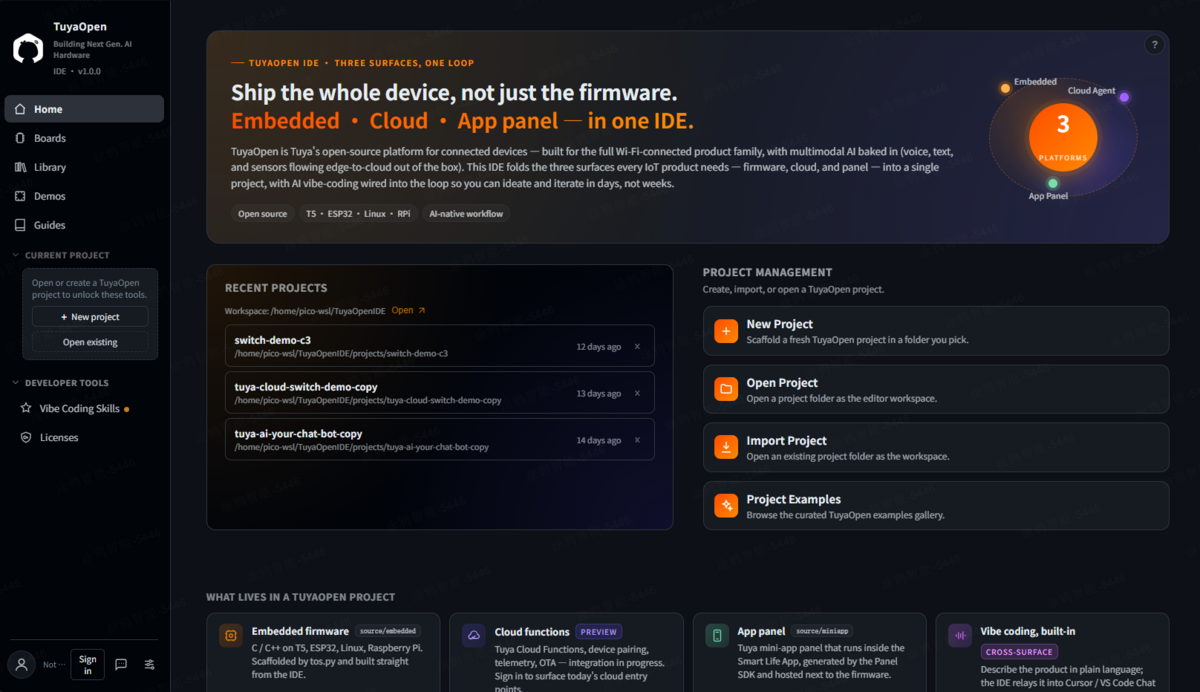
tuyaopenTuyaOpen + Miniapp + Tuya Platform companion extension for VSCode. Streamlines AIoT and Agentic AI project workflows. Installation Launch VS Code Quick Open ( Ctrl+P), paste the following command, and press enter.Copied to clipboard |

TuyaOpen IDEAI Coding Your Next Gen. Hardware — The all-in-one VS Code extension for building AIoT and Agentic AI devices on the TuyaOpen platform. Learn more about TuyaOpen IDE.
Why TuyaOpen IDE?Building connected hardware is hard. TuyaOpen IDE removes the friction — from first prototype to production firmware — all within your favorite editor.
FeaturesProject ManagementCreate, import, and manage TuyaOpen projects in seconds. Multi-surface architecture scaffolds both embedded firmware ( Hardware CatalogueBrowse 50+ supported boards and chips with pinouts, specs, and one-click project creation. Filter by brand, connectivity, or chip family. Demos & GuidesPick a working demo from the catalogue — filtered to the boards you care about — and start from proven code instead of a blank project. Step-by-step guides cover the whole flow inside the IDE. SDK & ToolchainOne-click SDK install with automatic environment bootstrapping. Switch between SDK versions, manage git mirrors, and open pre-configured terminals — no manual PATH configuration needed. AI Skills for Embedded DevelopmentInstall coding skills that teach your AI assistant (Cursor / Claude Code) how to:
Tuya Developer Platform IntegrationSign in to the Tuya IoT Platform directly from VS Code. View and manage:
Library & EcosystemExplore the TuyaOpen component library, and search the PlatformIO ecosystem for community libraries. View dependencies, versions, and documentation links before adding to your project. Getting Started
That's it. No terminal commands, no manual environment setup. Supported Platforms
SettingsAccess settings from the TuyaOpen IDE panel → Settings page, or via VS Code Settings (
Works with Cursor & Claude CodeTuyaOpen IDE's Skills system was designed for AI-assisted embedded development. When paired with Cursor or Claude Code, your AI assistant gains domain knowledge about:
Simply install Skills from the IDE panel and your AI assistant is ready to help you write firmware. Requirements
Data & PrivacyTuyaOpen IDE is built to be transparent about what leaves your machine:
Endpoints contacted (only when you use the related feature, and SDK/catalogue/
runtime downloads only after consent): GitHub / Gitee (SDK + catalogues), the
npm and PlatformIO registries and nodejs.org (toolchain), and Tuya hosts
( More information is available in the IDE at Settings → About → Terms & Privacy. Tuya Privacy Policy · Tuya Service Agreement. LicenseApache License 2.0 |