truST LSP for VS Code
truST LSP brings IEC 61131-3 Structured Text productivity to VS Code:
- Fast diagnostics and semantic highlighting
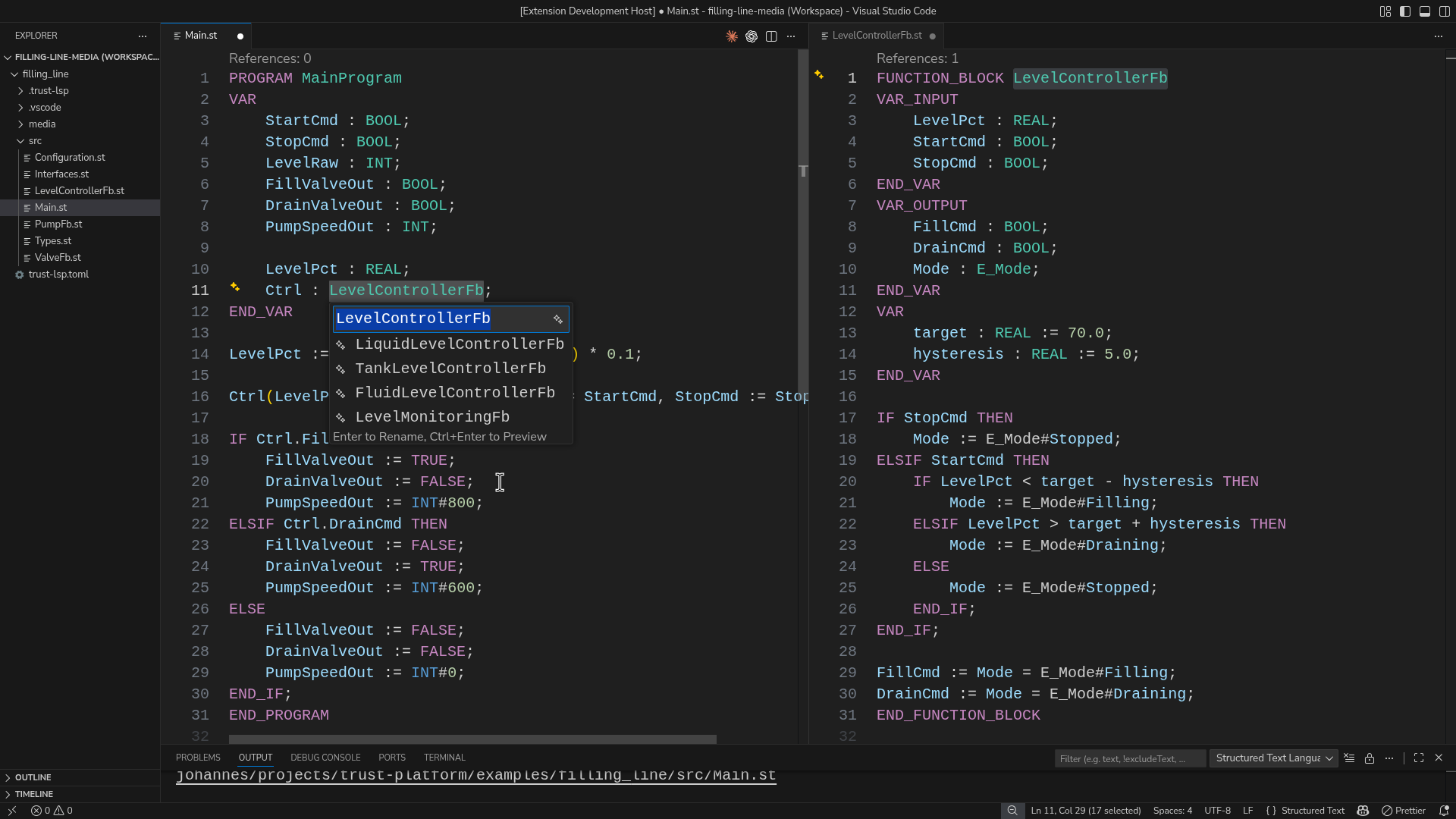
- Go to definition/references, rename, and formatting
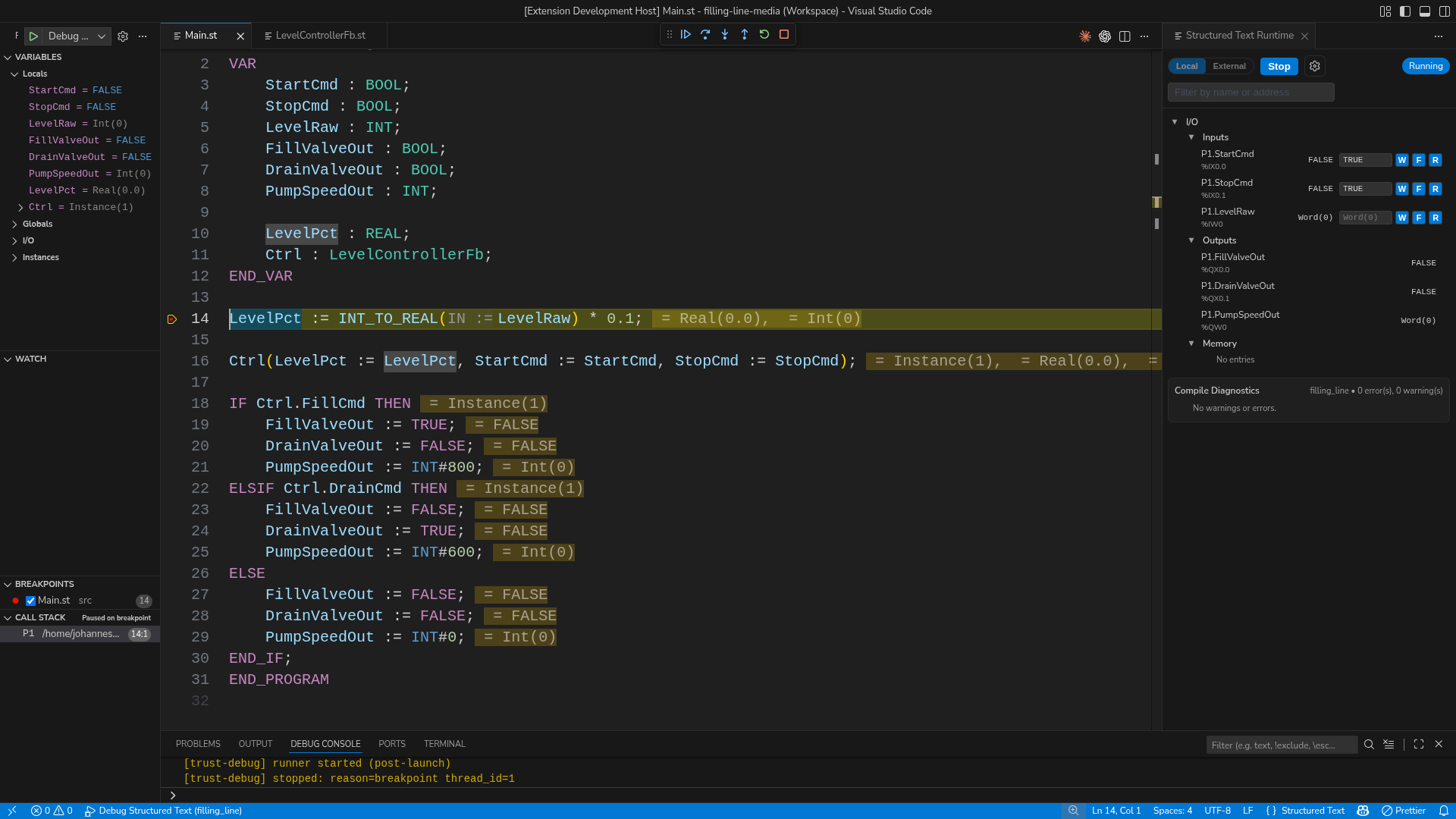
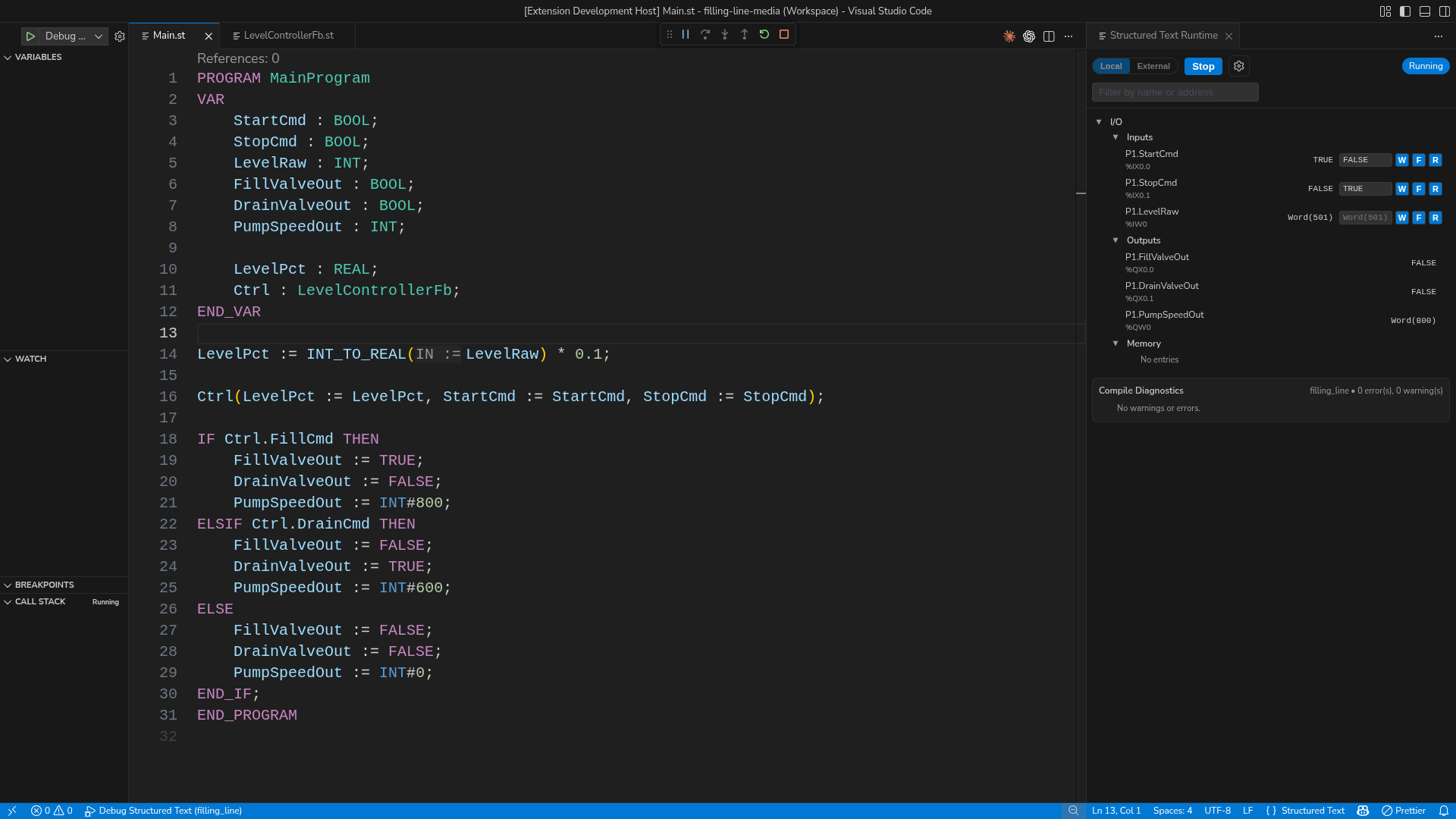
- Runtime panel with live I/O control
- HMI preview panel with live schema + value updates
- Debugging with breakpoints, step, continue, and runtime values
- ST test workflow with CodeLens + Test Explorer
Quick Start (1 minute)
- Install truST LSP from the Marketplace.
- Open a folder with
.st / .pou files.
- Start editing. Language features start automatically.
Command line install:
code --install-extension trust-platform.trust-lsp
Open the Runtime Panel (super quick)
- Press
Ctrl+Shift+P
- Run
Structured Text: Open Runtime Panel
- Pick Local or External
- Press Start
- Set Inputs and watch Outputs update
What You Can Do
- Catch issues early with IEC-aware diagnostics
- Refactor safely: rename symbols and move namespaces
- Debug real logic with breakpoints + runtime state
- Drive and observe process I/O directly in the panel
- Run ST tests from CodeLens (
TEST_PROGRAM / TEST_FUNCTION_BLOCK) and Test Explorer
Example Projects
examples/ are not bundled inside the Marketplace extension package.
Use the GitHub repo examples instead:
Open it in VS Code:
- Clone the repo
File -> Open Folder...- Select
trust-platform/examples/filling_line
- Run
Structured Text: Open Runtime Panel
Screenshots
Debug + Runtime in one view
Runtime I/O panel
Rename across files
Commands You’ll Use Most
Structured Text: New ProjectStructured Text: Import PLCopen XMLStructured Text: Open Runtime PanelStructured Text: Open HMI PreviewStructured Text: Start DebuggingStructured Text: Attach DebuggerStructured Text: Run All TestsStructured Text: Run TestStructured Text: Move NamespaceStructured Text: Create/Select Configuration
PLCopen XML Import (UI Flow)
Use this when you want to create a truST project from an existing PLCopen XML file.
- Press
Ctrl+Shift+P.
- Run
Structured Text: Import PLCopen XML.
- Pick the input XML file.
- Pick the target project folder.
- Confirm overwrite when importing into a non-empty folder.
The command runs trust-runtime plcopen import --json in the background and
lets you open the imported project and migration report after completion.
HMI Descriptor + LM Workflow
Use the HMI descriptor workflow when building hmi/ pages and process SVG
layouts:
- Run
Structured Text: Initialize HMI Descriptor.
- Open
Structured Text: Open HMI Preview.
- In LM-driven flows, use deterministic tool order:
trust_hmi_init -> trust_hmi_get_bindings -> trust_hmi_get_layouttrust_hmi_apply_patch (dry_run=true first, then apply)trust_hmi_validate / trust_hmi_run_journey for evidence checks
Detailed guide:
docs/guides/HMI_DIRECTORY_WORKFLOW.md
When adding or renaming a VS Code LM tool, keep the name in sync in exactly
three places:
package.json -> activationEvents entries using onLanguageModelTool:<name>package.json -> contributes.languageModelTools[].namesrc/lm-tools.ts -> registerLanguageModelTools(...)
The extension test suite now checks this contract in
src/test/suite/lm-tools-contract.test.ts. If one of the three surfaces drifts,
tool discovery will silently break for Copilot/LM clients and the test should
fail.
Advanced Setup (optional)
Set custom binary paths if needed:
trust-lsp.server.pathtrust-lsp.debug.adapter.pathtrust-lsp.runtime.cli.path
Full docs: https://github.com/johannesPettersson80/trust-platform/tree/main/docs

