Real Metal Shading Language (MSL) language support for Visual Studio Code,
powered by the libmsl compiler
front-end. Semantic highlighting and diagnostics come straight from the
same lexer and parser that produce the WGSL output — no regex
approximations, no guesswork.
What's stable
These are the core features the extension exists for, and what most of
the C compiler code has been tuned against:
- Semantic highlighting. Types, keywords, built-in functions,
struct names, function names, parameters, fields, and local variables
are each classified by the real MSL front-end and handed to VSCode as
LSP semantic tokens. Your theme's
struct, function, parameter,
and property colors light up the way they do for first-class
languages.
- Structured diagnostics. Parse errors land in the Problems panel
with precise line/column ranges as you type. Each malformed construct
produces exactly one diagnostic — no cascading noise.
Metal: Show Transpiled WGSL command. Open the WebGPU shader your
.metal file lowers to, side-by-side with the source. Accessible from
the Command Palette, the editor title bar ($(open-preview) icon),
the right-click menu (editor and explorer), or the Cmd+K V /
Ctrl+K V keybinding.
What's experimental
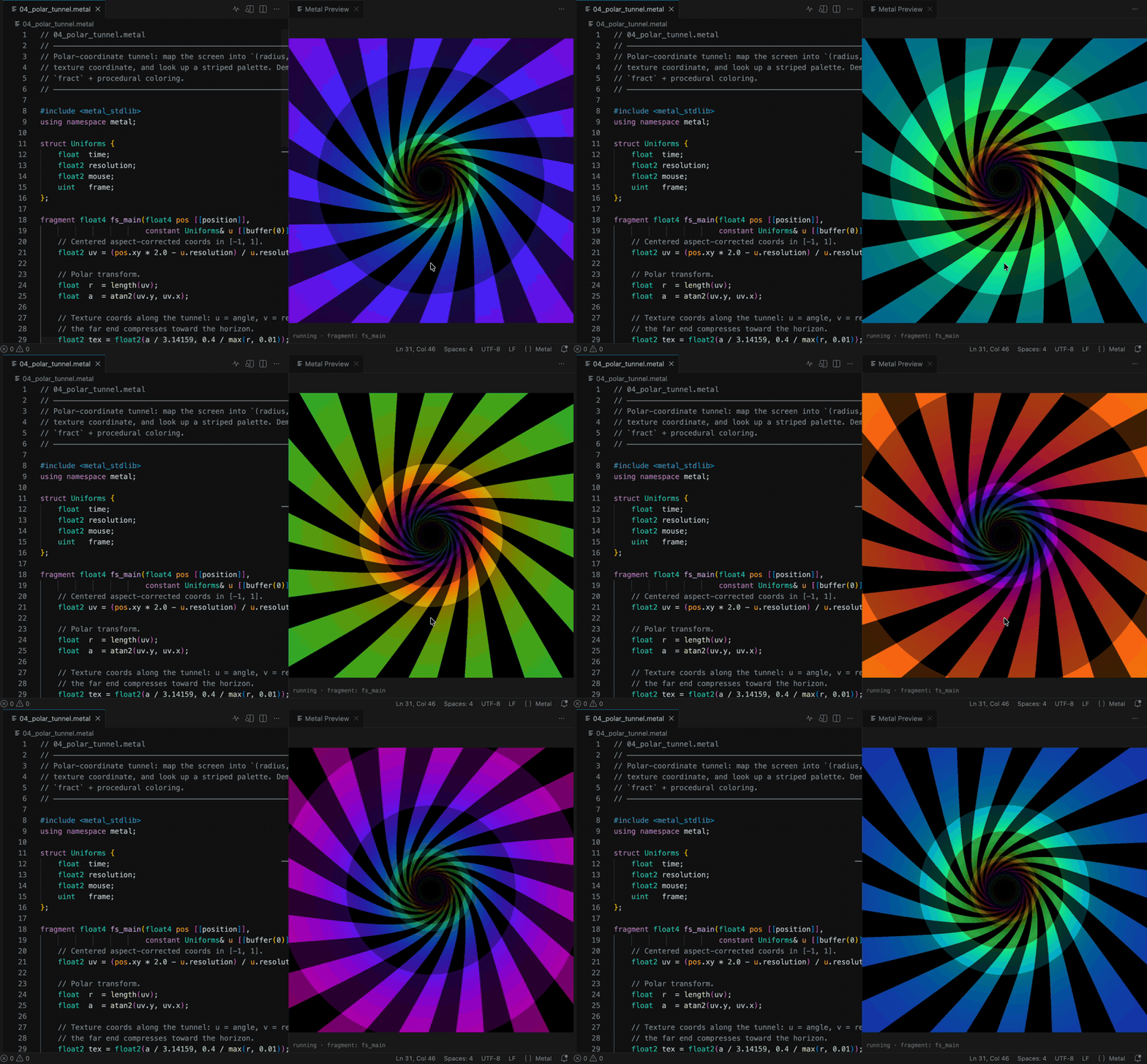
Live WebGPU Preview (Metal: Open Live Shader Preview,
Cmd+K P / Ctrl+K P). A ShaderToy-style webview renders the active
fragment shader against a canvas with WebGPU. It works today for
self-contained fragment shaders with the time / resolution /
mouse / frame uniform convention (see the examples/ directory
of the source repository), and the pipeline recompiles on every
keystroke so you can iterate visually.
Caveats, because this is brand new:
- Only fragment shaders that take
@builtin(position) (or nothing)
are supported. Shaders using stage_in structs, custom vertex
outputs, textures, samplers, or compute kernels fall back to an
overlay message.
- The transpiler may emit WGSL that the browser rejects. If the
pipeline fails to compile, the error text appears in an overlay on
the preview — if the error looks like a bug in the WGSL output,
please file it (see below).
- The preview relies on
navigator.gpu being available in VSCode
webviews, which requires VSCode 1.83 or newer on a platform with
WebGPU enabled.
Maturity & feedback
The language server, syntax highlighting, and diagnostics are the
main product and what we actively develop against. The WGSL preview
command and the live WebGPU preview are built on top of a transpiler
that's still closing gaps against the full MSL 3.2 / Metal 4
specification, so:
- If your shader looks right in the editor but the Problems panel
reports something you think is valid MSL, that's almost certainly a
parser gap — please report it.
- If the transpiled WGSL compiles in the browser but runs wrong, that's
almost certainly a lowering/emission bug — please report it.
- If the preview blows up with a "pipeline failed to compile" overlay,
copy the WGSL error text and the original MSL snippet into the issue.
The preview's scope will grow (textures, compute visualization, scene
config) as the underlying compiler matures.
Issues and suggestions: https://github.com/toprakdeviren/metal-shading-language-vscode-extension/issues
Commands
| ID |
Title |
Default keybinding |
metal.showWGSL |
Metal: Show Transpiled WGSL |
Cmd+K V / Ctrl+K V |
metal.showPreview |
Metal: Open Live Shader Preview |
Cmd+K P / Ctrl+K P |
Both commands also show up in the editor title bar, the editor
right-click menu, and the explorer right-click menu when the target is
a .metal or .msl file.
Architecture (one paragraph)
The extension boots a small Node-hosted language server that loads
libmsl — the same C compiler front-end used by the command-line
toolchain — as a WebAssembly module. Every editor request (semantic
tokens, diagnostics, transpile-on-demand) round-trips through the same
parser your production build uses, so the editor can't drift from the
real behavior of the compiler. The extension ships as a single .vsix
with no native binaries and no platform-specific install steps.
File extensions
.metal, .msl
| |

