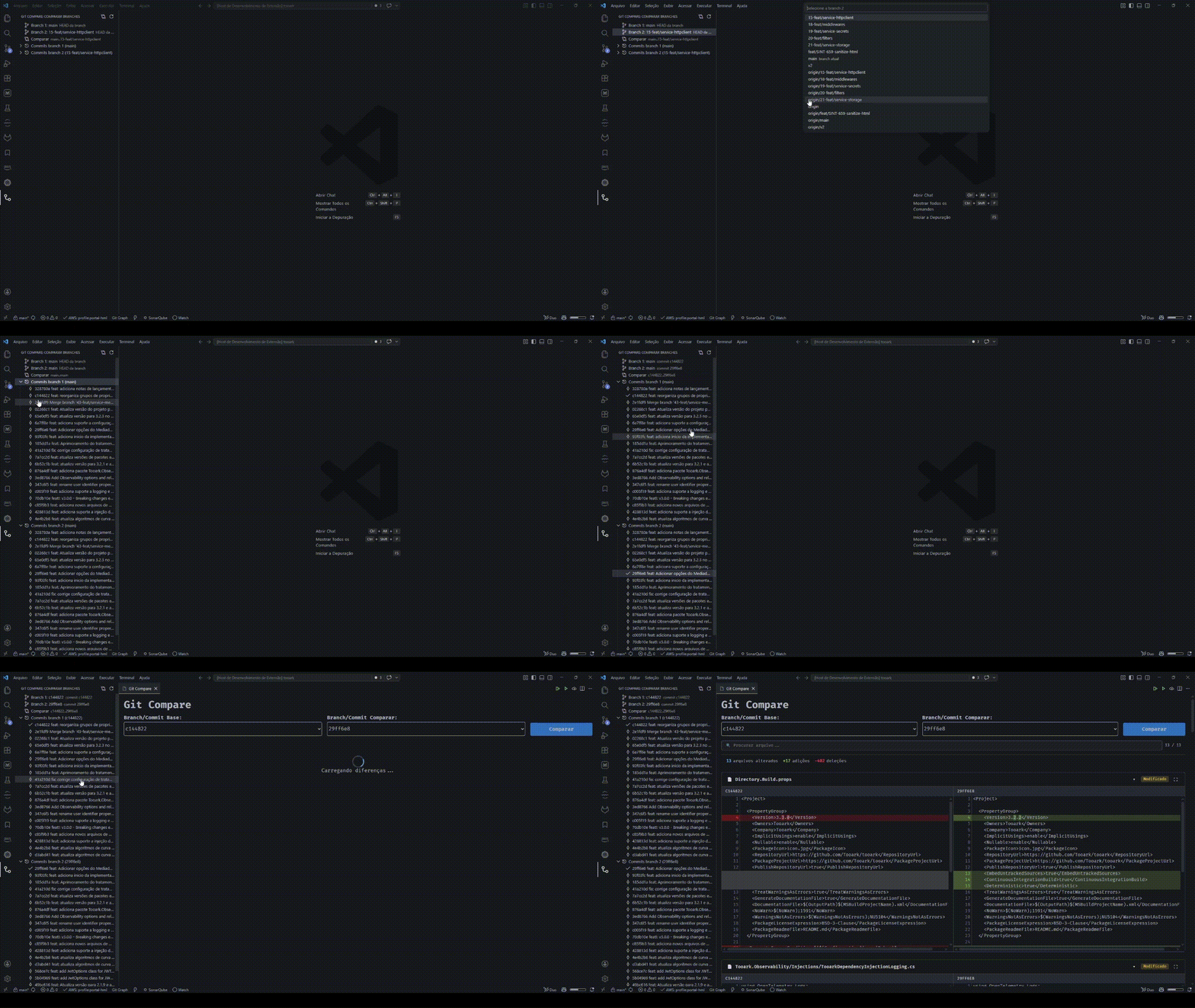
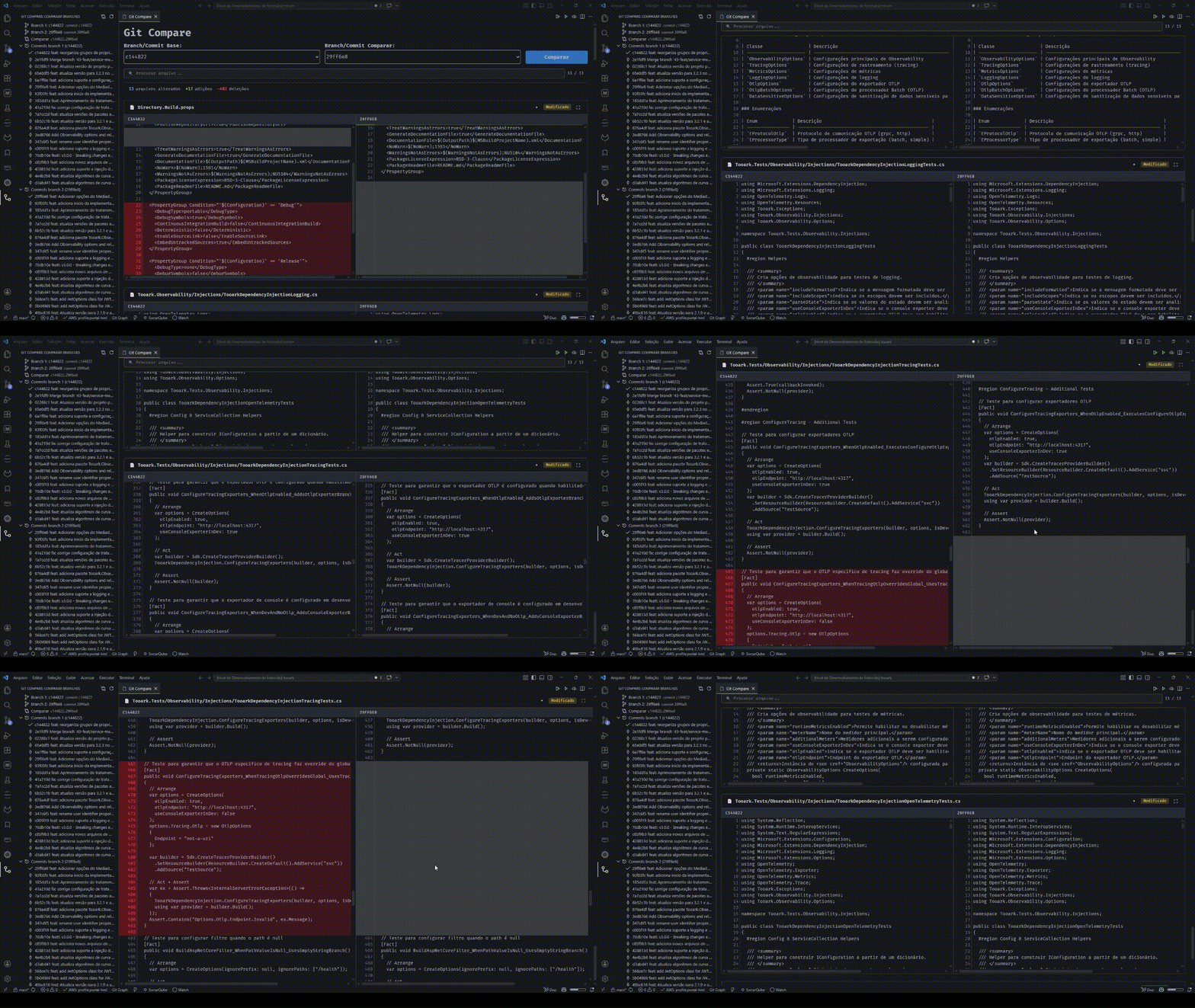
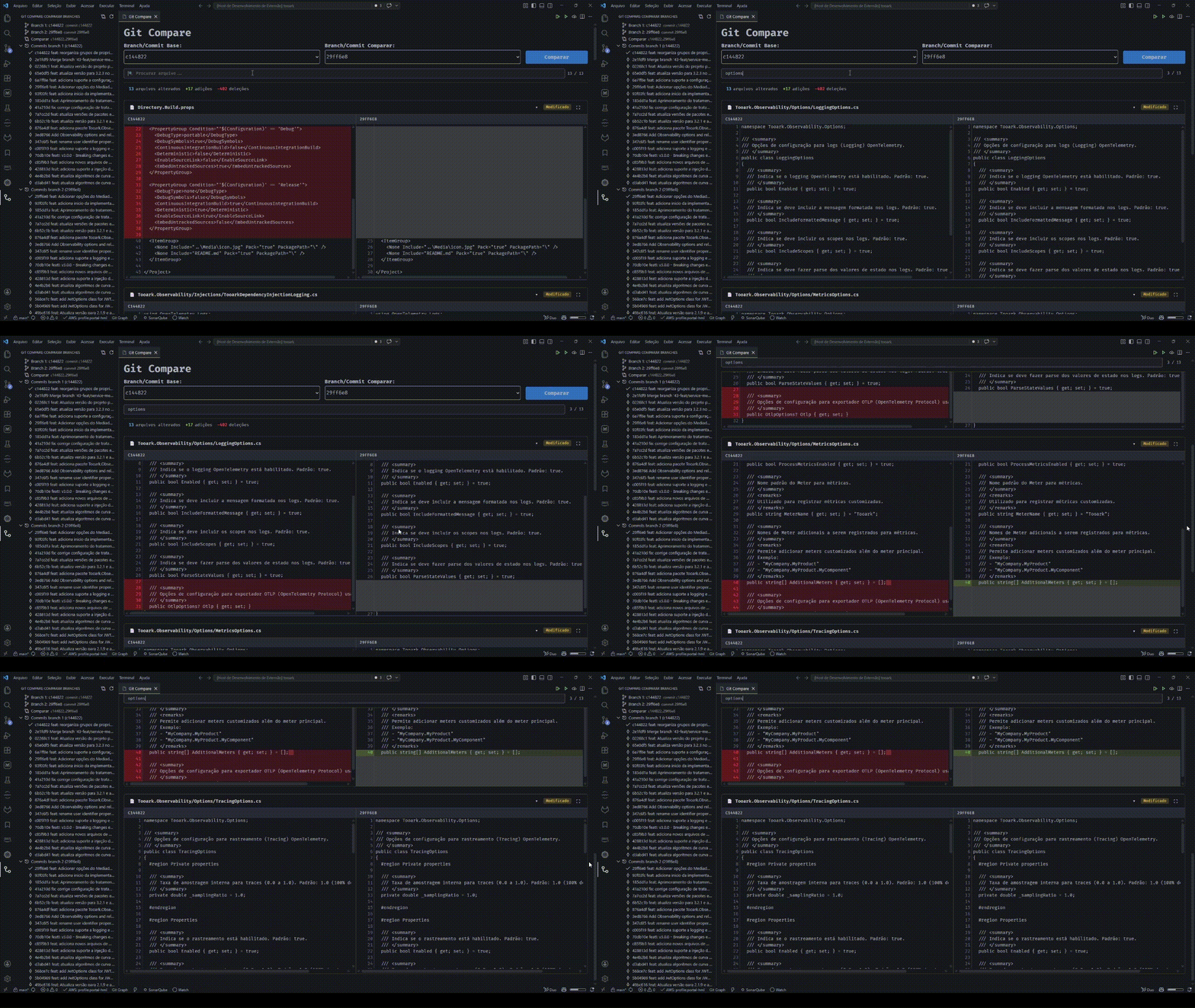
🌿 Compare any two refs — branches or commits — with a side-by-side diff
🔤 Inline highlighting of character-level changes inside modified lines
🧭 Dedicated sidebar to pick branches and commits without leaving the editor
⚡ Instant file list with on-demand diffs — files load lazily and prefetch in the background, so even huge comparisons open without freezing
🌐 Internationalization with English and Brazilian Portuguese
🧩 Features
Sidebar
The extension adds a dedicated Compare Branches view to the VS Code activity bar:
Select two refs through the Branch 1 and Branch 2 fields
Browse the latest 20 commits of each branch listed in the panel
Pick a specific commit per branch for a point-in-time comparison
Compare button in the panel toolbar to run the comparison
Diff view
Side-by-side comparison of the files changed between two refs
Inline highlighting of character-level changes within modified lines
Scroll synchronization between the left and right columns
Per-file fullscreen mode — click the expand button or press ESC to exit
Selects at the top of the panel stay in sync with the sidebar selection
On-demand rendering — files start collapsed and each diff loads when expanded, with background prefetching so they are usually ready by the time you open them
Command palette
Git Compare: Compare Commits — opens the comparison panel directly from the command palette
✅ Requirements
Visual Studio Code ^1.95.0
An open workspace containing a Git repository
🚀 Usage
Open a workspace with a Git repository
Click the Git Compare icon in the activity bar
In the panel, click Branch 1 or Branch 2 to select the desired refs
(Optional) Expand each branch's commit group and click a commit to pin a specific point
Click the Compare button in the panel toolbar (compare icon) to view the differences
⚠️ Notes and limitations
Requires a valid Git repository at the workspace root.
Listing commits may be slow in repositories with very large histories.
⚙️ Settings
The extension does not expose user settings at the moment. If future features require preferences (for example, the number of listed commits or scroll-sync behavior), they will be documented here.
💖 Support
If this extension helps your workflow, consider supporting its development: