Hugo Shortcodes
Syntax highlighting and intelligent completions for Hugo shortcodes inside Markdown.
This extension focuses on real Hugo shortcode templates found in your workspace and suggests shortcode names and arguments directly from those files.
Features
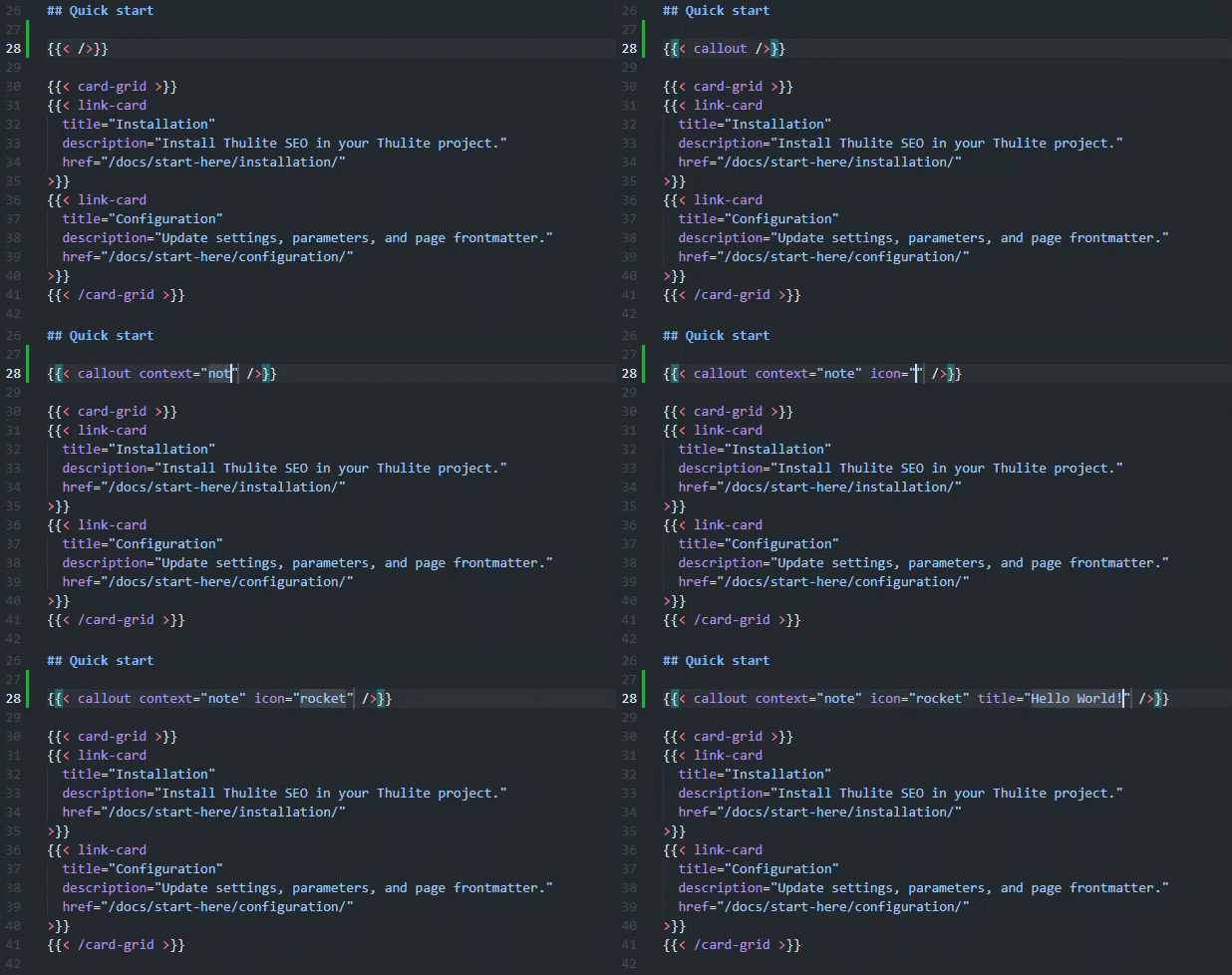
- Highlights Hugo shortcode blocks in Markdown, including:
- Delimiters (
{{< ... >}}, {{% ... %}})
- Shortcode name
- Named arguments
- Strings and numeric literals
- Autocompletes shortcode names while typing in Markdown after trigger characters:
- Autocompletes shortcode names for both opening and closing tags (for example
{{< /details >}}).
- Includes built-in definitions for all 11 Hugo embedded shortcodes with documented arguments. Workspace templates with the same name take priority.
- Autocompletes named shortcode arguments discovered from:
.Get "arg" usage.Params.arg usage@param template documentation blocks
- Suggests positional argument placeholders inferred from
.Get 0, .Get 1, and similar patterns.
- Watches shortcode template files and refreshes suggestions automatically when templates change.
- Includes default globs for Doks/Thulite shortcode templates:
**/node_modules/@thulite/doks-core/layouts/_shortcodes/*.html**/node_modules/@thulite/images/layouts/_shortcodes/*.html**/node_modules/@thulite/inline-svg/layouts/_shortcodes/*.html
Shortcode Discovery
The extension scans these paths by default:
**/layouts/_shortcodes/*.html**/node_modules/@thulite/doks-core/layouts/_shortcodes/*.html**/node_modules/@thulite/images/layouts/_shortcodes/*.html**/node_modules/@thulite/inline-svg/layouts/_shortcodes/*.html
You can add more glob patterns with settings (see below), including workspace-local module mounts and custom shortcode locations.
Extension Settings
This extension contributes the following setting:
hugoShortcodes.additionalSearchGlobs
- Type:
string[]
- Default:
**/node_modules/@thulite/doks-core/layouts/_shortcodes/*.html**/node_modules/@thulite/images/layouts/_shortcodes/*.html**/node_modules/@thulite/inline-svg/layouts/_shortcodes/*.html
- Purpose: Adds extra glob patterns for shortcode template discovery.
Example workspace configuration:
{
  "hugoShortcodes.additionalSearchGlobs": [
    "**/layouts/shortcodes/*.html",
    "**/themes/*/layouts/_shortcodes/*.html"
  ]
}
Usage
- Open a Markdown file in a Hugo/Thulite workspace.
- Type
{{< or {{% and start typing a shortcode name.
- Select a suggested shortcode.
- Press space inside the shortcode and start typing an argument key to get argument suggestions.
How To Test Quickly
- Start the watch build task (
npm run watch) in the extension workspace.
- Press
F5 to launch an Extension Development Host.
- In that new window, open a Hugo/Thulite project containing shortcode templates.
- Create or open a Markdown file and type
{{<.
- Confirm shortcode name suggestions appear from
layouts/_shortcodes and Doks paths.
- Select a shortcode, add a space, and verify argument suggestions appear.
- Verify closing shortcode suggestions appear while typing
{{< /....
- For shortcodes using positional arguments (for example
details), verify positional suggestions appear in the next argument slot.
- Edit a shortcode template (
.Get "...", .Params.foo, or @param), save it, and verify suggestions refresh.
Requirements
- VS Code
^1.117.0
- A workspace containing Hugo shortcode templates (
layouts/_shortcodes/*.html or configured paths)
Known Limitations
- Suggestions are based on currently indexed files in the open workspace.
- Positional suggestions are generic placeholders by default, with targeted tokens only for known cases.
- External mounts outside the opened workspace are not scanned unless they are included via workspace folders/globs.
Roadmap
- Better multiline shortcode context detection for completions.
- Optional documentation hovers for shortcode names and arguments.
- Broader shortcode discovery patterns for mixed Hugo layout conventions.
Recent Improvements
- Built-in completion support for all 11 Hugo embedded shortcodes with correct named/positional args.
- Workspace shortcode templates override built-ins with the same name (Thulite's
details takes priority over Hugo's).
- Closing shortcode name completion (for example while typing
{{< /det...).
- Argument discovery from
.Params.arg and @param docs in addition to .Get.
- Positional argument slot suggestions based on
.Get numeric indexes.
| |

