Lumen Themes
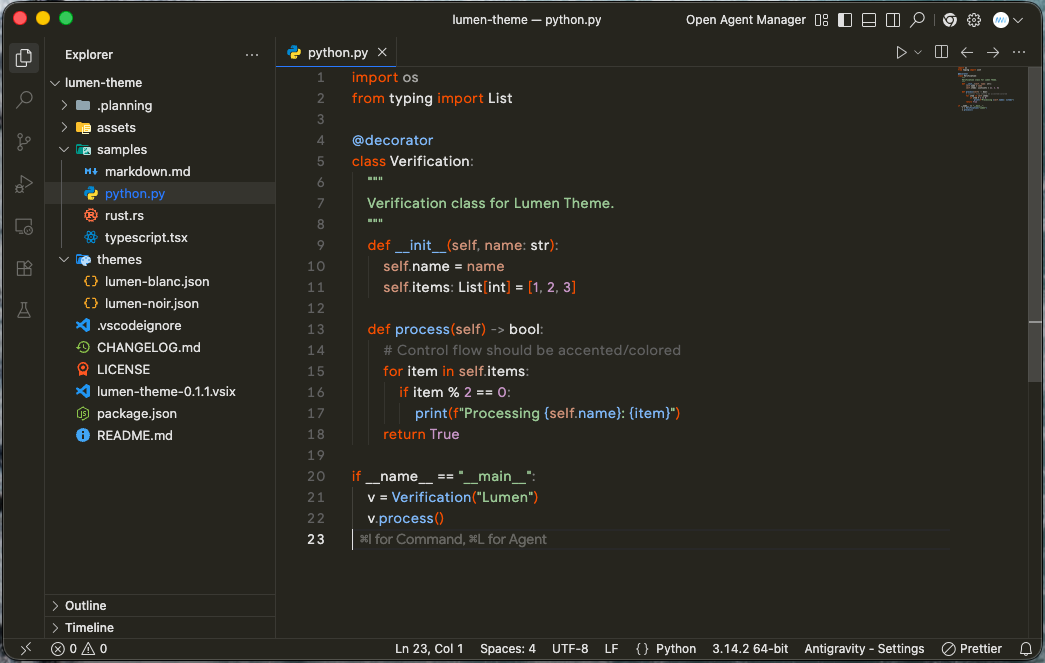
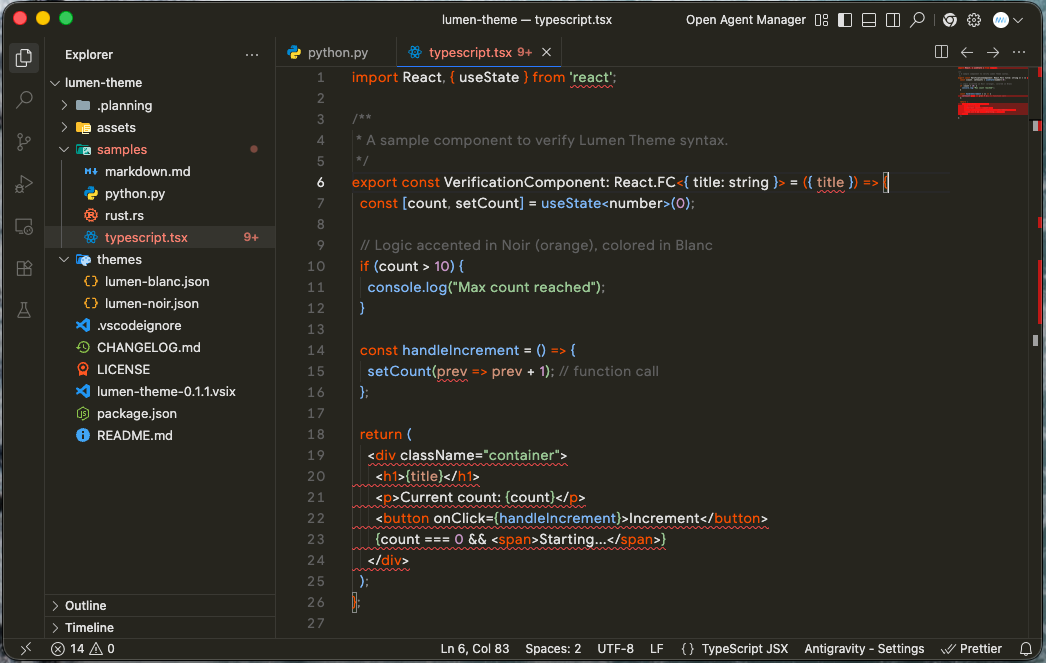
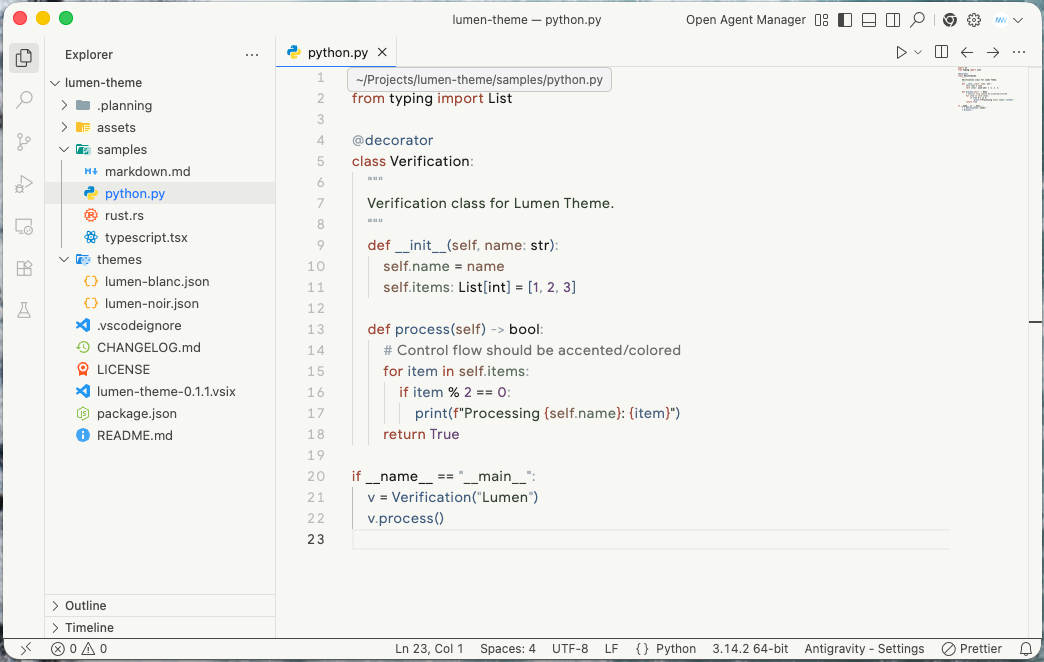
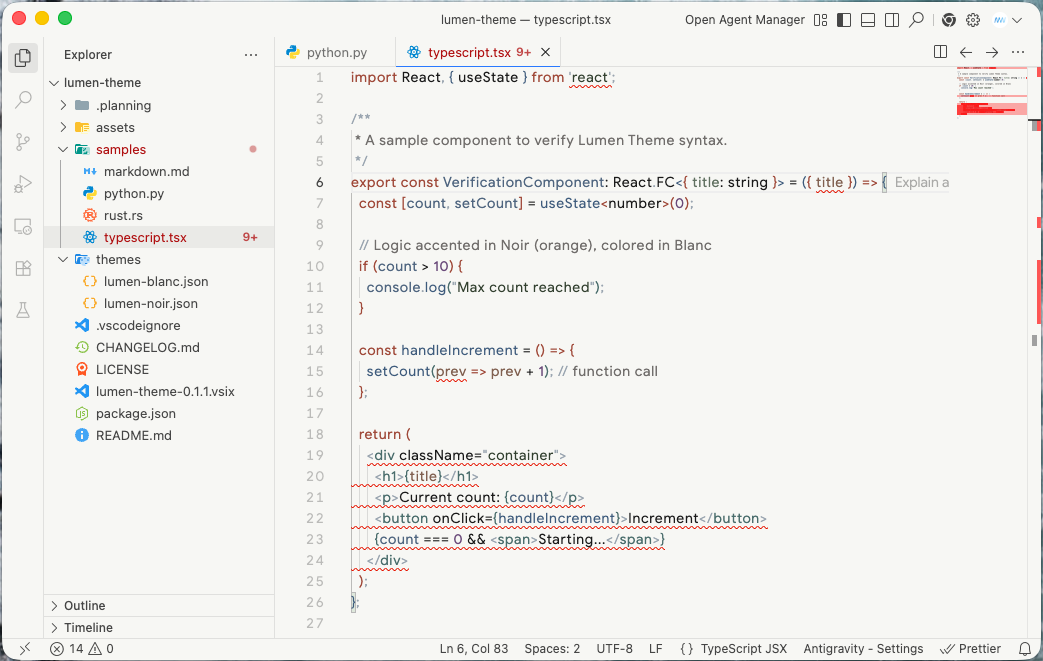
A minimal, clean, and high-tech VSCode theme featuring a monochromatic Dark variant (Noir) and a "Warm Paper" Light variant (Blanc).
Design Philosophy
Lumen is built on the principle of Functional Hierarchy. Instead of overwhelming the editor with a full color palette, Lumen uses color and brightness strategically to guide your focus.
- Noir (Dark): A strictly monochromatic experience with an International Orange accent reserved for logical flow (functions, control flow, tags).
- Blanc (Light): A soft, warm paper aesthetic using muted colors that prioritize legibility and long-form coding comfort.
Screenshots
Lumen Noir (Dark)
Lumen Blanc (Light)
Features
- High-Tech Minimalism: No unnecessary visual noise.
- Precision Syntax Highlighting: Combines TextMate grammars and Semantic Tokens for accurate context-aware coloring.
- Optimized Typography: Carefully balanced font weights and styles (italics/bold restricted to markup).
- Unified Workbench: Flat design with 1px borders and unified background colors for a seamless "sheet of paper" look.
Variants
Lumen Noir (Dark)
Inspired by high-end technical interfaces.
- Accent: International Orange (
#f54e00) for logic.
- Strings: High-contrast pure white.
- Background: Deep neutral charcoal (
#26251e).
Lumen Blanc (Light)
Inspired by the tactile feel of premium stationery.
- Palette: Muted multi-color for a soft, readable hierarchy.
- Background: Warm off-white (
#f7f7f4).
Installation
- Open Extensions in VS Code (
Ctrl+Shift+X).
- Search for
Lumen Themes.
- Click Install.
- Go to
File > Preferences > Theme > Color Theme and select Lumen Noir or Lumen Blanc.
The extension identifier is thousight.lumen-themes.
Development
See project notes for design and maintenance guidance. Track bugs and enhancements in GitHub Issues.
npm ci
npm test
npm run test:package
npm run test:ui
Pull requests use Conventional Commit titles. Merges to main release automatically to Open VSX and the Visual Studio Marketplace when semantic-release detects a fix, feat, or breaking change.
License
MIT © marwen

