PR Pilot connects VS Code to your GitHub or Bitbucket Cloud repositories. Browse pull requests, inspect diffs side-by-side, and generate deep AI code-review reports — without ever leaving your editor.
Supports OpenAI, any OpenAI-compatible endpoint (vLLM, LM Studio, Together AI, Groq), and Ollama for fully local, private reviews.
✨ Features
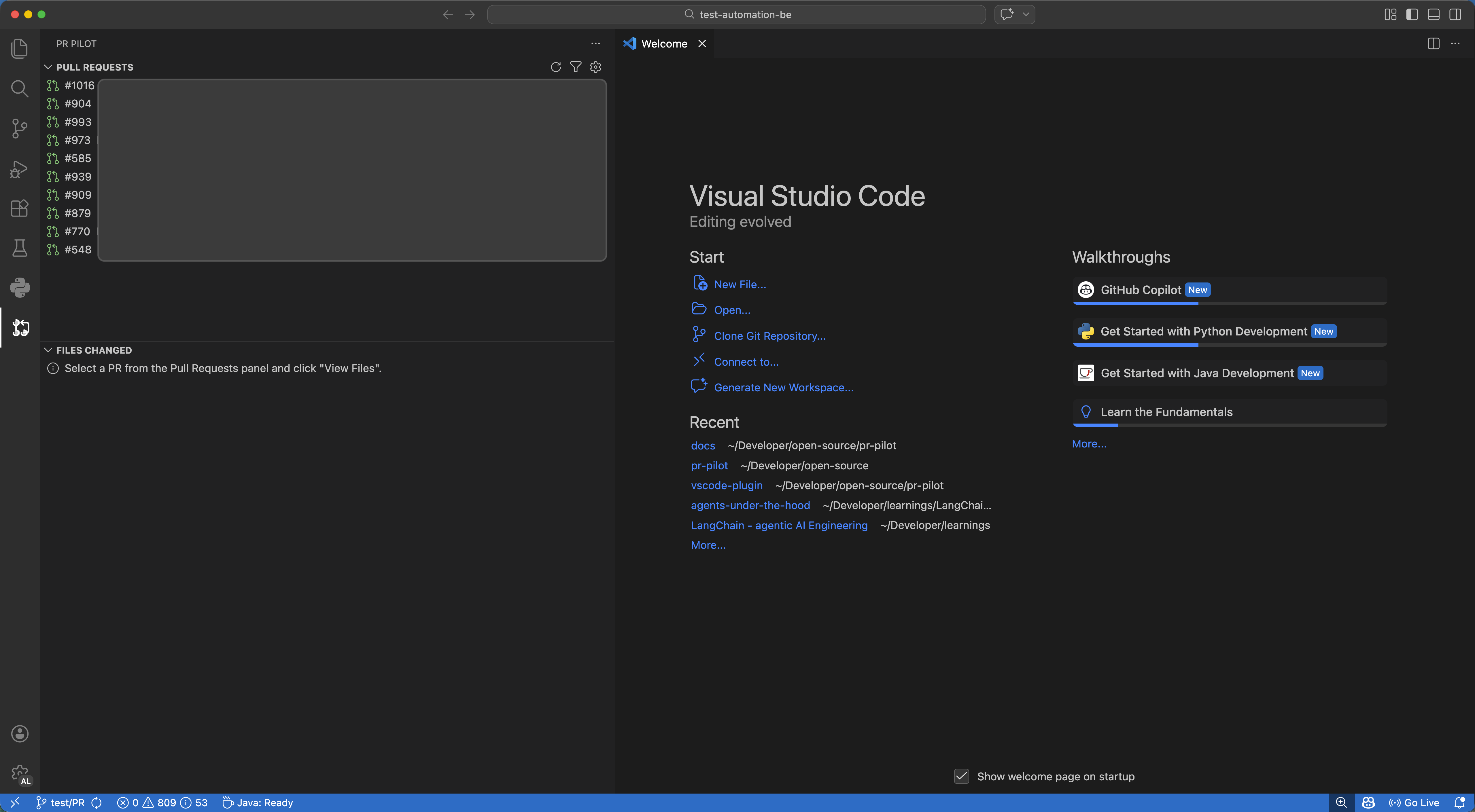
🔍 PR Browser
Browse and filter all pull requests for the current repository directly in the Activity Bar. Filter by state (Open, Merged, Declined), search by ID or title, and select a PR in one click.
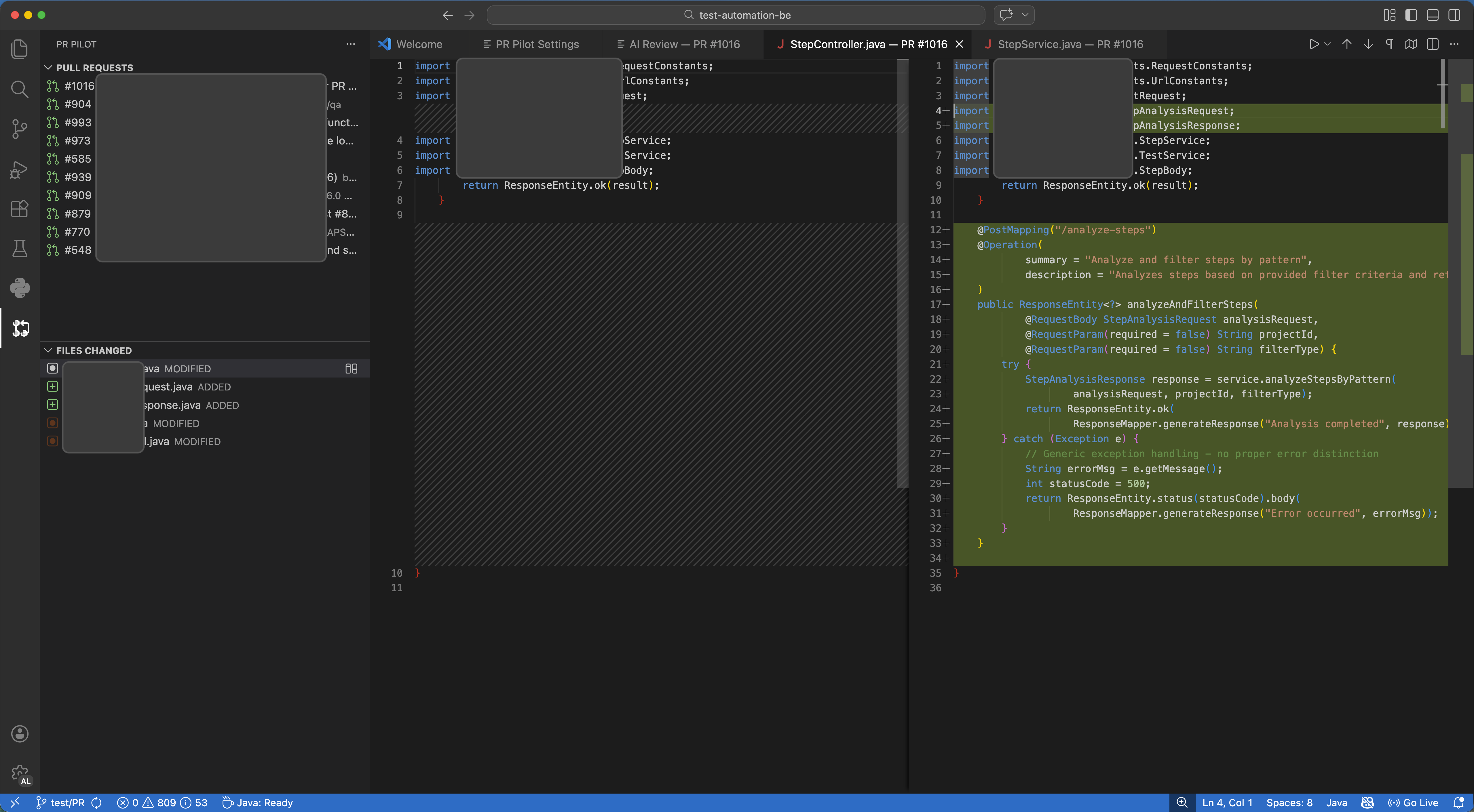
📂 Side-by-Side Diff Viewer
Click any changed file to open it in VS Code's built-in diff editor with full syntax highlighting. ADDED, MODIFIED, DELETED, and RENAMED files are shown with colour-coded badges.
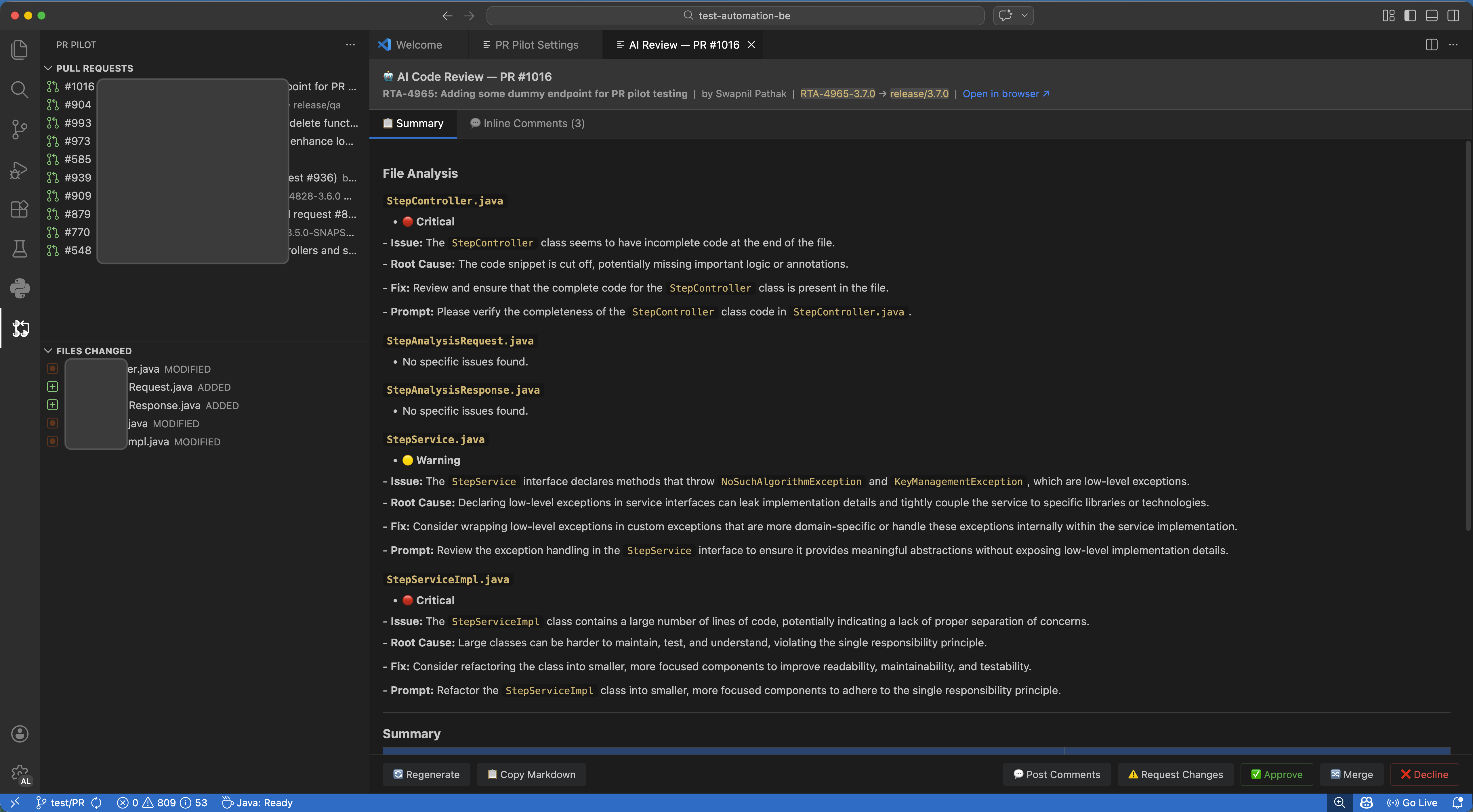
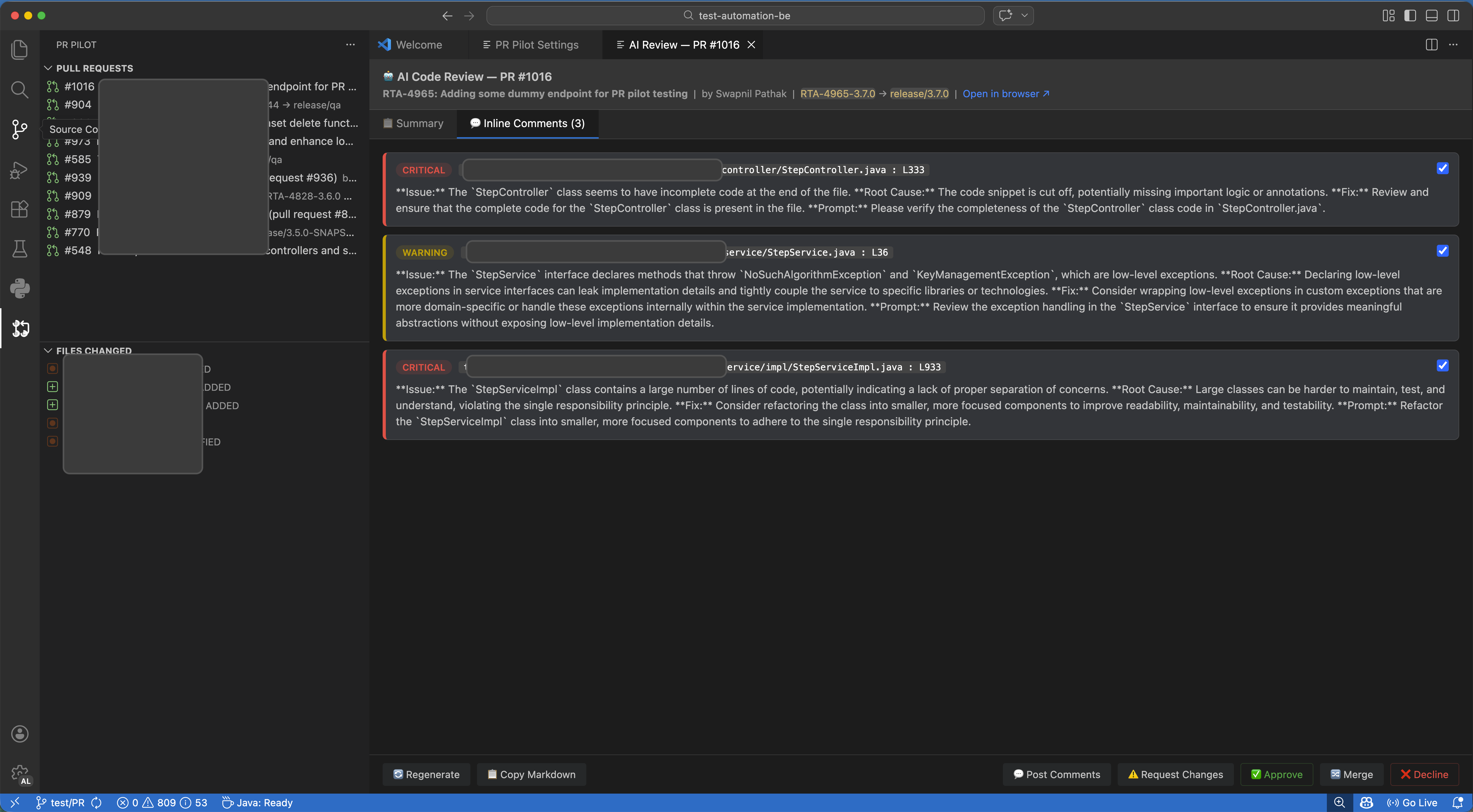
🤖 AI Code Review
Generate a comprehensive AI review report with a single click. The report includes:
- Overview — what the PR does and its overall quality
- File Analysis — per-file feedback with severity labels (🔴 Critical · 🟡 Warning · 🟢 Suggestion)
- Inline Comments — posted directly on the PR lines in GitHub or Bitbucket
- Summary Table — consolidated list of all identified issues
✅ PR Actions
Approve, merge, or decline pull requests without leaving VS Code. When Jira is configured, review outcomes are automatically synced back to the linked Jira issue.
🎯 Skills & Prompt Customisation
Control exactly how the AI reviews your code using plain Markdown skill files committed to your repository. Your whole team shares the same review standards automatically.
.vscode/
└── pr-pilot/
    └── skills/
        ├── system_prompt.md      # AI persona, tone, output format
        ├── review_rules.md       # What to look for (security, perf, testing…)
        └── coding_standards.md   # Your team's style guide and architecture rules
📖 Full Skills Guide →
📋 Requirements
| Requirement |
Version |
| VS Code |
1.85.0 or newer |
| Git repository |
Workspace must have a Bitbucket Cloud or GitHub remote |
| Internet connection |
Required for API calls to GitHub / Bitbucket and cloud AI providers |
Ollama users: No internet required for AI calls — but you still need connectivity for GitHub/Bitbucket APIs.
🚀 Getting Started
- Install the extension from the Marketplace
- Open a workspace with a Git repository pointing to GitHub or Bitbucket Cloud
- Click the PR Pilot icon in the Activity Bar to open the panel
- Click the ⚙ gear icon to open Settings — connect your Git provider and AI provider
- Click Refresh to load pull requests
📖 Detailed Installation Guide →
⚙️ Configuration
All settings are managed in the PR Pilot Settings panel (accessible via the gear icon or PR Pilot: Open Settings). Sensitive tokens are stored in VS Code's encrypted SecretStorage — never in settings.json.
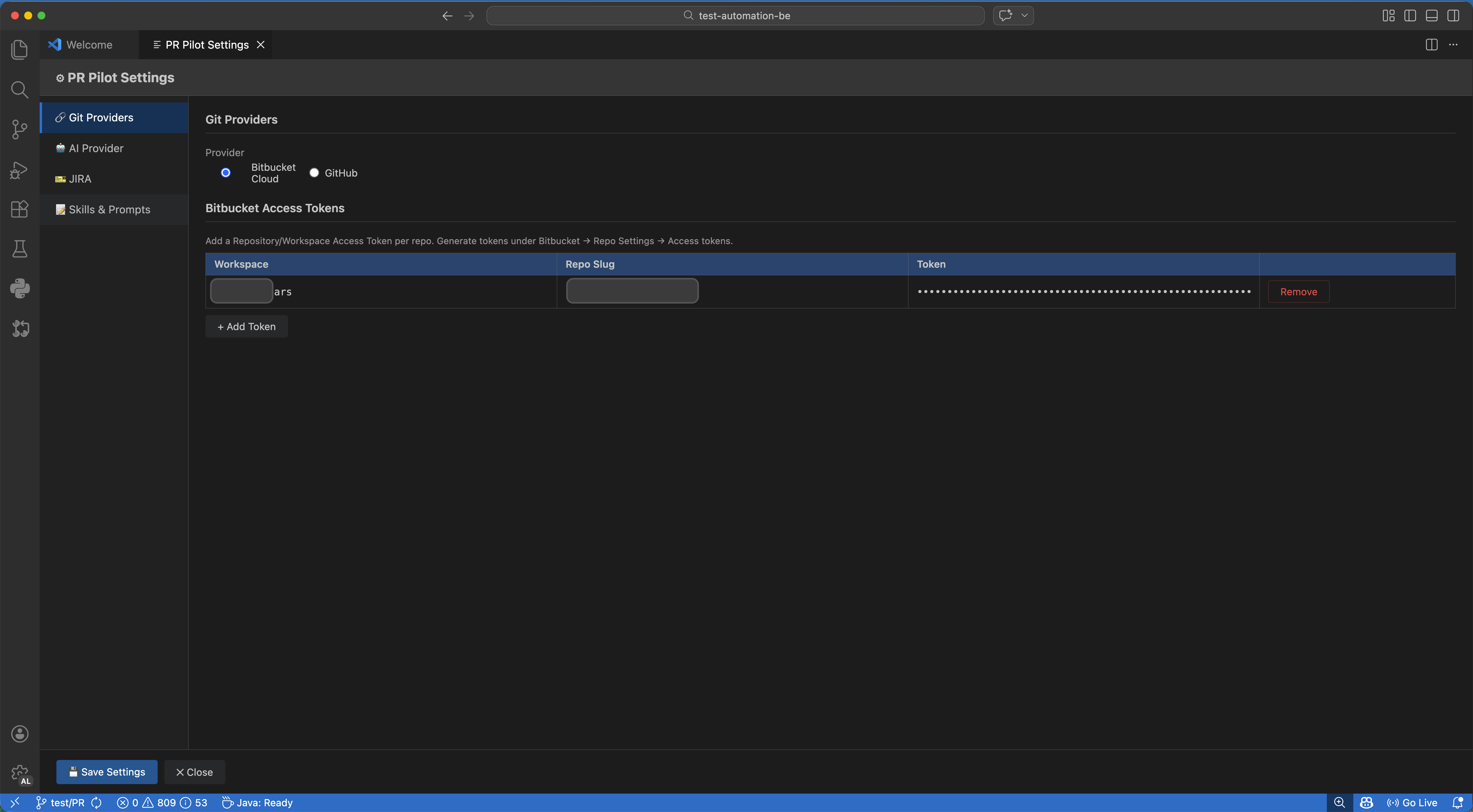
Git Providers
Bitbucket Cloud — Requires a repository-level Personal Access Token (PAT) per repo.
- Go to: Bitbucket → Repository Settings → Access Tokens
- Required scopes:
Pull requests: Read + Pull requests: Write
GitHub — Requires a single fine-grained or classic Personal Access Token.
- Go to: GitHub → Settings → Developer Settings → Personal access tokens
- Required permissions:
Pull requests: Read and write, Contents: Read
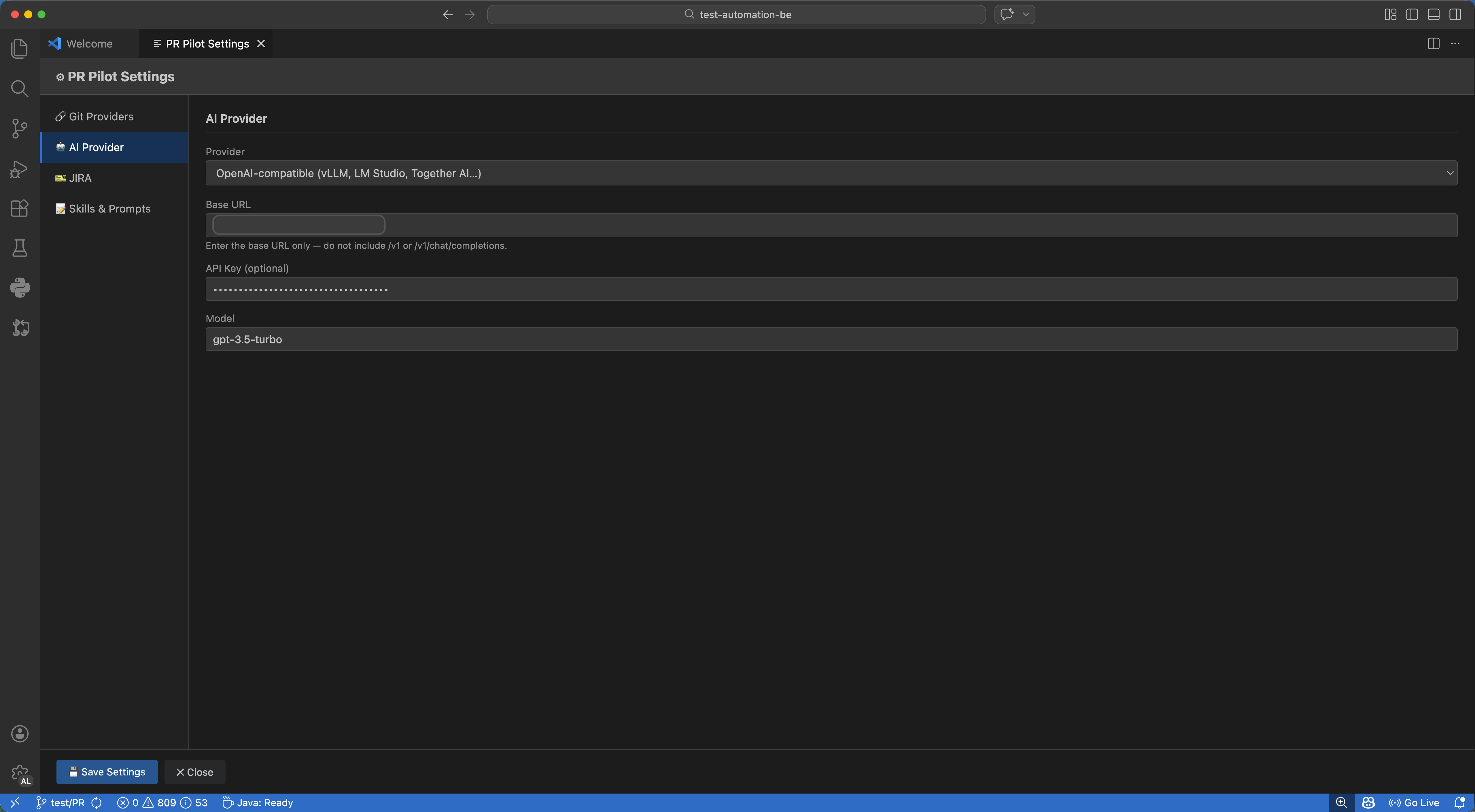
AI Providers
| Provider |
Setup |
| OpenAI |
Enter your API key (sk-…). Default model: gpt-4o |
| OpenAI-compatible |
Enter a Base URL. Works with vLLM, LM Studio, Together AI, Groq, Anyscale |
| Ollama |
Enter your server address. Default: http://localhost:11434 |
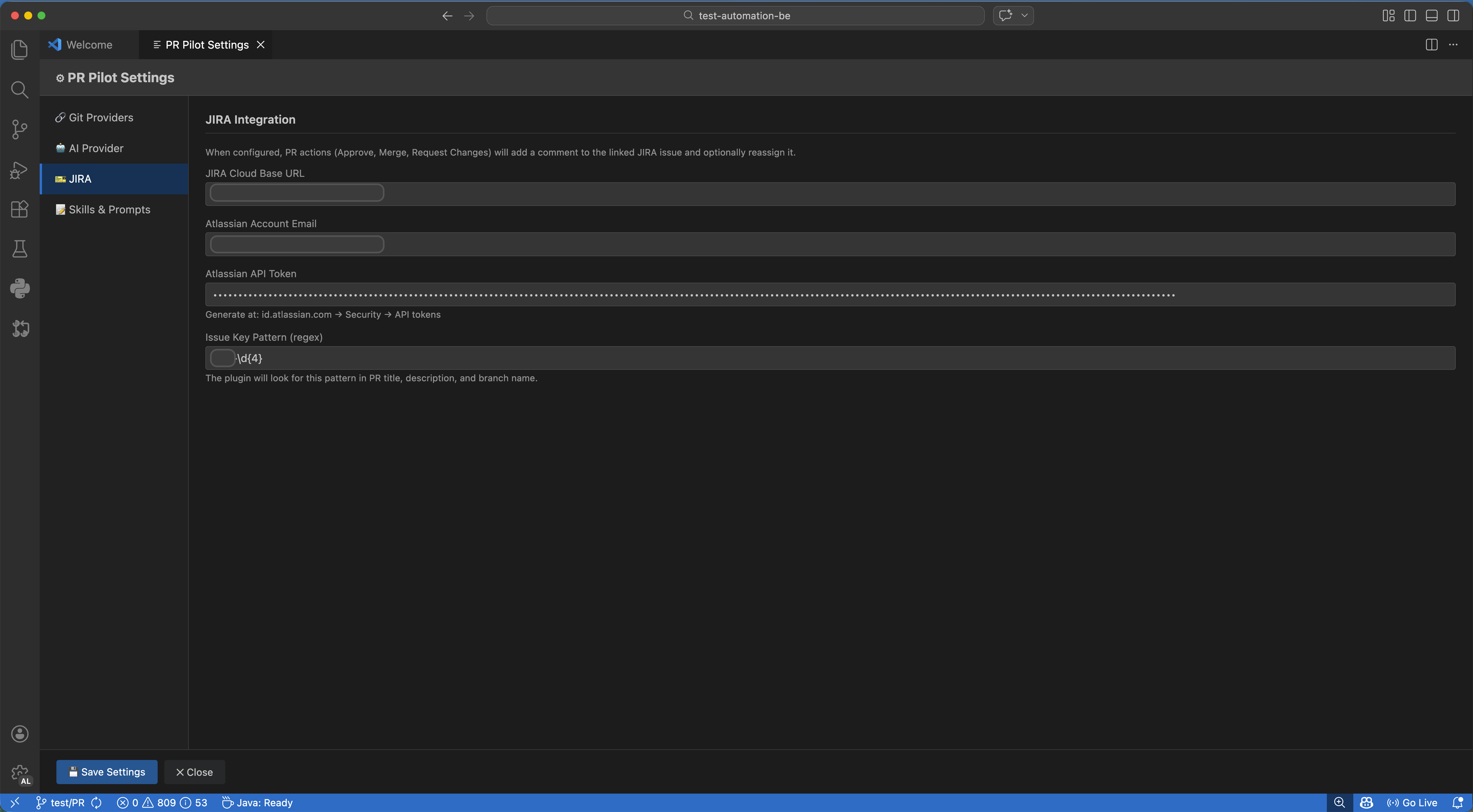
Jira Integration (optional)
| Field |
Description |
| Base URL |
https://yourcompany.atlassian.net |
| Email |
Your Atlassian account email |
| API Token |
Generate at id.atlassian.com → Security → API tokens |
| Issue Key Pattern |
Regex to match issue keys in PR data (default: [A-Z][A-Z0-9]+-\d+) |
📖 Full Configuration Guide →
🎮 Commands
Open the Command Palette (⌘⇧P / Ctrl+Shift+P) and search for PR Pilot:
| Command |
Description |
PR Pilot: Open Settings |
Open the settings panel |
PR Pilot: Refresh |
Reload the PR list |
PR Pilot: View Files |
Load changed files for the selected PR |
PR Pilot: Generate AI Review |
Generate an AI code review report |
PR Pilot: Approve PR |
Approve the selected PR |
PR Pilot: Merge PR |
Merge the selected PR |
PR Pilot: Decline PR |
Decline / close the selected PR |
PR Pilot: Post Inline Comments |
Post AI-generated comments on PR lines |
PR Pilot: Request Changes |
Post inline comments + register a Changes Requested review |
🔒 Privacy & Security
- Tokens & API keys are stored exclusively in VS Code's
SecretStorage (system keychain) — never in settings.json or any plain-text file
- Skill files contain only review instructions, not credentials
- PR diff content is sent to your configured AI provider for analysis — review your provider's privacy policy for sensitive codebases
- No telemetry is collected by this extension
📚 Documentation
🤝 Contributing
Contributions, bug reports, and feature requests are welcome!
📄 License
Released under the MIT License.
© 2026 Vitiquest