Crispy
A zero-compromise UI for Claude Code, Codex, and more — with controls you can't get in a terminal.
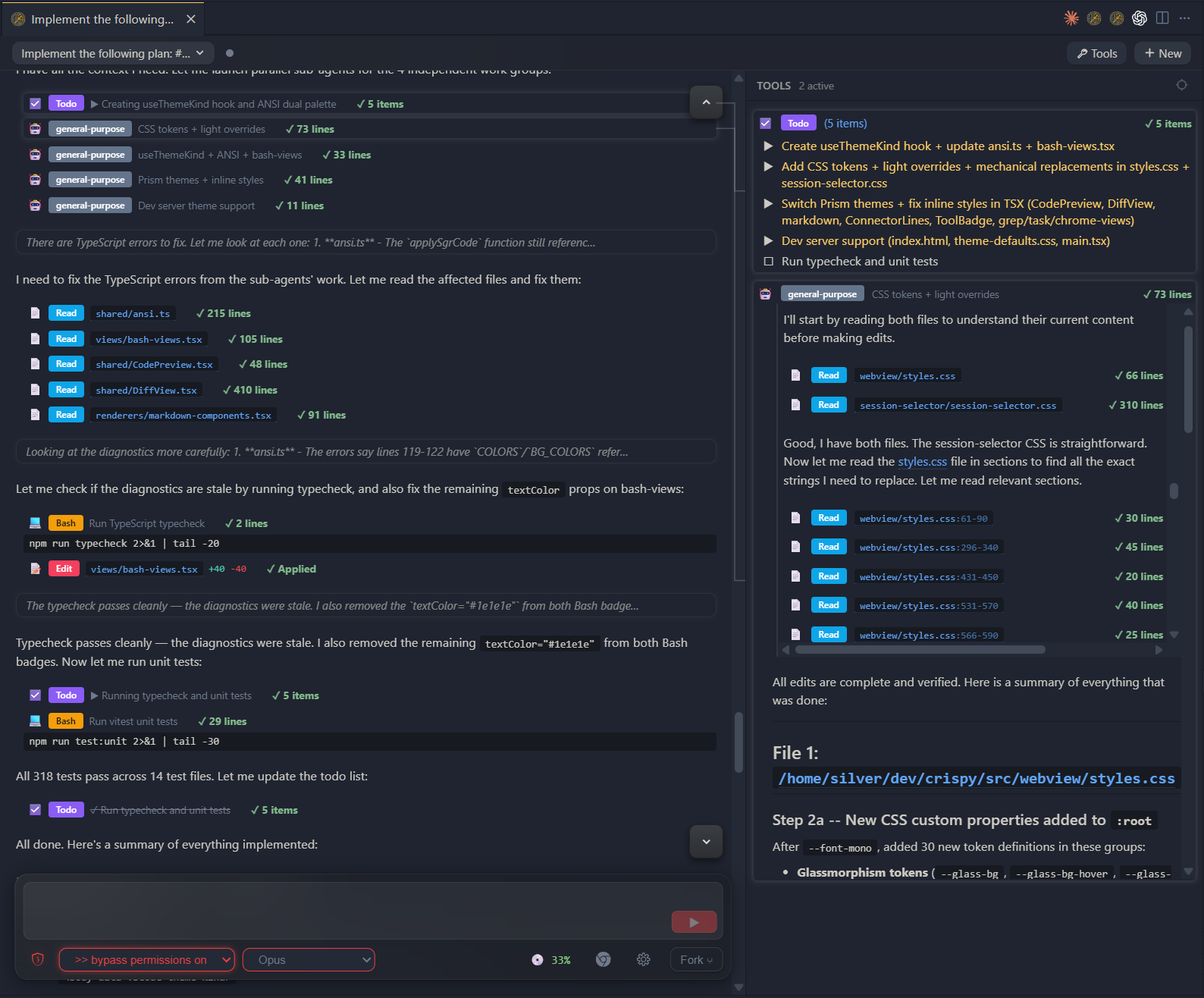
Rendered Markdown. Fork and rewind conversations. Multiple agent windows side by side. Audit tool calls and sub-agent work in a dedicated panel. One-click bypass, Chrome, models, and permissions. Execute Markdown files directly as prompts.
VS Code / Cursor extension today. Standalone browser app after v0.1.x.
Why Crispy?
The official Claude Code VS Code extension is good. But it ships a subset of
what the TUI can do, and it locks you into one vendor. Crispy fills the gaps.
Features
- Fork and rewind conversations
- Side-by-side agent windows — as many as your editor can tile
- Dedicated tool panel for auditing tool calls and sub-agent work
- One-click bypass mode and Chrome toggle
- Execute Markdown files as prompts from the Explorer
- Claude and Codex adapters today — Gemini CLI and OpenCode next
- Custom model providers — route Claude through any compatible endpoint
(GLM-4.7, DeepSeek, local models)
- Plan-to-execution handoff — clear context and start fresh
- Three rendering modes — Blocks for daily use, Compact for skimming,
YAML for observability
- Agency modes — plan, auto-accept, ask-before-edits, bypass
- Session browser with search and vendor filtering
- Image attachments, @mentions, linkified URLs
- Light, dark, and high-contrast themes
- Experimental (insecure): Browser mode at
localhost:3456
Coming Soon
- Cross-vendor memory system
- Agent delegation across vendors
Installation
Option 1: OpenVSX Marketplace
Search for "Crispy" in the VS Code extensions panel and install it
directly.
Option 2: CLI
code --install-extension the-sylvester.crispy
Or download the .vsix file from the
OpenVSX Marketplace and
install manually via Extensions > Install from VSIX.
Option 3: From Source
git clone https://github.com/TheSylvester/crispy.git
cd crispy
npm install
npm run build
Then press F5 in VS Code to launch the extension development host.
Usage
- Open VS Code in a project that has Claude Code or Codex sessions
- Run
Crispy: Open from the command palette (Ctrl+Shift+Alt+I)
- Browse sessions in the sidebar, or start a new conversation
- Use the control panel at the bottom for chat input, model selection, and
agency mode toggles
Requirements
- VS Code 1.94+ (or any compatible fork)
- Claude Code CLI installed and authenticated
- Codex CLI (optional, for Codex sessions)
Third-Party Notices
@anthropic-ai/claude-agent-sdk — The Claude adapter depends on
Anthropic's Agent SDK, which is proprietary ("All rights reserved") and
governed by Anthropic's Terms of Service.
This dependency is required for Claude Code integration. By using Crispy with
Claude Code, you accept Anthropic's terms for that SDK.
Codex protocol types — Files in src/core/adapters/codex/protocol/ are
generated from the OpenAI Codex CLI
project, licensed under Apache-2.0. See THIRD-PARTY-LICENSES for details.
License
MIT — see LICENSE for the full text.

