
Hurl LSPVSCode support for Hurl powered by hurl-lsp Installation Launch VS Code Quick Open ( Ctrl+P), paste the following command, and press enter.Copied to clipboard |

Hurl LSP for VS CodeLanguage support for Hurl
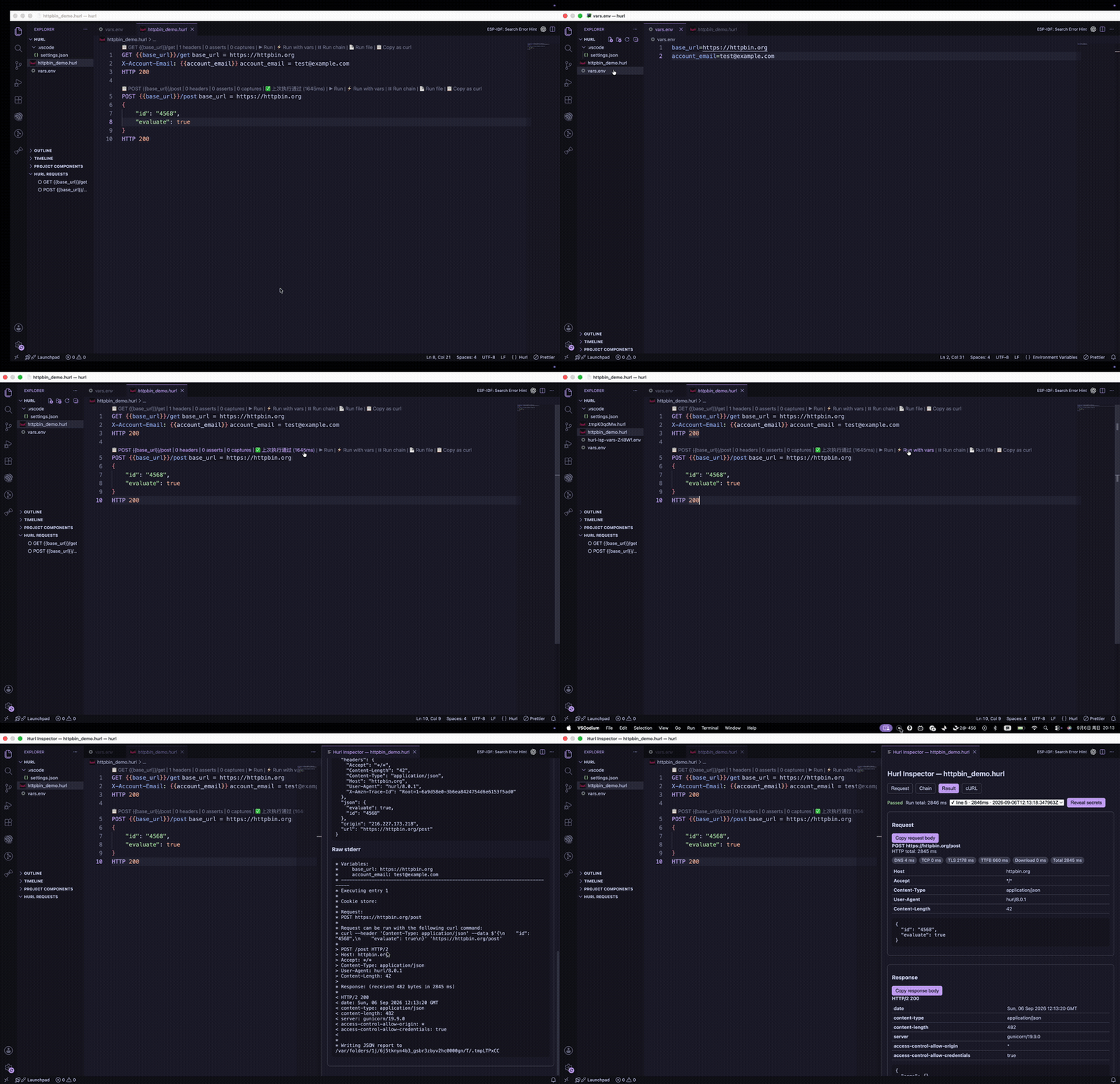
Demo
The extension registers the This project is under active development. Feedback and issues are welcome at testmind-hq/hurl-lsp. Installation1. Install this extension
Open any 2. Install the
|

| Command | What it does |
|---|---|
Hurl: Open Inspector |
Open the request inspector |
Hurl: Format Document |
Format the current .hurl file |
Hurl: Export as Markdown |
Write a sibling .md file |
Hurl: Restart Language Server |
Restart hurl-lsp |
Hurl: Show Log |
Open the runtime log |
Hurl: Show Request Log |
Open the request log |
Hurl: Clear Run Alerts |
Clear inline run-failure diagnostics |
Hurl: Select Environment Profile |
Select Auto or a named profile for the current workspace folder |
Hurl: Create Environment File |
Create .env.<name> or .env.<name>.local in the current workspace |
Hurl: Open Active Environment Files |
Select and open files used by the active environment |
Settings
| Setting | Default | What it does |
|---|---|---|
hurl.server.path |
"" |
Absolute path to a local hurl-lsp binary |
hurl.server.trace |
off |
LSP trace: off / messages / verbose |
hurl.run.verbosity |
verbose |
Run output verbosity |
hurl.run.timeoutSeconds |
30 |
Maximum run duration; set 0 to disable |
hurl.run.inlineFailureDiagnostics |
true |
Inline red diagnostics on failed runs |
hurl.variables.inlayHints.enabled |
true |
Show resolved variable values |
hurl.variables.inlayHints.maxLength |
60 |
Max characters for a hint |
hurl.environment.defaultProfile |
Auto |
Profile used when the workspace has no saved selection |
hurl.environment.profiles |
{} |
Named profiles mapped to ordered variable files |
hurl.outline.groupMode |
hierarchical |
Outline grouping: hierarchical / flat |
hurl.outline.sortMode |
source |
Outline sort: source / priority |
Environment profiles
Profiles make the same variables available to diagnostics, completion, hover, inlay hints, cURL generation, Run with vars, Run Chain, and Run File.
For most projects, no settings are required. The extension discovers Node-style files in each workspace root and adds their environment names to the Hurl: Auto status-bar selector:
.env
.env.local
.env.staging
.env.staging.local
Selecting staging loads those files from top to bottom, so the more specific file overrides earlier values. Auto also loads .env.local after .env. Creating or deleting .env.<name> and .env.<name>.local updates the selector automatically; edits refresh Hurl language features and subsequent requests without restarting the server.
Configure explicit paths for custom names and locations:
{
  "hurl.run.timeoutSeconds": 30,
  "hurl.environment.defaultProfile": "Auto",
  "hurl.environment.profiles": {
    "Local": ["vars.env", "vars.local.env"],
    "Staging": ["vars.env", "vars.staging.env"]
  }
}
Files are merged from left to right, so later files override earlier values. Explicit profiles override an automatically discovered profile with the same name. Use the Hurl: <profile> status-bar item to select a profile for the current workspace folder. Auto preserves automatic discovery of .hurl-vars, vars.env, hurl.env, .env, and .env.local.
Profile files outside the workspace are rejected. Sensitive values remain masked in hovers, inlay hints, cURL previews, logs, and Inspector metadata.
Execution tasks
Each Run is represented by a task in Hurl Inspector. While it is active, Inspector shows live elapsed time and a Cancel run action. Runs exceeding hurl.run.timeoutSeconds are terminated and marked as timed out.
Completed results separate extension/server overhead from HTTP timing:
- Prepare: request scope, temporary report files, and variables.
- Process: the Hurl CLI process, including HTTP activity.
- Report: parsing the generated Hurl JSON report.
- Total: end-to-end language-server execution time.
HTTP-specific DNS, TCP, TLS, TTFB, and download values remain available per exchange.
Links
License: MIT