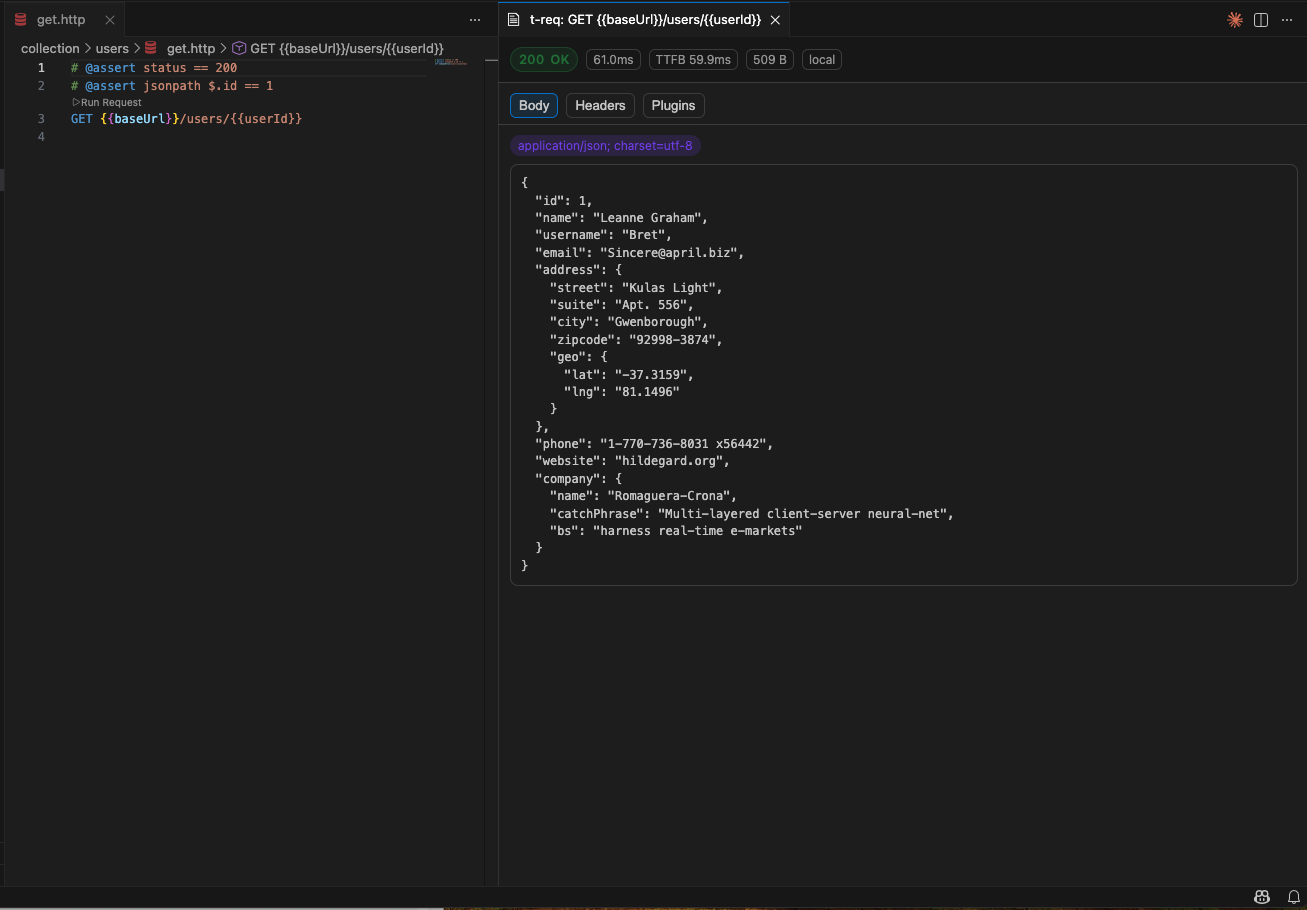
Lightweight HTTP/REST client extension for testing APIs. Run requests from .http files with syntax highlighting, variables, profiles, and plugin support. Postman alternative.
Installation
Launch VS Code Quick Open (Ctrl+P), paste the following command, and press enter.
A lightweight HTTP/REST client for testing APIs directly from .http files. Write requests in plain text with full syntax highlighting, run them with a click, and view formatted responses — all without leaving your editor. A file-based alternative to Postman, Thunder Client, Insomnia, and Bruno.
Features
HTTP & REST Client
File-based workflow: Write requests in .httpfiles with full syntax highlighting
One-click execution: Run individual requests or all requests in a file
Response viewer: View status, headers, and body with JSON/XML/HTML formatting
Variables: Use dynamic values with $variable syntax for environment switching
API Testing & Development
Environment profiles: Switch between dev, staging, and production configurations
Sequential execution: Run entire test suites from a single file
Plugin system: Extensible with assert directives, custom resolvers, and hooks
Diagnostics: Inline warnings and errors from static analysis
Execution Modes
Local mode: Bundled engine runs entirely within the extension (no CLI install)
Server mode: Connect to remote t-req servers (powered by @t-req/app) for shared environments
Secure token storage: Server authentication via editor SecretStorage (never in settings files)
Power up with the CLI
While the extension works standalone, installing the t-req CLI (@t-req/app) unlocks the full potential of the ecosystem:
TUI & Web Dashboard: Interactive terminal and browser-based exploration.
CI/CD Integration: Execute .http files headlessly in automated pipelines.
Advanced Scripting: Write TypeScript/Bun tests that report results back to the UI with "Observer Mode".
WebSocket Testing: Dedicated tools for testing real-time APIs.
# Install via npm
npm install -g @t-req/app

# Or via curl
curl -fsSL https://t-req.io/install | bash
Commands
All commands are available via the Command Palette (Ctrl+Shift+P / Cmd+Shift+P):
Command
Description
t-req: Run Request
Execute the request under the cursor
t-req: Run All Requests
Execute all requests in the current file
t-req: Select Profile
Choose the active environment profile
t-req: Cancel Request
Cancel a running request
t-req: Set Server Token
Store a bearer token for server mode (saved in SecretStorage)
t-req: Clear Server Token
Remove the stored server token
Configuration
Configure via Settings > Extensions > t-req or in settings.json:
Setting
Type
Default
Description
t-req.executionMode
"local" | "server"
"local"
Execution mode — local uses the bundled engine, server proxies to a remote t-req server
t-req.serverUrl
string
""
Base URL for the t-req server (server mode only)
t-req.defaultProfile
string
""
Default profile for request execution
t-req.timeout
number
30000
Request timeout in milliseconds (min: 100)
t-req.enableDiagnostics
boolean
true
Enable inline diagnostics for .http files
t-req.maxBodyBytes
number
1048576
Maximum response body size to render (min: 1024)
Token Management
When using server mode, authenticate with a bearer token:
Run t-req: Set Server Token from the Command Palette
Enter your token — it is stored securely in the editor's SecretStorage (never in settings files)
To remove it, run t-req: Clear Server Token
Requirements
VS Code ^1.96.0 or compatible editors (Cursor, VSCodium, etc.)
No external CLI install needed — the t-req core engine is bundled in the extension
Recommended: Install @t-req/app for Server Mode, TUI, and CI/CD features