Skip to content
| Marketplace
Sign in
Visual Studio Code>Themes>tenjo-themeNew to Visual Studio Code? Get it now.
tenjo-theme

tenjo-theme

tenjojeremy

|
114 installs
| (0) | Free
Tenjo vscode theme
Installation
Launch VS Code Quick Open (Ctrl+P), paste the following command, and press enter.
Copied to clipboard
More Info

My vscode theme

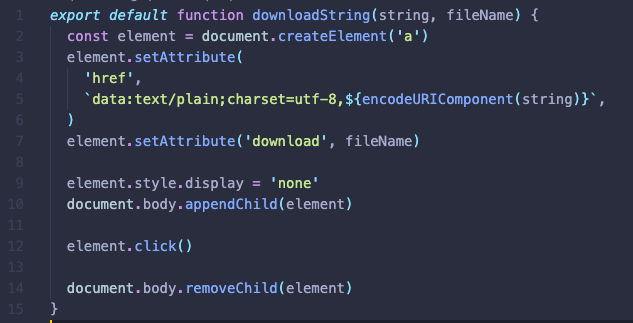
Javascript

js example

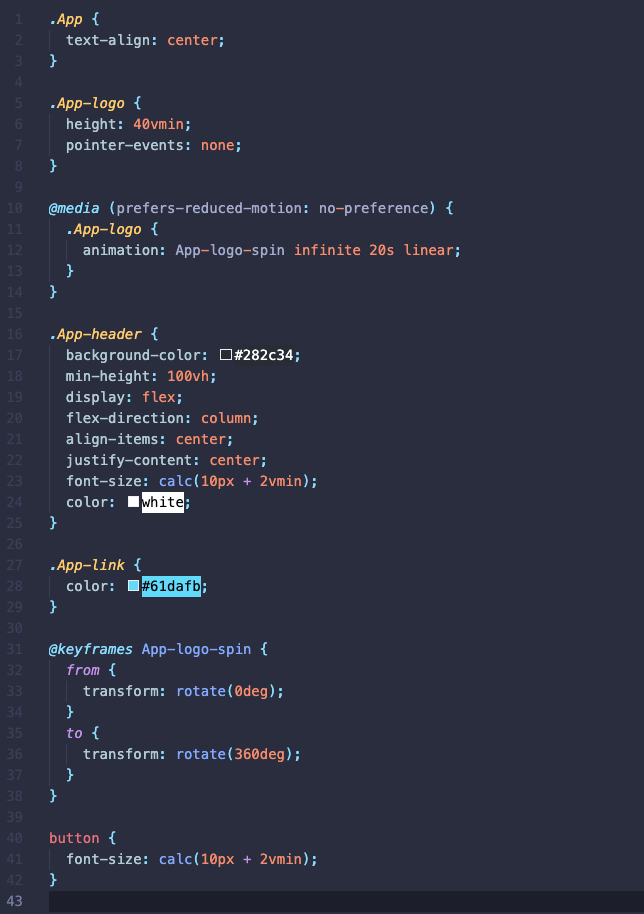
CSS

css example

How to debug

  1. Open Run and Debug
  2. Click Run Extension

How to edit colors

For more information on how to use the scope inspector, please refer to the official documentation.

  1. Open the command palette (Ctrl + Shift + P)
  2. Type Developer: Inspect Editor Tokens and Scopes
  3. Click on the text you want to change
  4. Copy the scope value
  5. Open the tenjo-color-theme.json file
  6. Add/Edit the scope value to the tokenColors array
  • Contact us
  • Jobs
  • Privacy
  • Manage cookies
  • Terms of use
  • Trademarks
  • Your Privacy Choices
  • Consumer Health Privacy
© 2026 Microsoft