Skip to content
| Marketplace
Sign in
Visual Studio Code>Programming Languages>JWT, Base64, Hash & Timestamp - Smart Decoder/EncoderNew to Visual Studio Code? Get it now.
JWT, Base64, Hash & Timestamp - Smart Decoder/Encoder

JWT, Base64, Hash & Timestamp - Smart Decoder/Encoder

Teel Bendi

|
7 installs
| (0) | Free
Ultimate encode/decode toolkit: Base64, Hex, JWT, Timestamp, URL, MD5, SHA...
Installation
Launch VS Code Quick Open (Ctrl+P), paste the following command, and press enter.
Copied to clipboard
More Info

Smart Decoder – JWT, Base64, Hash & Timestamp Toolkit

All-in-one developer toolkit to decode, encode and inspect data directly inside VS Code.

Decode JWTs beautifully, convert Base64 & Hex, transform Unix timestamps, generate MD5/SHA256 hashes, handle URL encoding — all locally, fast, without leaving your editor or using risky online tools.

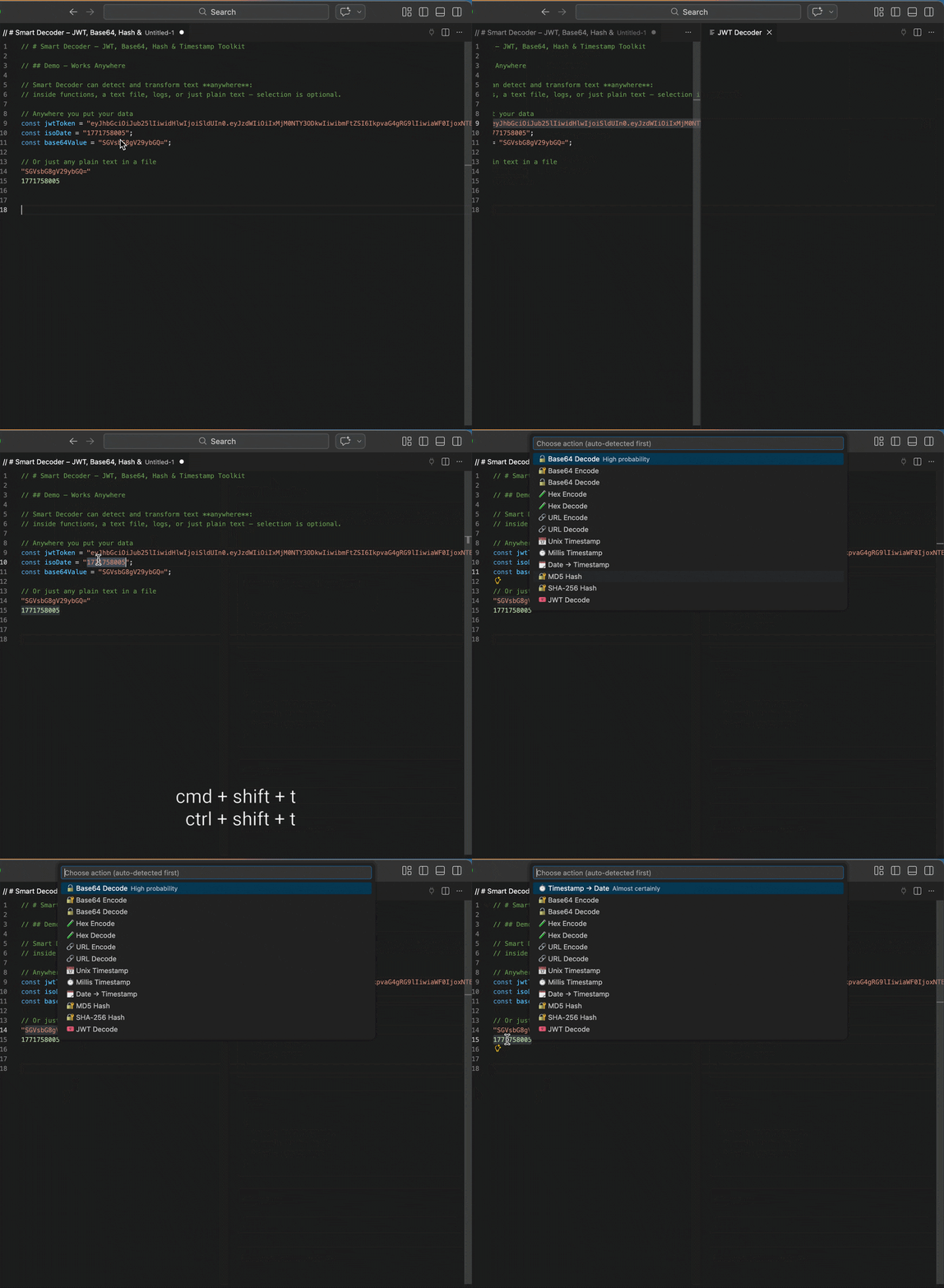
Smart Decoder Quick Pick

🚀 Why Smart Decoder?

  • Stop tab-switching to any jwt, base64 or timestamp converters
  • Keep sensitive tokens & data private (100% local processing)
  • Perfect companion for API debugging, Copilot/Cursor users, backend/frontend devs
  • Smart auto-detection + beautiful JWT webview

✨ Key Features

  • ✨ Smart auto-detection engine
  • 🎟️ Visual JWT inspector (WebView)
  • 🔓 Base64 encode/decode
  • 🧪 Hex encode/decode
  • 🔗 URL encode/decode
  • 🕒 Unix ↔ ISO date converter
  • 🔐 MD5 / SHA256 hash generator

⌨️ How to Use

  1. Select text (or nothing for current timestamp utilities)
  2. Press Ctrl + Shift + T (Win/Linux) / Cmd + Shift + T (macOS)
    or right-click → Smart Decoder: Quick Transform
  3. Pick the suggested action (or any other)

No selection? → Quick access to current Unix/ms time, date → timestamp, etc.

Installation

  1. Open VS Code → Extensions (Ctrl + Shift + X)
  2. Search Smart Decoder
  3. Install & reload

If you like the extension — please leave a ⭐ on GitHub!

GitHub Repository
Report an Issue

  • Contact us
  • Jobs
  • Privacy
  • Manage cookies
  • Terms of use
  • Trademarks
© 2026 Microsoft