Skip to content
| Marketplace
Sign in
Visual Studio Code>Visualization>CodeTime - Team NexusNew to Visual Studio Code? Get it now.
CodeTime - Team Nexus

CodeTime - Team Nexus

Team Nexus

|
1 install
| (0) | Free
Create and replay interactive coding lessons with commit timelines, walkthroughs, annotations, media, and AI-assisted explanations inside VS Code.
Installation
Launch VS Code Quick Open (Ctrl+P), paste the following command, and press enter.
Copied to clipboard
More Info

CodeTime

CodeTime is a Visual Studio Code extension by Team Nexus that helps instructors build interactive coding lessons and lets students replay them inside VS Code.

CodeTime combines source code, Git commit history, guided walkthroughs, annotations, media, and AI-assisted explanations into one learning experience.

CodeTime - Team Nexus

CSCE 4902.003 – Capstone Software Development Project University of North Texas

What CodeTime does

CodeTime is designed for programming education and code demonstration.

With CodeTime, instructors can:

  • Build lessons from real code progression over time
  • Use commit-based timeline playback
  • Add walkthroughs and step-by-step explanations
  • Attach annotations to specific lines of code
  • Include supporting media for lesson delivery
  • Export lessons for student use

Students can:

  • Import lessons into a read-only learning environment
  • Replay the code timeline commit by commit
  • Follow walkthrough steps in order
  • View annotations attached to the lesson
  • Ask the integrated AI assistant questions about the visible code
  • Learn from code evolution instead of only seeing the final result

Core features

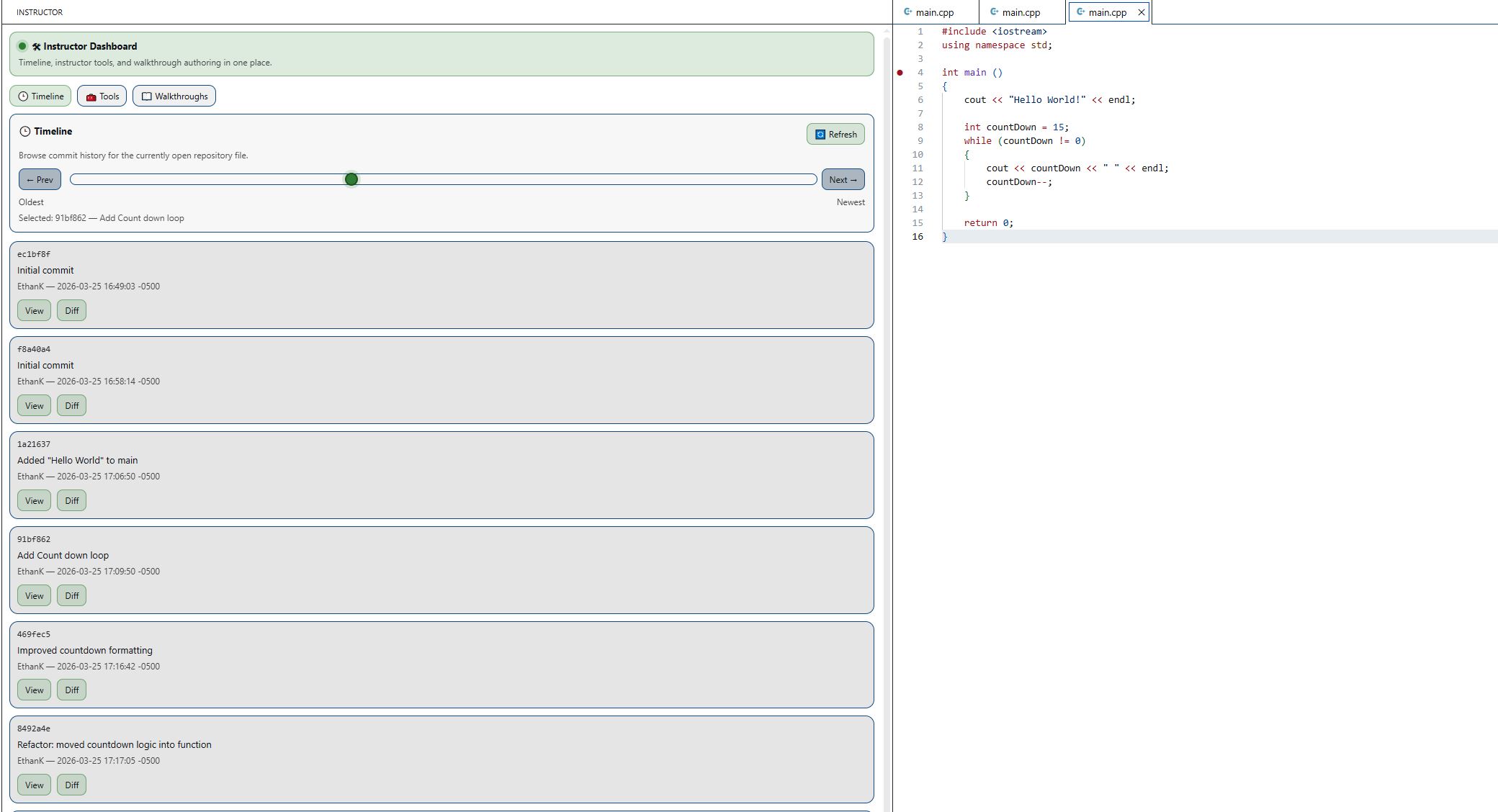
Instructor Mode

Instructor Dashboard Create lessons directly inside VS Code using:
  • Timeline playback based on commits
  • Walkthrough creation
  • Inline code annotations
  • Media attachment and synchronization
  • Lesson export for student distribution

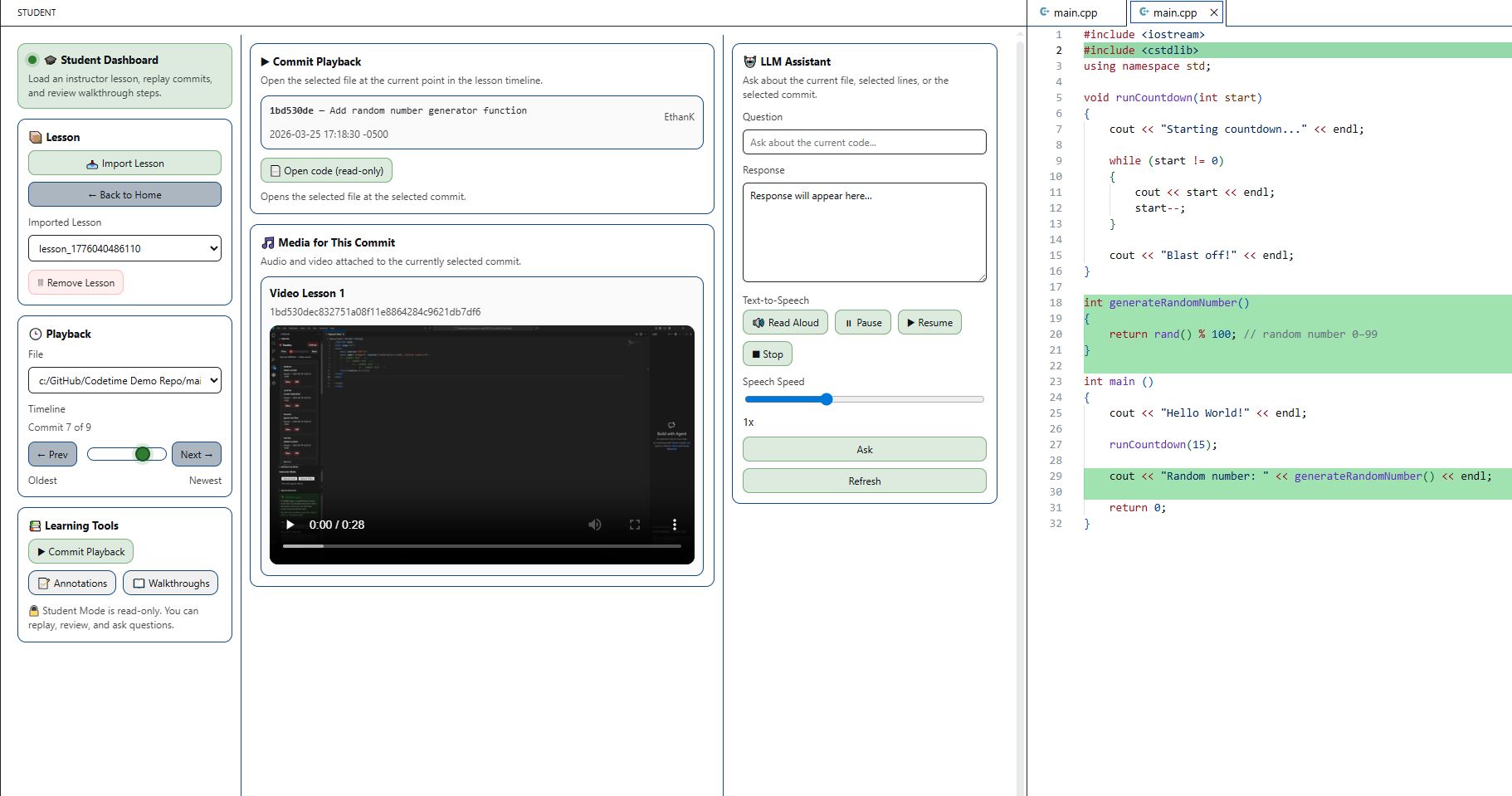
Student Mode

Student Dashboard Consume lessons in a focused read-only experience:

  • Import a lesson package
  • Navigate the commit timeline
  • Open walkthrough steps
  • Review annotations and linked lesson media
  • Ask the AI assistant for code explanations

Why CodeTime

Most students only see the finished version of a program.

CodeTime helps learners understand how code was built, how it changed over time, and why each change matters. It is especially useful for:

  • classroom demos
  • tutoring
  • capstone presentations
  • walkthrough-based instruction
  • beginner programming education

How to use

  1. Open CodeTime from the Activity Bar.
  2. Choose Instructor Mode or Student Mode.
  3. In Instructor Mode, create a lesson from a project timeline.
  4. Add walkthroughs, annotations, and lesson media.
  5. Export the lesson package.
  6. In Student Mode, import the lesson package and replay the lesson.

Requirements

  • Visual Studio Code
  • Git-based project history for timeline-based lessons
  • Lesson package export/import for student playback

Status

CodeTime is a capstone project built by Team Nexus at the University of North Texas.

License

Copyright (c) 2026 Team Nexus. All rights reserved.

This project is proprietary software. No part of this project may be used, copied, modified, or distributed without explicit permission from Team Nexus.

  • Contact us
  • Jobs
  • Privacy
  • Manage cookies
  • Terms of use
  • Trademarks
© 2026 Microsoft