Kanban Board for VS Code
A lightweight Kanban board inside Visual Studio Code for managing TODOs.
Overview
Manage tasks on a Kanban board without leaving VS Code. Columns and cards are
stored in your workspace and can be versioned with your project.
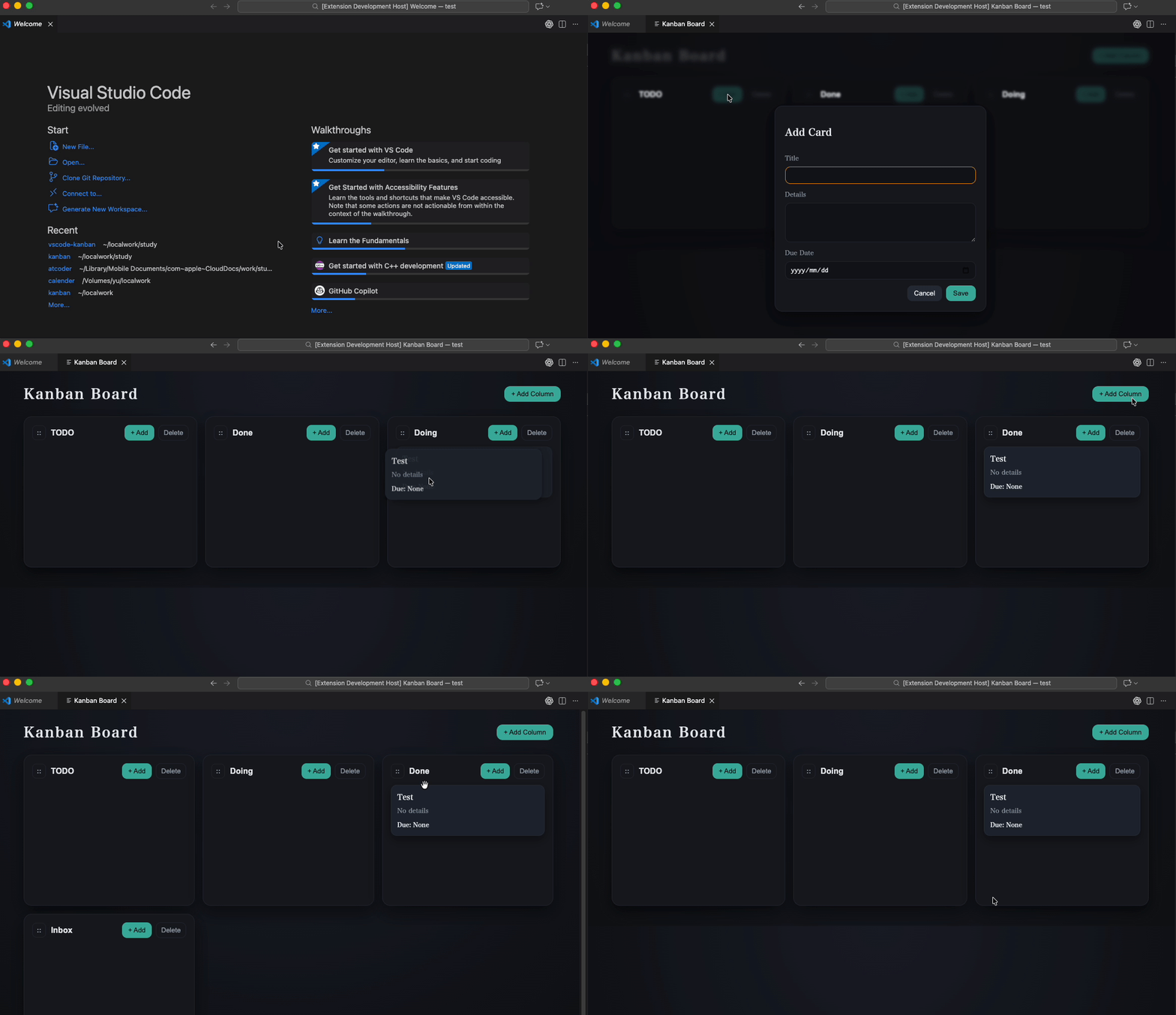
Features
- Create, rename, reorder, and delete columns (drag the handle to reorder).
- Create, edit (double click), delete, and move cards with drag and drop.
- Set optional due dates on cards.
- Open a card's Markdown file directly in the VS Code editor (
Open / Open .md).
- Persist data in your workspace as Markdown with front matter.
Usage
- Open the Command Palette.
- Run
Kanban: Open Board.
- Use
+ Add Column to add columns.
- Use
+ Add in a column to create cards.
- Double click a card to edit it.
Commands
Kanban: Open Board (kanban.openBoard) in the Command Pallete (ctrl+shift+P).
Issues / Feedback
Please report bugs or request features here:
https://github.com/tete0123/Kanban-Board/issues
Data Storage
Data is stored under your workspace:
.vscode-kanban/index.json for column metadata and ordering.vscode-kanban/cards/*.md for cards (front matter + body)
Notes / Limitations
- A workspace must be open.
- The last column cannot be deleted.
Requirements
Release Notes
| |

