Skip to content
| Marketplace
Sign in
Visual Studio Code>Other>swap-anchor-cursorNew to Visual Studio Code? Get it now.
swap-anchor-cursor

swap-anchor-cursor

tcdhry

| (0) | Free
Installation
Launch VS Code Quick Open (Ctrl+P), paste the following command, and press enter.
Copied to clipboard
More Info

Swap Anchor Cursor

An extension that provides commands to swap the anchor and cursor positions of a text selection, or to align the cursor to the left or right.
Supports multi-cursor.
Supports the Cursor Undo (Ctrl+U) command.

Main Features

When there is a text selection, the following commands can be selected from the Command Palette (Ctrl+Shift+P).

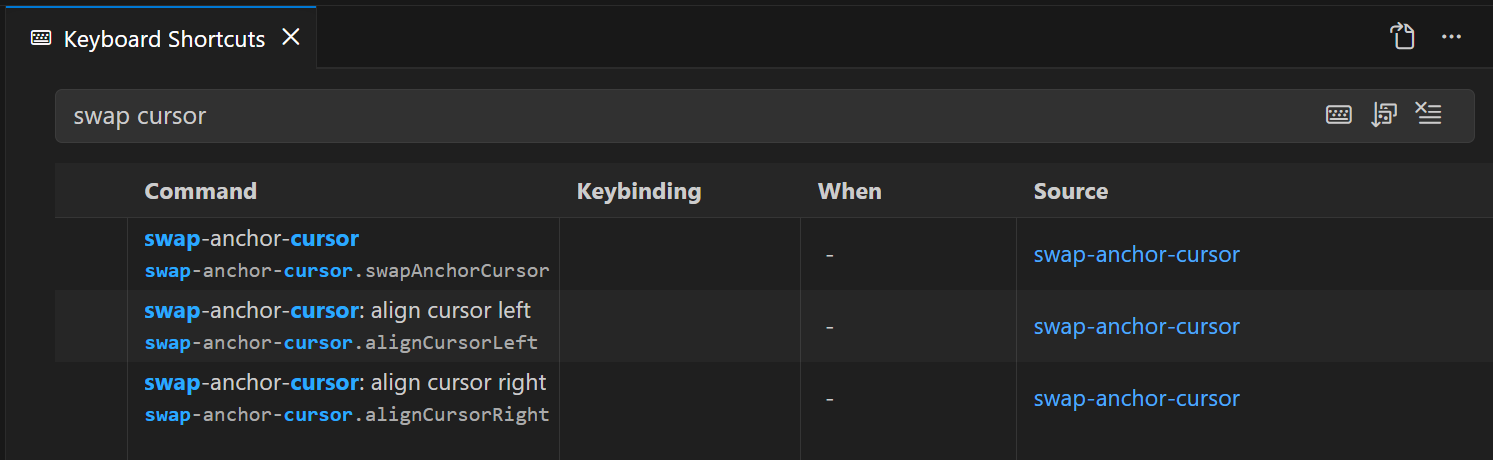
swap-anchor-cursor.swapAnchorCursor (swap-anchor-cursor: swap anchor and cursor)

Swaps the anchor and cursor positions.

swap-anchor-cursor.alignCursorLeft (swap-anchor-cursor: align cursor left)

Moves the cursor to the left of the selection.
With multiple cursors, aligns all cursors to the left of their selections.

swap-anchor-cursor.alignCursorRight (swap-anchor-cursor: align cursor right)

Moves the cursor to the right of the selection.
With multiple cursors, aligns all cursors to the right of their selections.

Keybinding Configuration

No keybindings are set by default.
From the Command Palette (Ctrl+Shift+P), select "Preferences: Open Keyboard Shortcuts" and assign your preferred keybindings to each command.

alt text

  • Contact us
  • Jobs
  • Privacy
  • Manage cookies
  • Terms of use
  • Trademarks
© 2026 Microsoft