Skip to content
| Marketplace
Sign in
Visual Studio Code>Visualization>SourceDiveNew to Visual Studio Code? Get it now.
SourceDive

SourceDive

Tariq10x

| (0) | Free
Interactive code exploration and visualization for trusted file-system-backed C/C++ workspaces
Installation
Launch VS Code Quick Open (Ctrl+P), paste the following command, and press enter.
Copied to clipboard
More Info

SourceDive

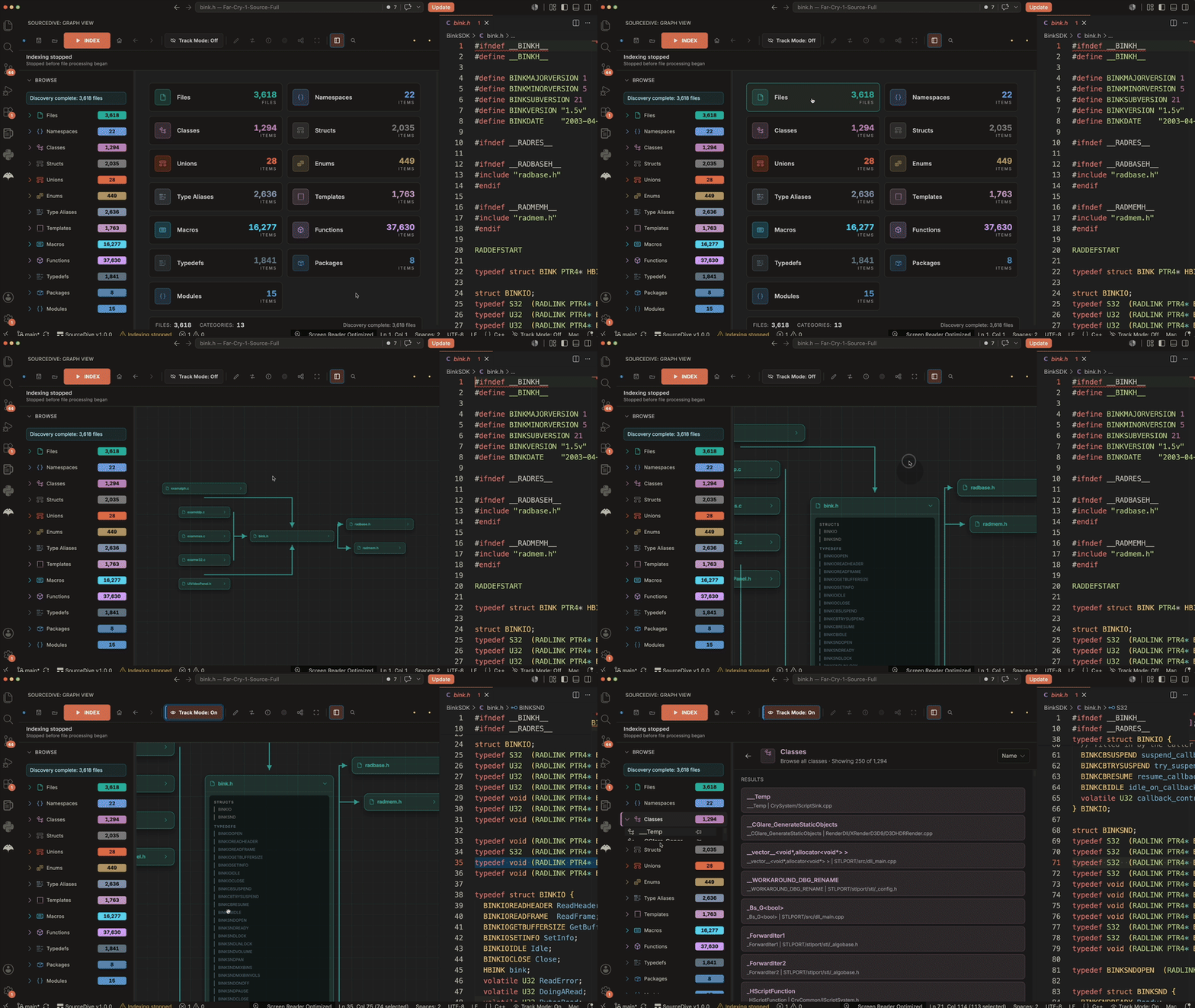
SourceDive is a VS Code extension for exploring C and C++ code as interactive graphs.

It helps you index a codebase, search symbols fast, visualize relationships, and jump between the graph and the editor.

What It Does

  • Browse visible categories like Files, Classes, Structs, Unions, Enums, Typedefs, Macros, Functions, and Global Variables.
  • Index your project from compile_commands.json or by scanning source files directly.
  • Search across the graph instantly with Cmd/Ctrl+G.
  • Use Focus mode to isolate the currently selected node.
  • Use Track mode for fast source previews while browsing graph details.
  • Activate Whiteboard mode by holding left mouse click and press W.
  • Toggle the grid with G, fit the graph with F.
  • Jump Home with H, go Back with Alt+Left, and go Forward with Alt+Right.
  • Hold Shift while clicking a node to expand or collapse it.
  • Save, open, export, and import dive sessions.

Main Features

Visualizing

  • Symbol graph view
  • Category overview and file browser

Indexing

  • Scan workspace
  • Force reindex all files
  • Rebuild the index database
  • Compilation database status in the UI
  • Index status and progress in the UI

Search Mode

  • Global graph search overlay
  • Fast symbol lookup
  • Search result kind filters

Track Mode

  • Preview source locations while hovering graph detail entries
  • Move between graph details and source code faster

Whiteboard Mode

  • Draw over the graph with pen, line, arrow, rectangle, circle, and eraser tools.
  • Change stroke size, line style, pen tip, and color
  • Persist whiteboard notes per graph

Focus Mode

  • Collapse the current graph to the selected node
  • Quickly inspect a single symbol without visual noise

Shortcuts

  • Cmd/Ctrl+G: open search
  • Cmd/Ctrl+Alt+W: toggle whiteboard
  • Hold left click and press W: quick-toggle whiteboard while working in the graph
  • G: toggle grid
  • F: fit graph to view
  • R: re-layout graph
  • H: go to Home
  • Alt+Left: back
  • Alt+Right: forward
  • Esc: close search
  • Shift + Click a node: expand or collapse a node card or module node
  • Double-click a node: open the related file or dive deeper
  • Right-click a node: open the node context menu
  • Cmd/Ctrl+Z: undo whiteboard stroke
  • Cmd/Ctrl+Shift+Backspace: clear the active whiteboard

Main Commands

  • SourceDive: Scan Workspace
  • SourceDive: Force Reindex All Files
  • SourceDive: Rebuild Index Database
  • SourceDive: Open Graph View
  • SourceDive: Show Module Dependencies
  • SourceDive: Show Namespace Dependencies
  • SourceDive: Show Symbol Graph
  • SourceDive: Go to Home View
  • SourceDive: Navigate Back
  • SourceDive: Navigate Forward
  • SourceDive: Fit Graph to View
  • SourceDive: Re-layout Graph
  • SourceDive: Toggle Grid
  • SourceDive: Toggle File Tracking
  • SourceDive: Toggle Whiteboard
  • SourceDive: Focus Search
  • SourceDive: Save Exploration Session
  • SourceDive: Open Saved Session
  • SourceDive: Export Session to File
  • SourceDive: Import Session from File

Contact

If you want to support me or contact me here are some links:

  • YouTube: youtube.com/@tariq10x
  • X / Twitter: x.com/realtariq10x
  • Patreon: patreon.com/c/tariq10x
  • Buy Me a Coffee: buymeacoffee.com/tariq10x
  • Contact us
  • Jobs
  • Privacy
  • Manage cookies
  • Terms of use
  • Trademarks
© 2026 Microsoft