
TaoScope Coding AssessmentA professional VS Code coding assessment platform for TaoScope hiring, including timed assessments, coding challenges, candidate sessions, and technical evaluation workflows. Installation Launch VS Code Quick Open ( Ctrl+P), paste the following command, and press enter.Copied to clipboard |

TaoScope Coding AssessmentWelcome to TaoScope Coding Assessment — a VS Code extension that helps candidates complete technical and coding assessments for TaoScope hiring, right inside their editor. Whether you are preparing for a knowledge interview or a hands-on coding challenge, this extension guides you through the process step by step. Website: taoscope.com 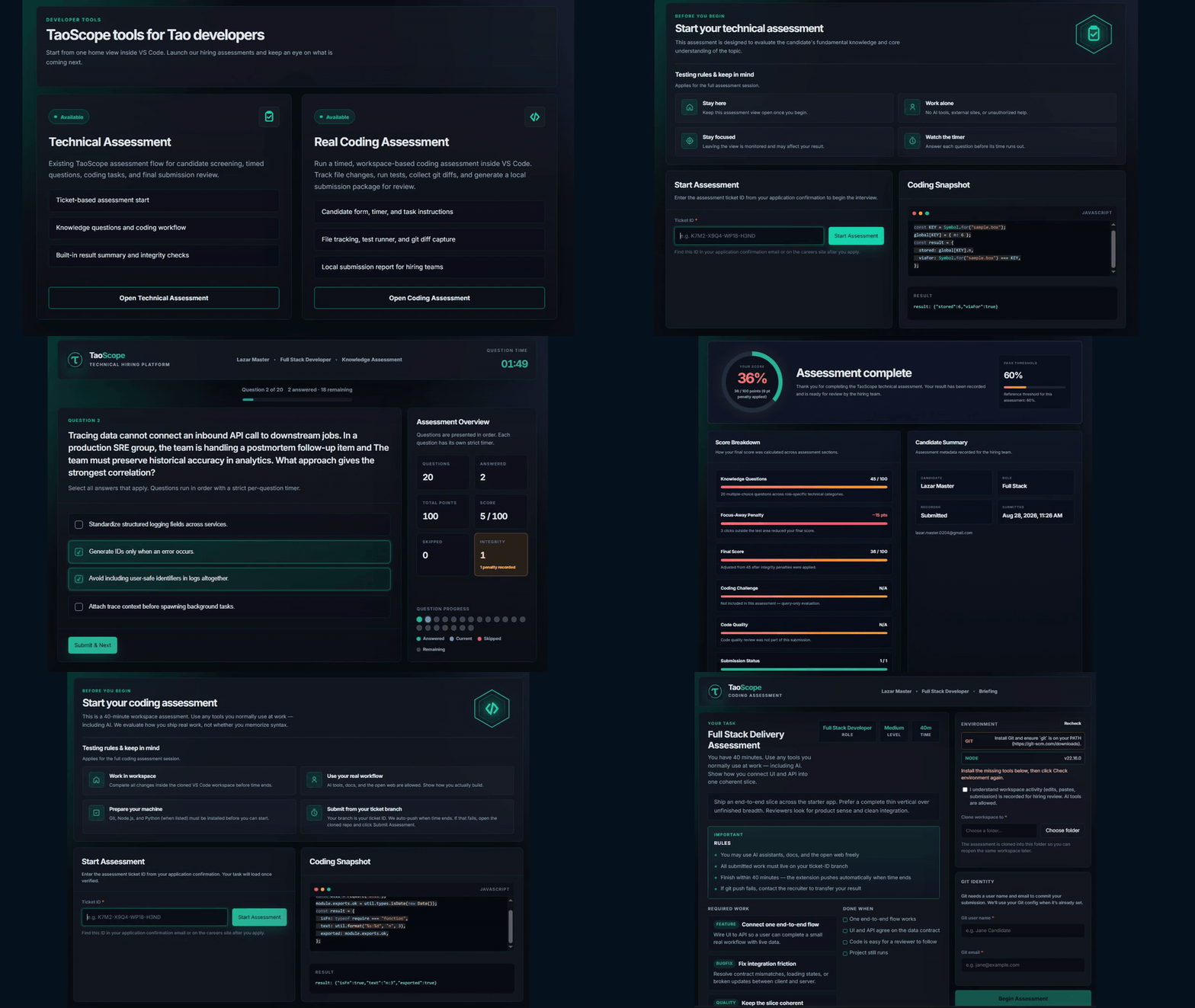
What you can doFrom the TaoScope sidebar in VS Code, you can:
Why this extension
Getting started1. Apply and receive your ticketApply for a role on taoscope.com/careers. After your application is reviewed, you will receive an assessment ticket ID by email (or on the careers site). Keep that ticket ID ready — you will need it to start your assessment. 2. Install the extension
You can also install it by ID: 3. Open TaoScopeClick the TaoScope icon in the activity bar (left side of the editor). If no tool is open yet, the Tool Hub opens automatically. From there — or from the sidebar — choose the assessment that matches your invitation. 4. Start your assessment
Please stay focused during the assessment. Leaving the assessment view or using unauthorized help may affect your result. Assessment typesTechnical AssessmentA guided session with 20 knowledge questions (easy, medium, and hard) for the role you applied for. The pass threshold is 80%. Coding AssessmentA timed, workspace-based challenge. You implement real work in VS Code, run tests as instructed, and submit your results when ready. Both flows use the same ticket from your application, so your assessment is matched to the role you applied for. Tips for a smooth session
Privacy & integrity
Need help?If you have trouble with your ticket, installation, or assessment session, we are happy to help.
LicenseMIT © TaoScope |